WATI templates now showing in pabbly
Status: Closed · Asked by prith1 on · 0 views
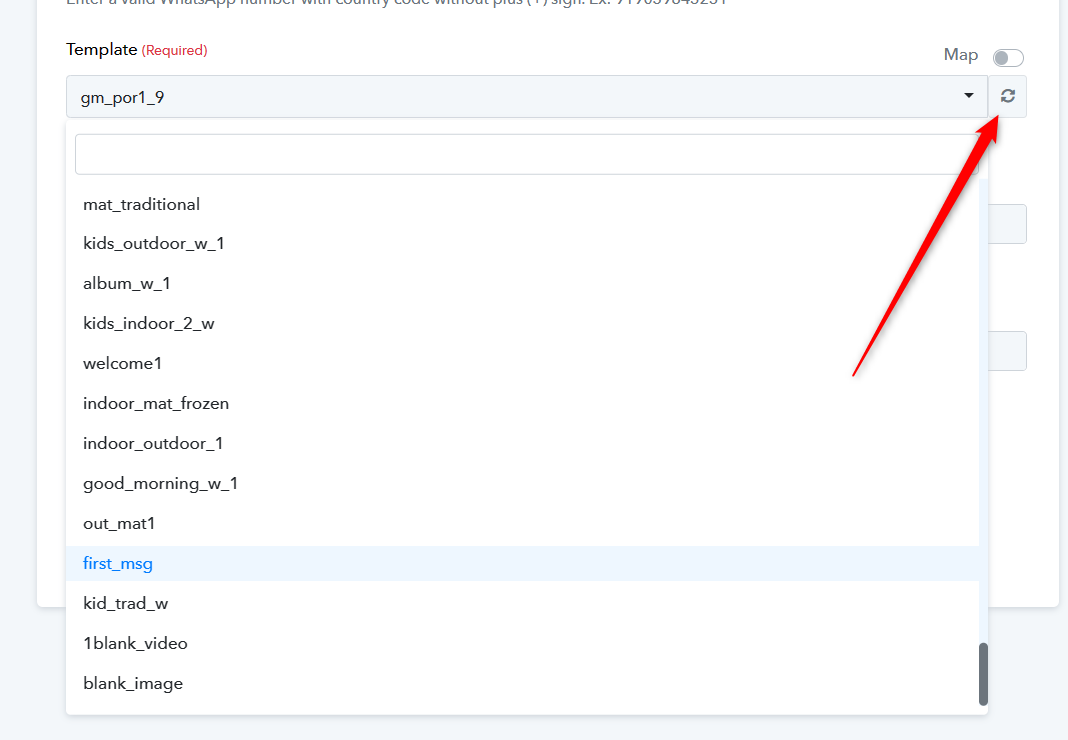
unable to retrieve the templates, WATI is connected perfectly..... Pls find below the image
Attachments
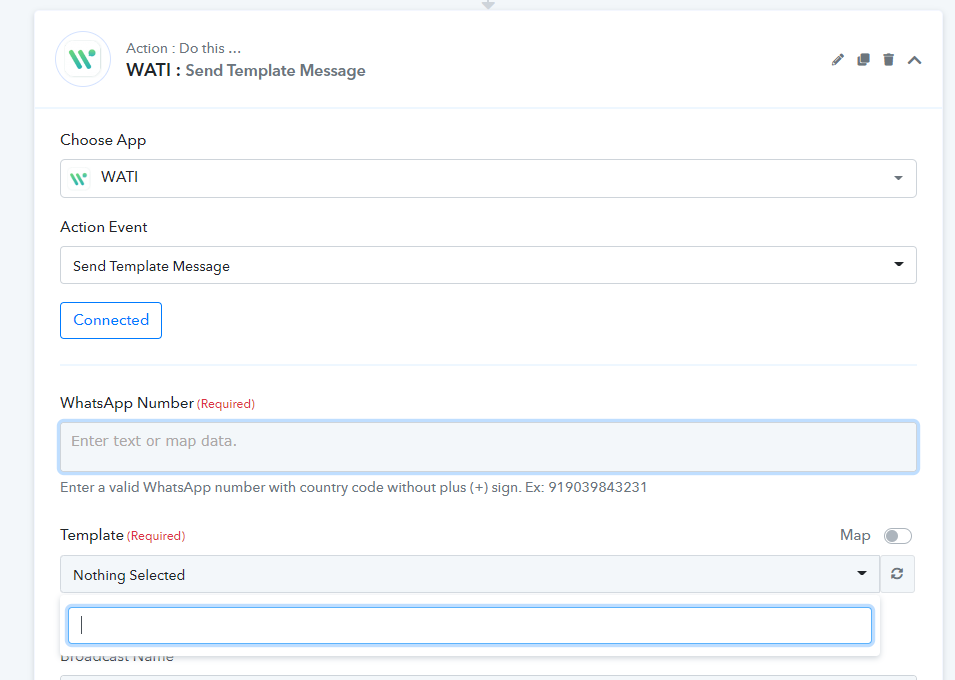
Hey @prith1
Kindly check that your Template is approved by the application team or not and do check whether the template is live or not.
Though we have checked the same at our end and it is working fine. Also do check your connection once and then try again.
You can also refer to the following video tutorial on how you can connect your WATI application.
(Watch the first part of the video)

templates is approved & tested also, WATI connection is connected but still same
Attachments
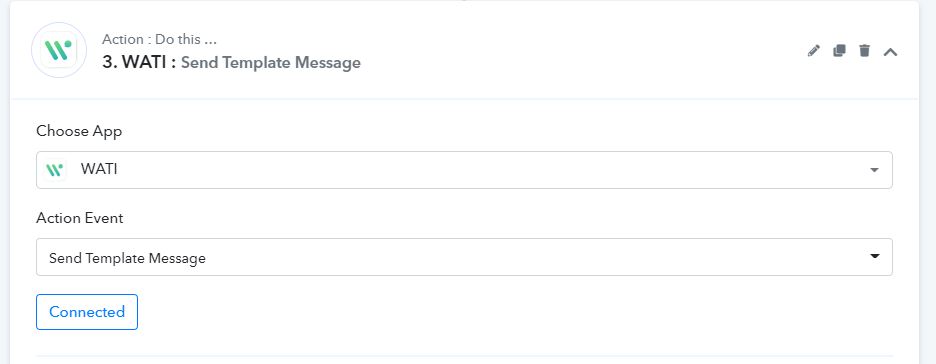
templates is approved & tested also, WATI connection is connected but still same
Seems like you might not have connected your WATI account correctly. Kindly make a new connection by passing the credentials in correct format and then try again.
I have 110 approved and tested templates in WATI, but in Pabbly connect only the last 60 something templates are showing. have followed all above steps, connection is fine. Please help or resolve
Attachments
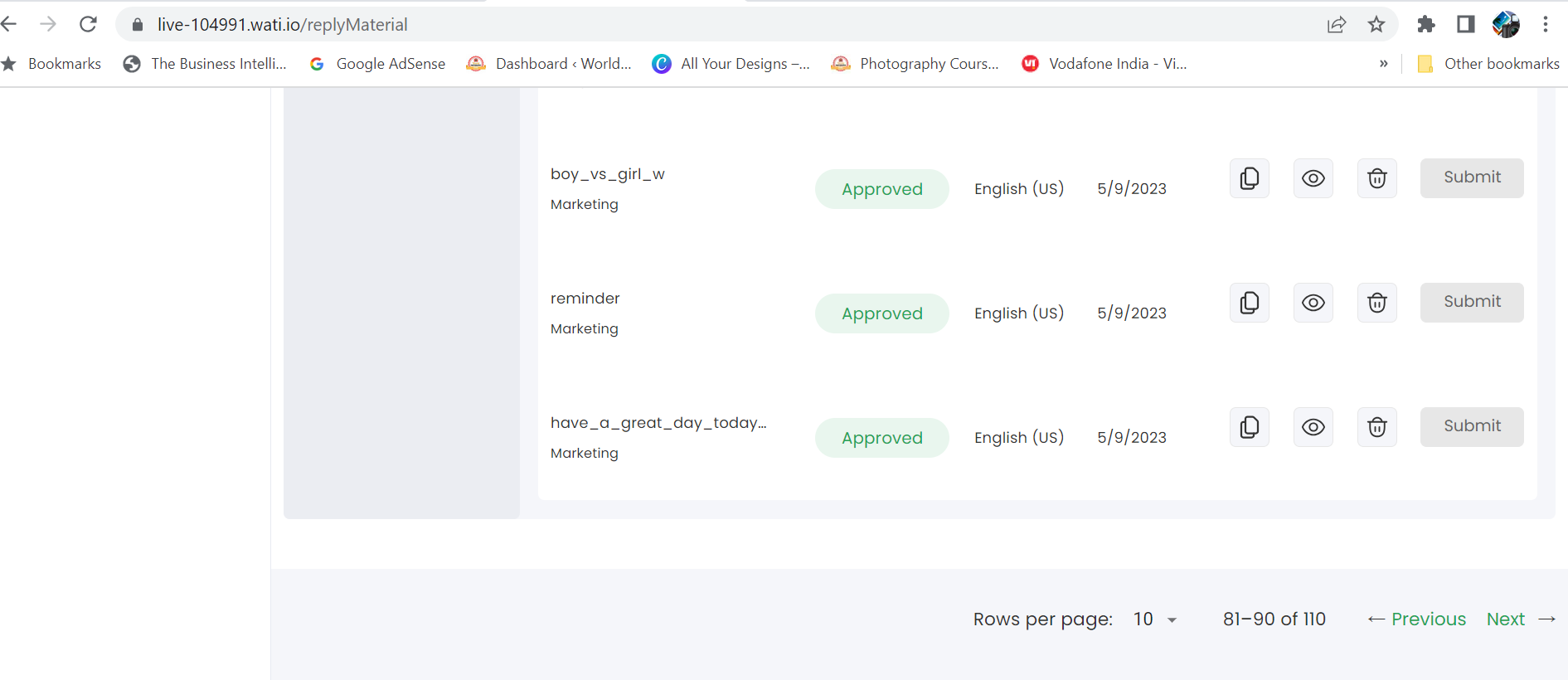
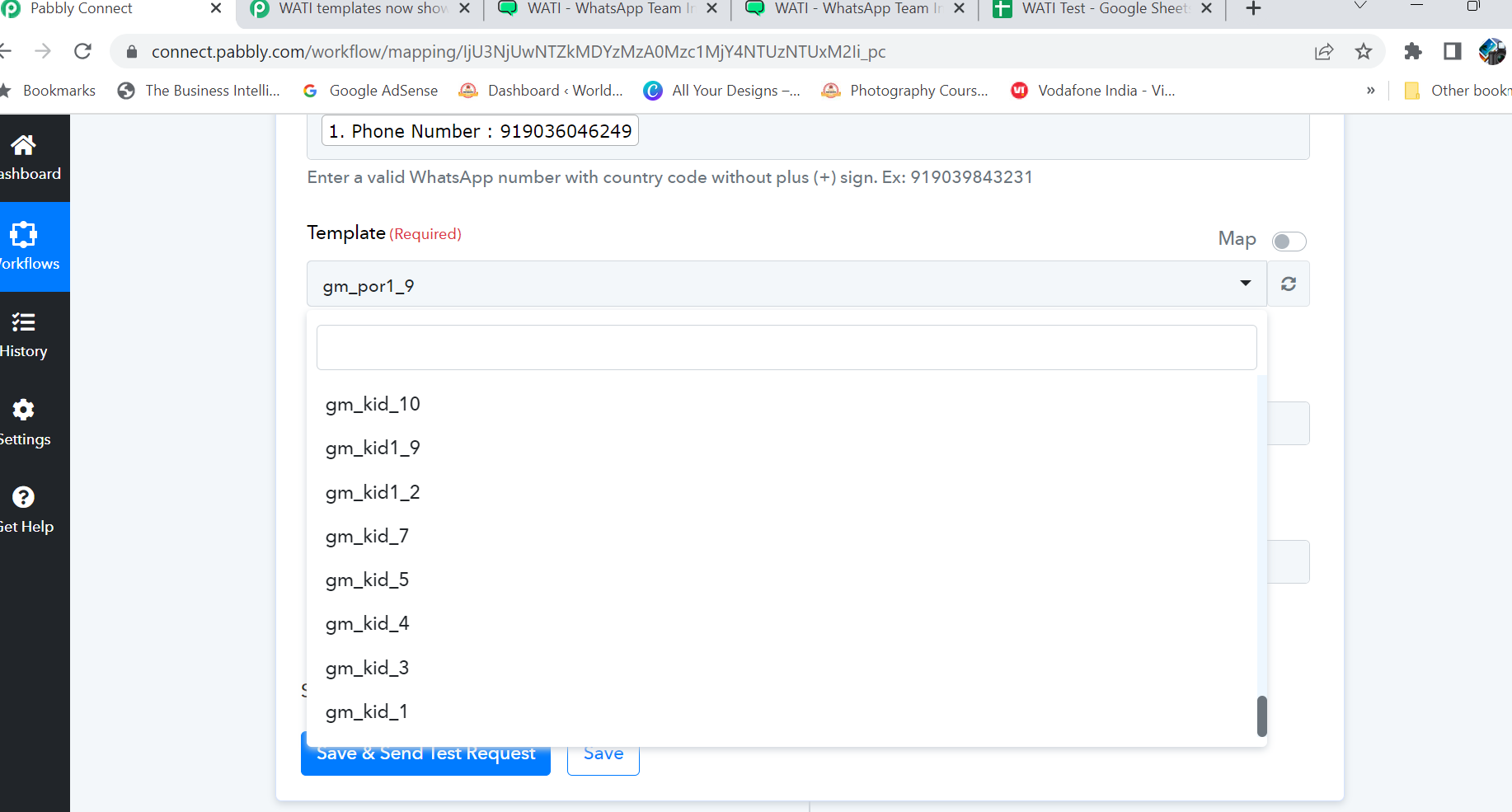
I have 110 approved and tested templates in WATI, but in Pabbly connect only the last 60 something templates are showing. have followed all above steps, connection is fine.
Can you please reconnect the action step and then try now?
Can you please reconnect the action step and then try now?
As I have mentioned above, I have already tried all the steps given. Yes, I have reconnected multiple times. It does not work
Kindly name the workflow, in which you have tried.
Kindly name the workflow, in which you have tried.
I had shared the link to the workflow in the thread that I had started . Sharing again, Workflow name :
google sheet to WATI
Link : https://connect.pabbly.com/workflow/mapping/IjU3NjUwNTZkMDYzMzA0Mzc1MjY4NTUzNTUxM2Ii_pc
I had shared the link to the workflow in the thread that I had started . Sharing again, Workflow name :google sheet to WATI
Because as we can see all the templates are showing. Kindly refresh the field once.
Hi Team, it is working while testing (Message is going when I have to click "Save & Send test request". But the flow is not working on its own. The ideal way is
1. Customer sends a message to whatsapp API via WATI
2. WATI writes the details to google sheet
3. Pabbly checks the condition
4. Template message is send via Pabby & WATI
WATI is working fine w.r.t writing in google sheet, but Pabbly is not sending message
Google Sheet Link : https://docs.google.com/spreadsheets/d/1tIzkJdl8XU9X3HiPki21YxxcA5yd7LDGNcoXTO9evjs/edit#gid=0
Pabbly Workflow : https://connect.pabbly.com/workflow/mapping/IjU3NjUwNTZkMDYzMzA0Mzc1MjY4NTUzNTUxM2Ii_pc
Please help
Hey @Surya
Please recapture the webhook response ince and then try again. You can only use "Send On Event" when setting up Google Sheets if the data is coming from a Google application or if you manually enter it. If the data is coming from a third-party application, however, you may need to choose "Auto Send On Schedule" or "Send on Schedule," which will forward the data in exactly one hour.
Additionally, make sure the data was filled up to your trigger column.
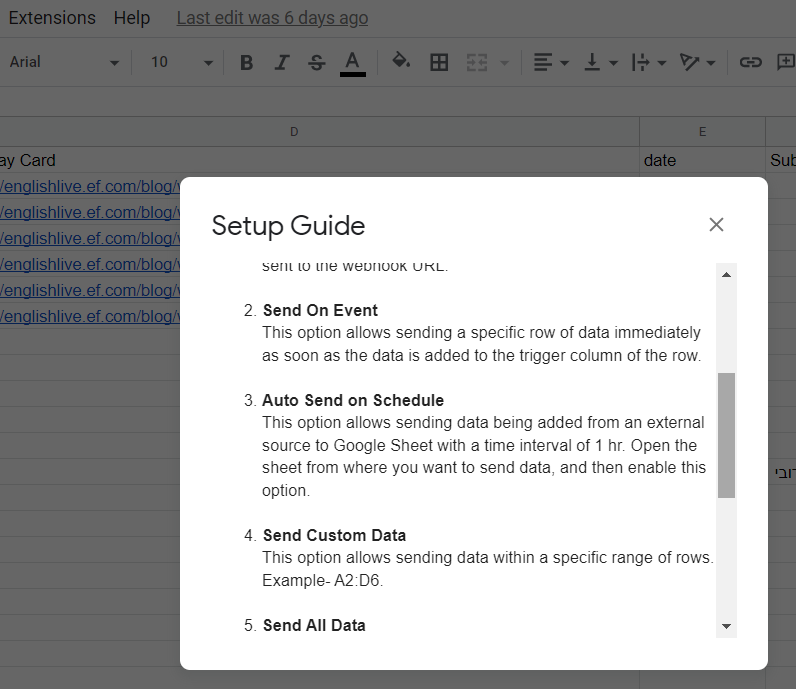
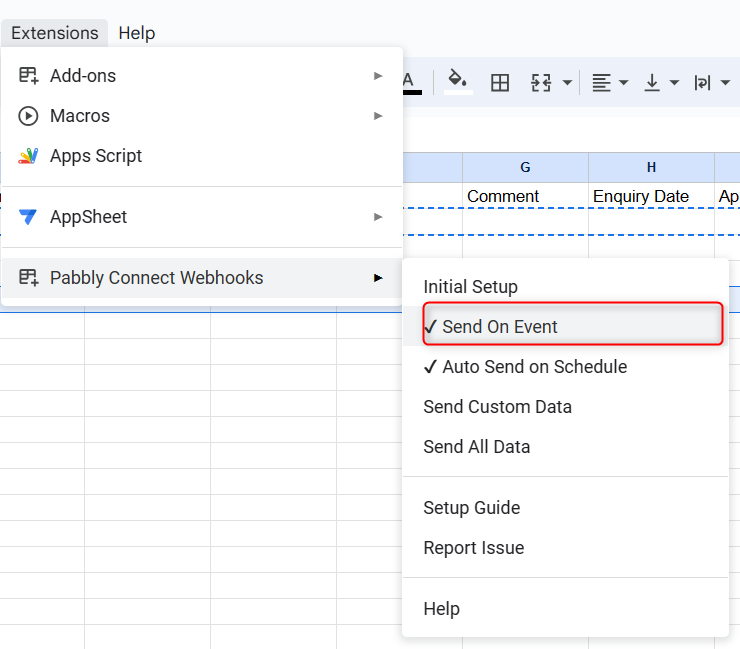
These are already enabled.
All these settings have been taken care of. Still its not working
Can you please record a short video on how you have captured the webhook response and passing the data from Google Sheets to the workflow.
Can you please record a short video on how you have captured the webhook response and passing the data from Google Sheets to the workflow.
Please find the recording video, its not getting uploaded here https://photos.app.goo.gl/BTFro6nLVEkiUVzq6
As we can see from your video(3:12) you haven't pressed the "Send Test" first and directly submitted the initial setup. Whereas you should have first pressed the "Send Test" and then pressed the "Submit" button.
Also, please note that if your data is coming from a third-party application you need to opt for the "Auto Send On Schedule" which we can see you have opted for already but kindly note that it will take up to 1 hr to reach the data to the workflow.
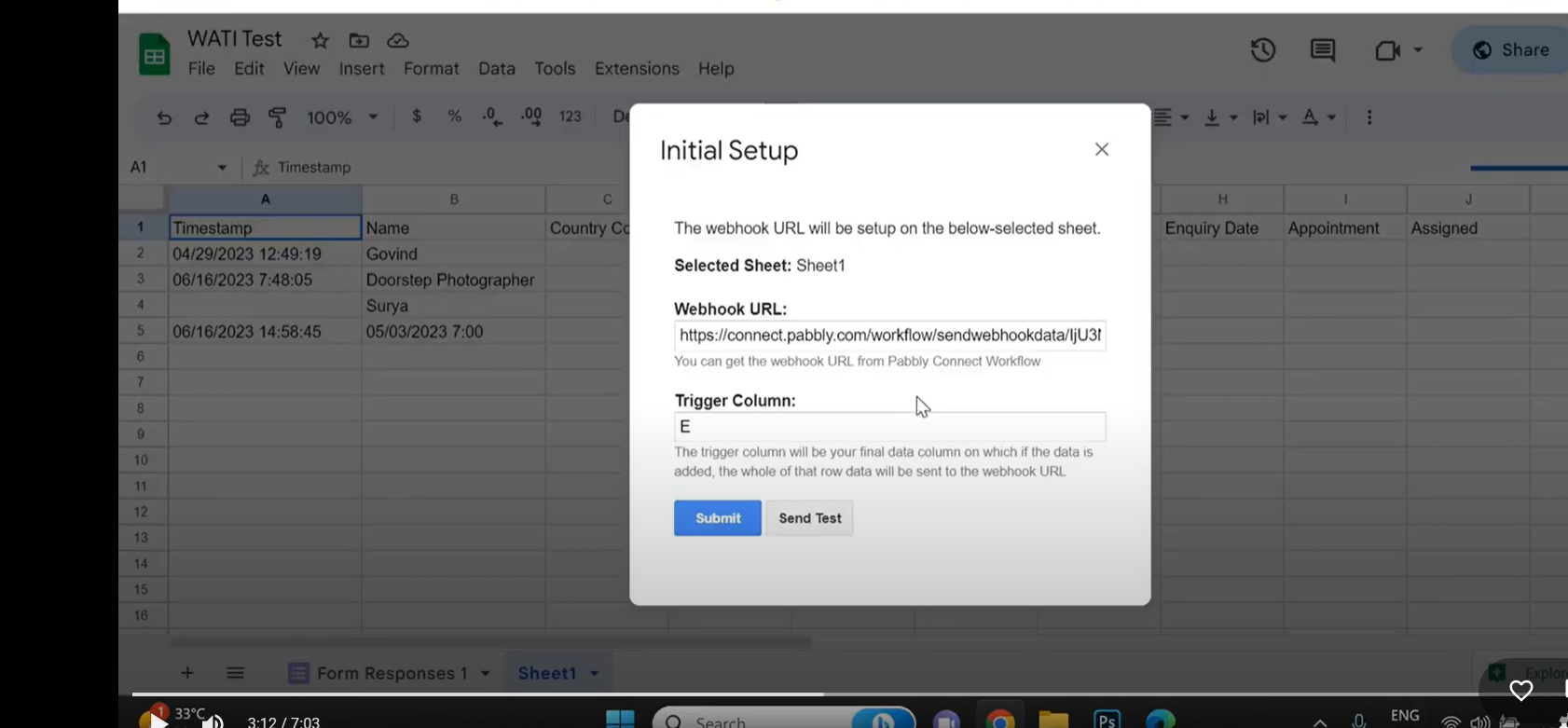
As we can see from your video(3:12) you haven't pressed the "Send Test" first and directly submitted the initial setup. Whereas you should have first pressed the "Send Test" and then pressed the "Submit" button.Also, please note that if your data is coming from a third-party application you need to opt for the "Auto Send On Schedule" which we can see you have opted for already but kindly note that it will take up to 1 hr to reach the data to the workflow.
Team, The purpuse of the view was to show flow of data ask you had asked. I have already followed the steps (pressing send test before submit). Also I am already mentioning in the video that I had waited for more than 2-3 hours, twice (about the trigger running every hour), but message is not coming. Kindly look into this issue on priority and provide some concrete solution, I have ALREADY FOLLOWED ALL THE INSTRUCTION AND HAVE MENTIONED THE SAME TOO
Please check your other thread, we have replied to you.
https://forum.pabbly.com/threads/wati-all-templates-not-showing.14664/