WATI Templates
Status: Closed · Asked by Digital Solutions on · 0 views
Hi Wait templates are not fetching on pebbly connect, can any one help me with this ?
Attachments
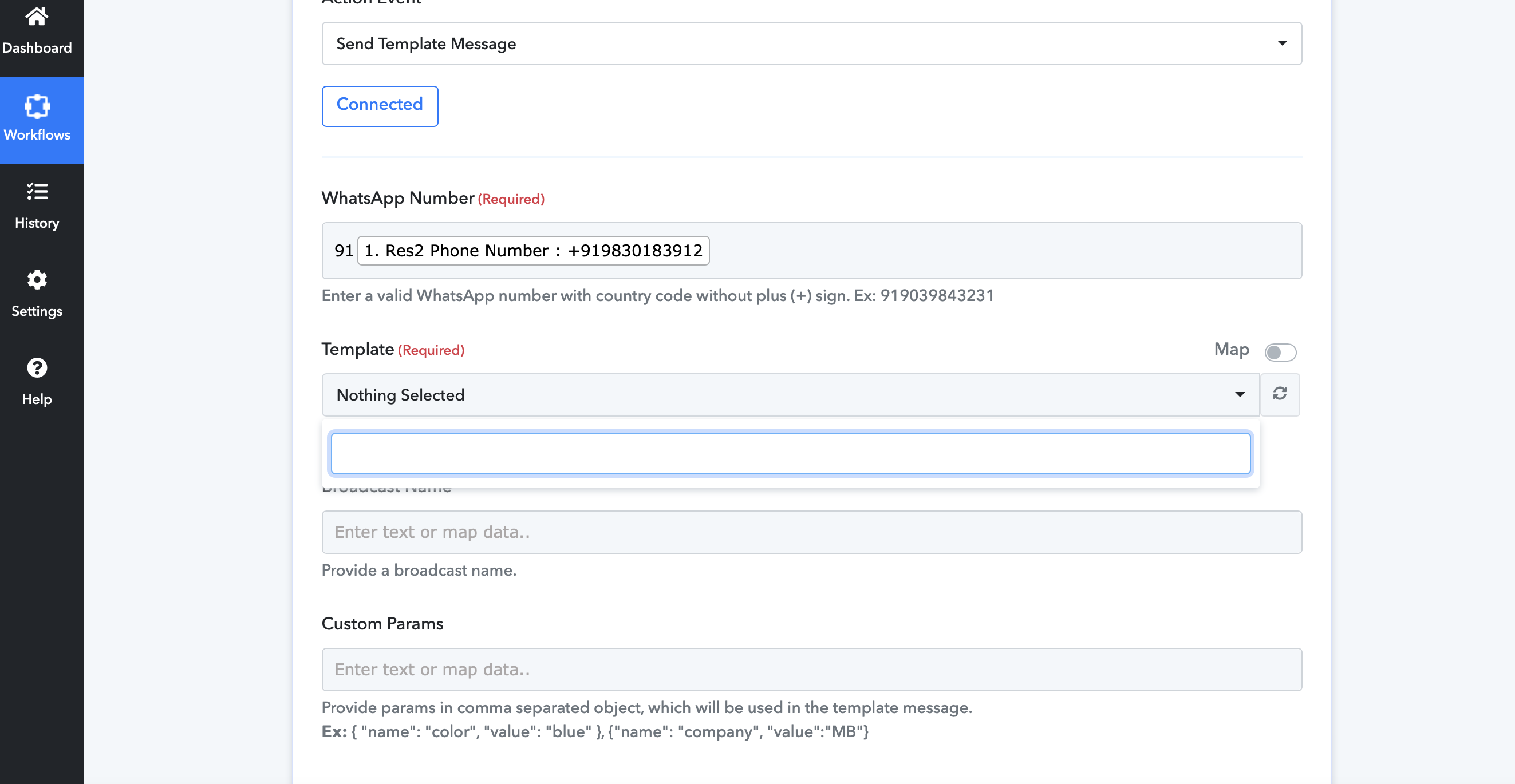
Hi Wait templates are not fetching on pebbly connect, can any one help me with this ?
Are you authorizing WATI as shown in the video below? Please confirm.
Are you authorizing WATI as shown in the video below? Please confirm.
Yes the same thing I did
You didn't entered the WATI credenatials properly. We have updated it and now the templates are showing properly -
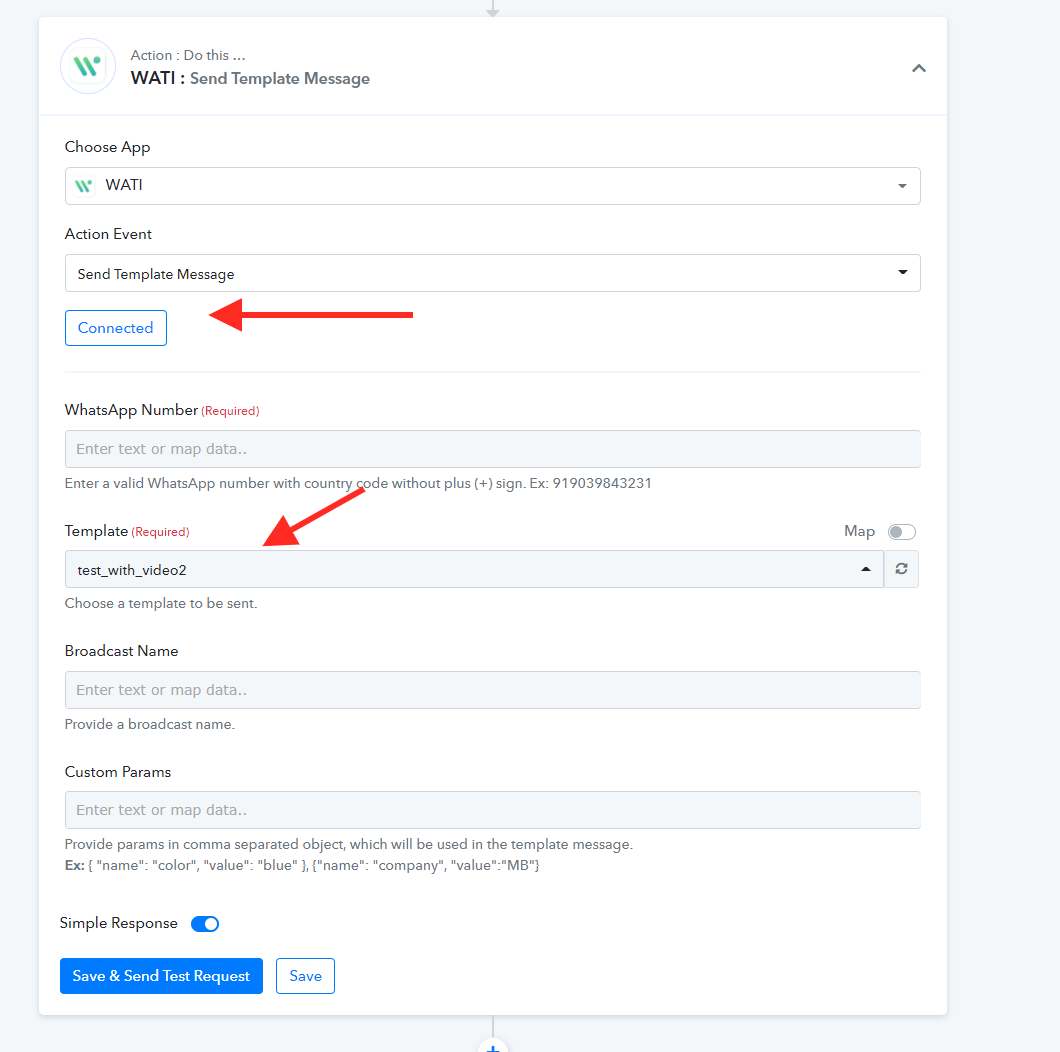
You didn't entered the WATI credenatials properly. We have updated it and now the templates are showing properly -
doing it again , as I tried 3 Times, can you guys take the access of my system & do it
doing it again , as I tried 3 Times, can you guys take the access of my system & do it
Ok Now its showing to me , one more issue I am having with adding country codes
as my fb form fetching automatically given country codes , but as its coming with +91 its not working , how to resolve this
Ok Now its showing to me , one more issue I am having with adding country codes
as my fb form fetching automatically given country codes , but as its coming with +91 its not working , how to resolve this
Attachments
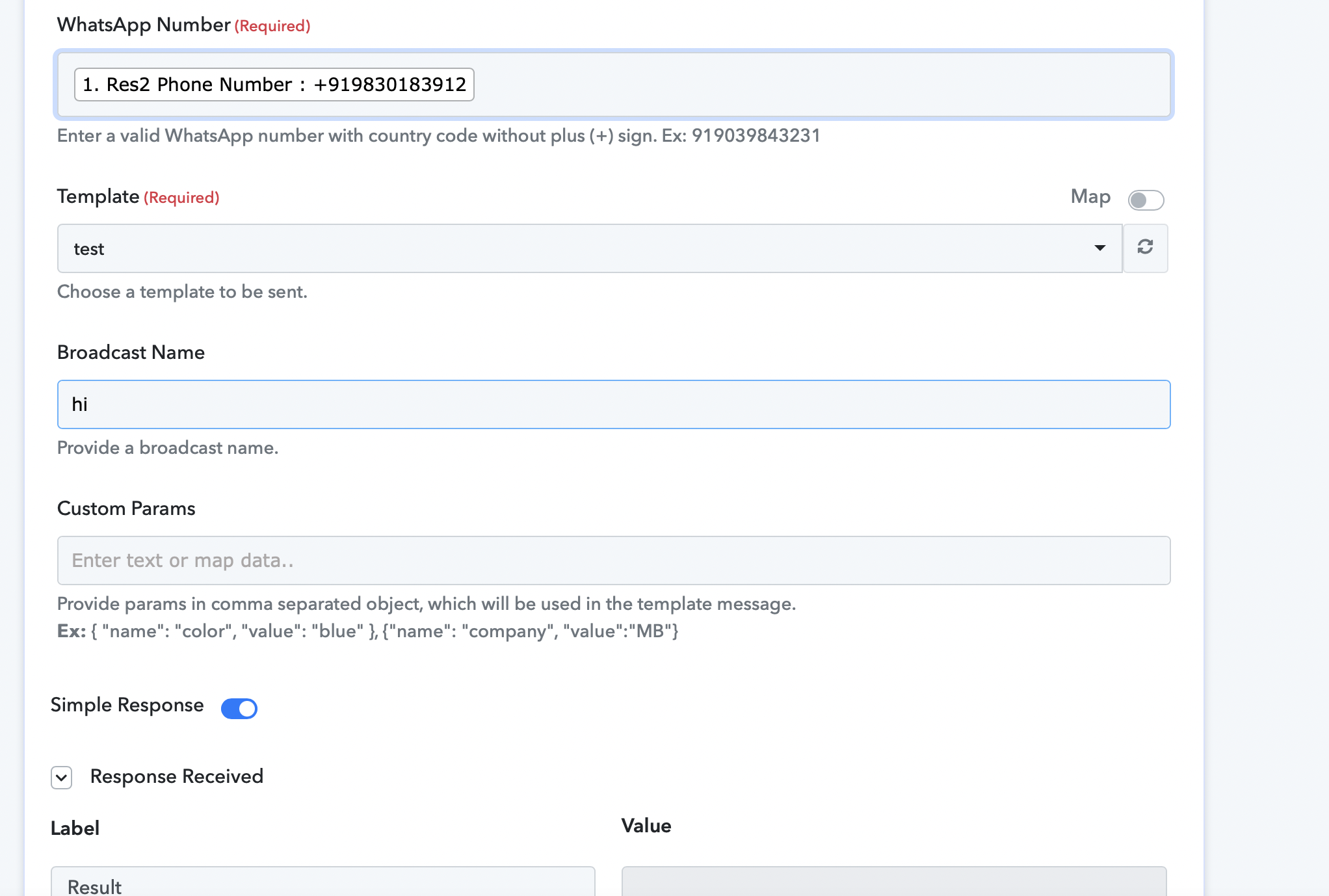
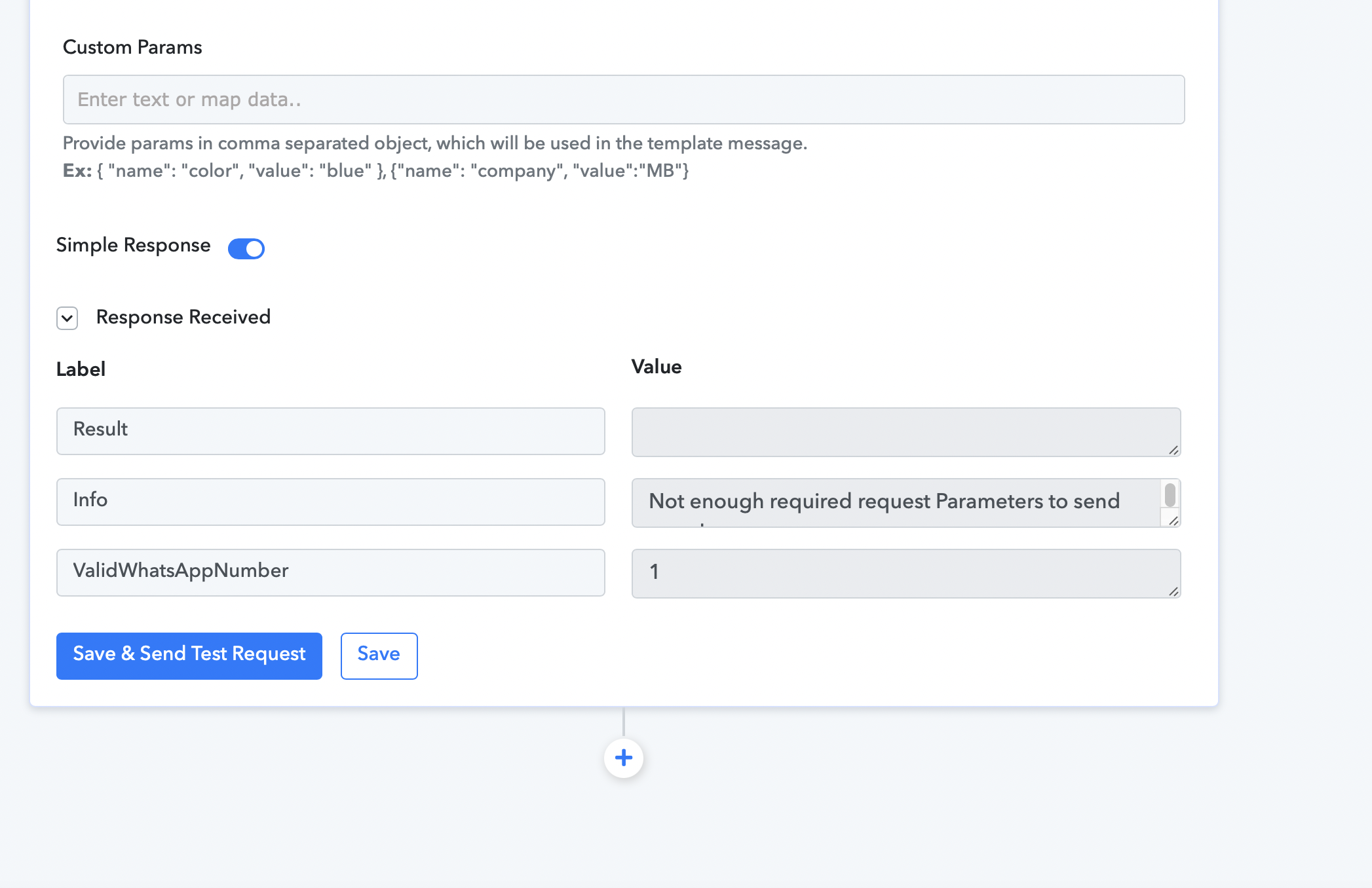
You have not entered any parmaters for sending -
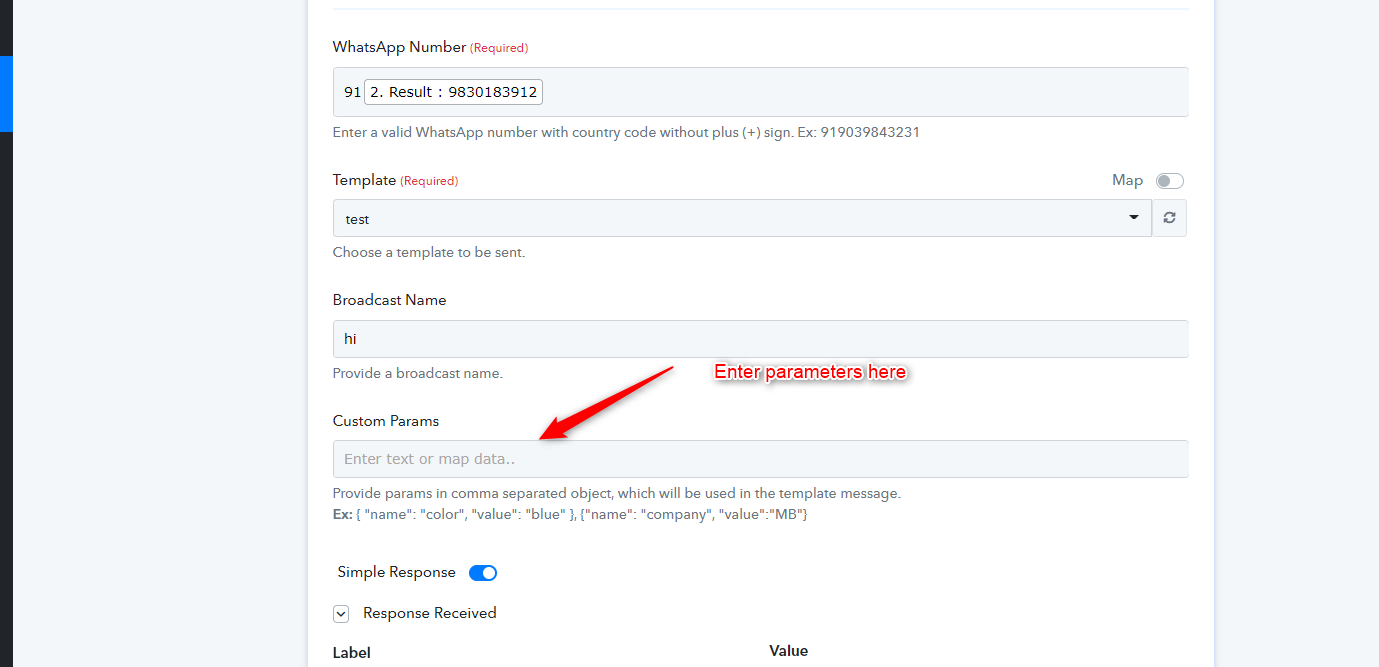
Please watch carefully the video here to know how to enter these parameters -
Ok I have done the set up now , I just need to save & leave ?
it will work or after I pay at pebbly then it will work ?
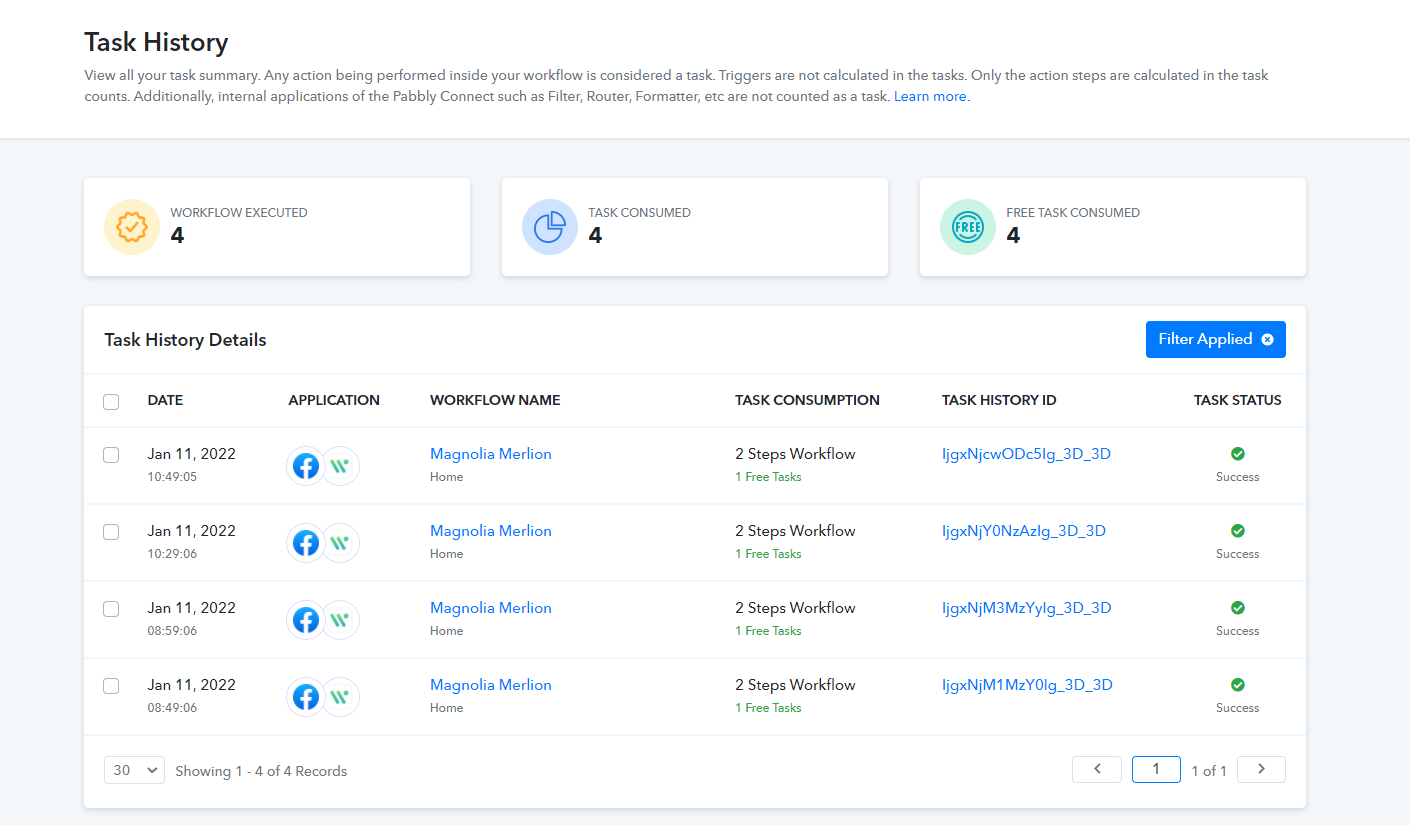
Yes your workflow is setup perfectly and its working fine as well - https://connect.pabbly.com/workflow/mapping/IjIxOTg1MiI_3D
You can click on the History section to check the workflow exectuions.
Yes your workflow is setup perfectly and its working fine as well - https://connect.pabbly.com/workflow/mapping/IjIxOTg1MiI_3DYou can click on the History section to check the workflow exectuions.
Thanks for the update how many workflow I can create with paid ac ?
Thanks for the update how many workflow I can create with paid ac ?
You can create unlimited workflows. The only limitation is the number of tasks you get in your Pabbly Connect account.
Check the pricing plans of Pabbly Connect here - https://www.pabbly.com/connect/#pricing
You can check this video to know how tasks are calculated for a workflow below -
when I am testing connection automation working , but automatically not working .
Hey @Digital Solutions
We looked into your account and it seems like you didn't grant the permission to FB trigger event to access your Lead Ad form. And because of that, you are not able to use it in automation.
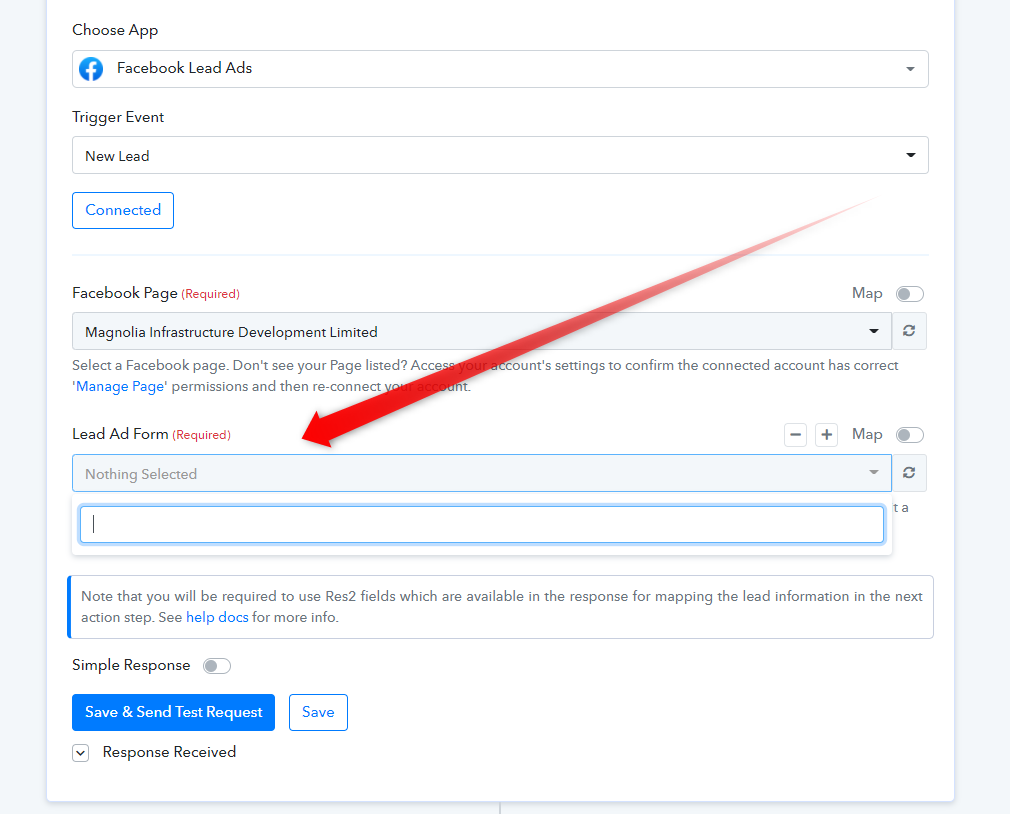
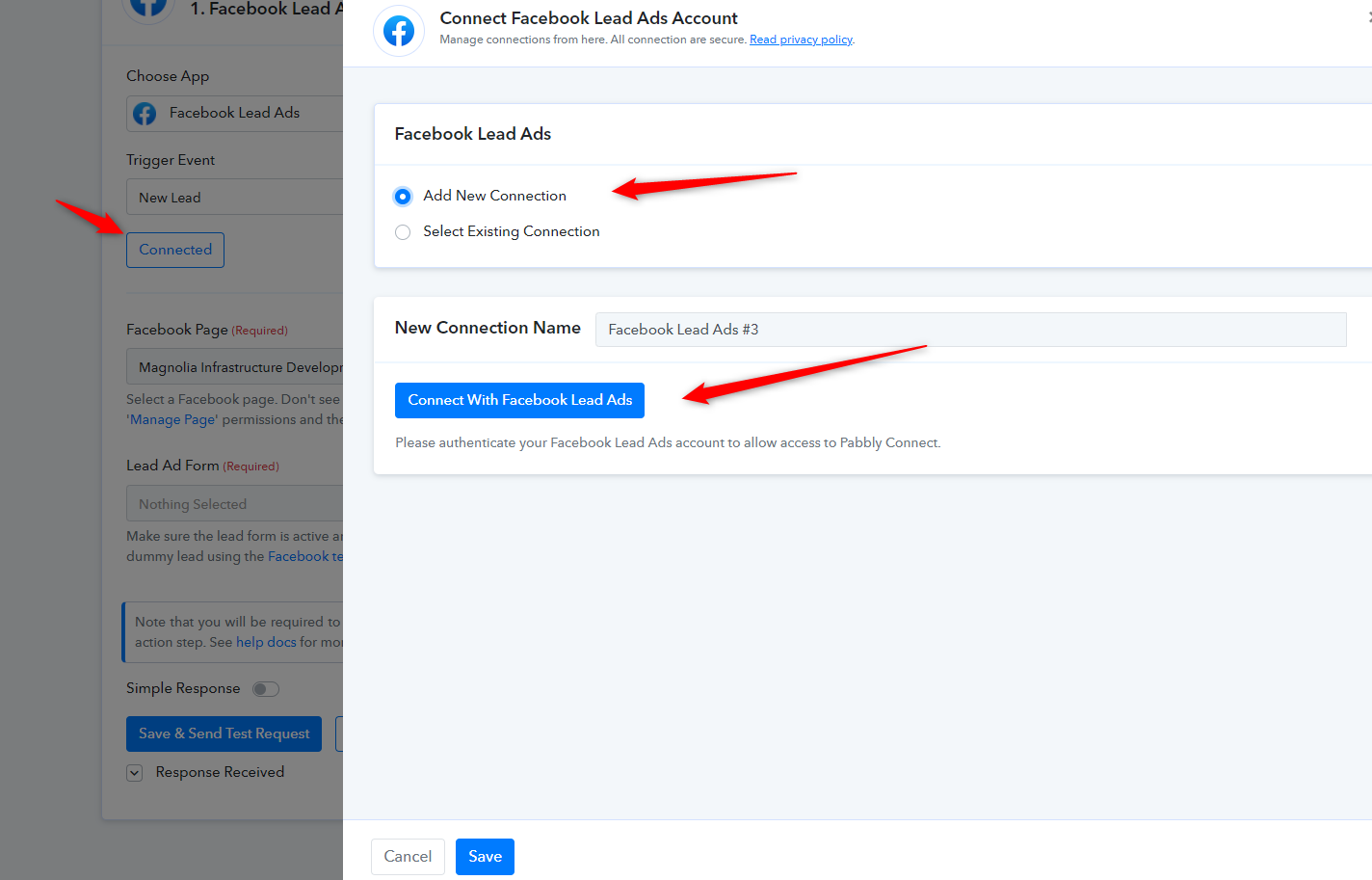
So, kindly re-connect your "Facebook Lead Ads: New Lead" account and kindly grant all the permission to access your Lead Ad Form to process it in automation.
Yes your workflow is setup perfectly and its working fine as well - https://connect.pabbly.com/workflow/mapping/IjIxOTg1MiI_3DYou can click on the History section to check the workflow exectuions.
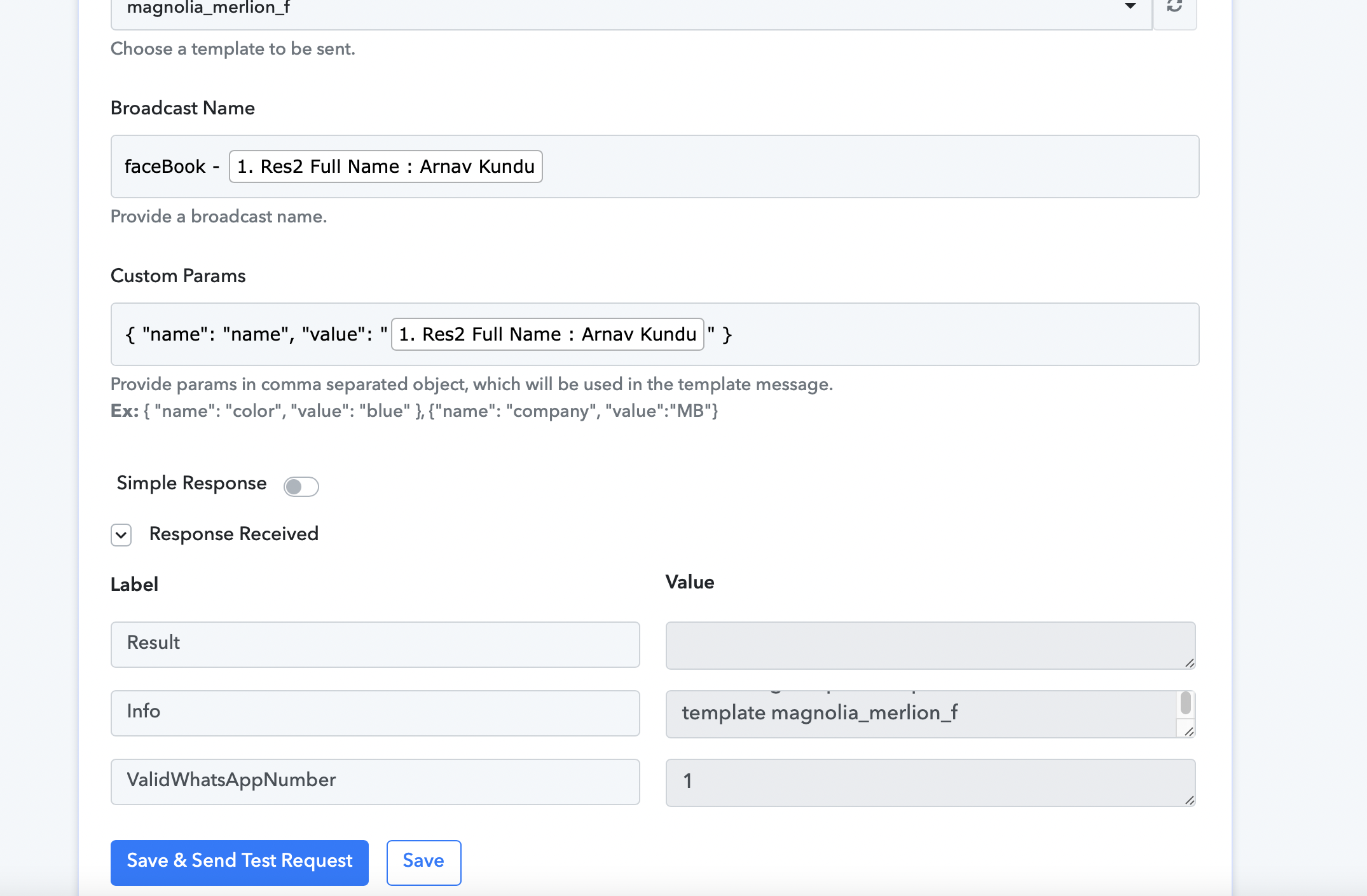
on the second workflow agin its not working , name of the work flow Magnolia merlion
Attachments
Hey @Digital Solutions
We looked into your workflow's history log and it seems like the workflow is working fine now. Since the FB trigger event is a polling-based webhook trigger that takes time up to 10 mins to get the data to your workflow.
Kindly let us know if you need any further assistance.
Regards