Webflow returns unknown 400 error.
Status: Closed · Asked by Chas William on · 0 views
G'day all,
I'm trying to integrate Pabbly Connect to my Webflow form and collection (CMS). Webflow keeps returning an unknown 400 error in the Pabbly workflow. I'm not sure if it's because I'm trying to submit data to a multi-reference and a single-reference field in Webflow or if it's something else. Could I please have some help?
Thanks so much!
Chas
Here's my Webflow link:
https://preview.webflow.com/preview/vation-library?utm_medium=preview_link&utm_source=designer&utm_content=vation-library&preview=4cc39c1bc7193799bc47427d93779304&pageId=65a1dc5ab90bcfd48cdc250e&workflow=preview
Loom video:
https://www.loom.com/share/63a30017cbe84ffabec5e211fc2591ad?sid=727d55df-2606-439f-8d5c-93b3d0586a86
Pabbly Connect: IjU3NjIwNTY1MDYzMTA0MzY1MjZlNTUzNDUxMzc1MTYxNTQzNSI_3D_pc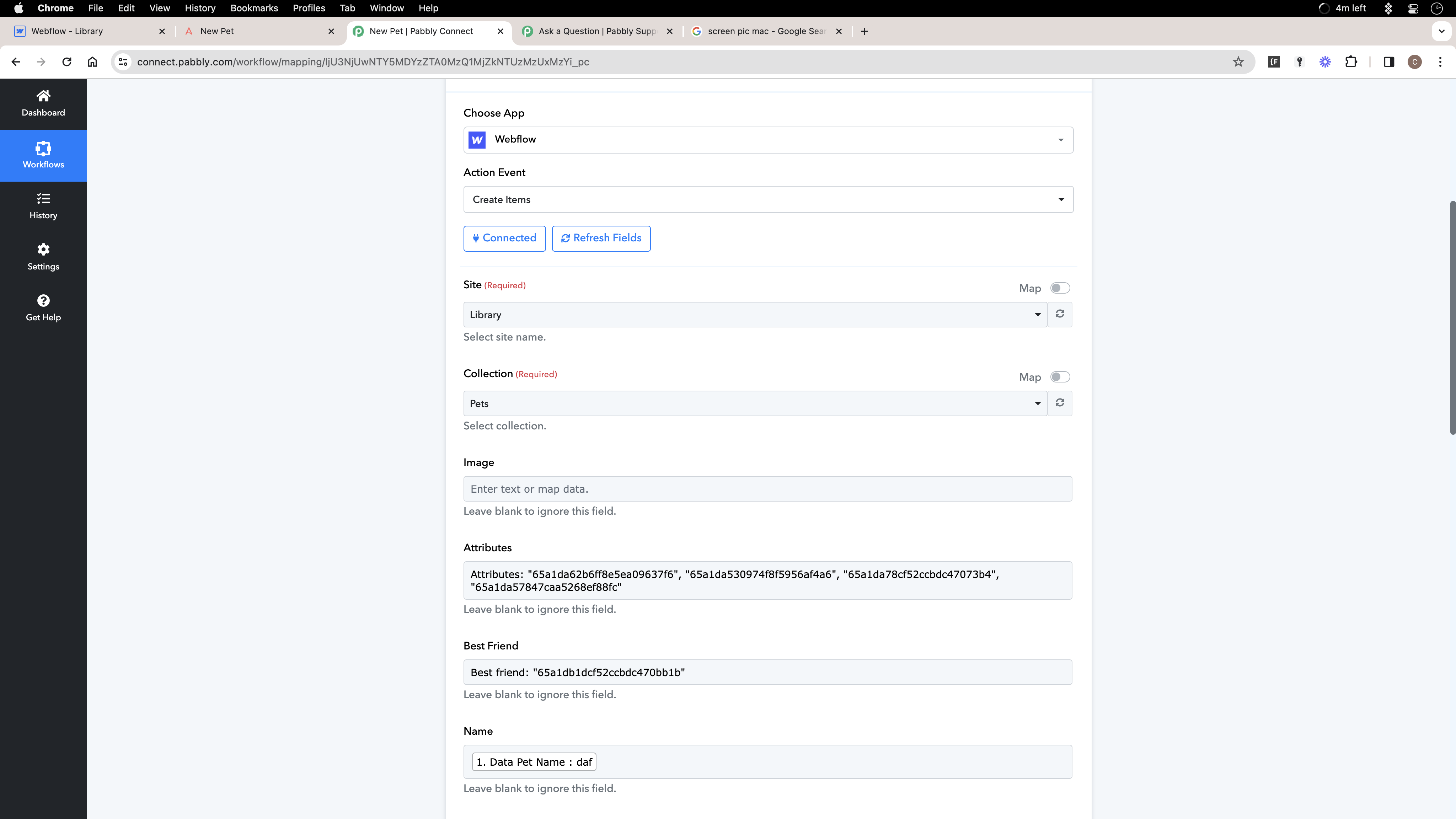
Hey @Chas William
If you're providing more than one attribute, please attempt to pass them inside square brackets and ensure they are enclosed in double-quotes. Give it another try, and it should work smoothly.
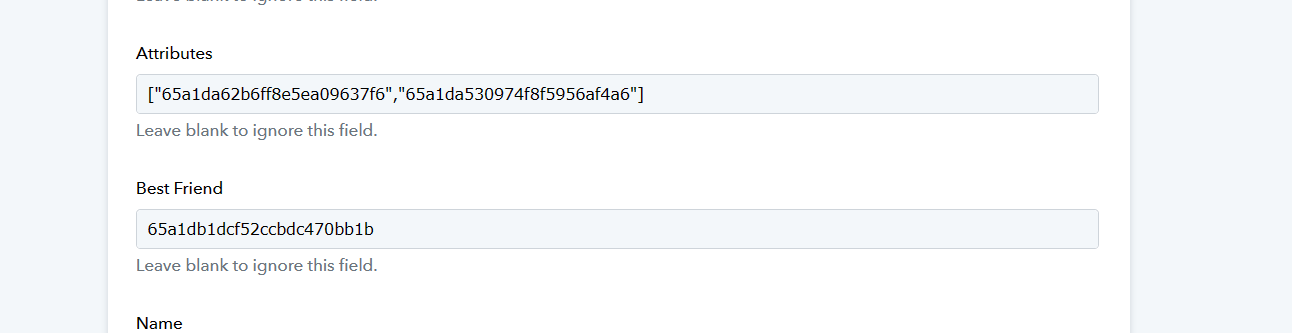
Hey @Chas WilliamIf you're providing more than one attribute, please attempt to pass them inside square brackets and ensure they are enclosed in double-quotes. Give it another try, and it should work smoothly.
Hi @Supreme,
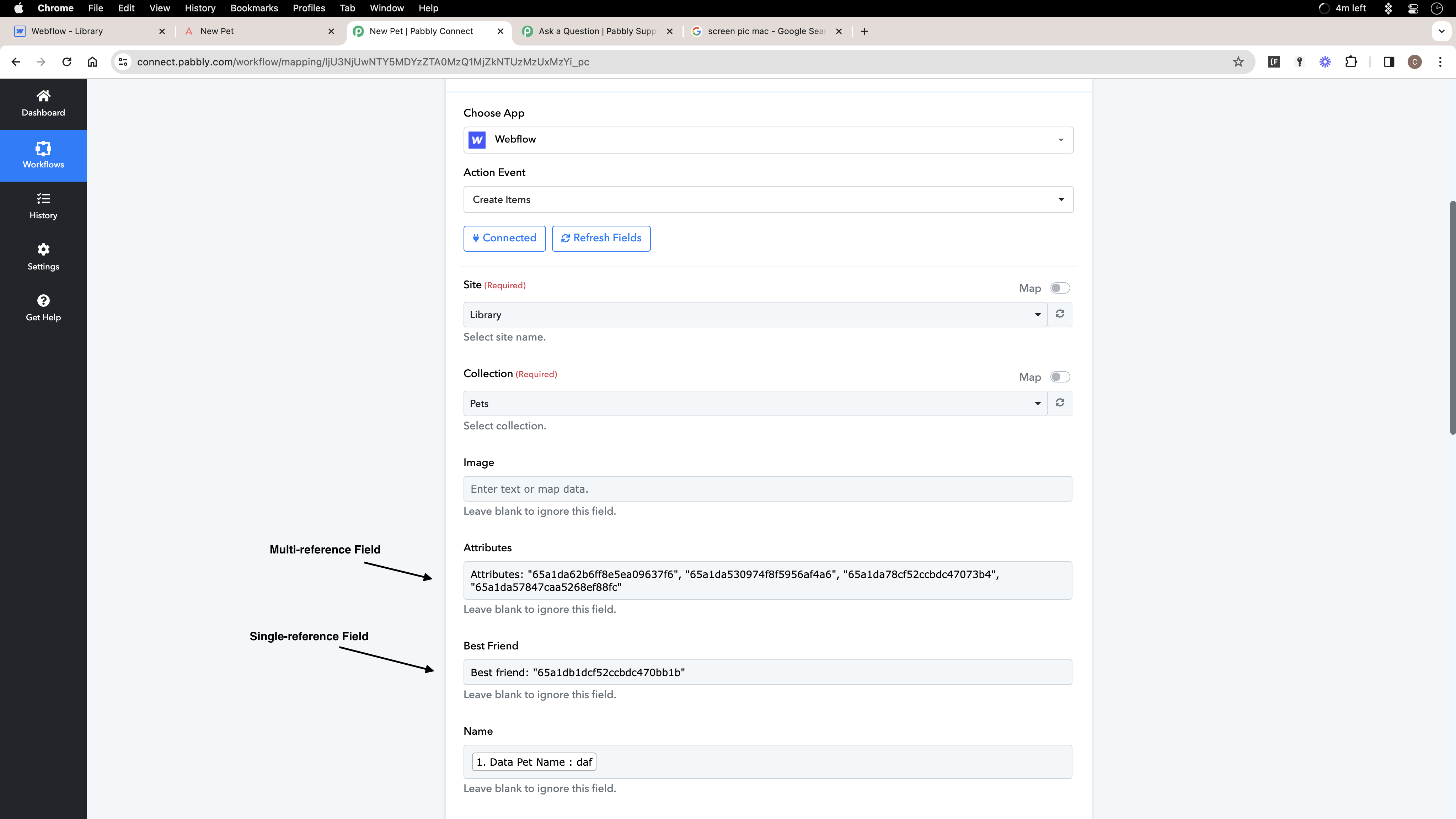
Thanks so much. The multi-reference field is definitely working now. What about the single reference field? The field itself is submitting to Webflow, however, the reference field isn't submitted, only the id.
I've tried leaving it without double-quotes and square brackets, without double-quotes, without square brackets, with double-quotes only, and even inputting the name. However, Webflow only accepts it when formatted like the multi-reference.
Could I have some more help please?
Thanks again.
Chas
Loom:
https://www.loom.com/share/5151f8e9028c47679d834beddea773b8?sid=f68f5837-e9ed-4226-836d-731ff8d639c4
Kindly pass the single reference field without double quotes and square brackets and then try again.
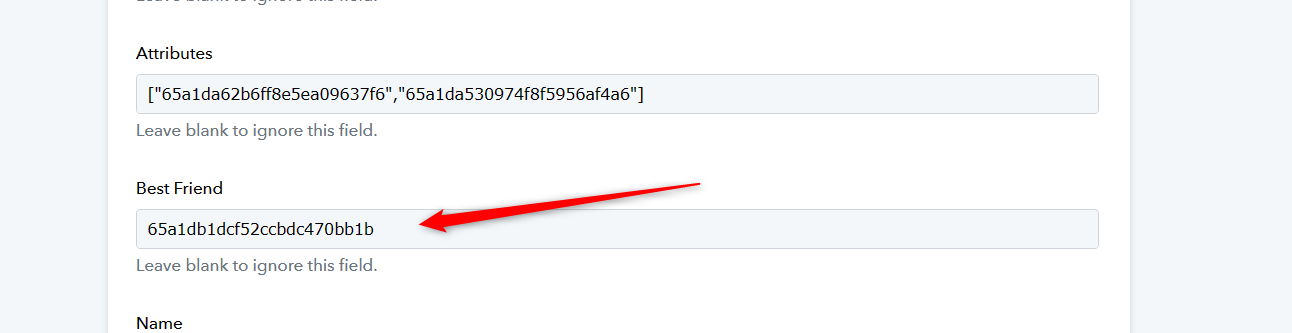
Kindly pass the single reference field without double quotes and square brackets and then try again.
Hi @Supreme would you be able to keep helping?
I need to submit all of the Data names ('65a1...') that have the value 'TRUE'. But I don't want to submit the 'TRUE' value. I want to submit the name of the data, the '65a1...'
Thanks so much!
Chas
I need to submit all of the Data names ('65a1...') that have the value 'TRUE'. But I don't want to submit the 'TRUE' value. I want to submit the name of the data, the '65a1...'
Could you please provide the reference to the same? If it's a true or false field, you can simply select "None" to exclude the field. Avoid passing any value to the field, as doing so might trigger an error in the API.
Could you please provide the reference to the same? If it's a true or false field, you can simply select "None" to exclude the field. Avoid passing any value to the field, as doing so might trigger an error in the API.
@Supreme,
Here's a video explaining.
https://www.loom.com/share/186ee564257d47558eb5667025bb7da4?sid=855d187f-4f5d-4cb3-97aa-8b5a578ee197
Please note that the attribute field can only accept the ID of the attribute and it doesn't work for false or true.
So, if you are getting checklist option IDs from the trigger response then please map it accordingly.
Please note that the attribute field can only accept the ID of the attribute and it doesn't work for false or true.So, if you are getting checklist option IDs from the trigger response then please map it accordingly.
@Supreme
How do I do that?
Kindly pass the single reference field without double quotes and square brackets and then try again.[IMG width="556px" alt="1705143182835.png"]https://forum.pabbly.com/attachments/1705143182835-png.36570/[/IMG]
If you're trying to find out if a particular option is true or false on web flow using its ID, it can be tricky to locate that specific option's ID.
So, kindly try to use the Option's ID that would be easy to pass ID for the selected options.