Webhook and API data error
Status: Closed · Asked by Subin Kumar on · 0 views
I have setup a webhook 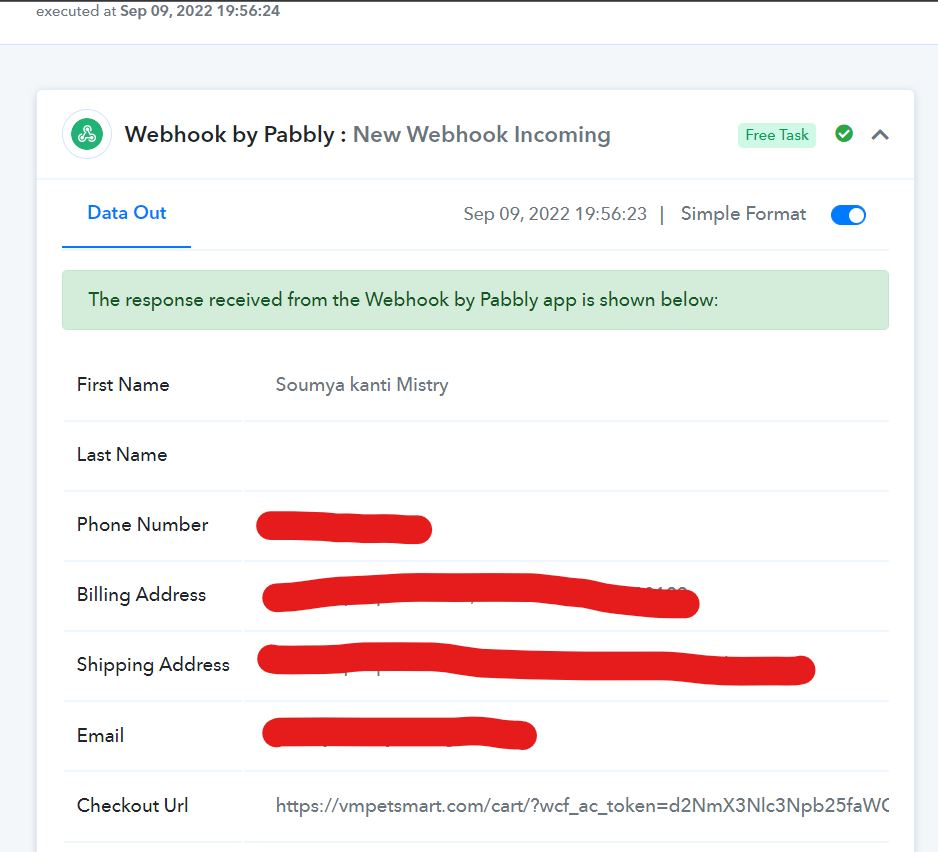
Here it is collecting these data and next step is an API mapped the data of the webhook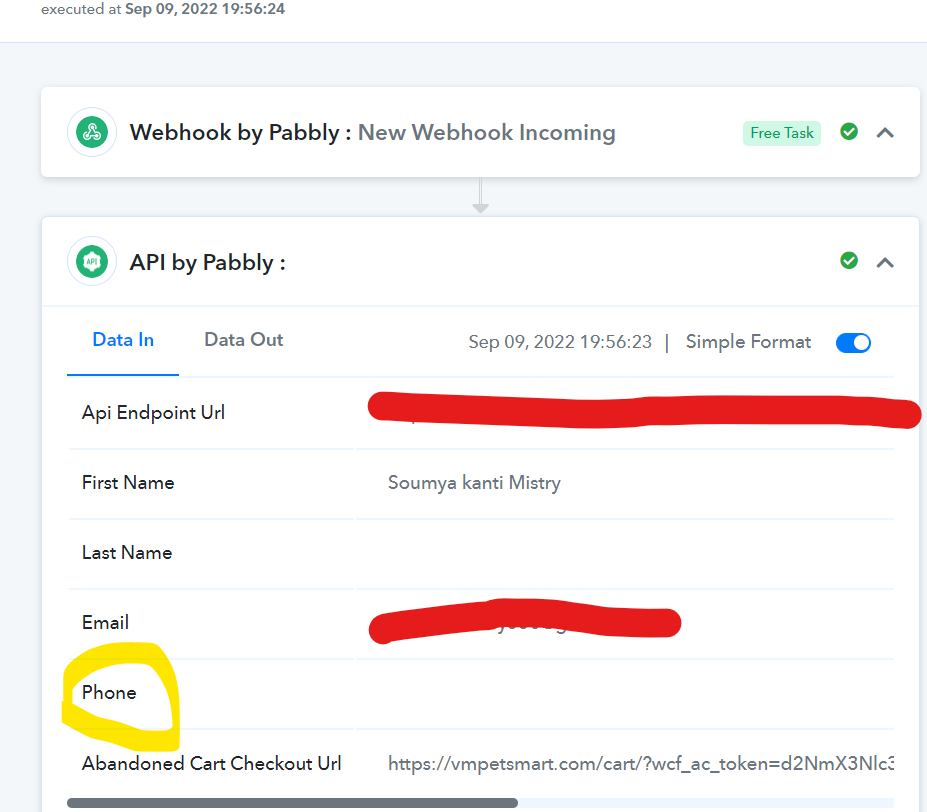
see there the phone number data is missing on the API! I tried re-execute the flow still it is not solved.
Hey @vmpetsmart
Kindly carefully check the mapped label name the phone number is coming in different labels now.
So, kindly recapture the webhook response once with the changed label and try again.
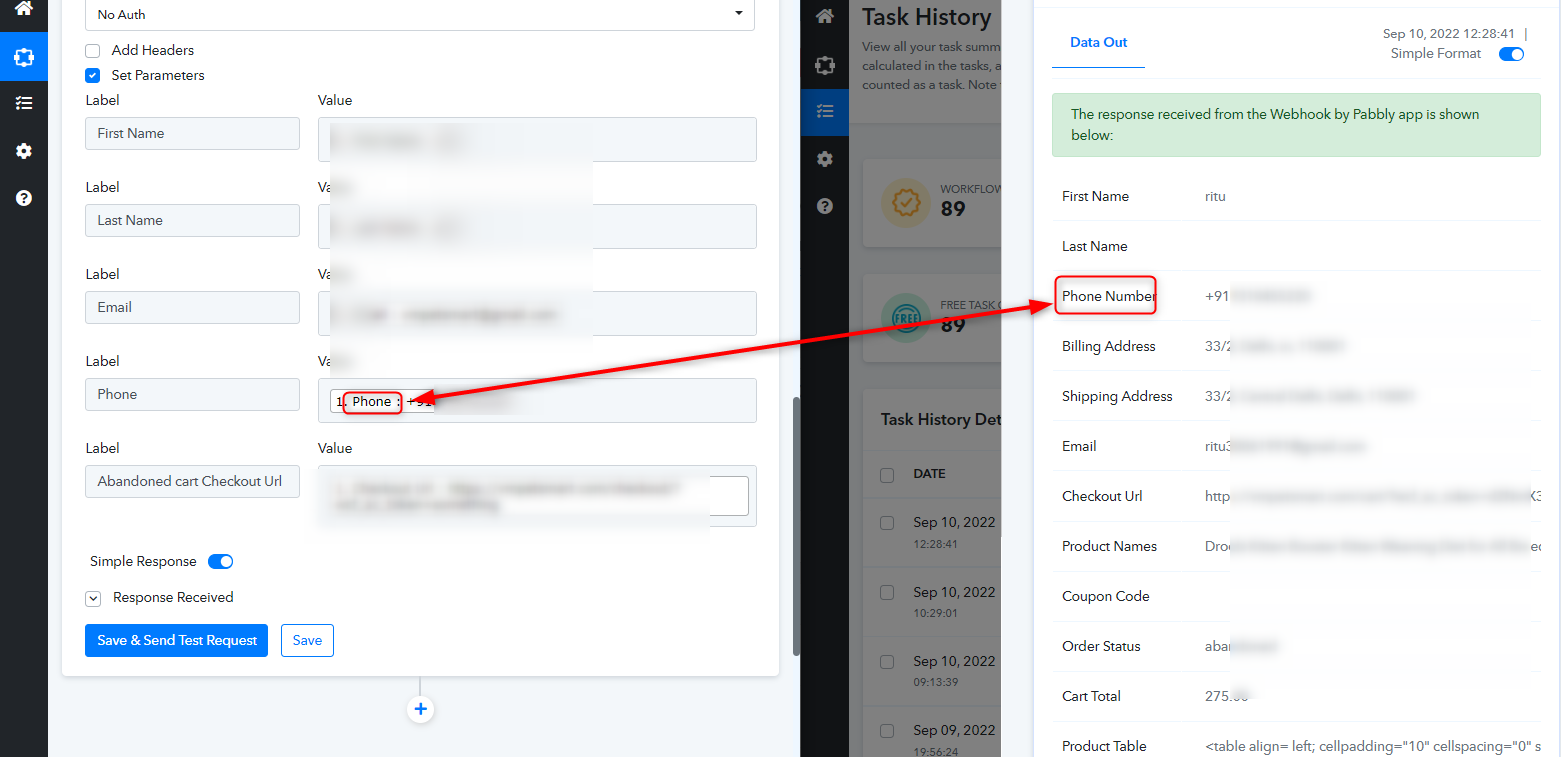
Hey @vmpetsmartKindly carefully check the mapped label name the phone number is coming in different labels now.
So, kindly recapture the webhook response once with the changed label and try again.
I have renamed the API label as Phone->Phone Number and then re-execute the flow. Still the data is not pulled.
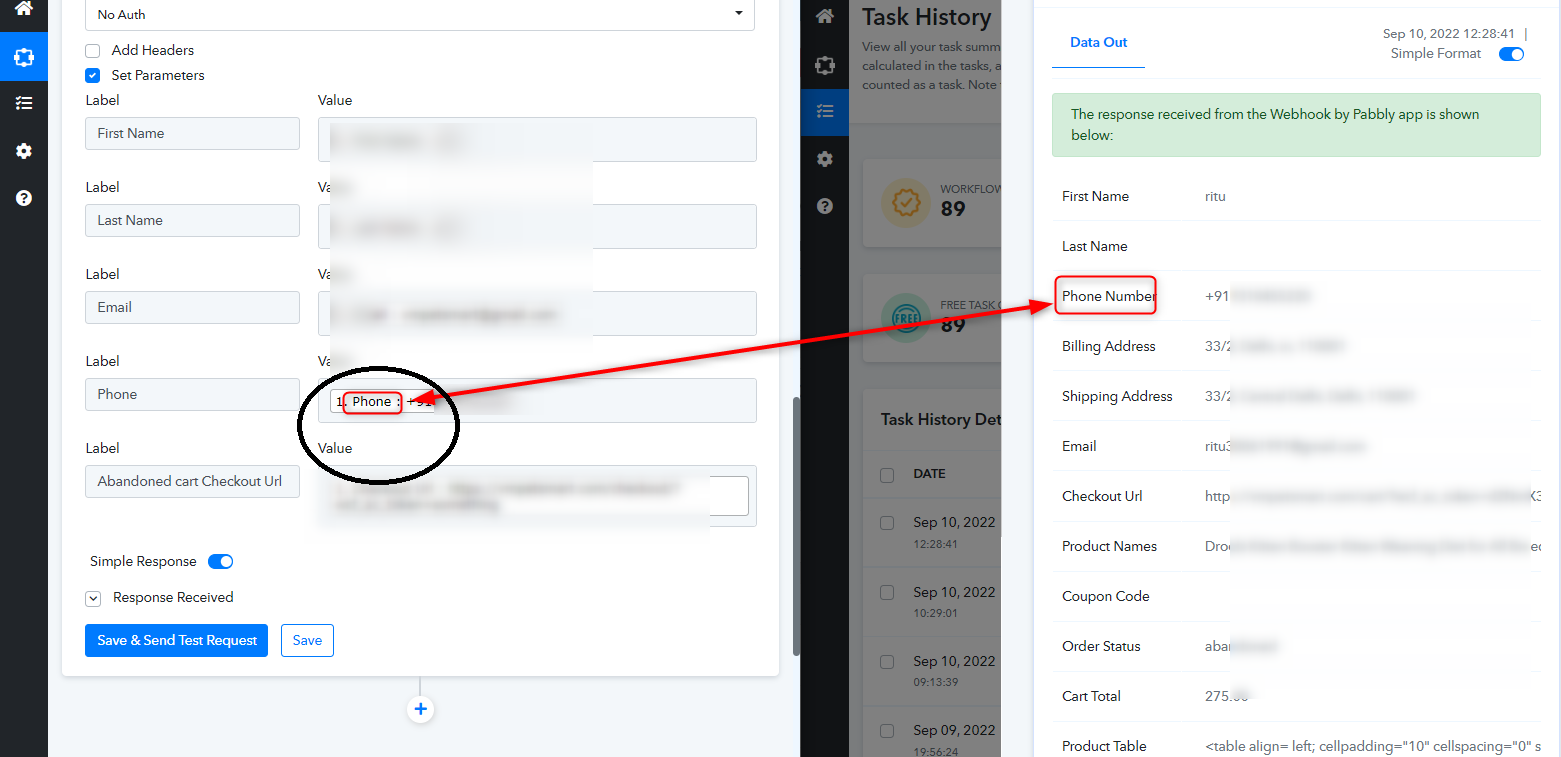
How can I change this label.? This webhook is collected from woocomerce cart abandoned plugin by cart bounty.
@Supreme When response received from the webhook it is like phone and How it is changing to phone number on data out?
Hey @vmpetsmart
You should check the same from the triggering API from which the data you are getting.
Further, you can try recapturing the webhook response and map the data. I hope that might help you out.
Hey @vmpetsmartYou should check the same from the triggering API from which the data you are getting.
Further, you can try recapturing the webhook response and map the data. I hope that might help you out.
Yes I have checked that. triggering API has the name as Phone itself.
@Supreme see these the datas pulled by the webhook.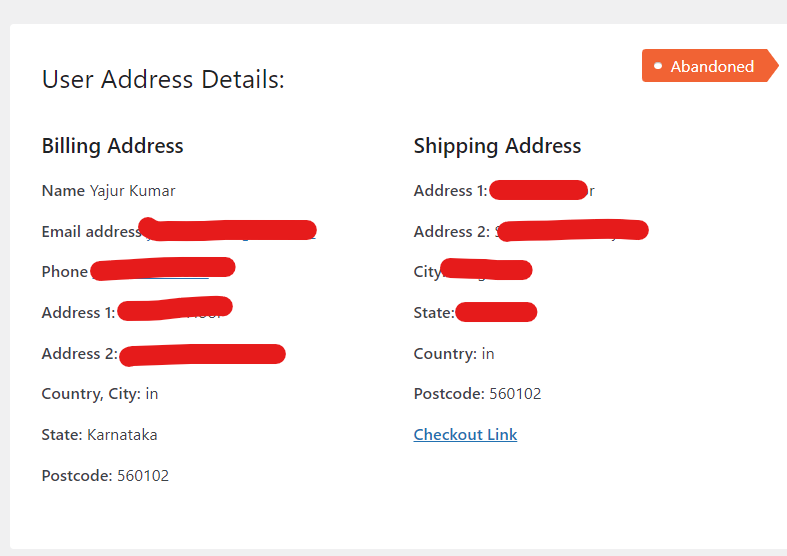
Hey @vmpetsmart
Kindly recapture the webhook response again since the phone number field has been changed.
Hey @vmpetsmart
Kindly recapture the webhook response again since the phone number field has been changed.
Hey @vmpetsmartKindly recapture the webhook response again since the phone number field has been changed.
I have tried since it will not works. Same error happens.
@Supreme @Neeraj @Fagun Shah I have changed the flow like this. Webhook->360dialog message->Uchat create user. Here the same error is happening. The phone number from webhook isn't pushing to 360dialog to send the message. it shows like Required field Recipient Mobile Number missing. But I have mapped the number.
Hey @vmpetsmart
We have recaptured the webhook response with the new data labels which is coming from the trigger and mapped the data accordingly.
So, now kindly give it a try and let us know if that works for you.
Solved.
If I re-execute my non worked failed flow will be affected? @Supreme
@Supreme Sorry again .Problem is still not solved. Tried with new webhook response and it is not working.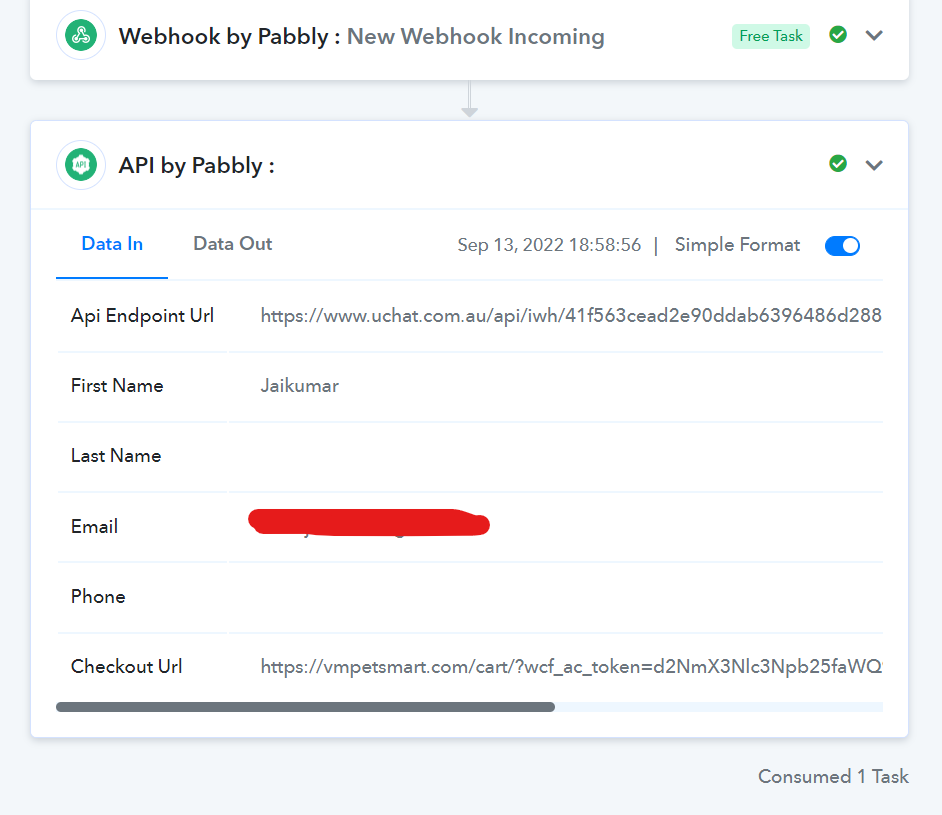
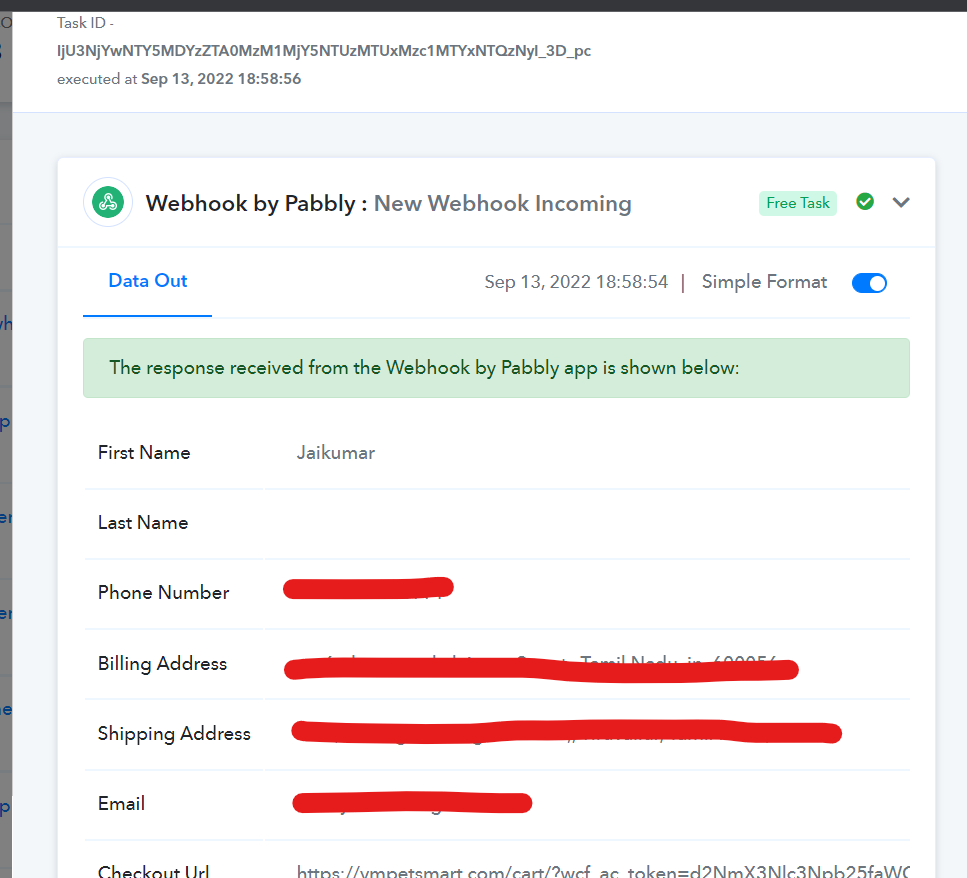
Sorry again .Problem is still not solved. Tried with new webhook response and it is not working.
Because you have changed the webhook response again from your end and the phone number label is changed now.
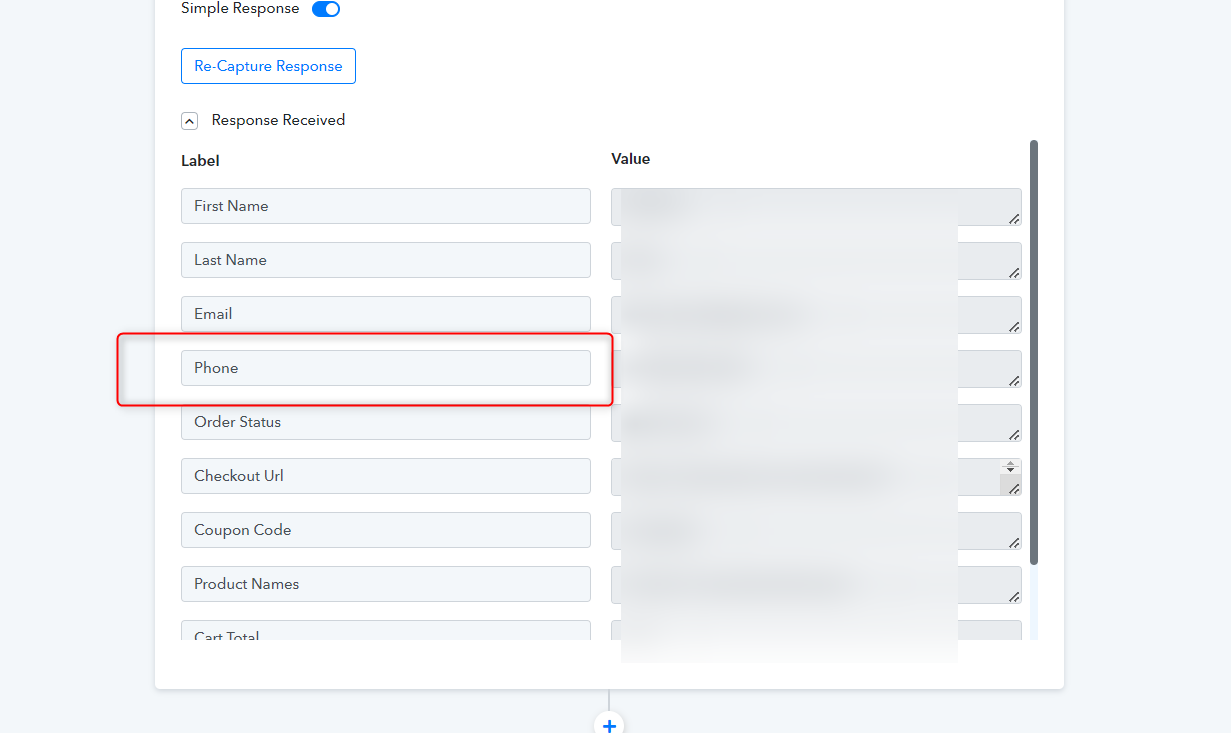
Because you have changed the webhook response again from your end and the phone number label is changed now.
Do you re -map it again or I just rename the label as Phone Number?
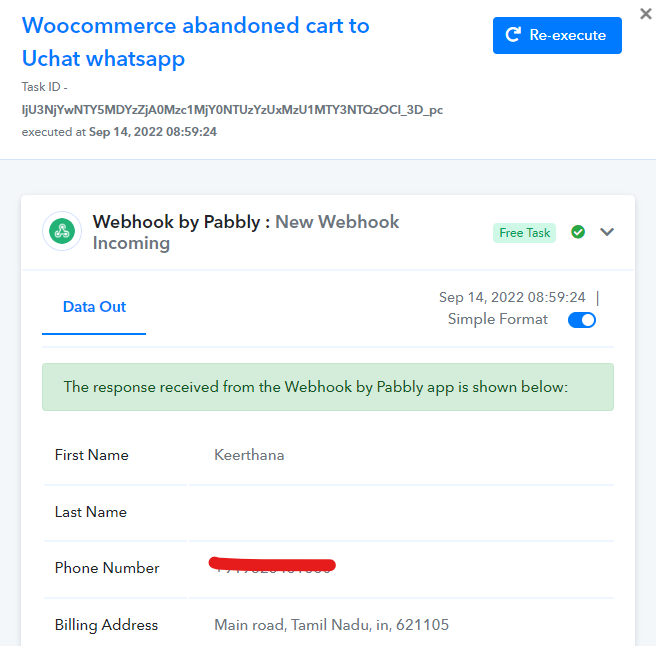
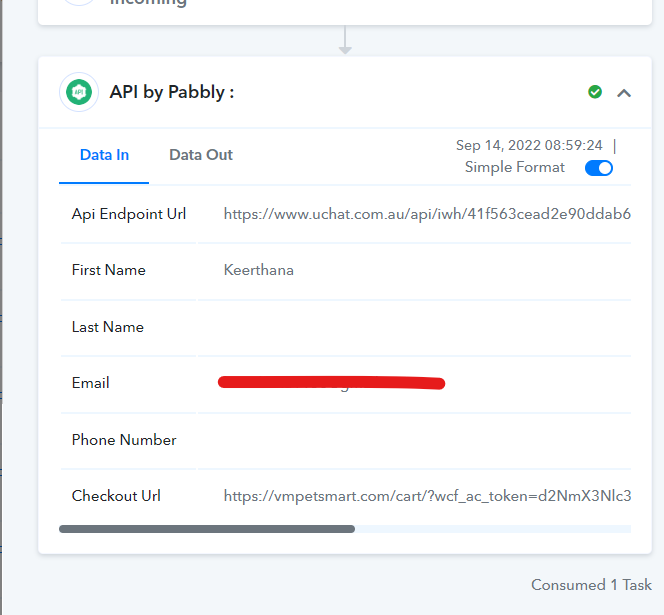
See this webhook. it was after changed the label name and after posted the previous error without changing the label query
Hey @vmpetsmart
Kindly recapture the webhook response again since the phone number field has been changed again from your webhook response.