Webhook Data showing in Pabbly
Status: Closed · Asked by JTUlyatt2 on · 0 views
I noticed when sending webhook data to Pabbly that i'm getting less data to pull into a api then I would get with the same trigger and/or action if I was to send to Zapier. Is this normal?
-Am I missing something I need to do to find more of the data fields?
-Is there some secret to "Nested data?"
For example I get this data in Zapier...
Estimate Created Date
Estimate Amount
In Pabbly I can only see
Estimate Created Date
Thanks,
JT
Hey @JTUlyatt2
Could you please tell us which application you are referring to receive additional data from the trigger event? Also, do share the workflow in which you want the data to be extracted.
Yes, https://connect.pabbly.com/workflow/mapping/IjU3NjIwNTZkMDYzMzA0MzI1MjY5NTUzNyI_3D_pc
I'm bringing info from a software company called Roof.Link to Flow Track.
I've used Zapier in the past and I get all the data needed. Here is what the Roof.link developers said after looking into their side to see if there was something on their end.
"Pabbly does not seem to be showing the nested data (e.g. job has estimate and estiamte has fields like owes, gt_gross etc.) You should check if there is any plugin to extract json on pabbly. Else the only other way is to flatten the data and send for this webhook (this can be a checkbox on webhook form and if selected all the fields will be flattened, so job will contain: "estiamte_owes", "estiamte_gt_gross" etc."
Hey @JTUlyatt2
You should check if there is any plugin to extract json on pabbly.
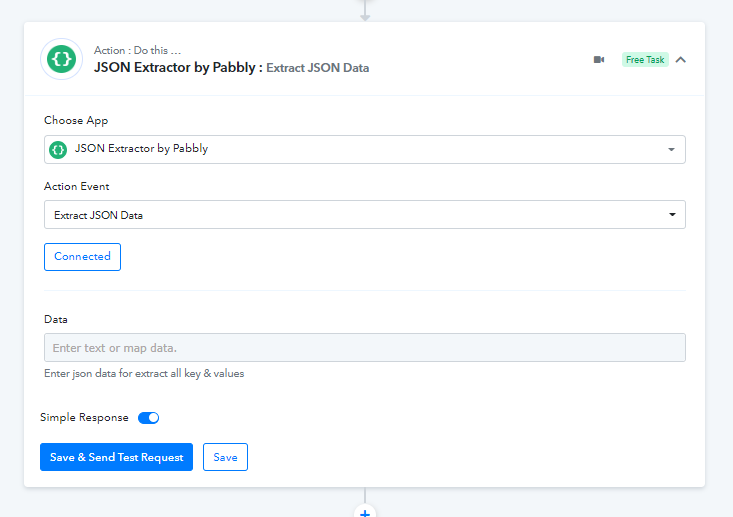
To extract the JSON on Pabbly, you can use the "JSON Extractor " action step after the trigger event by capturing the trigger response in advance response by toggling the "Simple Response" button.
youtube.com/watch?v=jWCfU9SUySM
Further, could you tell us what trigger event you wanted to process since we can see from your history logs, you are getting multiple trigger events? Along with the response that you are getting in the Zapier.
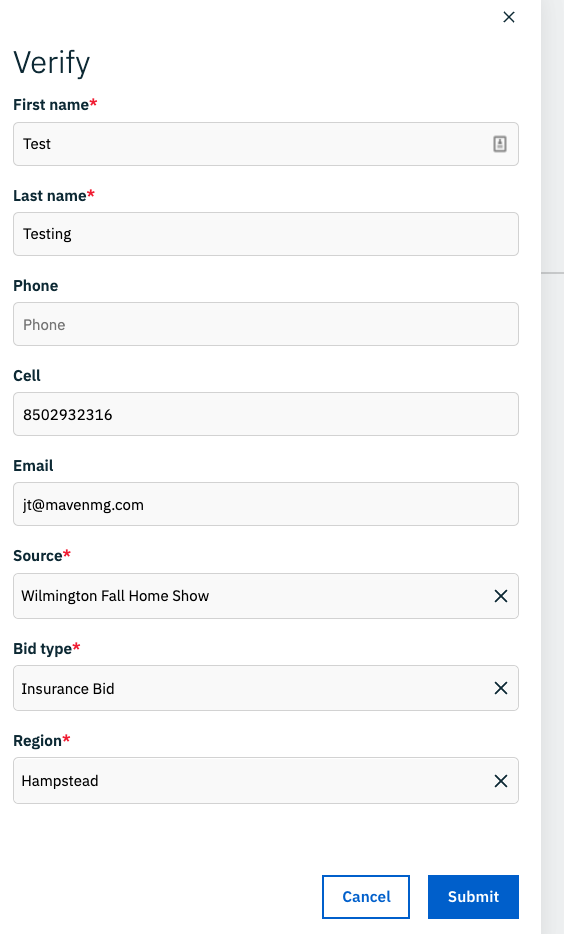
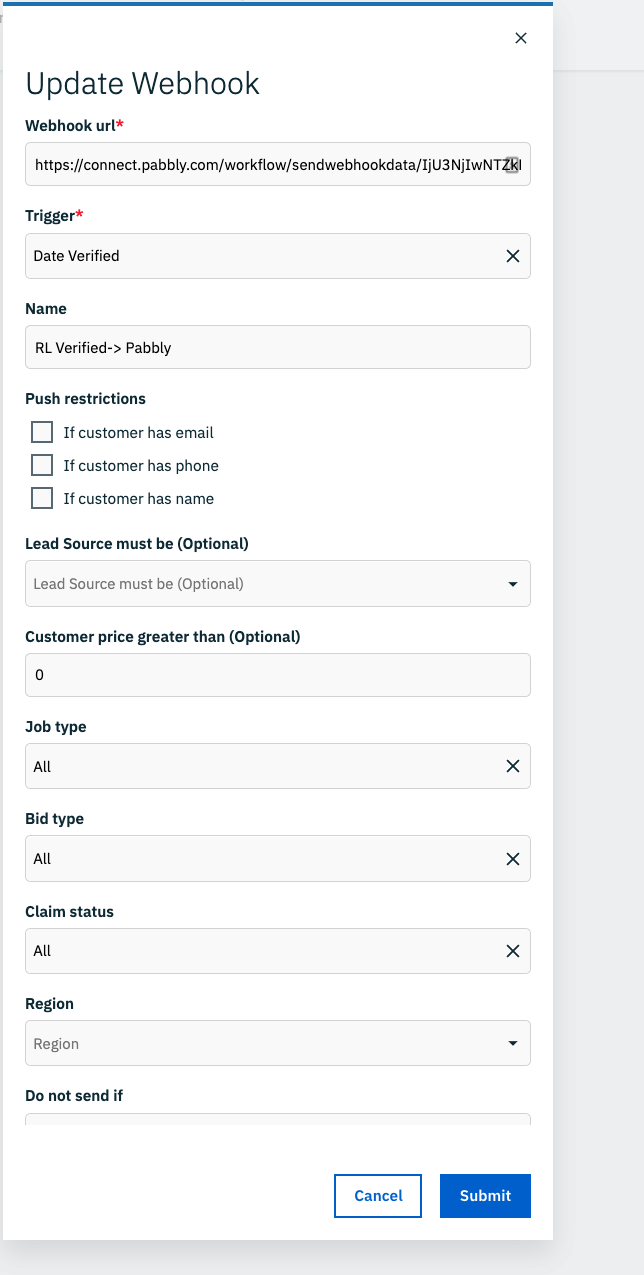
I'm triggering off (1) trigger in my CRM (Roof.link) called Date Verified. When I hit the date verified, see image in my RL CRM, it will send this data to a webhook. Are you stating they are sending it twice? Or could you be seeing my testing from the same file?
Attachments

Hey @JTUlyatt2
I'm triggering off (1) trigger in my CRM (Roof.link) called Date Verified. When I hit the date verified, see image in my RL CRM, it will send this data to a webhook. Are you stating they are sending it twice?
Yes, from your history logs it looks like you are getting a webhook response with multiple trigger events.

Which you can control further with the help of the Filter action step.
Yes, I fixed the multiple triggers. No biggie there. Still have the same issue.
I'm getting JSON error. See loom video.
https://www.loom.com/share/22e8863af1904be1ad656b7a570f8abd
Zapier seems to not have this issue, what makes your webhook different?
I'm getting JSON error. See loom video.https://www.loom.com/share/22e8863af1904be1ad656b7a570f8abd
Zapier seems to not have this issue, what makes your webhook different?
It appears that you are not passing the data in the JSON format and because of that you are getting the error message in the action step.
Please refer to the following video tutorial on how you can use the JSON extractor action step.
I'm getting JSON error. See loom video.https://www.loom.com/share/22e8863af1904be1ad656b7a570f8abd
Zapier seems to not have this issue, what makes your webhook different?
It appears that you are not passing the data in the JSON format and because of that you are getting the error message in the action step.
Please refer to the following video tutorial on how you can use the JSON extractor action step.
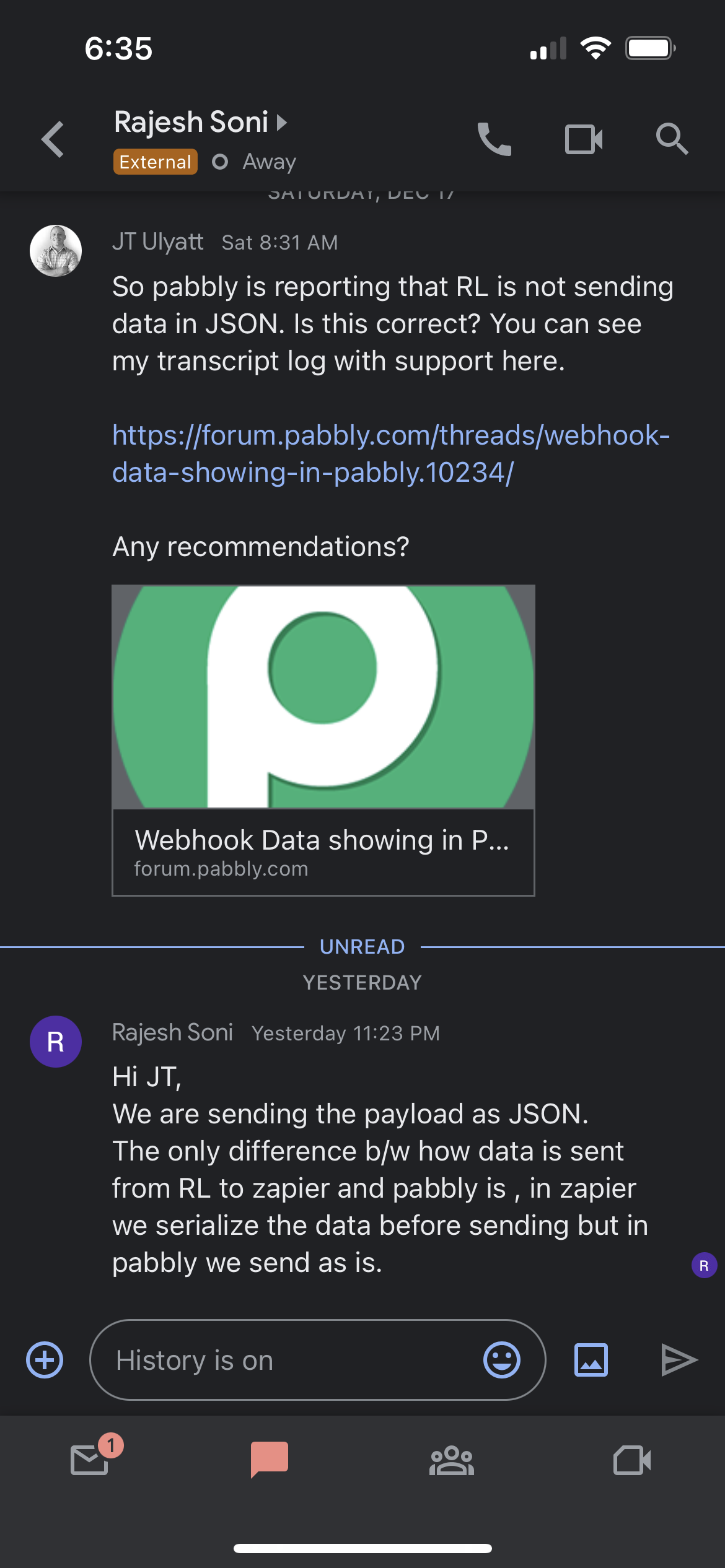
They are reporting this from the other software. Sounds like it is in JSON.
Not sure the difference of “serialization”
Can you add to this?
Attachments
Hey @JTUlyatt2
It seems like you should use the "API by Pabbly" action step instead of "JSON Extractor" to use the API request in the workflow.
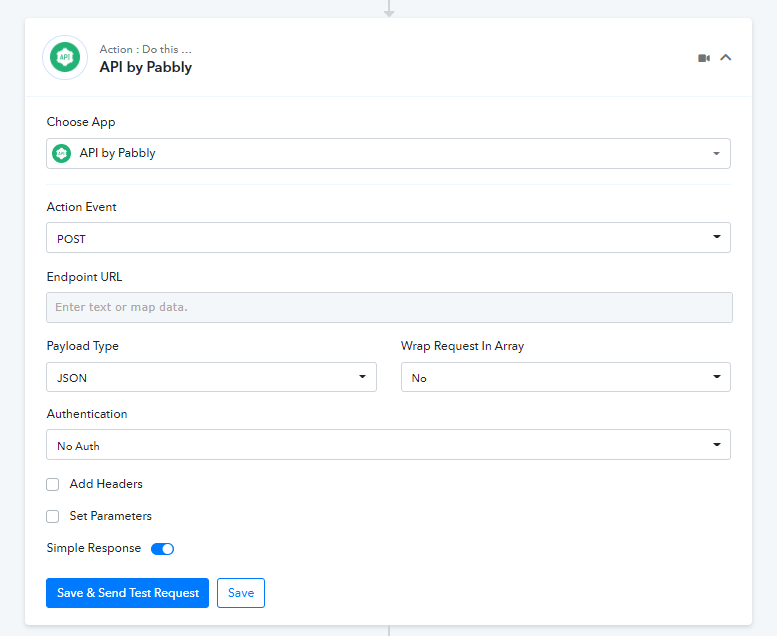
I have been using the API by Pabbly to post this into to the 2nd software or final endpoint. So I don't understand your intention.
Did you read the comment from Rajesh above? In the screenshot?
Hey @JTUlyatt2
Yes, I fixed the multiple triggers. No biggie there. Still have the same issue.I'm getting JSON error. See loom video.
https://www.loom.com/share/22e8863af1904be1ad656b7a570f8abd
Zapier seems to not have this issue, what makes your webhook different?
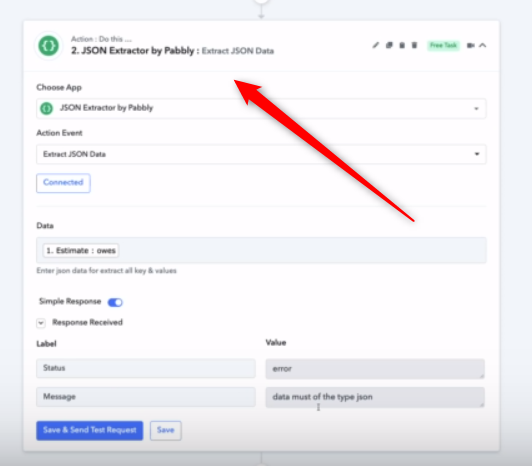
Are you trying to forward the webhook data to another platform or workflow? If yes then why are you using "JSON Extractor by Pabbly" when you can use the "Data Forwarder" action step instead?
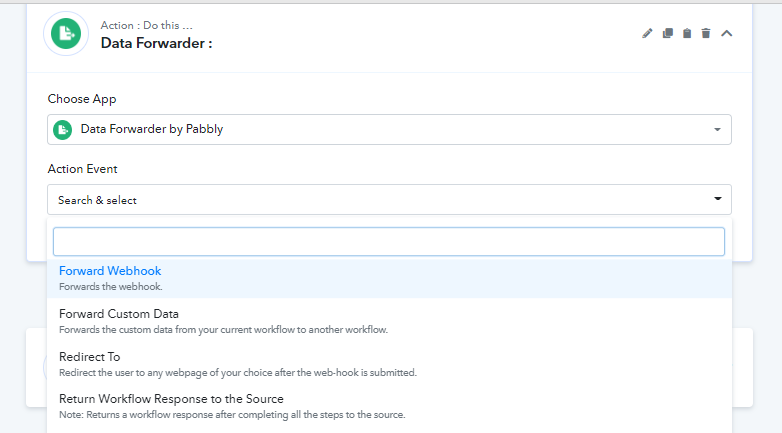
No, Here are the actions i'm trying to take....
SYSTEM #1 > SENDS DATA OUT OF SYSTEM USING PABBLY SUPPLIED URL > PABBLY RECEIVES DATA > THEN POSTS DATA IN SYSTEM #2
The issue is not all the data is coming through from System 1. See comments from SYSTEM #1 developer.
Hey @JTUlyatt2
You can check the incoming data from SYSTEM1 at webhook.site and can analyze the data.
Is there a way to disconnect my google login to pabbly so I can share my password someone?
I need them to have the ability to login and help me with this.
Currently changing my password does not work. Says my old password is not correct.
I think there is some sort of issue with my password and login to google
Currently changing my password does not work. Says my old password is not correct.
Kindly check your changed password once or try using the Forgot password option from the login page.