Webhook data >> TXT file in Dropbox folder
Status: Closed · Asked by Praveen on · 0 views
I want to create a plain text file in a Dropbox folder using the data from a webhook.
How can I do this without having to set up Google Sheets or some other external app?
Hey @Praveen
Seems like it is not possible since to upload a text you need a base where you can store the data, you cannot skip the creation of a file.
But if you use such a trigger application that converts the text file directly to the link then only you can forward the file to upload to DropBox.
@Supreme Can you please check these posts, it seems possible:
https://forum.pabbly.com/threads/creating-a-file-from-text-string-how.2970/
Need more instructions to set up though.
Hey @Praveen
https://forum.pabbly.com/threads/creating-a-file-from-text-string-how.2970/
The user might have added a third action step of some application to generate the file.
https://forum.pabbly.com/threads/how-to-create-a-dropbox-file-from-email-content-using-email-parser-and-pabbly-api.2975/
And the above API call is manually been created by the user to upload a file on DropBox.
@Supreme does this API will be able to create a new text file - https://www.dropbox.com/developers/documentation/http/documentation#files-upload
I recently was able to create a TXT file in dropbox using the Pabbly API connecting to DropBox as mentioned in this thread.
However it appears DropBox switched to short-lived access tokens (and optional refresh tokens). So I can get it to work but then after 4 hours the Bearer Token expires...
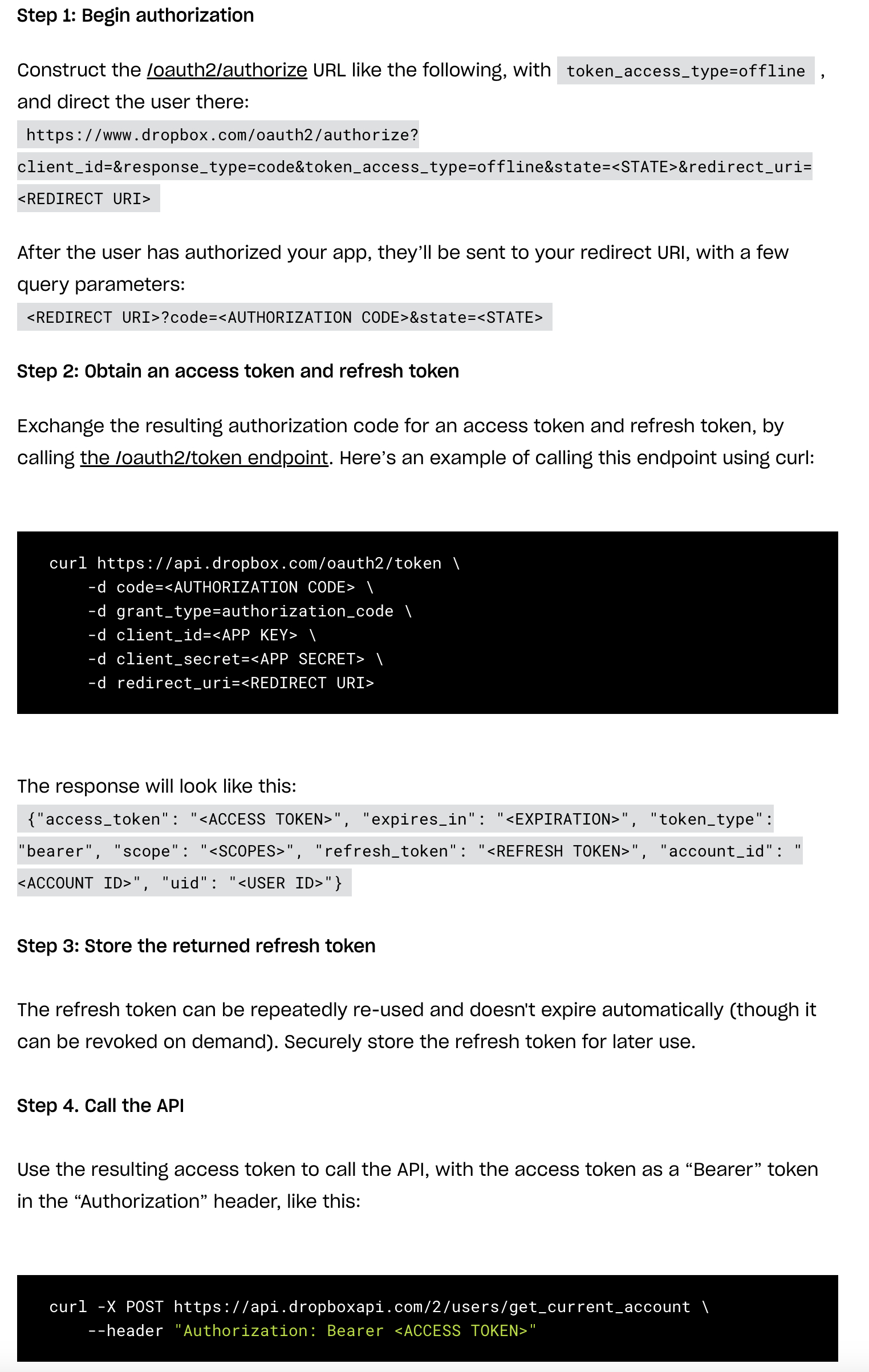
From Dropbox: "Apps can still get long-term access by requesting "offline" access though, in which case the app receives a "refresh token" that can be used to retrieve new short-lived access tokens as needed"
Ideally we would just get a dropbox action that can upload a TXT file without having to go through the API...
However is there a way for PABBLY to handle getting the refreshed token or is there a better way to achieve this?
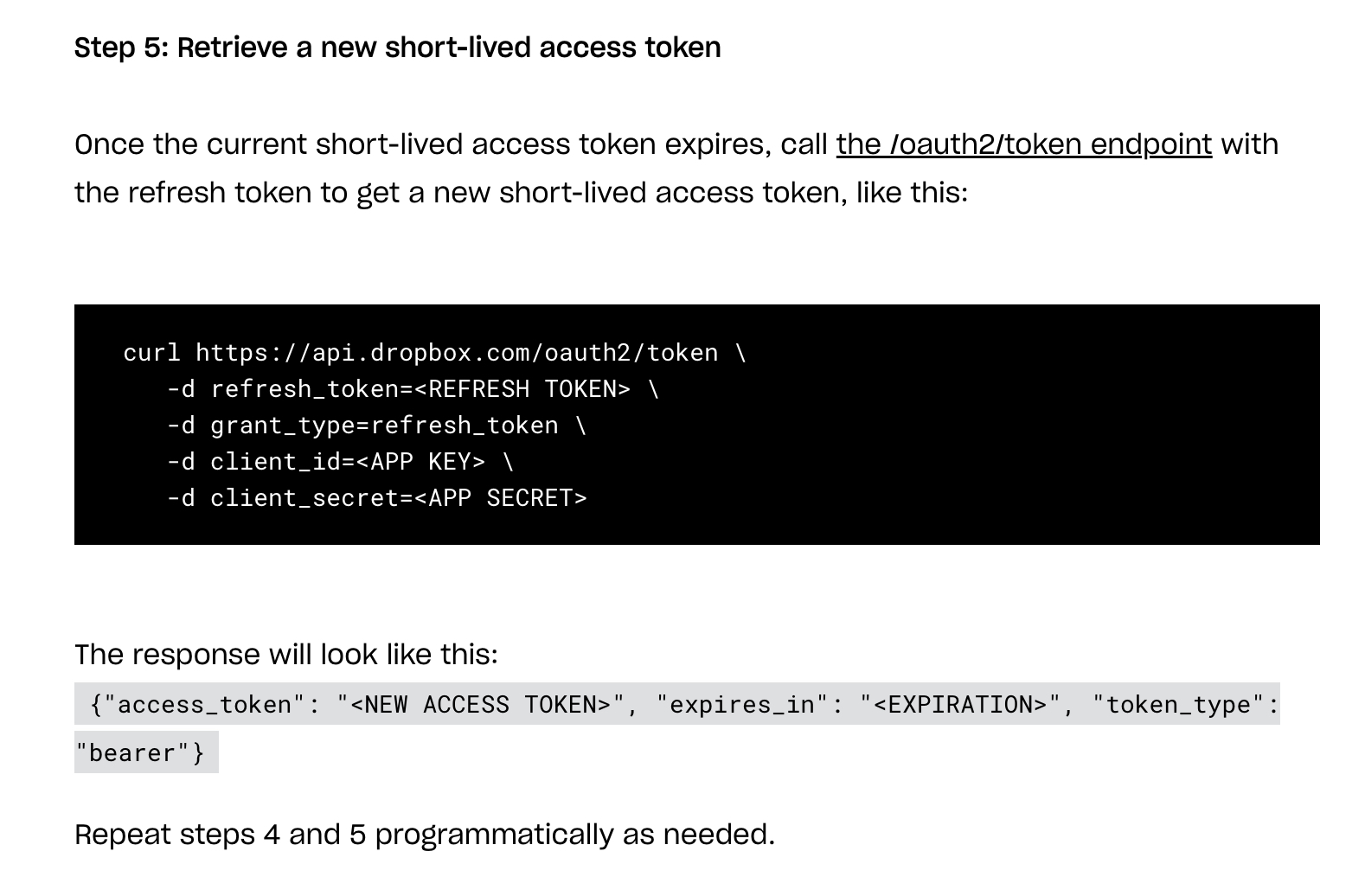
7. Retrieve a new short-lived access token whenever needed like this, e.g., using curl on the command line: (plug in the refresh token from step 5 in place of "REFRESHTOKENHERE", the app key in place of "APPKEYHERE", and the app secret in place of "APPSECRETHERE")curl https://api.dropbox.com/oauth2/token \
-d refresh_token=REFRESHTOKENHERE \
-d grant_type=refresh_token \
-d client_id=APPKEYHERE \
-d client_secret=APPSECRETHERE8. Use the returned short-lived access token to make API calls until it expires. For example, here's how a call to get the connected user information would look like: (plug in the new access token from step 7 in place of "ACCESSTOKENHERE")
curl -X POST https://api.dropboxapi.com/2/users/get_current_account \
--header "Authorization: Bearer ACCESSTOKENHERE"
Hey @MasterMagic
However is there a way for PABBLY to handle getting the refreshed token or is there a better way to achieve this?
You can refer to the following developer's guide on how you can manage the refresh token in your integration.
https://forum.pabbly.com/threads/app-details-and-auth-configuration.2426/
Thanks for this. I was able to setup the app and that is working - but its a little confusing how to use it to get to an end result.
Would I use the app to get a refresh token? Or would I use the app to handle posting the data I was previously doing with the API directly?
I had it all setup with the existing api action so was hoping to just pass a new bearer token I would obtain from the dropbox app but can't seem to figure out how to accomplish this...
Would I use the app to get a refresh token? Or would I use the app to handle posting the data I was previously doing with the API directly?
As we can see from our end the application is added to the platform correctly and it wouldn't be required to generate a refresh token.
So, kindly try the action step accordingly and check.
Hello - so I do have this all working - and it does work and correctly uploads the text file to dropbox. But then it tells us after a few hours that it has expired.
{
"error_summary": "expired_access_token/...",
"error > .tag": "expired_access_token"
}
If we reconnect it works again - but I'm pretty sure this has to do with dropbox requiring the 'app' to request a short-lived access token?
So I'm guessing our app will need to request a refresh token and store that as part of a step - and then use that as the bearer token for the actual task?
https://dropbox.tech/developers/using-oauth-2-0-with-offline-access
I have attached how I have it setup right now - any advice would be appreciated!
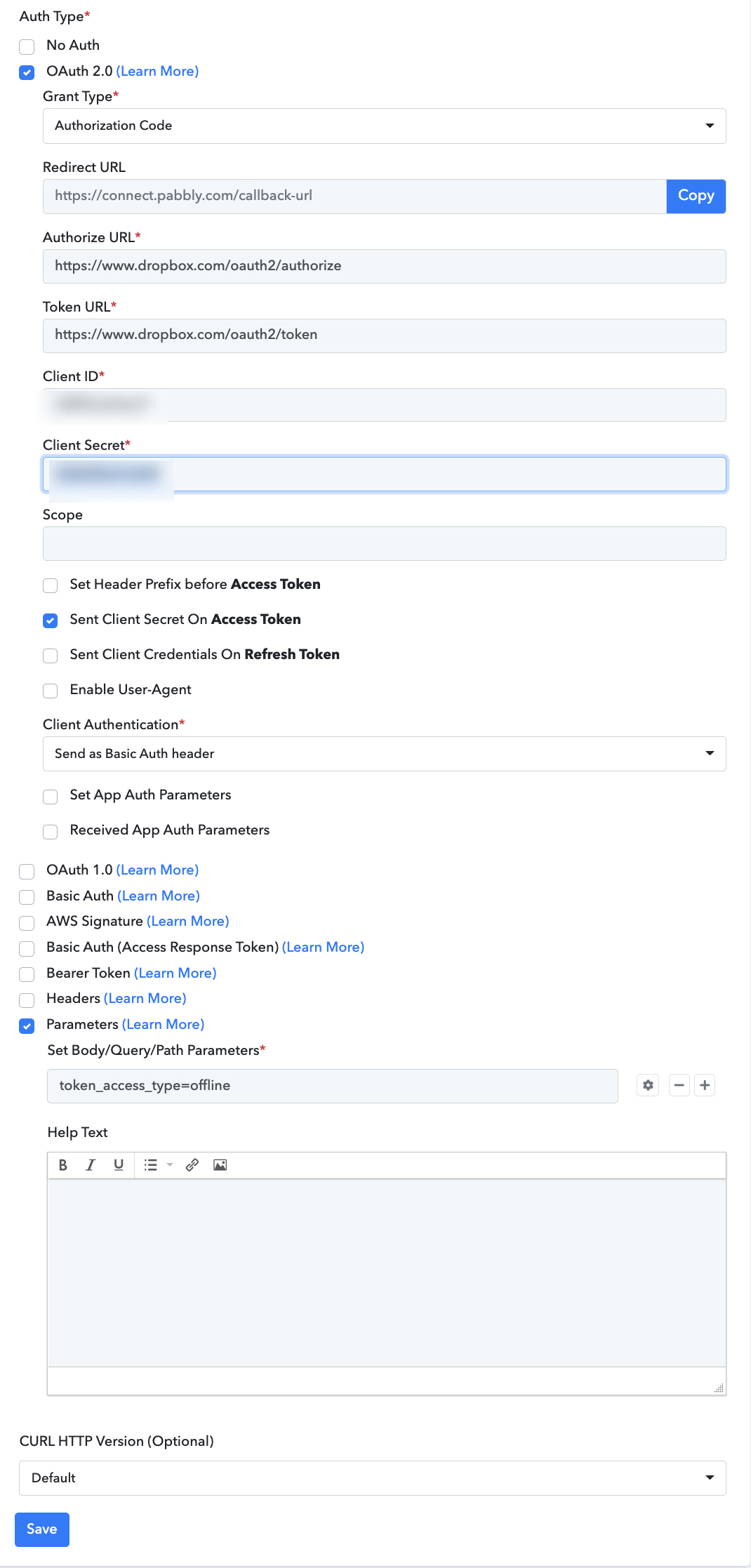
Attachments
Hey @MasterMagic!
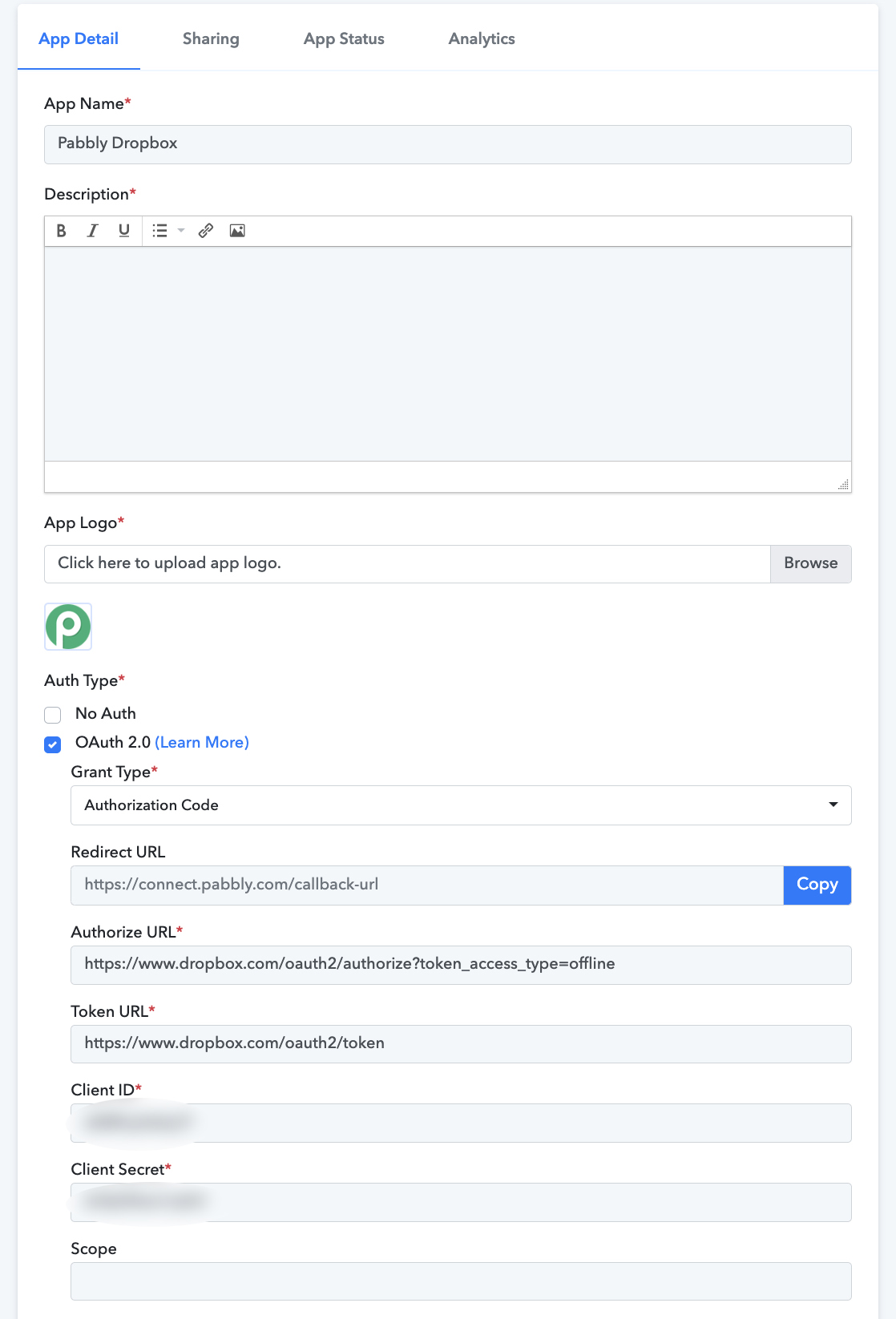
You need not have to pass the "token_access_type=offline" in the Parameter field instead of this kindly pass the query parameter in the Authorize URL field itself.
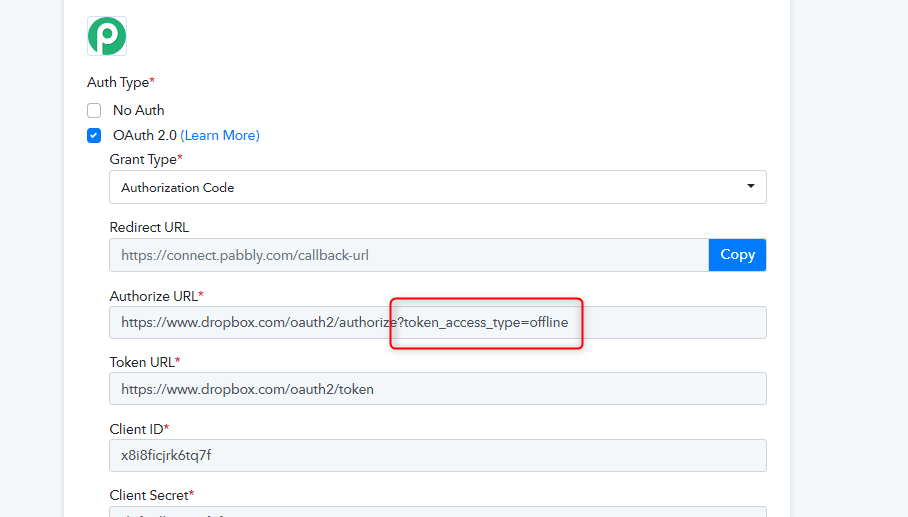
Attachments
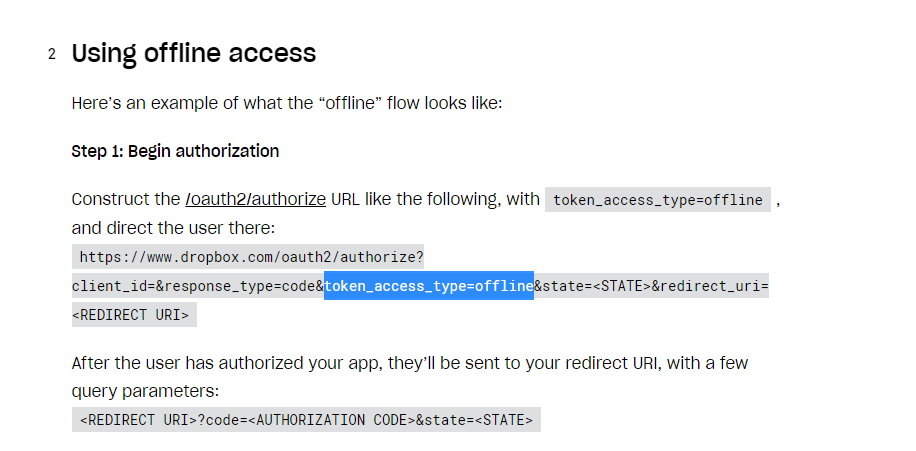
Hey @MasterMagic!You need not have to pass the "token_access_type=offline" in the Parameter field instead of this kindly pass the query parameter in the Authorize URL field itself.
Hey @MasterMagic!You need not have to pass the "token_access_type=offline" in the Parameter field instead of this kindly pass the query parameter in the Authorize URL field itself.
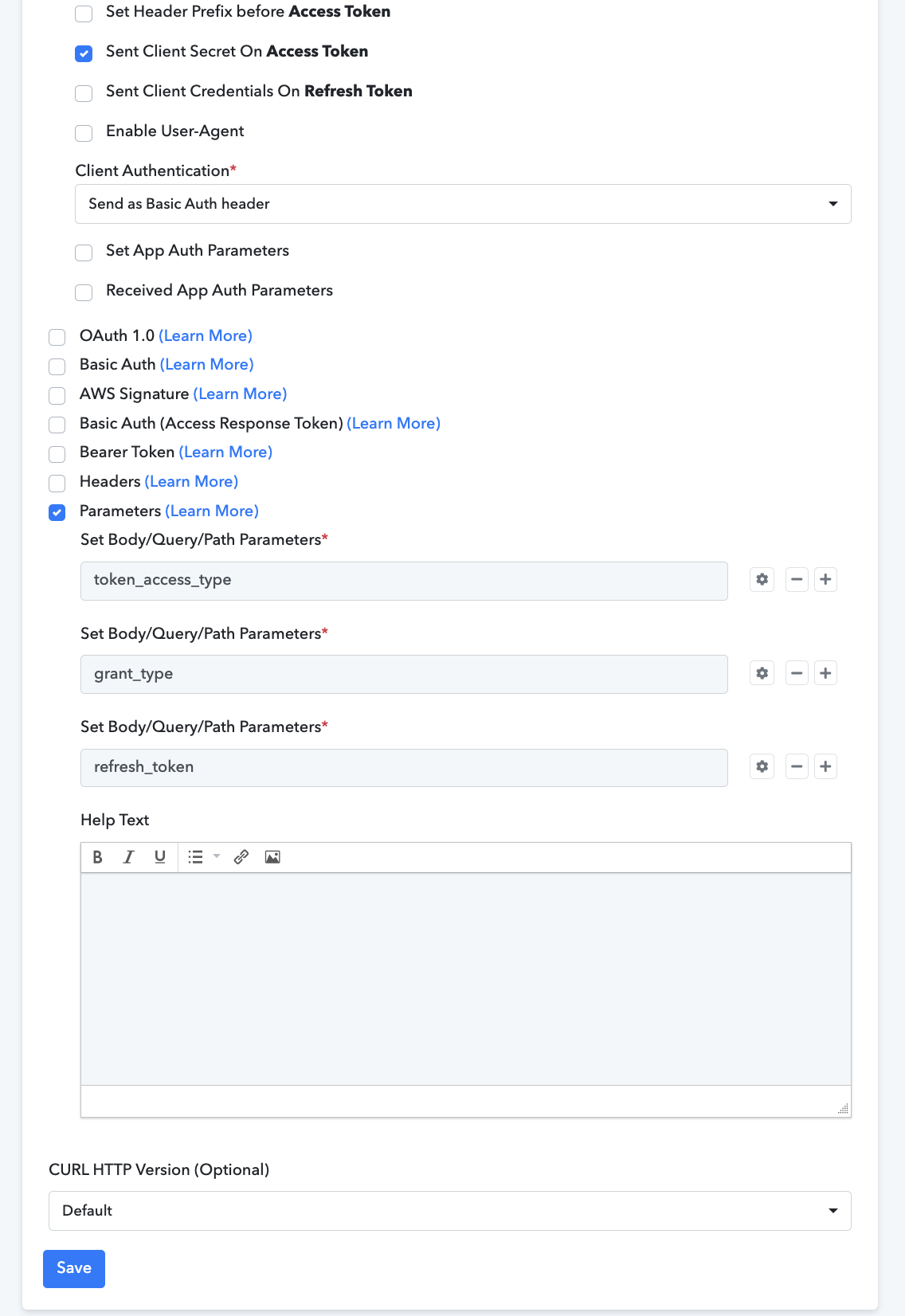
Thanks - I totally forgot I had actually tried this too. Here is my last attempt... That also did not seem to stay permanent... I also tried passing parameters for this:
token_access_type
grant_type
refresh_token
It all takes but then still shows as expired after 4 hours.
Hey @MasterMagic
We have made a slight change from our end and it should work now. Also, make sure you are using a new connection to use the application.
Further, if you have some other requirements then kindly let us know we will try to add those stuff from our end.
Thanks - it does look like this is now working! Appreciated!