webhook doesn't seem to connect, pull data.
Status: Closed · Asked by GroovyO on · 0 views
Im working with a shared workflow in my free plan of Pabbly connect. I cloned the original workflow, and worked with the clone all day. But the Workflow does not seem to ever get past the Webhook step, reach out and successfully connect to my app/crm.
When I click Grab Responses it just hangs, endless circle of Waiting For Webhook Response
Hey @GroovyO
Could you please share the name of the workflow and while setting up the webhook trigger have you tried passing the data from your application?
Workflow name: PlumbingProsUS [ReviewEngine: Demo]]
Have tried and it does not ever pass the data, that is my obstacle with this workflow.
Hey @GroovyO
Please let us know the name of the application you used to collect the webhook response. You should also try to capture the webhook response again and check to see if the application still has the webhook URL in place.
Hi, did you go into the workflow and fix it? Reason i ask, I hopped in and saw it had gotten it's correct WebResponse Data.
I was doing some more testing today, hit the Recapture Web Response button, and it is again hanging/pausing. I have another Workflow, which is a clone of this one, Rainmaker Rep ReviewEngine: Demo, that also has this problem. pls advise? The connection is LeadConnector and Open AI
Hey @GroovyO
I was doing some more testing today, hit the Recapture Web Response button, and it is again hanging/pausing. I have another Workflow, which is a clone of this one, Rainmaker Rep ReviewEngine: Demo, that also has this problem. pls advise?
Can you please check whether the webhook URL which you have selected in the Lead Connector is still intact or not, along with that then try capturing the webhook response again.
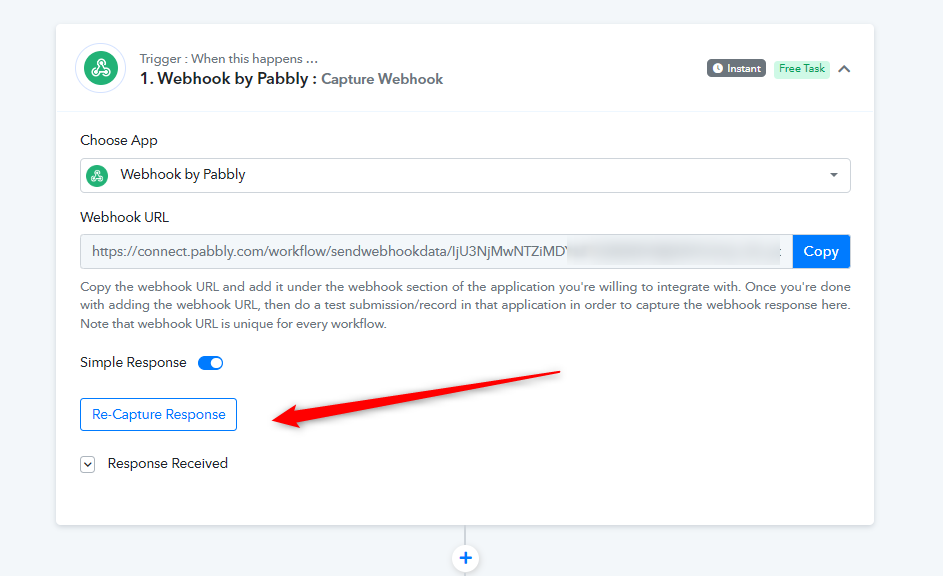
double and triple checked.
Could you please try the same scenario using webhook.site and let me know if you are able to receive the notifications?
https://webhook.site/#!/8612840f-0b38-4ff6-b604-a3bd63d2acd2