Webhook for Zoom not responsive
Status: Closed · Asked by FNF Florida Product Support on · 0 views
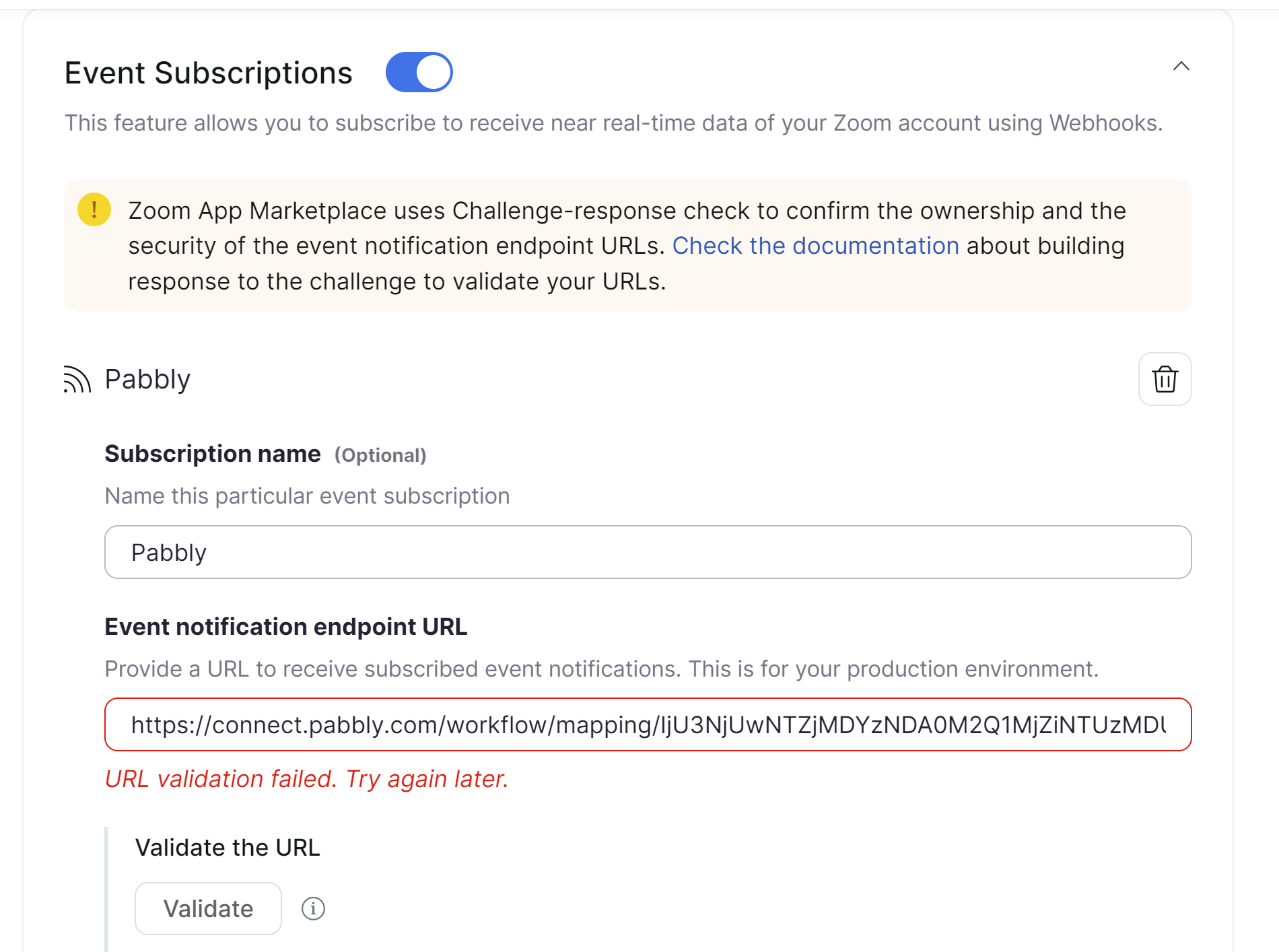
Hello. We received an email today from Zoom stating that the webhook endpoint is non-responsive. I have tried to re-validate several times and it will not work. We have not changed anything in either account. Do you know if there is an issue? Thanks.
Hey @fnfflorida
I request you to try to manually validate the webhook by following the steps given in the documentation shared below.
https://developers.zoom.us/docs/api/rest/webhook-reference/#revalidation
I have done this several times with no luck. "URL validation failed. Try again later." What else am I missing here? It's been working fine from the start and I've made no changes.
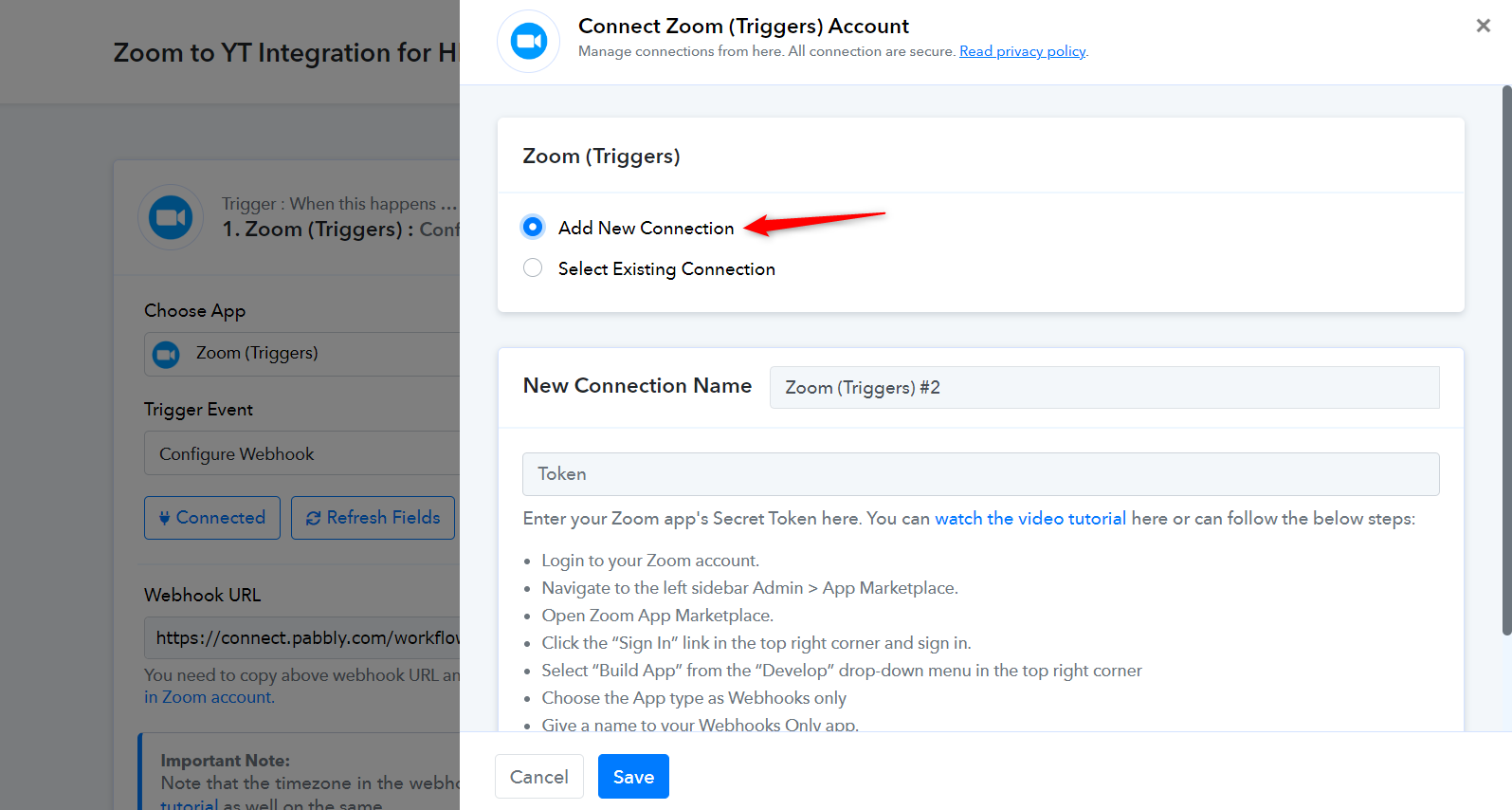
Please try establishing a new connection as well, and see if this fixes the issue for you.
Thank you Arshita. Is there a way to replace a trigger in an existing workflow, rather and having to rebuilt it? I can't seem to figure that out, since the trigger is the first step and I can't add/replace the trigger.
Currently, Pabbly Connect doesn't offer a direct feature to replace a trigger in an existing workflow without rebuilding it. However, a workaround could involve creating a new workflow with the desired trigger and setting up the subsequent actions. Once done, you can deactivate or delete the old workflow.
[TABLE]
[TR]
[TD]Notification URL[/TD]
[TD][/TD]
[/TR]
[TR]
[TD]https://connect.pabbly.com/workflow/sendwebhookdata/IjU3NjUwNTZjMDYzNDA0M2Q1MjZiNTUzMDUxMzAi_pc [/TD]
[TD][/TD]
[/TR]
[TR]
[TD]Your webhook endpoint failed to respond to our validation request
If your webhook endpoint fails to respond to our validation requests 2 more times, we will stop sending webhooks to your webhook endpoint until you fix the issue.[/TD]
[TD]
[/TD]
[/TR]
[/TABLE]
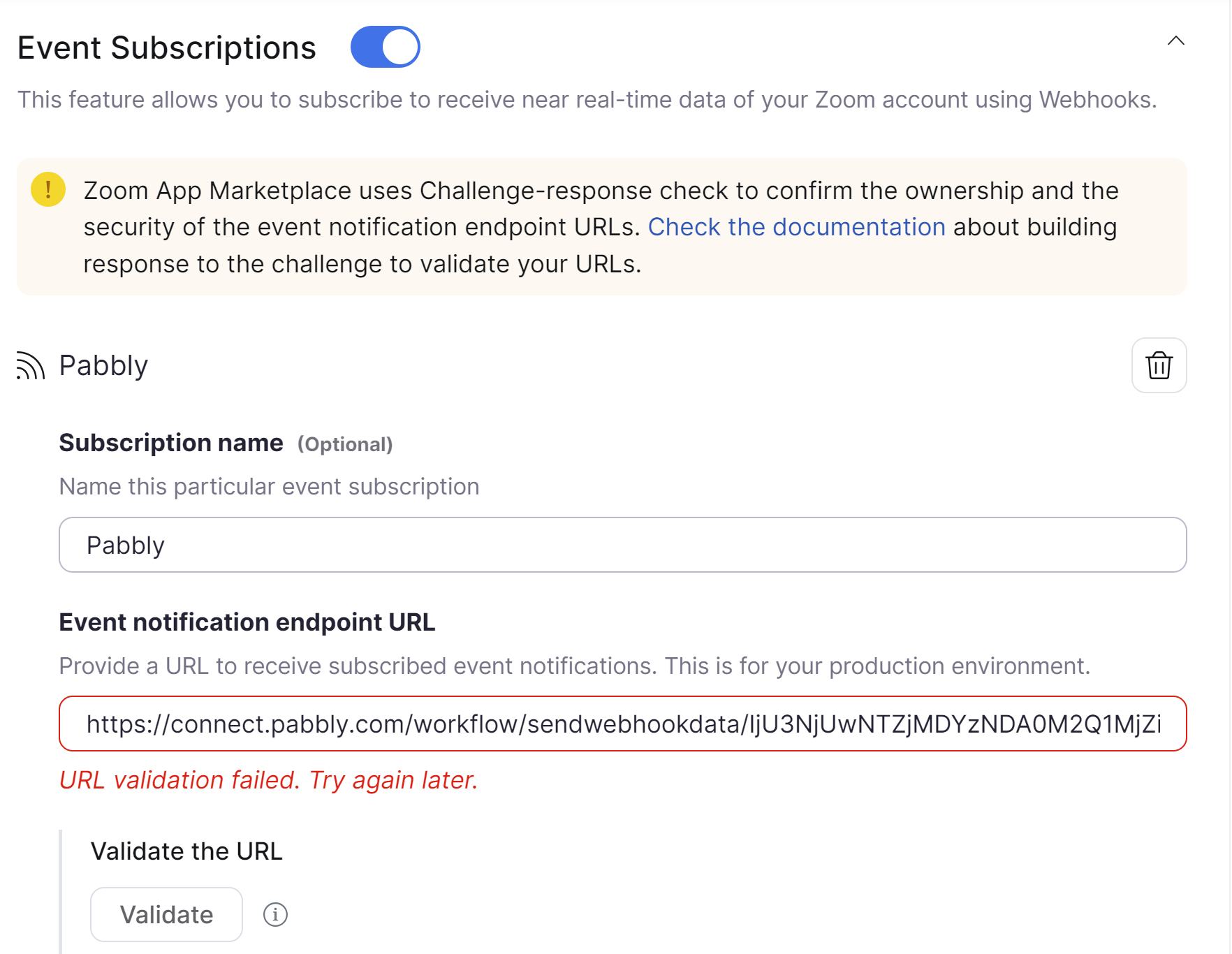
But when I try to validate, it always gives me the message below. What steps do I need to take to resolve this? I've already tried with a new workflow connection and had the same results.
Hey @fnfflorida
Can you please confirm if there is a workflow in your account with the Zoom trigger that you created but are not currently using?
Hi Arshita. I'm so sorry for the late reply, I missed the notification. I only have one workflow and as I said above, it is working as it should so I don't know what to do about the Zoom validation issue. Thanks.
As you mentioned, your workflow is functioning properly, but you're receiving an error message from Zoom.
In this case, please ignore the message from Zoom. However, if your workflow faces any issues such as being stopped or failing, please inform us, and we will investigate further.