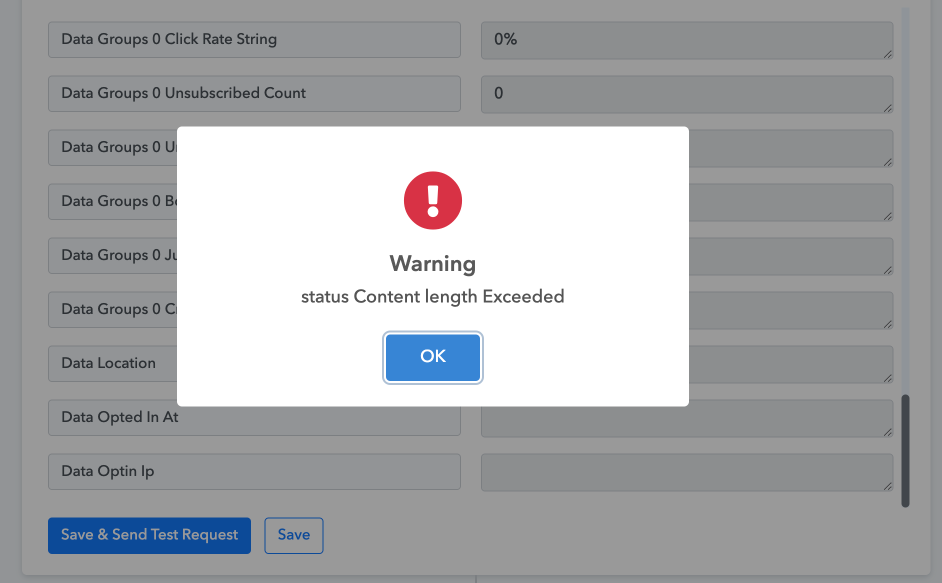
Webhook form to MailerLite - status Content length Exceeded
Status: Closed · Asked by Clickvid on · 0 views
Hi guys,
I added a webhook to MAilerLite account.
The workflow shows tasks consumed, however the new user is not subscribed to MailerLite group.
First time testing seemed fine, but second time I received an error warning: status Content length Exceeded
Can you assist to fix this issue?
History task id: IjU3NjcwNTY1MDYzZjA0MzY1MjZhNTUzMDUxMzE1MTYxNTQzOSI_3D_pc
Thanks!
Sebastiaan
Attachments
Hey @Videyooz
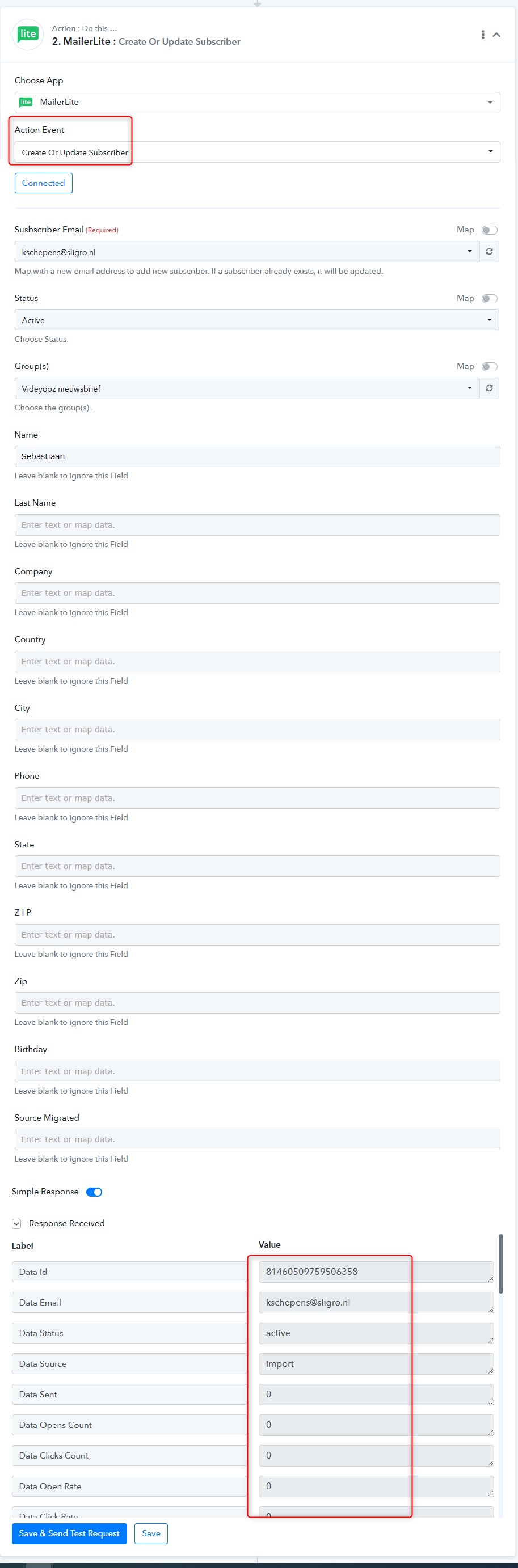
We have checked the issue and found that you have exceeded the limit. We have reset it again for you from the backend and run the action again and it went successfully. You will not get this issue again.
Thanks
Kunal
Hi Kunal,
Thanks for your prompt response.
I tested a new subscription from the form on the site but again the same issue.
Counted as succesfull but not added to my mailer list.
When running the Save & Send Request button in Pabbly I received the same error warning again...
Hey @Videyooz
We have fixed the issue for all the fields. Please check and let me know if you have any questions or comments.
Dear Kunal,
Thanks for your quick response.
All tests I conduct from my live site don't work.
Filling in the form on my website (www.videyooz.nl) to sign up for my newsletter are counted in Pabbly, but do not appear in my Mailerlite account. I have no clue what is wrong in the settings?
(The errors have dissapeared since your support, thanks for that!)
Hey @Videyooz
It appears that you haven't mapped the Email address dynamically to create the contact in the MailerLite account.
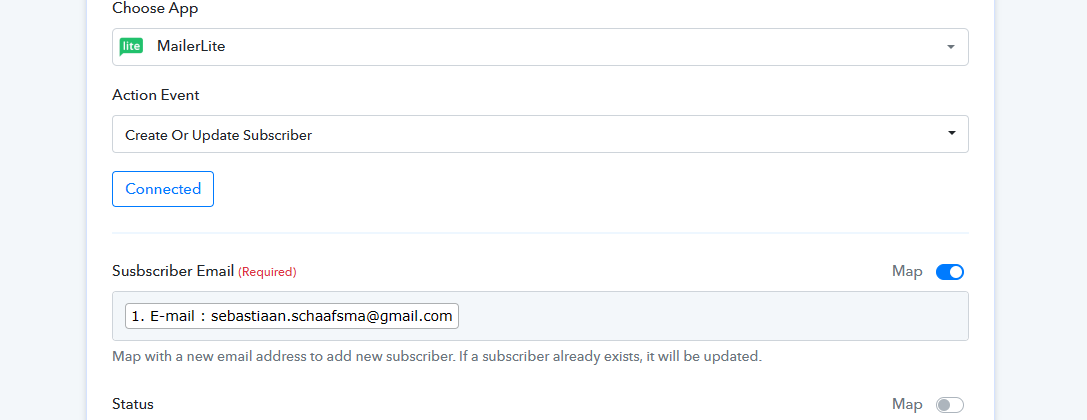
Though we have tried with your Form to pass the data in MailerLite and it appears that it has been added to it as expected.
Thanks @Supreme I have changed the mapping to be dynamically. When I test&save it collects an existing email address from my general subscribers list in Mailerlite. However I want to collect NEW email subscribers through my website. When I test this, new subscriptions are not passed on to MailerLite and I can't figure out why /what settings are wrong,.. ?
(Also the PC Test subscription made by Support did not come through to MailerLite)
(Also the PC Test subscription made by Support did not come through to MailerLite)
Yes, that was made by us and from now onwards it will be populated in your MailerLite.
Kindly try the complete workflow once and the entry again.
Hi, what I did: I created a new API token from MailerLite. I updated this in the Pabbly automation.
I checked the Pabbly webhook connection again (it worked), I tested the MailerLite form input and it worked when I click on an excisting subscriber in the *required Email field.
However when I try tio subscribe a new user from my website, eventhough it is counted in Pabbly as entry, the details are not forwarded to the MailerLite group.
I use: "Create of Update Subscriber", that seems the correct action event right?
Status: Active (as they should be listed as Active subscriber in my group)
And in Group(s): I selected the GRoup the new subscriber should be enlisted to.
I assume new entries from my website should go into my MailerLite group automatically once this was setup succesfully and tested...
As we can see after your configuration of the MailerLite action step, you didn't map the email address field in the action step and because of that, you are not able to see the new contacts from your Form at all.
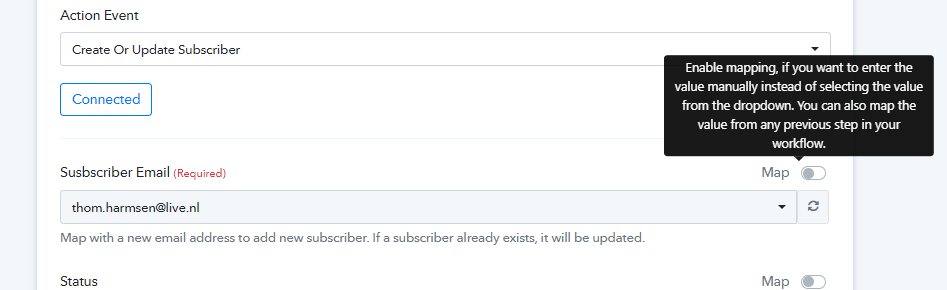
Though we have reconfigured it for you and we believe that the contacts are getting added to your MailerLite account accordingly.
Hi @Supreme this worked out!
Subscribers from my webform are now subscribed to the group in my MailerLite account.
Thanks a lot for your assistance sorting this out. Good to know how it works for my next automation workflows.
All the best