Webhook integration with Wise - Missing information
Status: Open · Asked by Piggy69 on · 0 views
I recently created a webhook and connected it to my Wise account to get notified whenever I receive money.
I wanted to forward this information to a private Telegram channel.
I successfully set up the webhook and I'm very happy with the result.
However, the information I have access to through the webhook is quite limited.
For example, I can't see the amount of money received.
When I make test payments, I can't see the line corresponding to the amount received.
Am I missing something? Is the integration not fully complete?
Is there an explanatory video about the webhook and Wise bank integration?
Any help or information would be greatly appreciated.
Thanks in advance,
@Supreme
Hi @Piggy69,
Please click on 'Re-Capture Webhook Response', then add money to your balance and see if that gives you the amount in trigger response.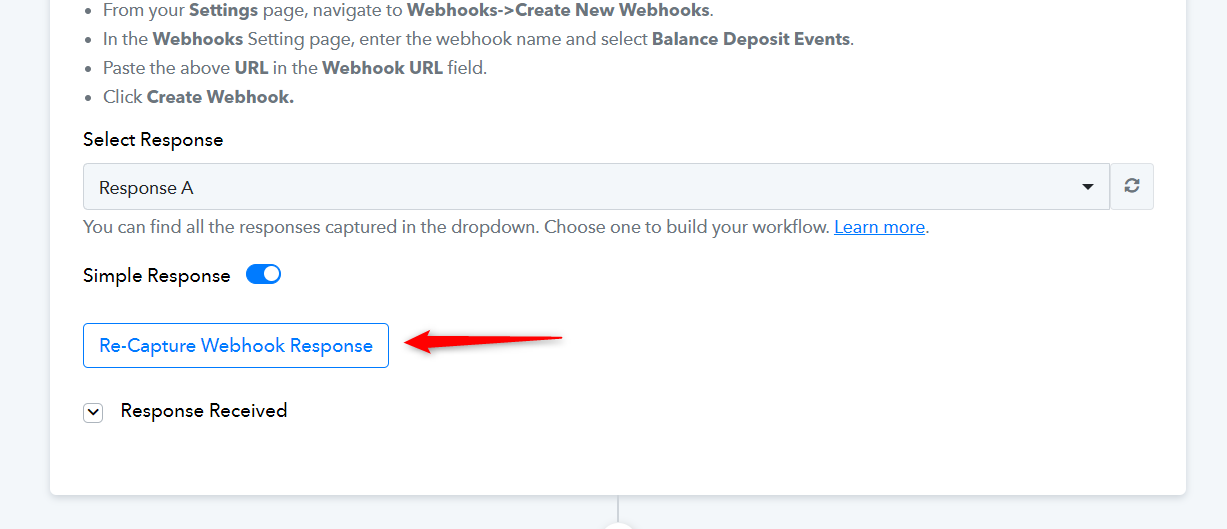
Hi @ArshilAhmad
I just did it for the 5 times, nothing changes.
Can you please have a look in my account and fixes this asap.
I have the same probleme as well in my Pro Wise Account, nothing appear in the webhook, I mean by nothing not the information about the amount received which is useless...
Thanks
Hey @Piggy69
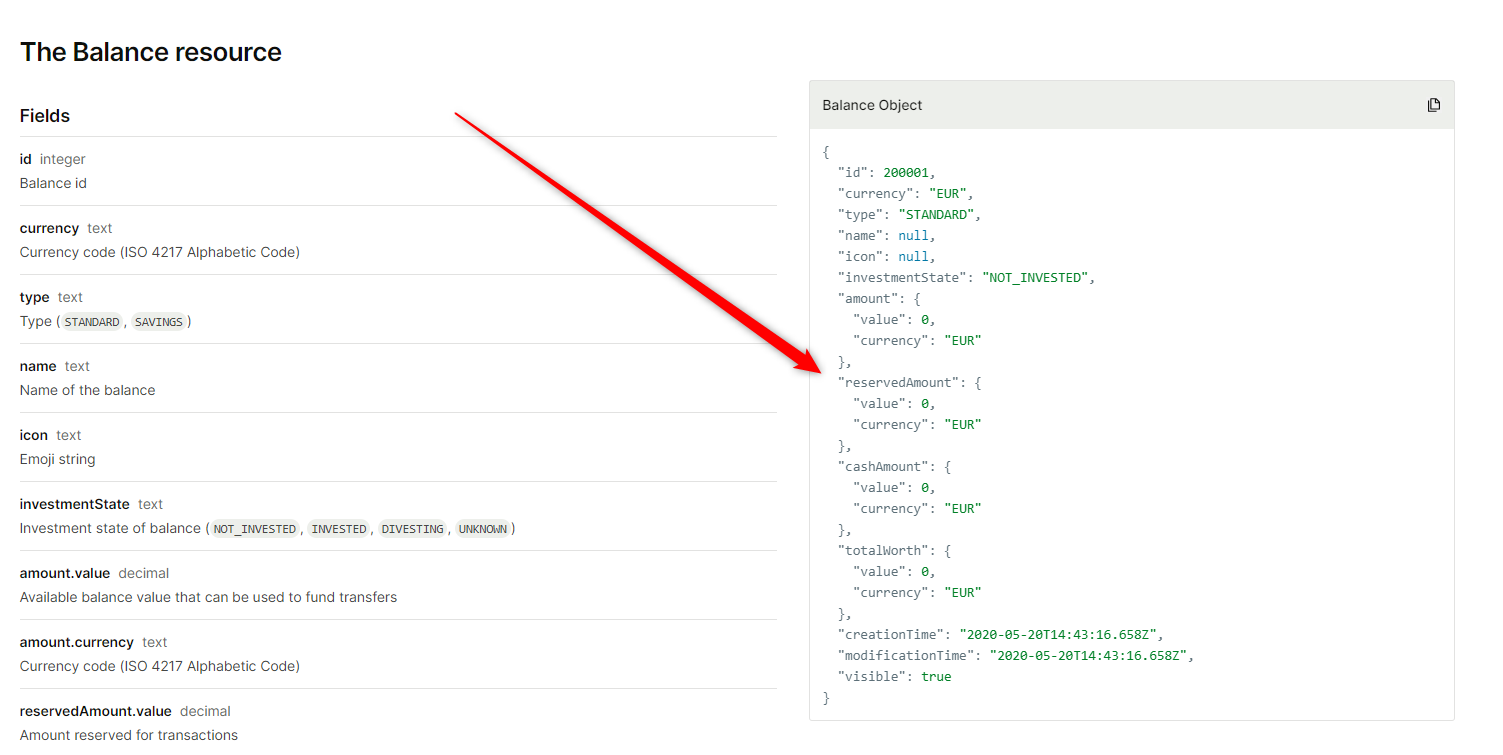
To obtain further information regarding the balance of the Deposited event, you may need to utilize Wise's action step, which can assist you in accessing the necessary details.
Currently, this feature is not accessible on the platform. However, we can submit a request to our integration team to incorporate it.
Thank you for your response @Supreme
I understand that I can use Wise's action step to access the balance of the Deposited event. However, I'm not sure how to do this.
Could you please provide me with step-by-step instructions on how to do this?
I would also appreciate it if you could submit a request to your integration team to incorporate this feature into the platform.
Thank you for your help,
You can try using API by Pabbly module to execute the endpoint in this manner.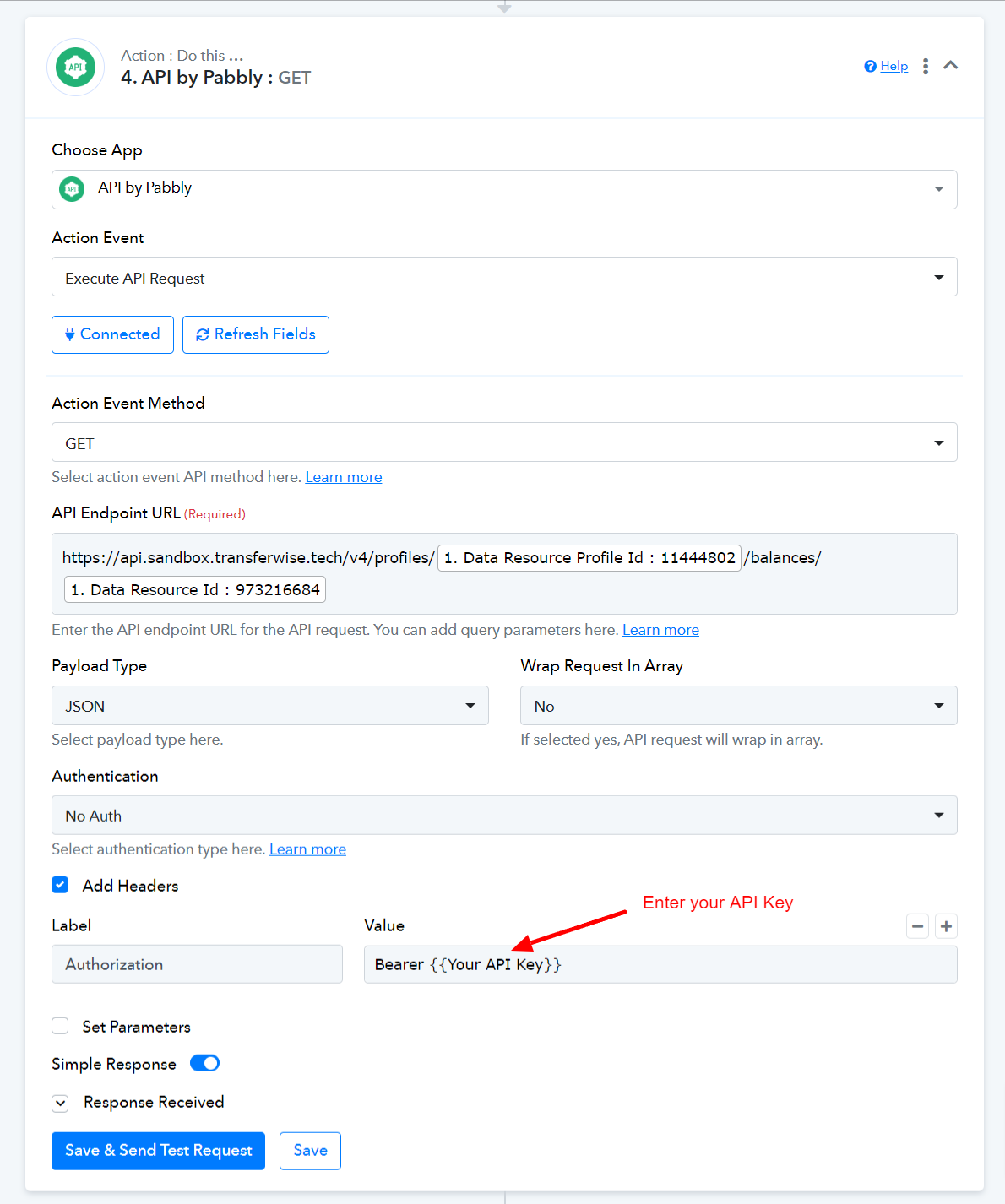
Hey @Piggy69
We've included the "Wise: Retrieve Balance by ID" action step in the current integration. Please test it out and then attempt to retrieve the balance using both the Resource Profile ID and Resource ID.
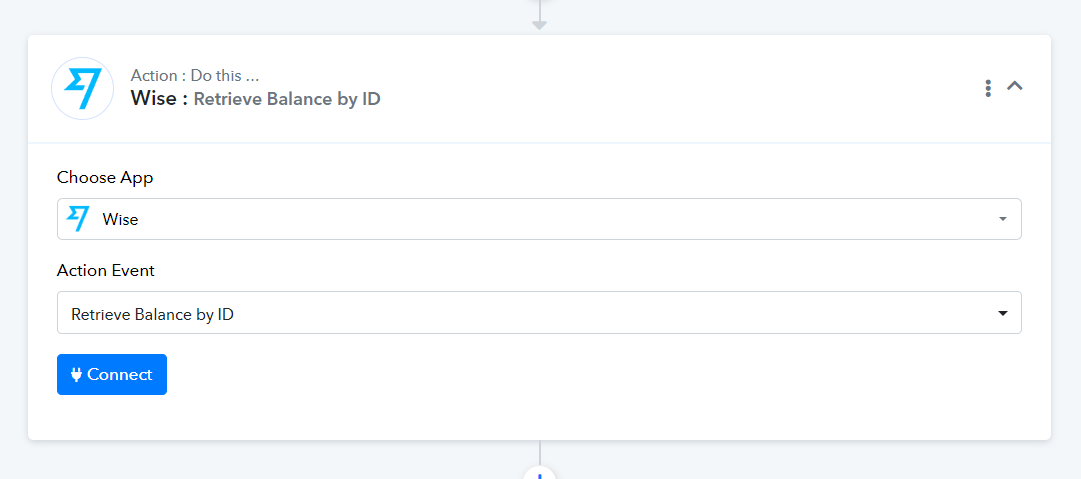
Hey @Piggy69We've included the "Wise: Retrieve Balance by ID" action step in the current integration. Please test it out and then attempt to retrieve the balance using both the Resource Profile ID and Resource ID.
Sorry guys, I am very lost, can you guide me step by step please. @Supreme @ArshilAhmad
It appears that the bearer token you have used doesn't have complete authentication and because of that to get the balance might not be working.
(Action step 3 )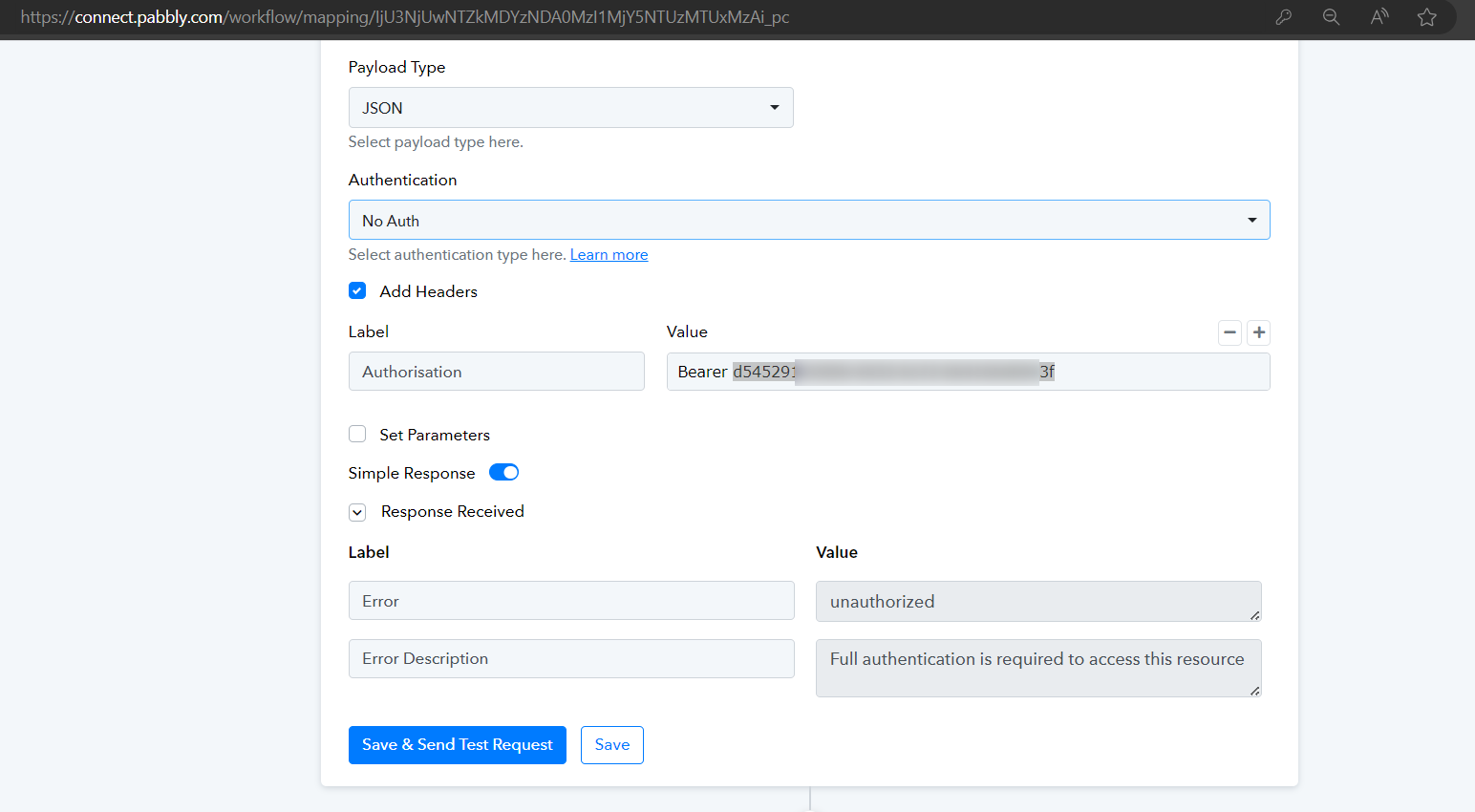
It appears that the bearer token you have used doesn't have complete authentication and because of that to get the balance might not be working.(Action step 3 )
Ok, thanks. But what should I do and where to find the right thing to put to make it works?
Thanks @Supreme
Could you please share your Wise account credentials with us at the provided email address so that we can test the issue from our end?
Email: support@pabbly.com
Could you please share your Wise account credentials with us at the provided email address so that we can test the issue from our end?
Email: [EMAIL]support@pabbly.com[/EMAIL]
Hi @ArshilAhmad
I just add the email to the company Bank Account, I could not add it to the personnal, only the company as the team feature.
Thanks and let me know, please.
Also, since this is about the Pro account, the right automation for the pro account is : https://connect.pabbly.com/workflow/mapping/IjU3NjUwNTY4MDYzMzA0M2Q1MjY4NTUzNTUxM2Ii_pc
Please check your workflows' second step we have set the action to get the relevant details.
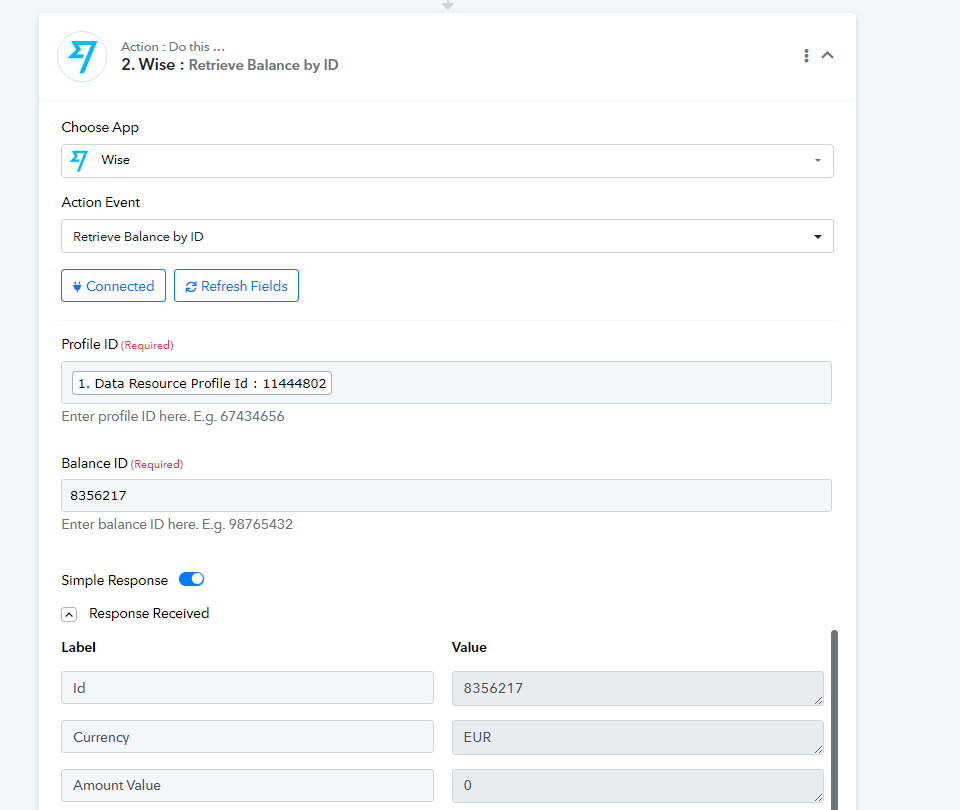
Please check your workflows' second step we have set the action to get the relevant details.
Still doesn't work, I just try sending money and did not get any notification, nothing except an error.
@Supreme
Still doesn't work, I just try sending money and did not get any notification, nothing except an error.
Please allow us some time to look into this concern. We will get back to you shortly.
Please allow us some time to look into this concern. We will get back to you shortly.
@ArshilAhmad
Thanks because it's very confusing. because the process is confusing, difficult and useless.
Thanks in advance
Hey @Piggy69
We have added two action steps of API by Pabbly to get the relevant details from the transfer of the event, please check those out and let us know if that helps you.