Webhook > Xero Create a new quote draft
Status: Closed · Asked by matthew.gillard on · 0 views
I'm getting this error when trying to create a draft quote in xero
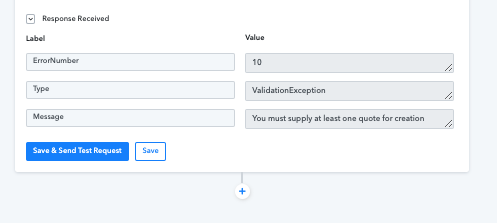
I have mapped the fields from my webhook as below:
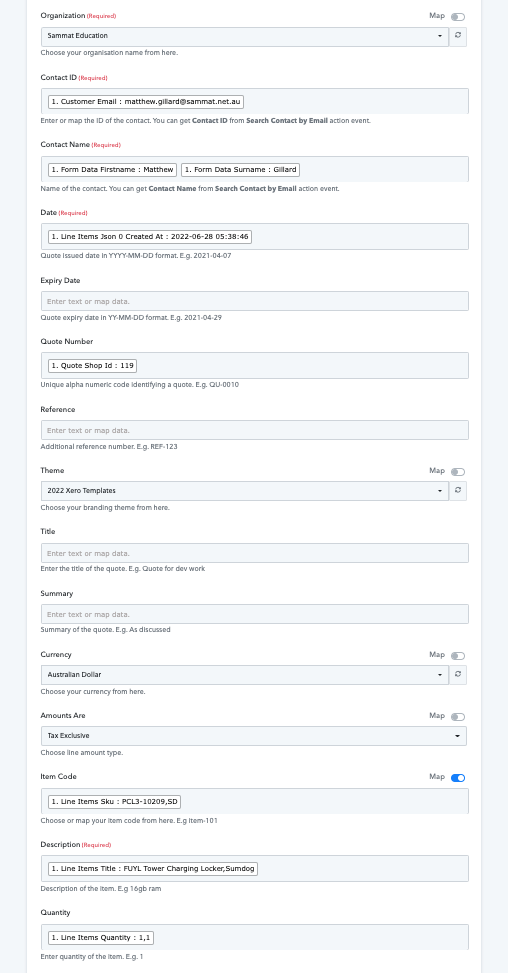
I have tried just entering some normal text in description as well as just a normal date in date field but no luck. Still same error.
Hey @matthew.gillard
As we can see from your screenshot you have passed the email address in place of the "Contact ID" fields instead of the Contact Id of that person.
Though we have corrected the action step for you and it is working fine now.
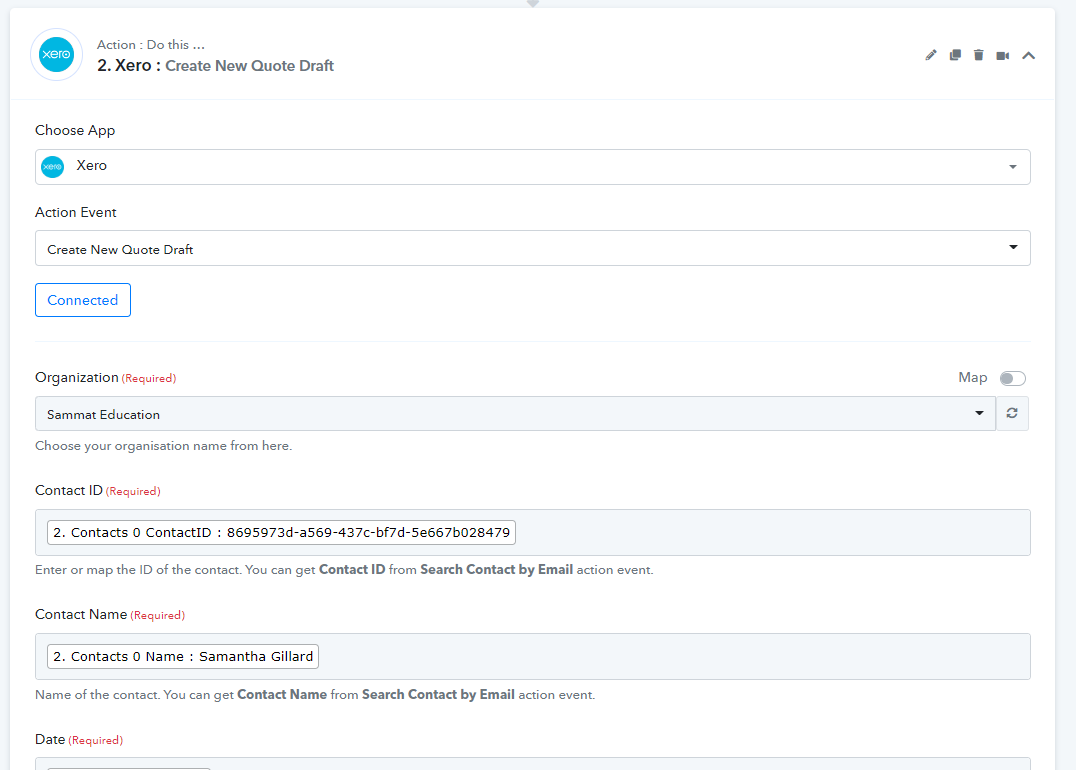
OK So I now have a new question. How can I get the Line items in separate lines for Item Code, Description and Quantity on the quote?
Hey @matthew.gillard
So I now have a new question. How can I get the Line items in separate lines for Item Code, Description and Quantity on the quote?
Could you please tell us that you want multiple line Item support in the current action step of Xero?
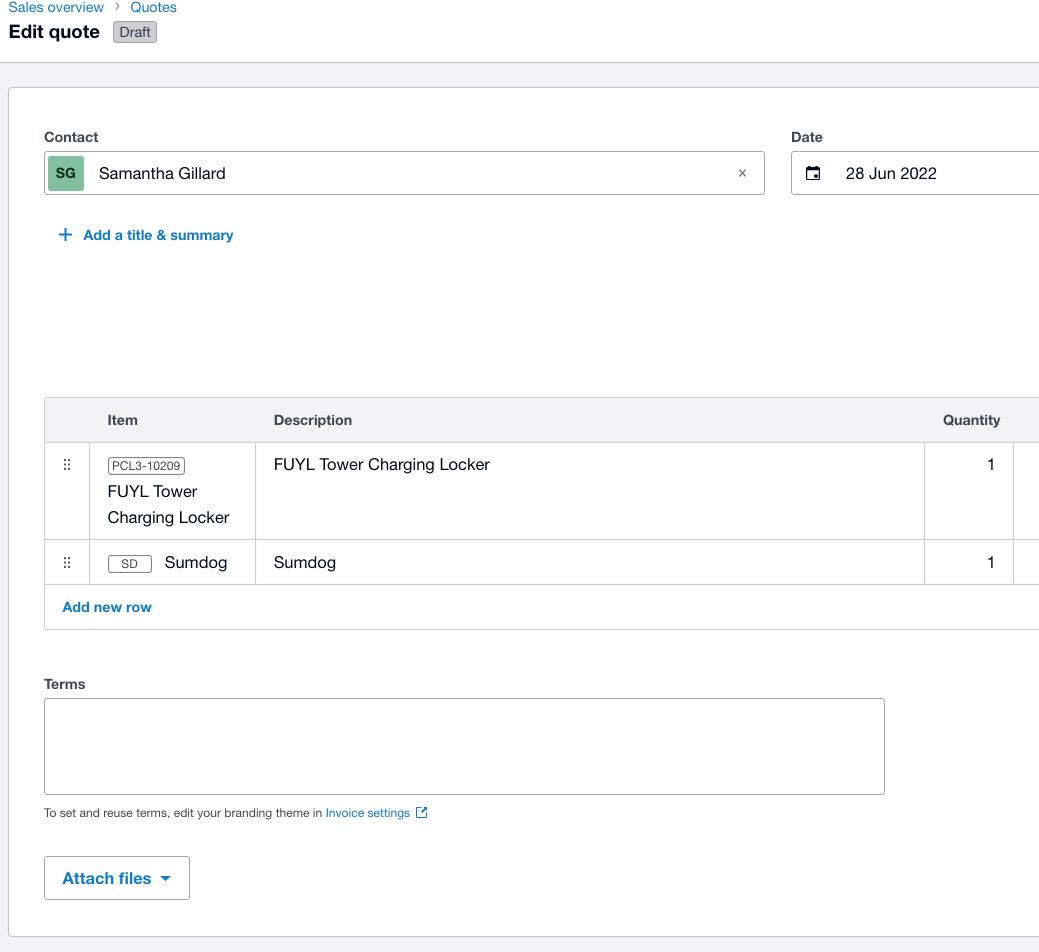
So I would like the product data from the webhook to display like this on the xero quote
Hey @matthew.gillard
Please allow us some time, our team is currently looking into it and will try to add the action step accordingly.
Hi team - any updates on this one yet?
Hey @matthew.gillard
We have updated the action step and you may pass the line items in the "Create New Quote Draft" action step.
Kindly re-connect the action step and try again.
OK I have the steps working OK if the contact is already in Xero - the quote works as expected
I have gone to test the steps for a contact that is not in Xero.
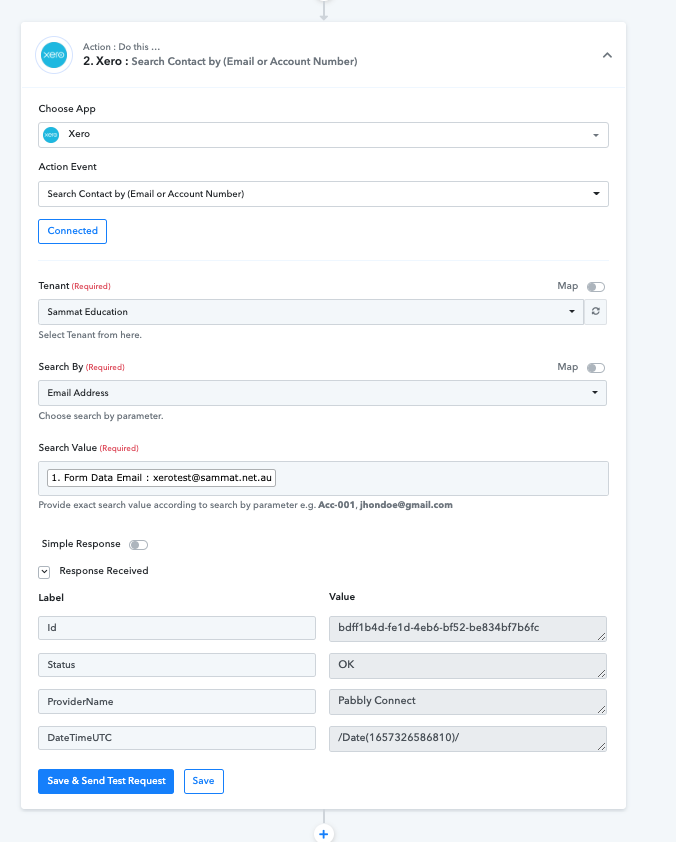
However when I test this with the Xero - Search contact by email the status comes up as OK (I have tested with an email address not in our xero system)
What is the Router settings I need for the contact that is not in Xero as the one you setup has the Status if OK on this step but my test for the contact not in xero shows the same output.
Hey @matthew.gillard
We have configured your router condition for you, kindly review that.
Kindly map/pass the data in all the rest of the field which is required of you and then try again.
ok yes that works.
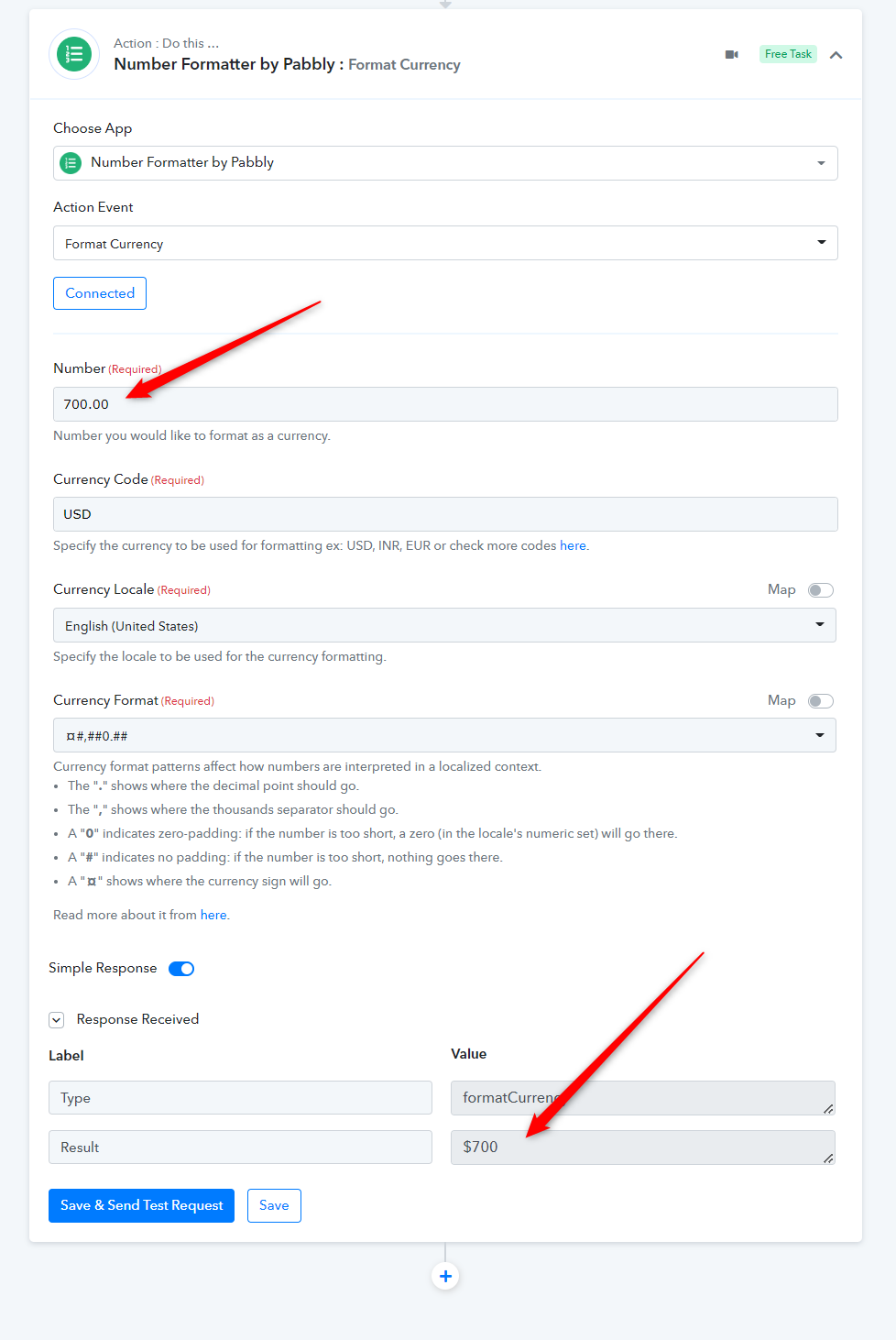
The price displays in the quote without decimal places
i.e. product price normally is $700.00 but in the quote it displays as $70000. What do I need to put in between so that the number formats correctly?
Hey @matthew.gillard
You can try the Format currency action step and convert the currency's decimal place.
Please check out the following screenshot and try again.
OK how would it work when i have line items with separate places
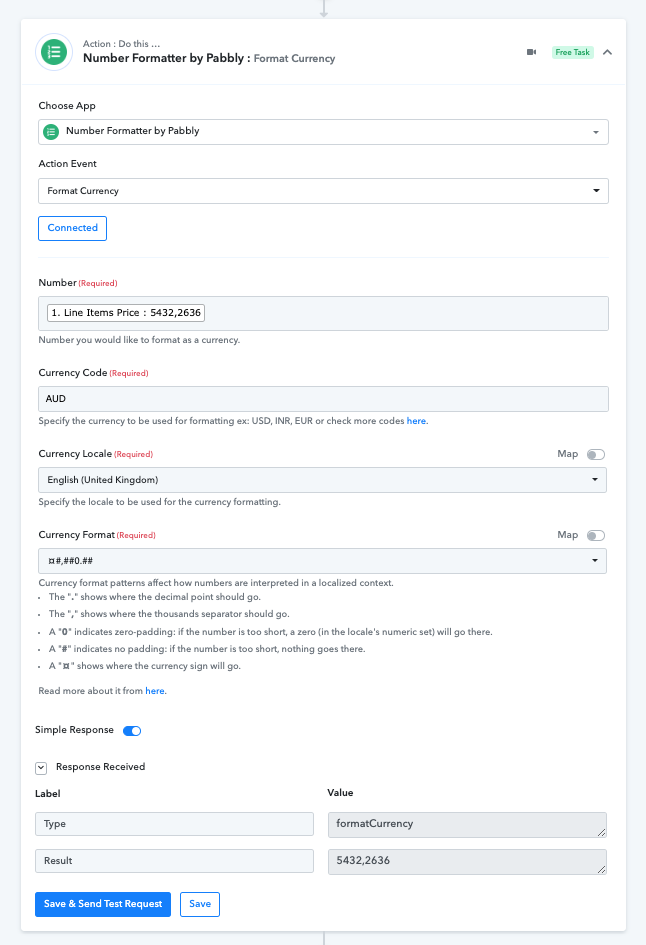
So in the above line items - product 1 is $54.32 and product 2 is $26.36 and both need to appear in my quote.
Hey @matthew.gillard
We are looking into the workflow, so kindly allow us some time.
OK how would it work when i have line items with separate places
So in the above line items - product 1 is $54.32 and product 2 is $26.36 and both need to appear in my quote.
We have added Line Item support in the Xero: Create New Quote Draft action step. Kindly give it a try and let us know if that works for you.