Webhooks
Status: Open · Asked by gacott on · 0 views
Hello, Pably, finds the fields using webhooks fine, great. But it's also grabbing the user's data and acting as though that's the field. As an example. it's pulling:
Email:* 1.Email : emailaddress.com, when I just need it to look at that Email : and pull all contacts that go there. Like a wildcard or something? How do I achieve this?
Thanks
Hi @gacott,
Please make a short screen recording and elaborate a bit more on your exact concern. This will help us gain a better understanding of your concern.
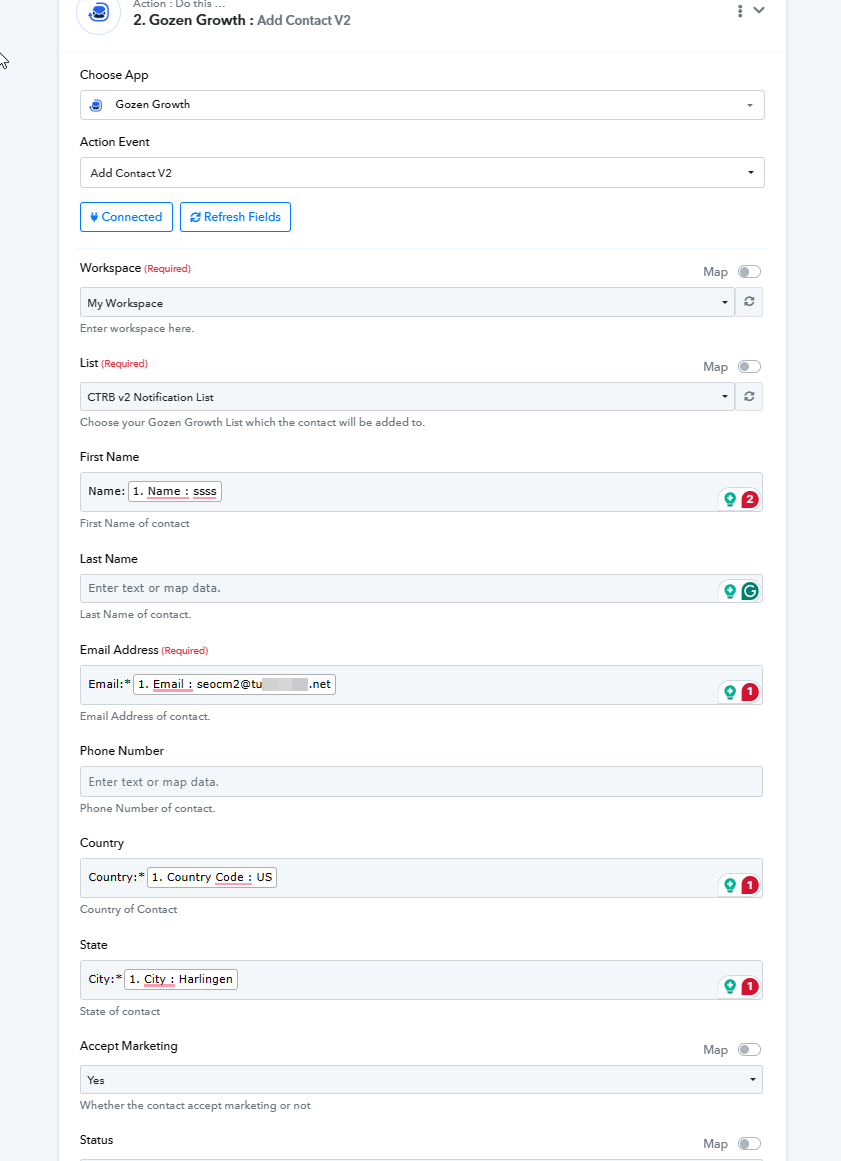
Certainly, thank you as well. In this image you can see that it is pulling Name : ssss, and Email : [email hidden]. Well that is specific data, not the field itself. I need it to pull the date from the field as each new subscription comes in, not just this one that it is seeing now.
We are still not sure what you mean by 'not the field itself'. If you simply map the data captured from the webhook response to the Gozen Growth action step, any new data received in automation will automatically be added as contacts in your Gozen Growth.
Could you please elaborate a bit more on your exact use case? This will allow us to access the possibility of your use case.
It is being mapped to Name : ssss, It should be mapped to Name :
which is what the field actually is and should be.
I don't know how else to say it, the field is NOT Name : ssss,
that is somebodies name, a temp name we used when testing the first record.
as an example, ssss is a SINGLE record, not a field, The Field is Name:
Thank you for the explanation. We understand it now.
In your workflow setup, you need to map the test data (temporary name) captured from the trigger response, which will then be saved in your 'Gozen Growth' account. During automation, any data received through the webhook will automatically be saved in your 'Gozen Growth' account. So, even though you mapped temporary data, new data fetched through the webhook during automation will be passed to 'Gozen Growth'.
Based on your workflow, we can see that you have directly mapped the data received from the trigger response to your 'Gozen Growth' action step, which is the correct way to set up the workflow.
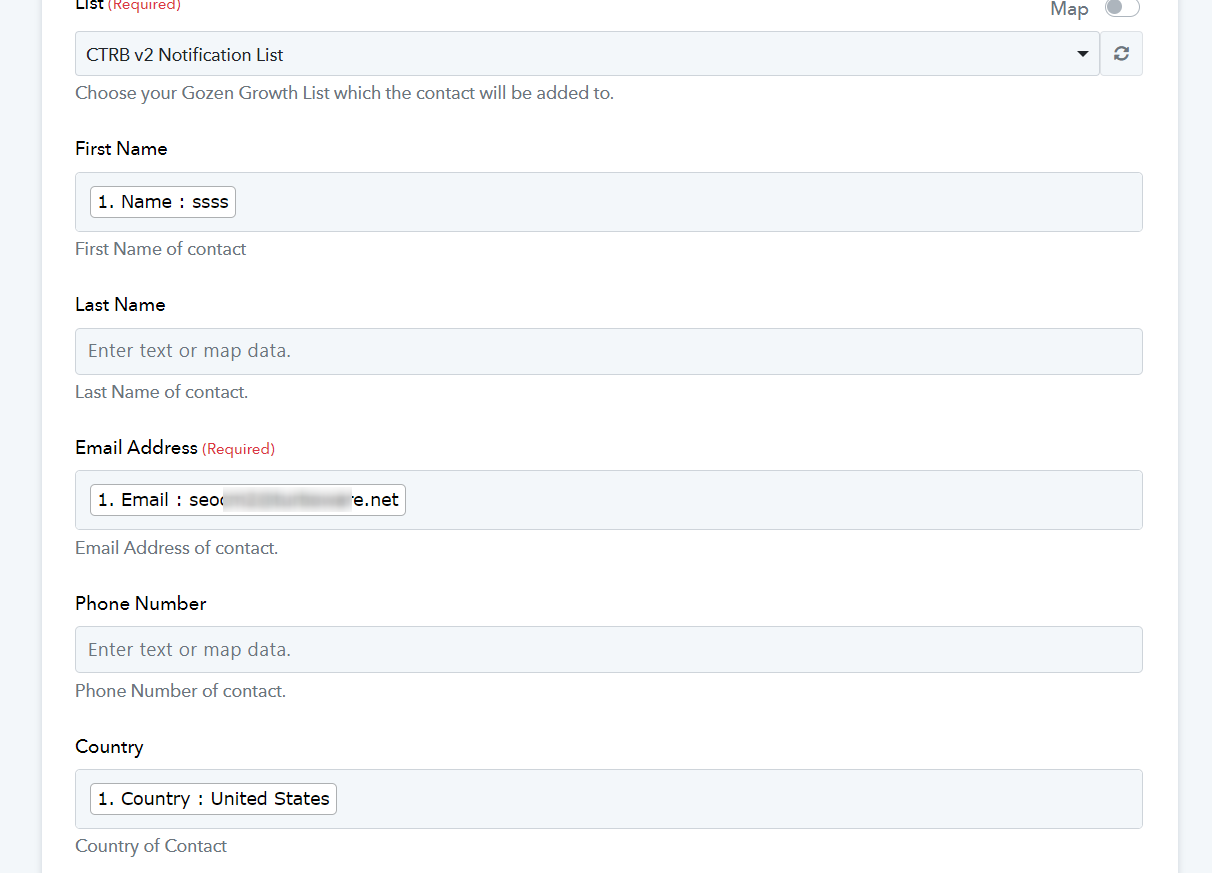
Okay, great to hear. I have set it up correctly!