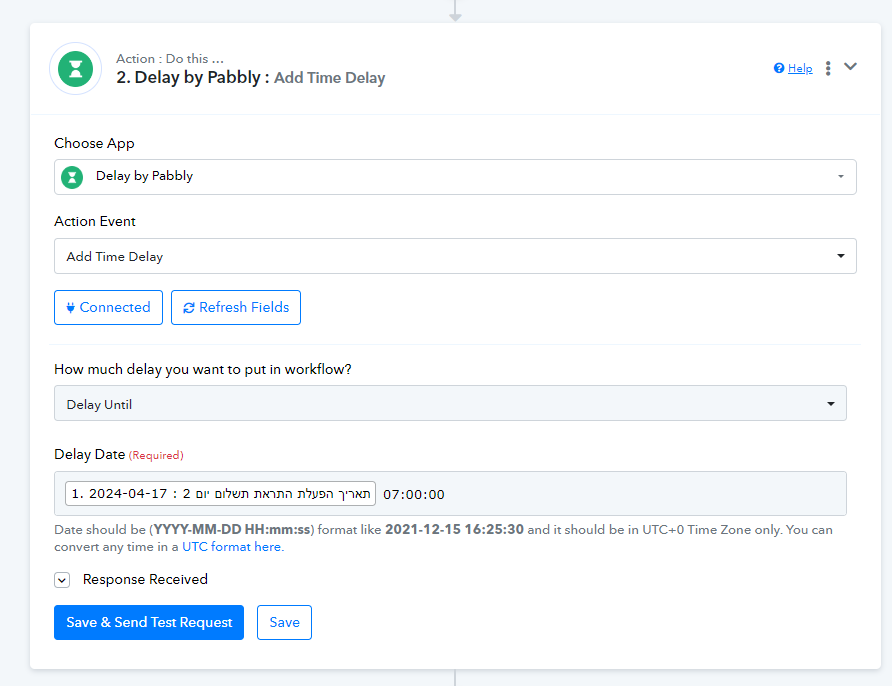
what is the solution to this
Status: Open · Asked by Alaa Bebar on · 0 views
in my automation in my history im seeing the Gmail part day 3 with V but the bat isn't complete.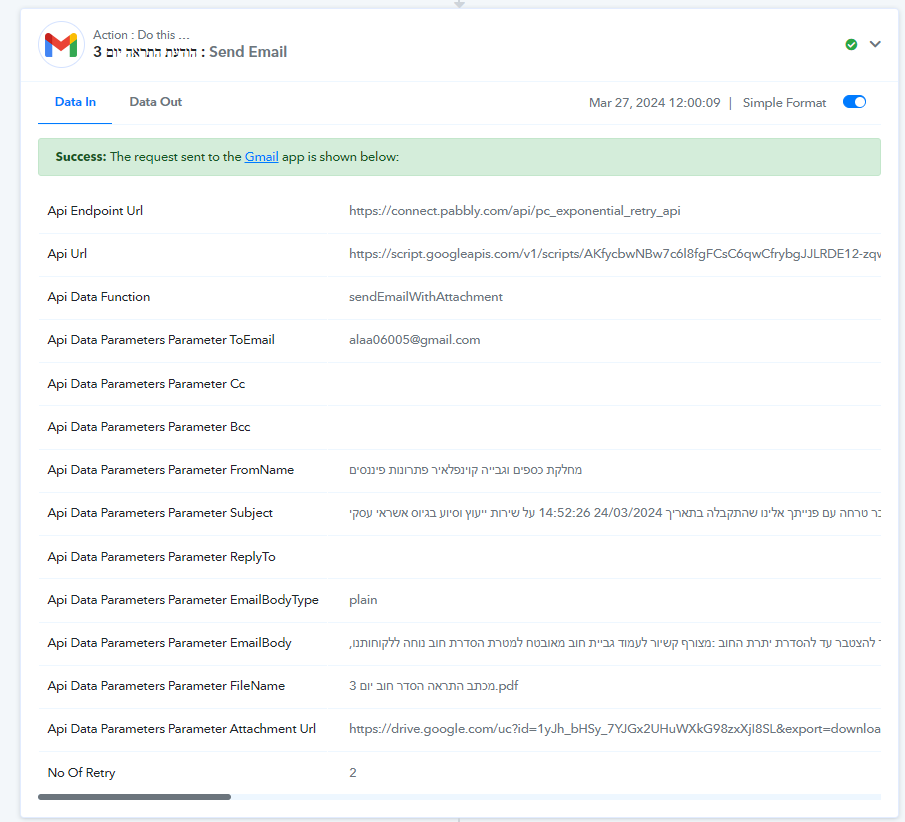
here's the workflow :https://connect.pabbly.com/task/history?filter_status=applied&filter_by_workflow_id=IjU3NjUwNTY4MDYzMTA0MzQ1MjY0NTUzMjUxMzMi_pc
Hey @alaa bebar
Could you please explain your concern in detail and provide the Task History ID so that I can investigate further
Manthan
P.S. - Do check our Pabbly YouTube Channel where we have more than 7400+ automation tutorials.
here's the workflow link:https://connect.pabbly.com/workflow/mapping/IjU3NjUwNTY4MDYzMTA0MzQ1MjY0NTUzMjUxMzMi_pc
the issue is that the Gmail send bar isn't working properly, in the past I had this issue @ArshilAhmad helped me to adjust the error type.
Hey @alaa bebar
Kindly tell us what error and the issue you are getting in the Gmail action step in detail.
IM TESTING THE AUTOMATION TO CHECK IM FACING THE SAME PROBLEM ILL CONTACT ARSHIL HE ASSISTED ME IN THE PAST WITH IT,THANKS SUPREME.
in my automation in my history im seeing the Gmail part day 3 with V but the bat isn't complete.here's the workflow :https://connect.pabbly.com/task/history?filter_status=applied&filter_by_workflow_id=IjU3NjUwNTY4MDYzMTA0MzQ1MjY0NTUzMjUxMzMi_pc
Is your workflow stopping at a particular step? Also, share the exact Task History ID of this execution.
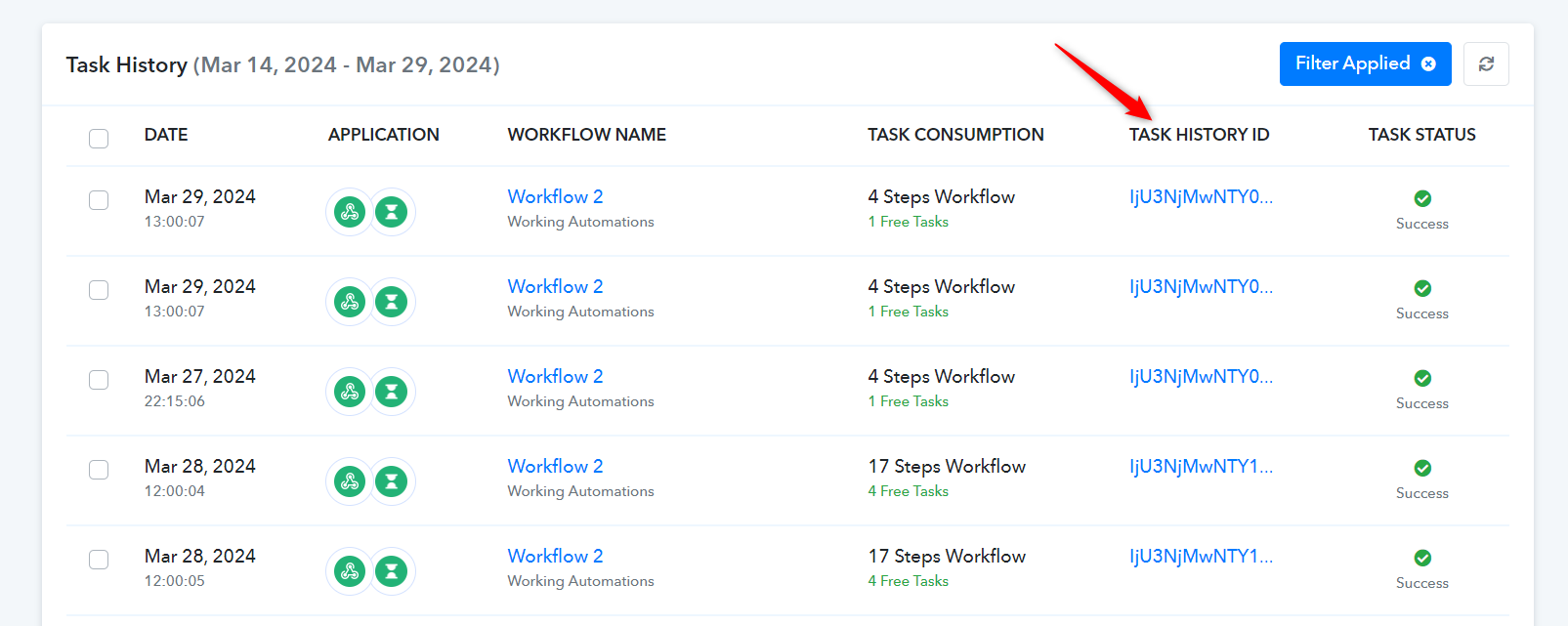
Hello Arshil, how are you doing buddy?
I have tested the workflow it is stopping on 4th day for some reason the Gmail part isn't working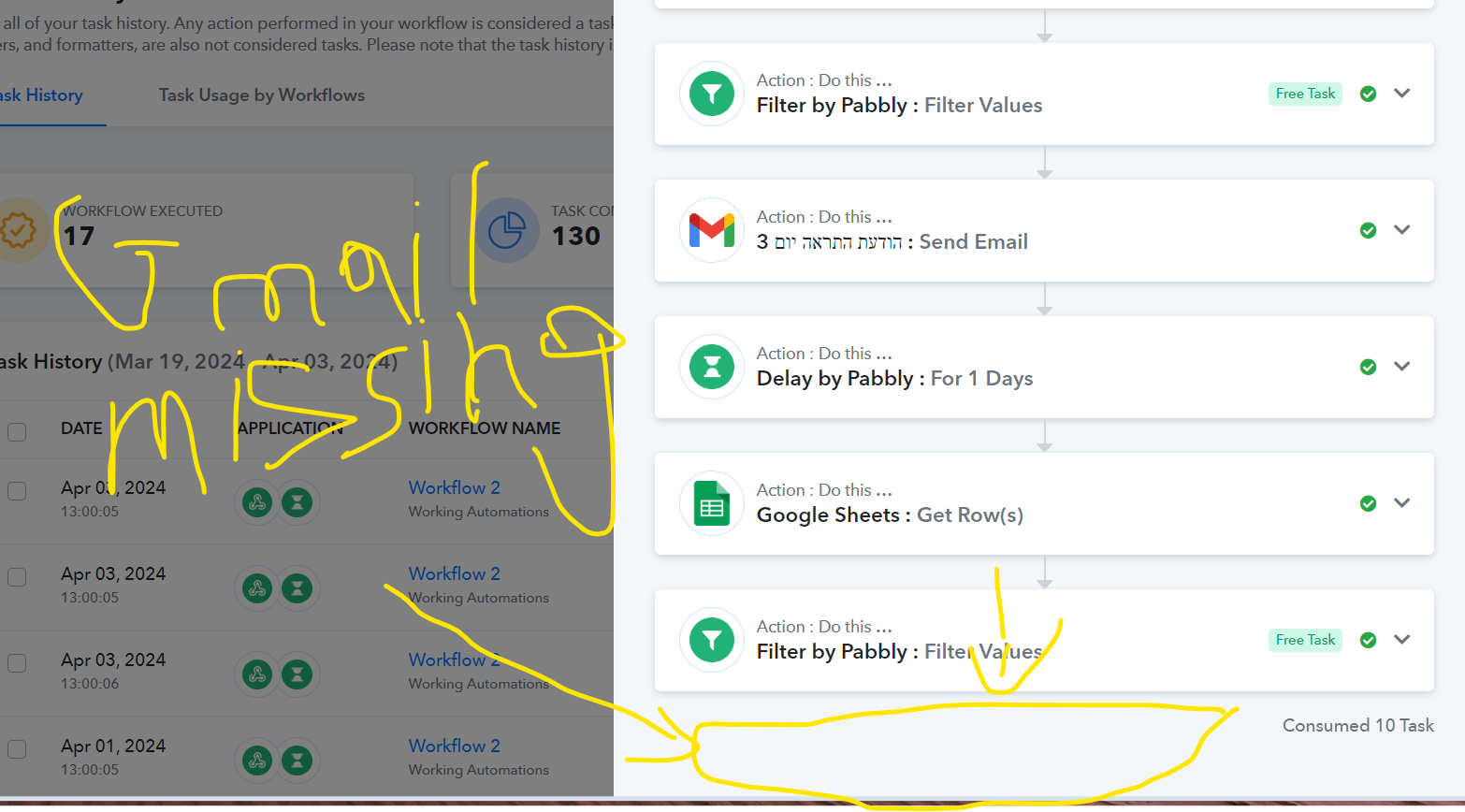
It seems that you changed the column in Step 13 of your workflow from AN to AM, because of which you received incorrect values in response. Since these values were incorrect, they weren't being mapped to the Filter step (Step 14) during automation, causing your workflow to stop at that step.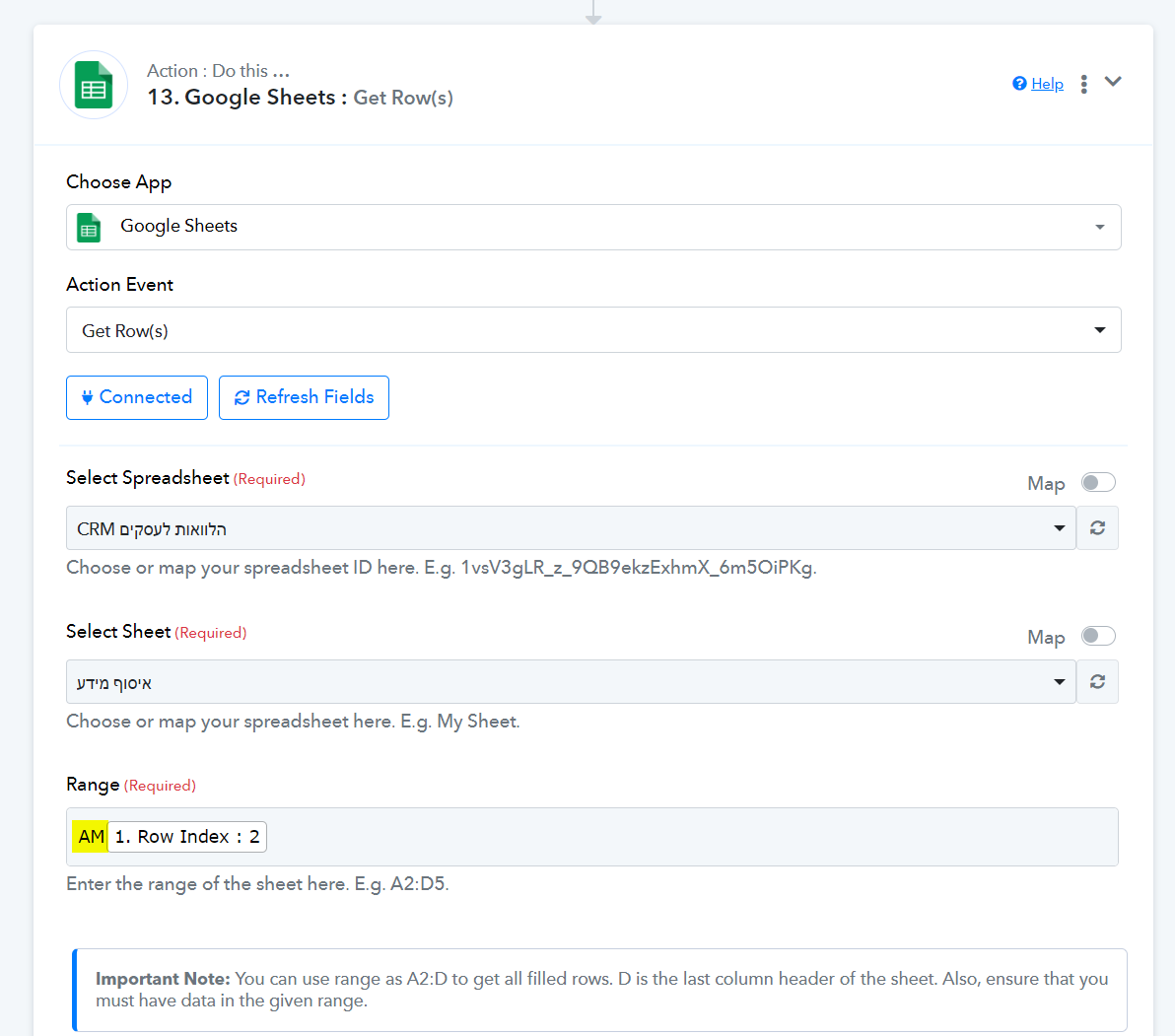
I have made the necessary change on your behalf; it should fix your issue. Going forward please be careful while making changes to your workflow.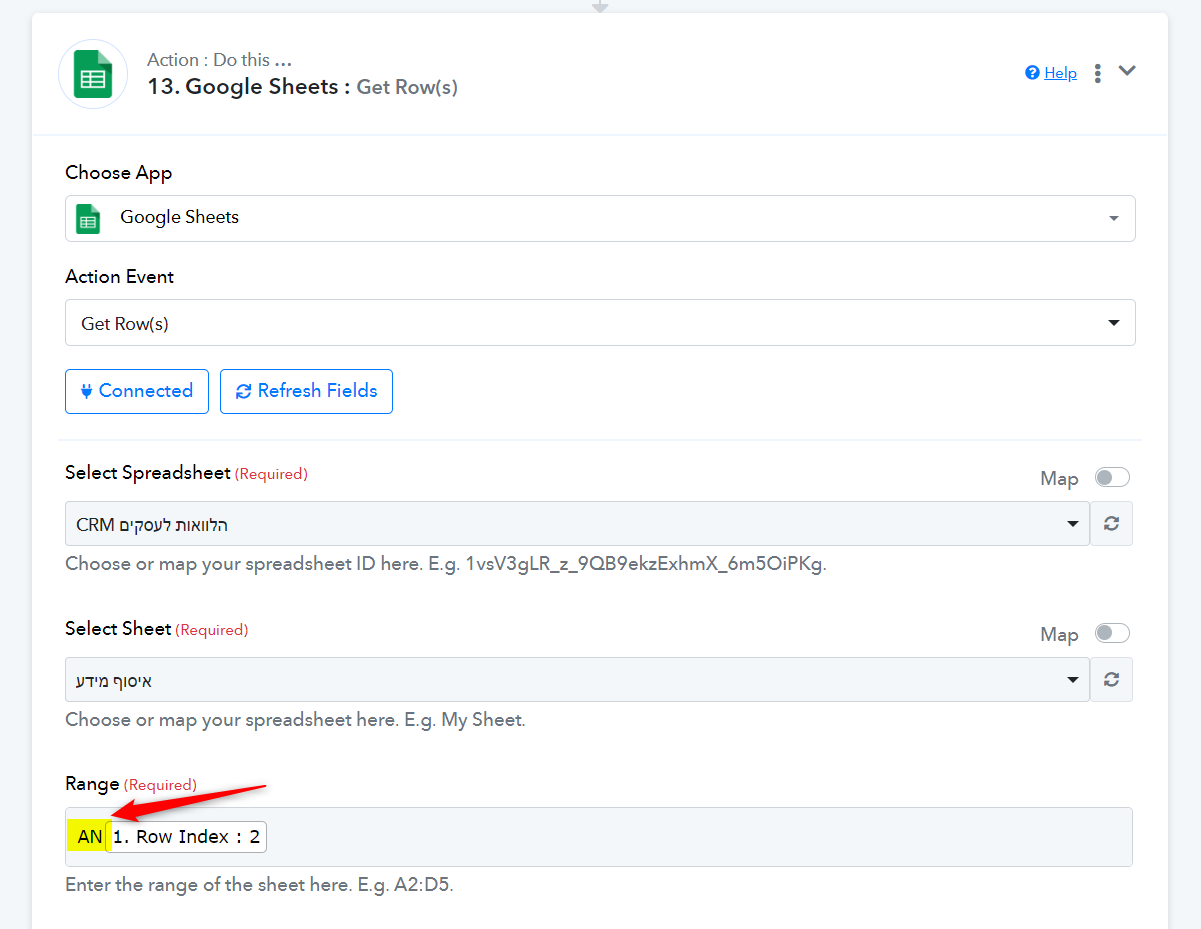
thanks arshil.
should I retest the whole workflow, if workflow history today's part doesn't appear in the workflow history.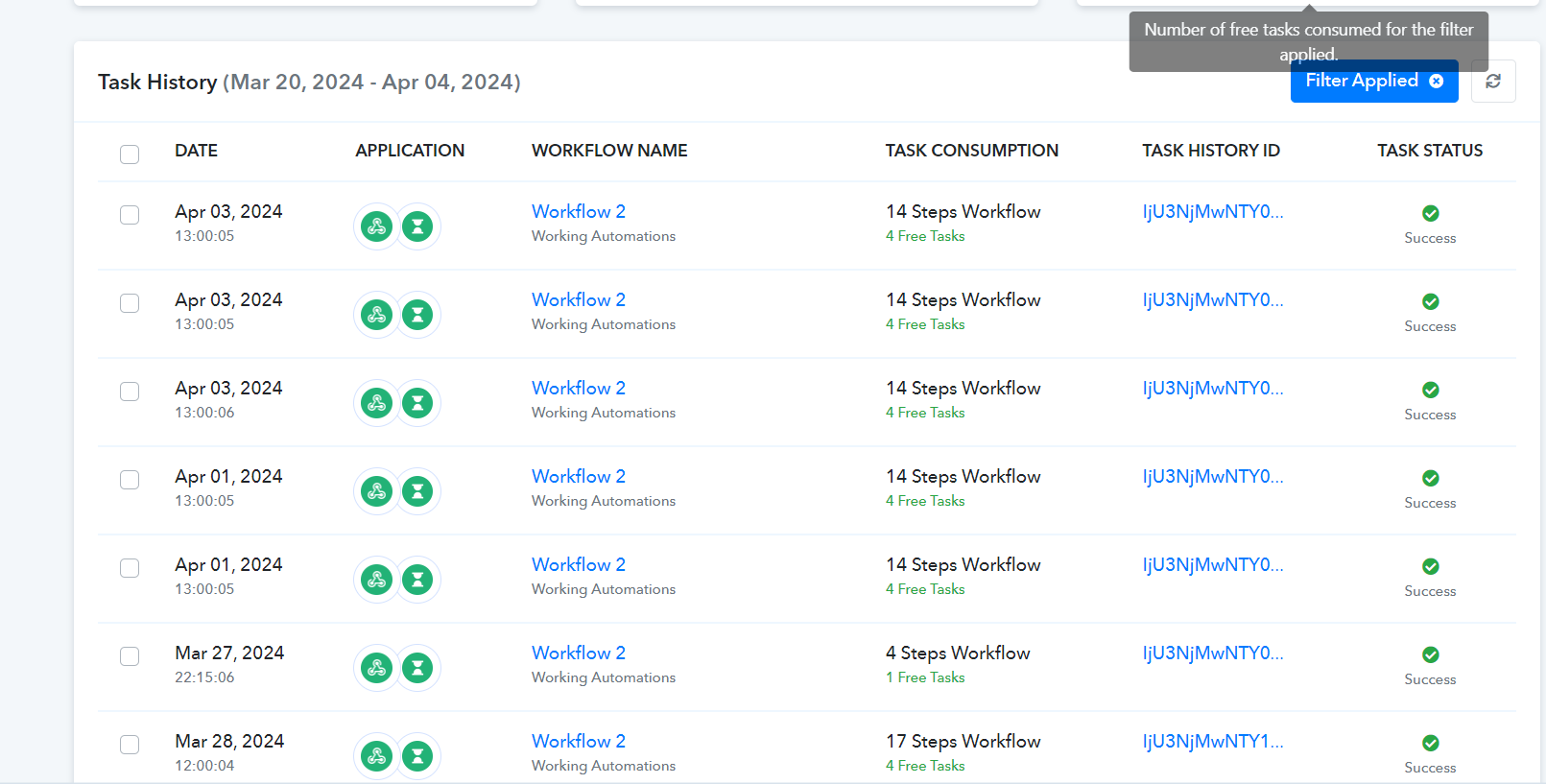
To ensure that the workflow is functioning correctly, you need to add dummy data to your spreadsheet and wait for 7-8 days for the entire workflow to execute. If, on any day, you choose to change the status in your spreadsheet for this dummy data, it will stop on that particular day.
So, theoretically, if the work gets fixed today, tomorrow the automation should trigger regularly, right?
or I didn't get what you're trying to explain to me correctly.
Yes, any new data you add to your Google Sheets spreadsheet will trigger your workflow, and the emails will be sent regularly for that entry.
The tasks that are already showing up in your Task History will not be executed any further.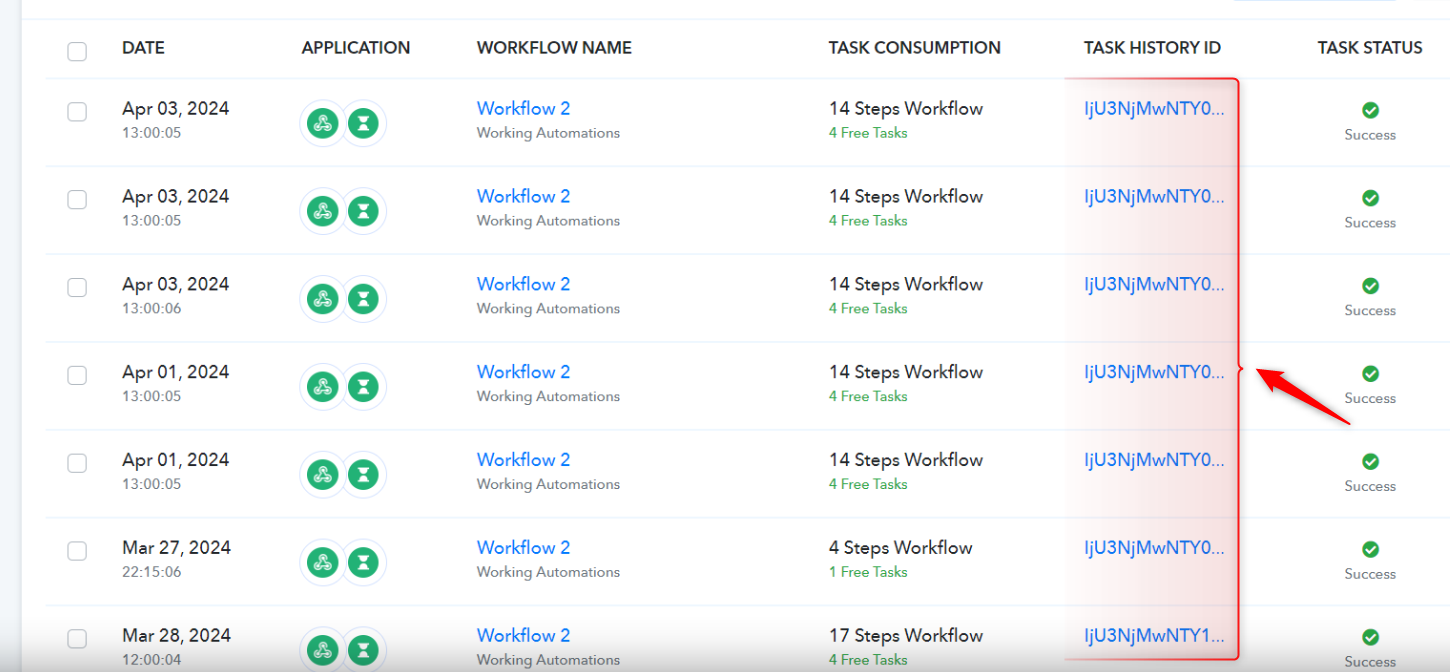
hello Arshil Happy Eid buddy, I having an issue with this automation after I changed Gmail passwords and reconnected all action steps @ArshilAhmad
It seems that the execution time has exceeded the delay until the specified date and time in UTC, causing your workflow to remain unprocessed.
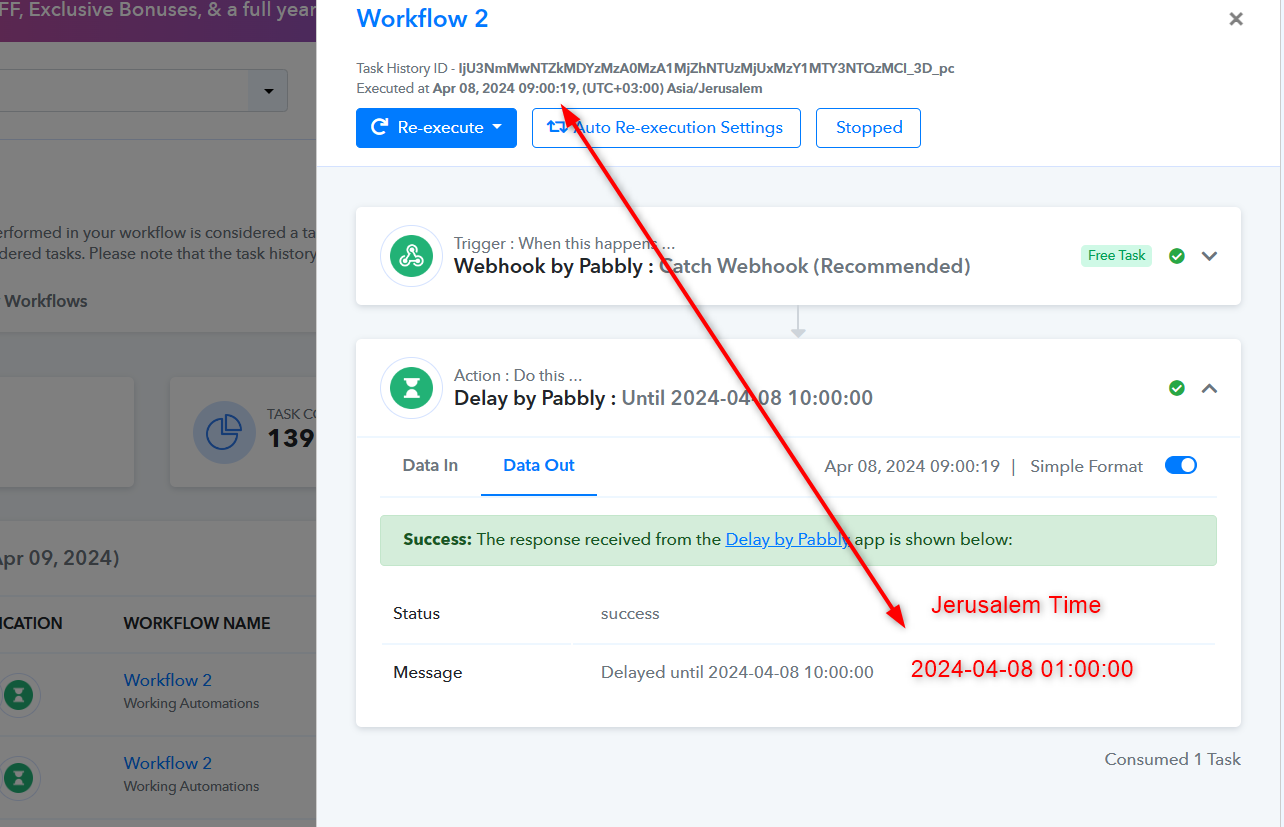
after I adjusted the ti,e in workflow 1 and workflow 2, I'm testing the automation for tomorrow, but if you verify that everything looks fine I'll be grateful
I suggest changing the time to 06:00:00. This will ensure that the first email is sent at 9 AM according to Jerusalem time. Other than that, the workflow setup looks correct.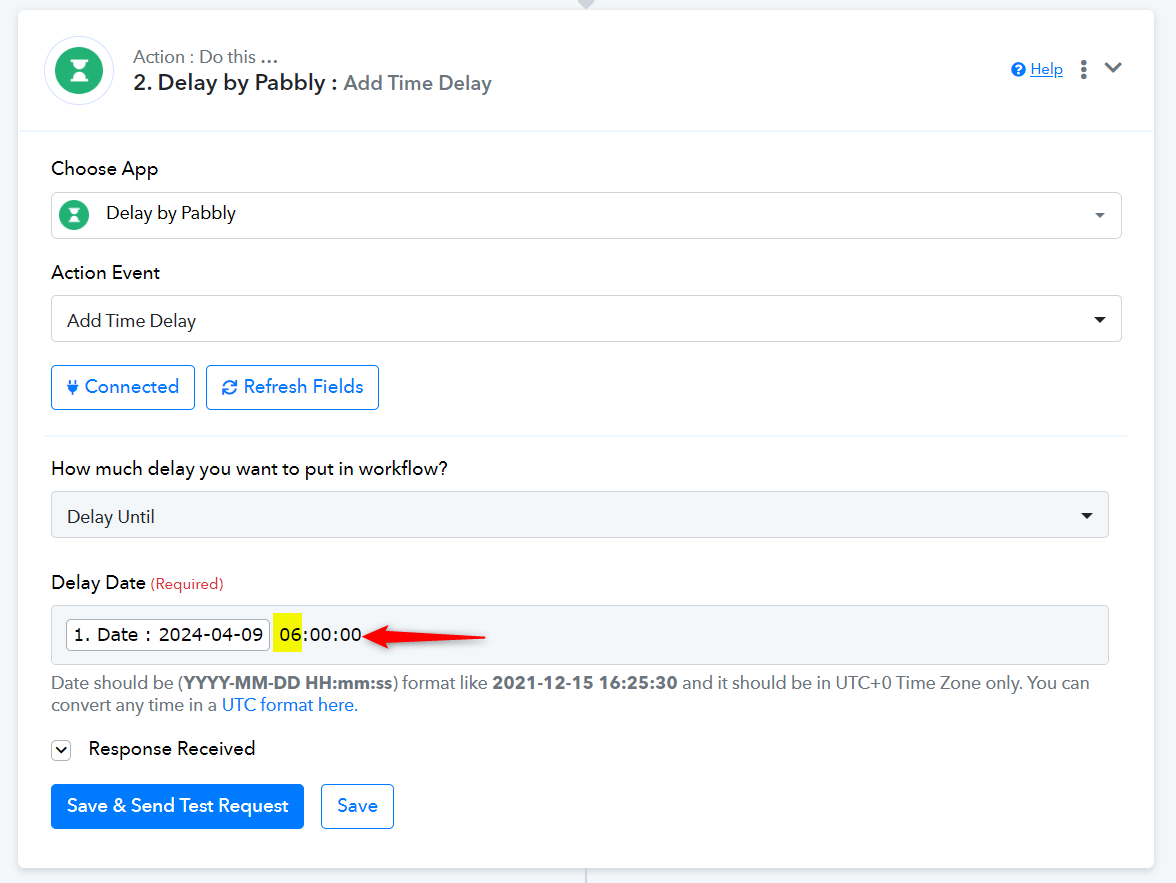
can you take a look and try to help me adjust the workflow please why im getting error messages in the workflow history, the error seems from the filter after webhook, here's the history of the workflow: https://connect.pabbly.com/task/history?filter_status=applied&filter_by_workflow_id=IjU3NjUwNTY4MDYzMTA0MzQ1MjY0NTUzMjUxMzMi_pc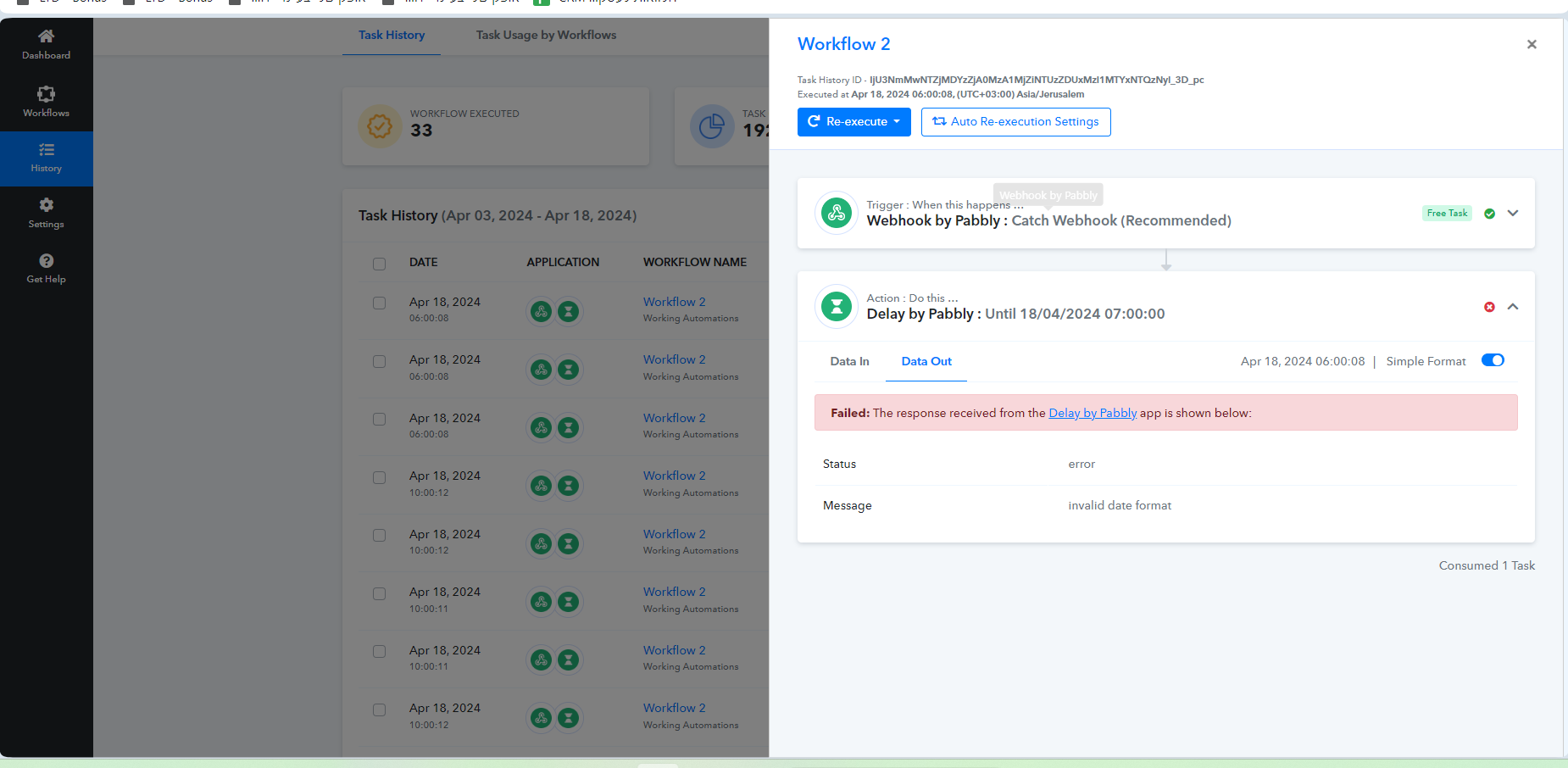
Regarding the Delay Until Action step, it's essential to input the date and time in UTC format using the Date Time Formatter action step. In your specific scenario, the date and time you're supplying in the Delay Until action step should be in UTC.
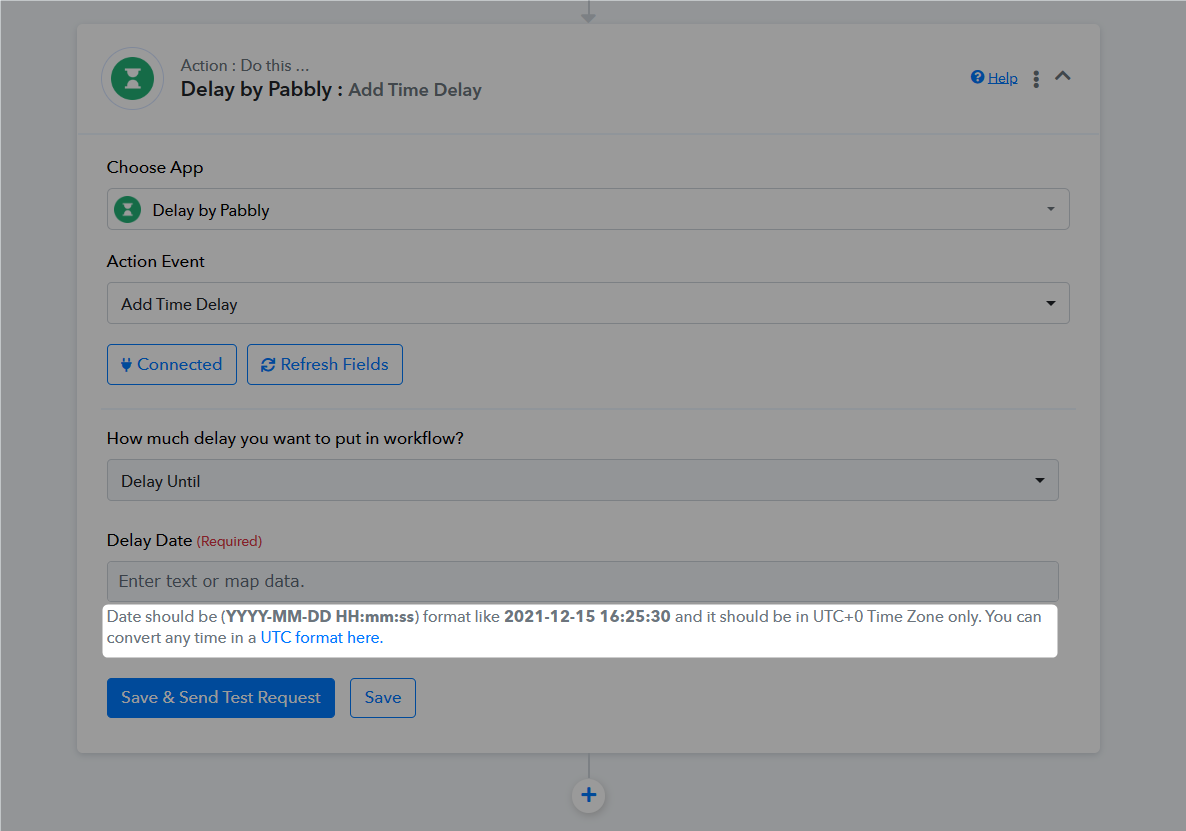
i think would do it , thanks @Supreme ,ill test and keep you updated.