WhatsApp API issue
Status: Open · Asked by mvabhi on · 0 views
Hi,
I have configured the Whatsapp API but not seeing any messages delivered to Whatsapps. Please help
Pabbly Connect Settings
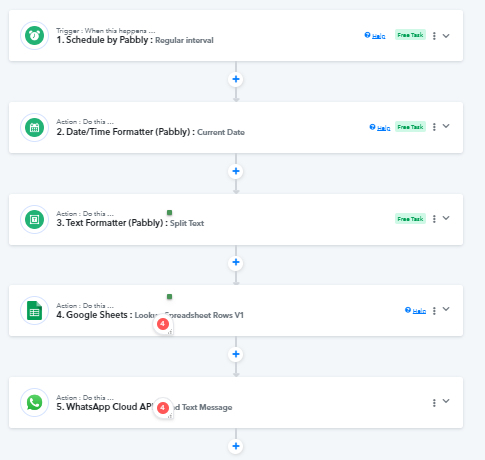
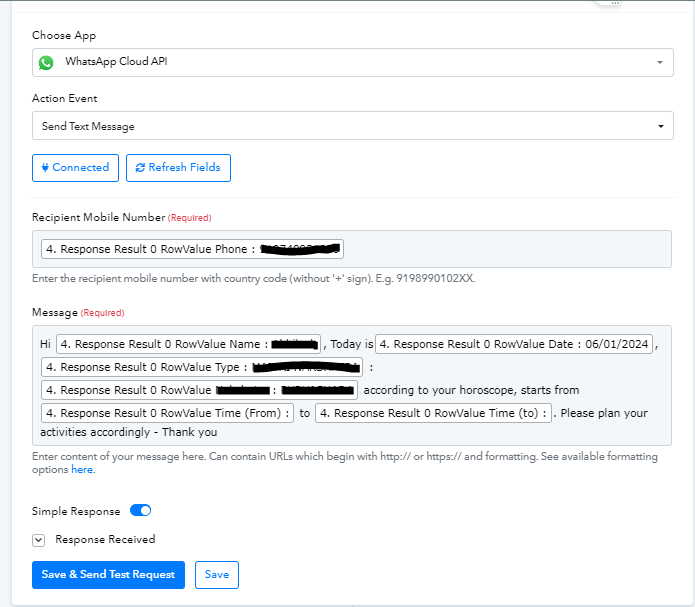
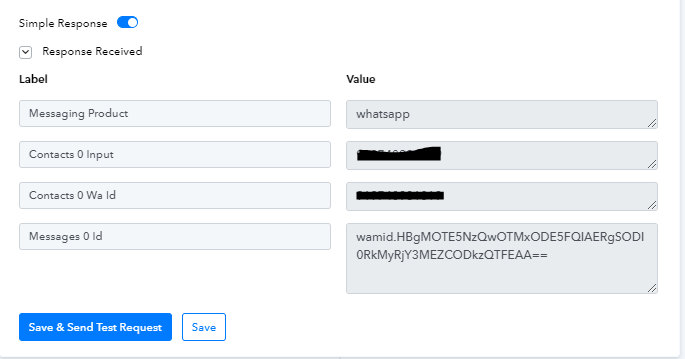
Whatsapp API Settings
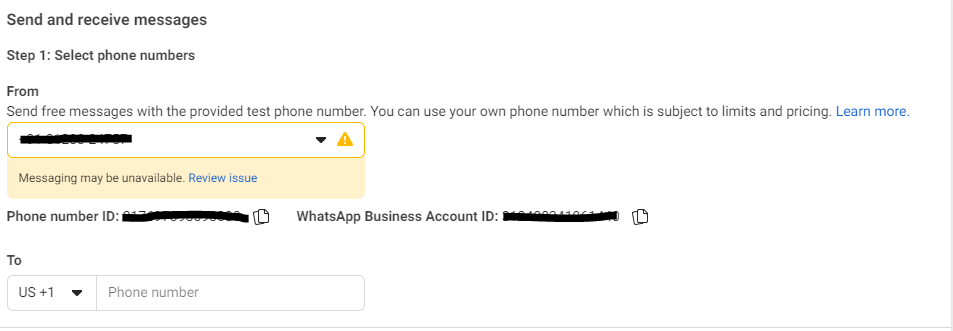
when I click on review issue, i see only the below screen, nothing mentioned or no option to take any action
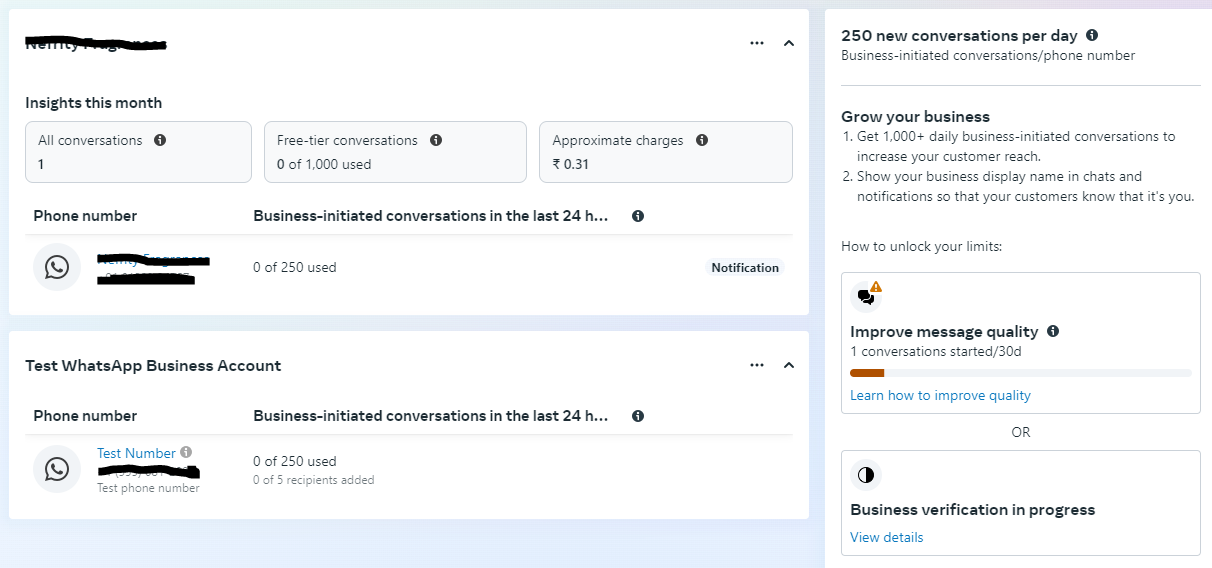
Hey @mvabhi
Kindly use the "WhatsApp Cloud API: Send Template Message" action step rather than the "WhatsApp Cloud API: Send Text Message" action step, it is because the end-user has not initiated the conversation with your WhatsApp. In such cases, you must use the "Send Template Message" action. This applies until the user starts a conversation with your WhatsApp.
Thanks for your reply, @Supreme @Supreme & @ArshilAhmad
Hi,
I created the whatsapp template message, but still seeing some issue.
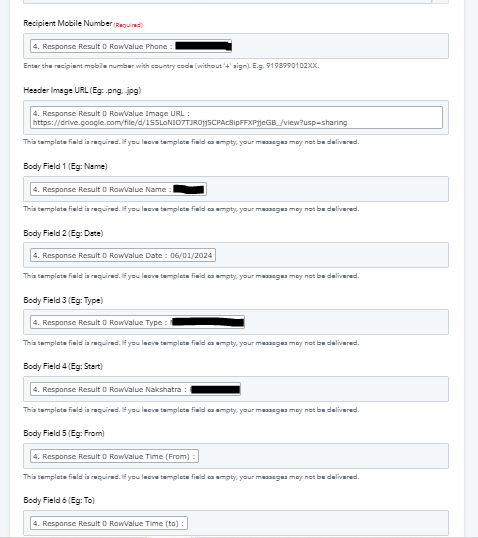
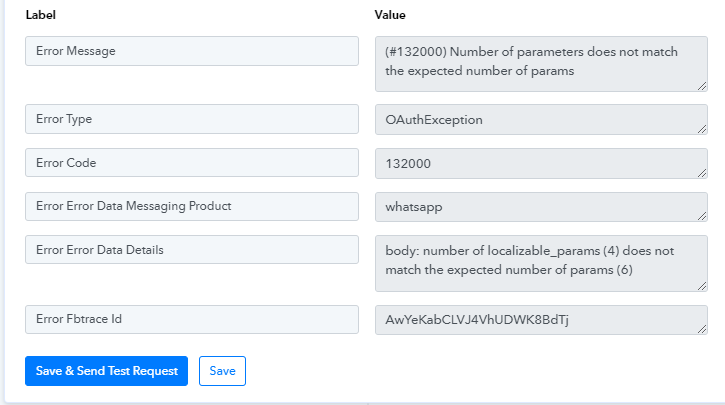
Whats app template
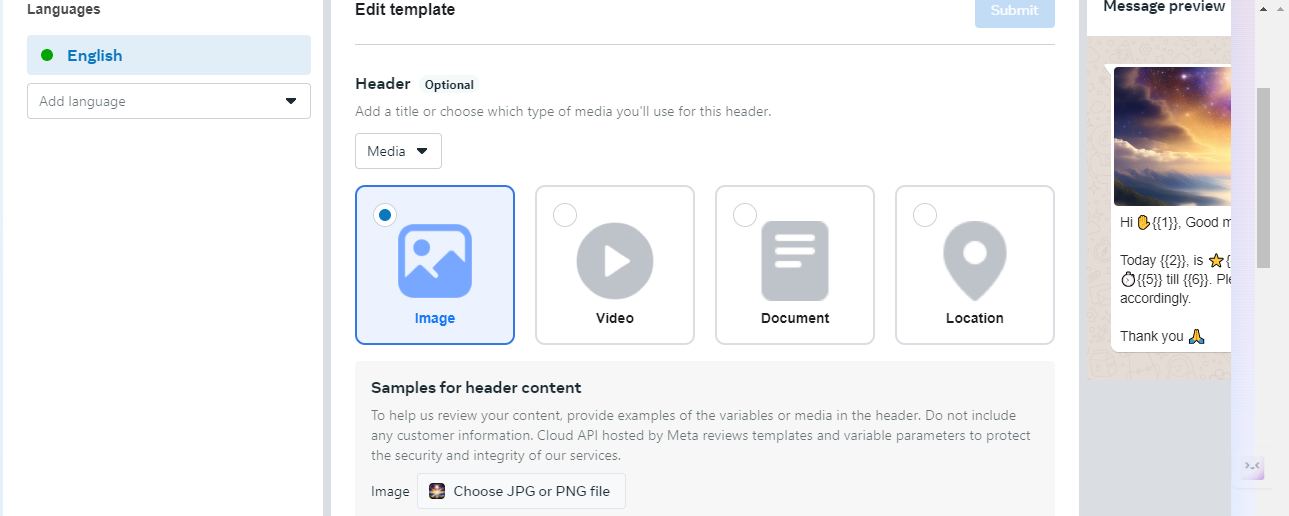
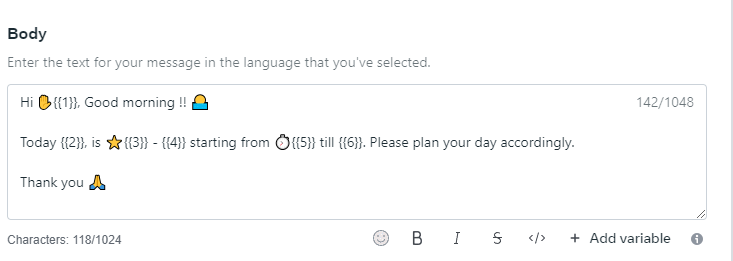
Hi,
I created the whatsapp template message, but still seeing some issue. I have uploaded the image in Google drive and the same is mentioned in the Google sheet.
https://drive.google.com/file/d/1S5LoNIO7TJR0jj5CPAc8ipFFXPjjeGB_/view?usp=sharing
Not sure if this is the issue of the image parameter or any other. Plz help
Whats app template
Hi @mvabhi,
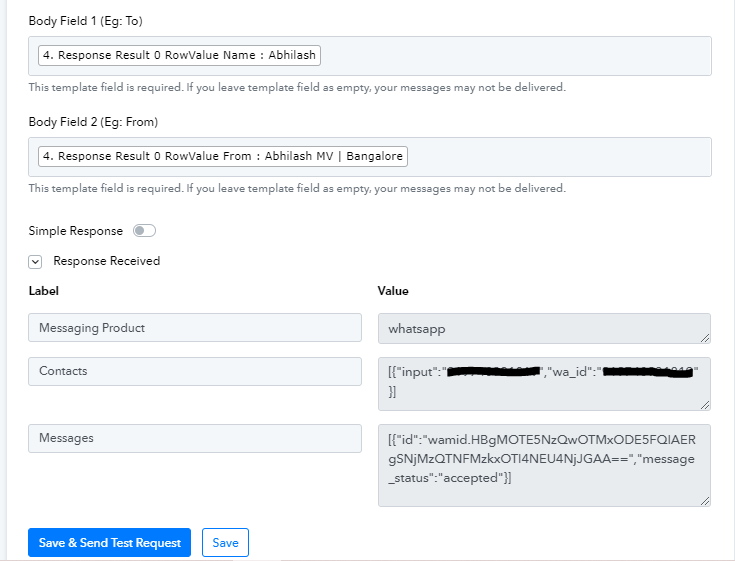
When creating a template with parameters, it is necessary to fill all of them; otherwise, the API will throw an error stating, 'Number of parameters does not match the expected number of params'.
Please make sure that you enter/map some data in the Body Field 2.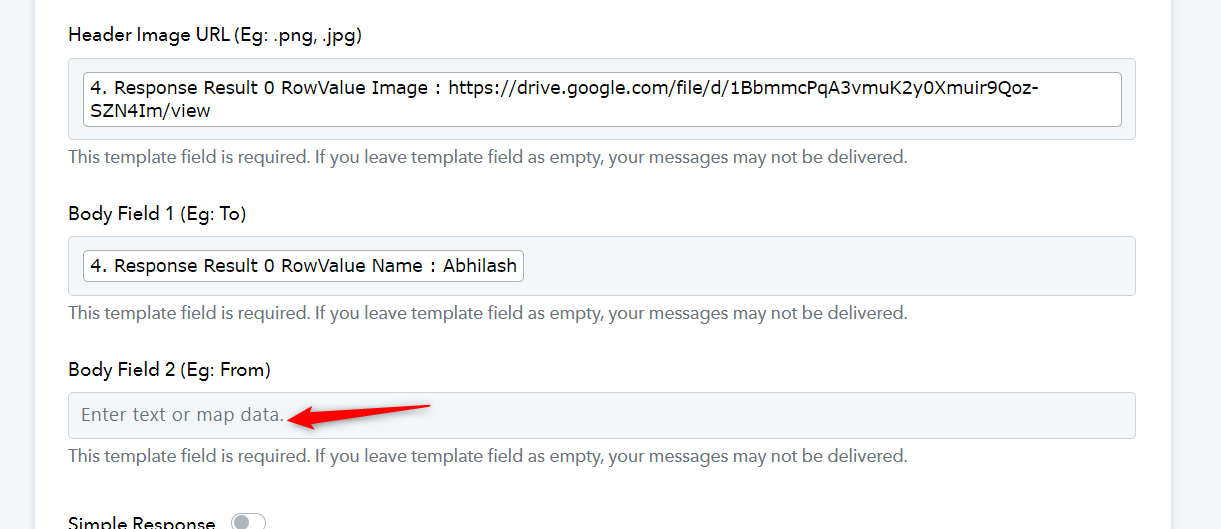
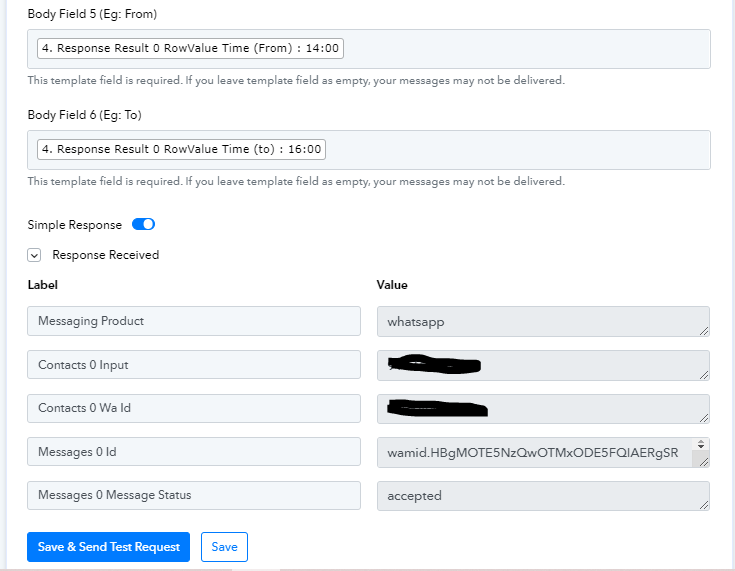
In the "WhatsApp Cloud API" action step the template field is required. If you leave the template field empty, your messages may not be delivered. Whereas we can see that in automation you have missed passing the "From" and "To"field from your WhatsApp Cloud API.
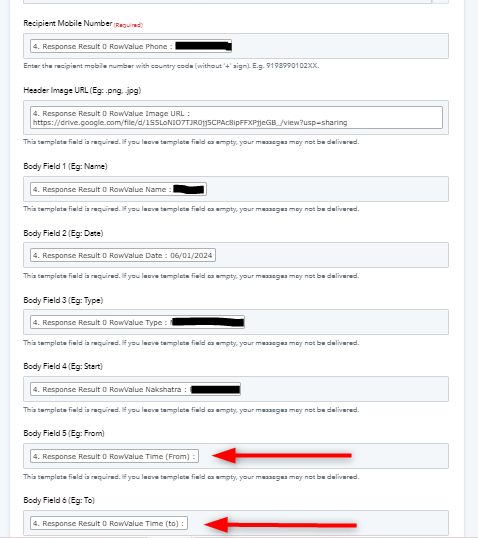
@Supreme Thank you very much for your reply, i have the fields 'from' & 'to' update but still not received message on WhatsApp.
Logs / History
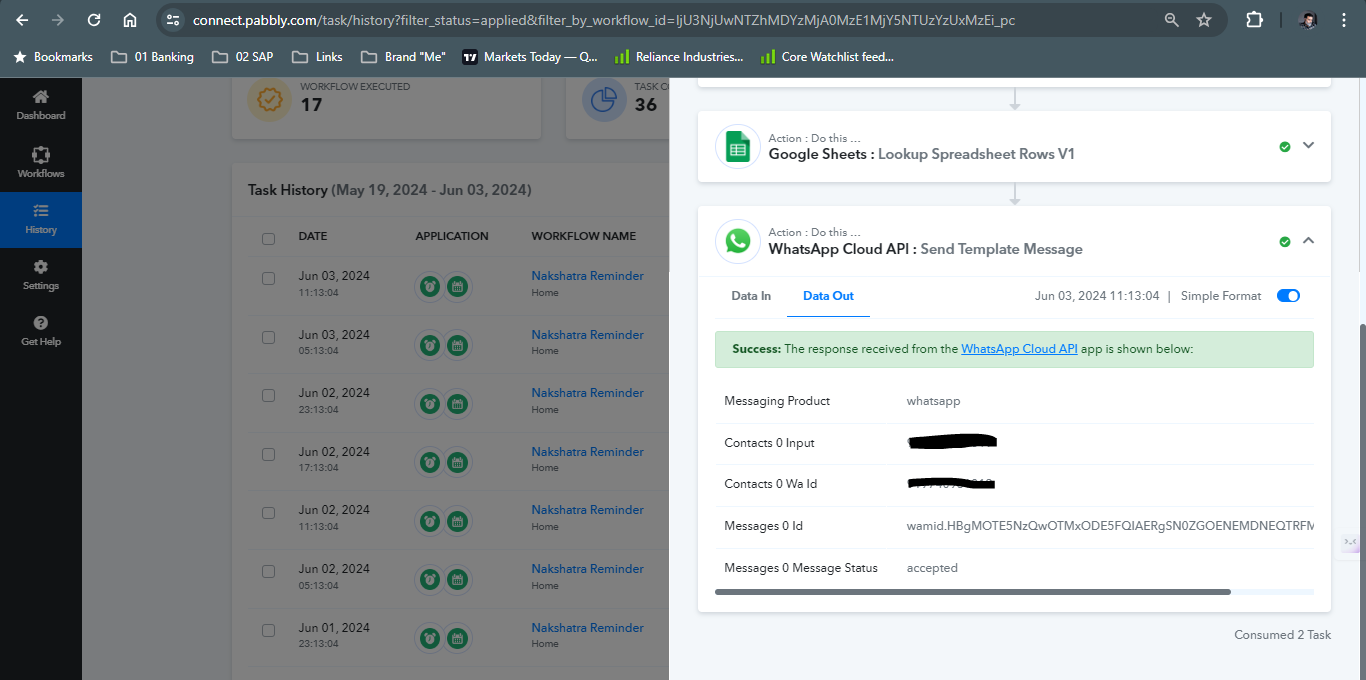
@ArshilAhmad thanks for your reply .. I have updated the fields 'From' still not getting messages on WhatsApp.
Regarding your concern, you need to pass the publicly accessible jpg file URL which can be sent through the WhatsApp Cloud API action step.
Please refer to the following video lesson once on how you can send the direct URL of Google Drive.
@Supreme,
The URL is publicly accessible. I tried with the 3 URLs it is not working still
https://drive.google.com/file/d/1S5LoNIO7TJR0jj5CPAc8ipFFXPjjeGB_/preview
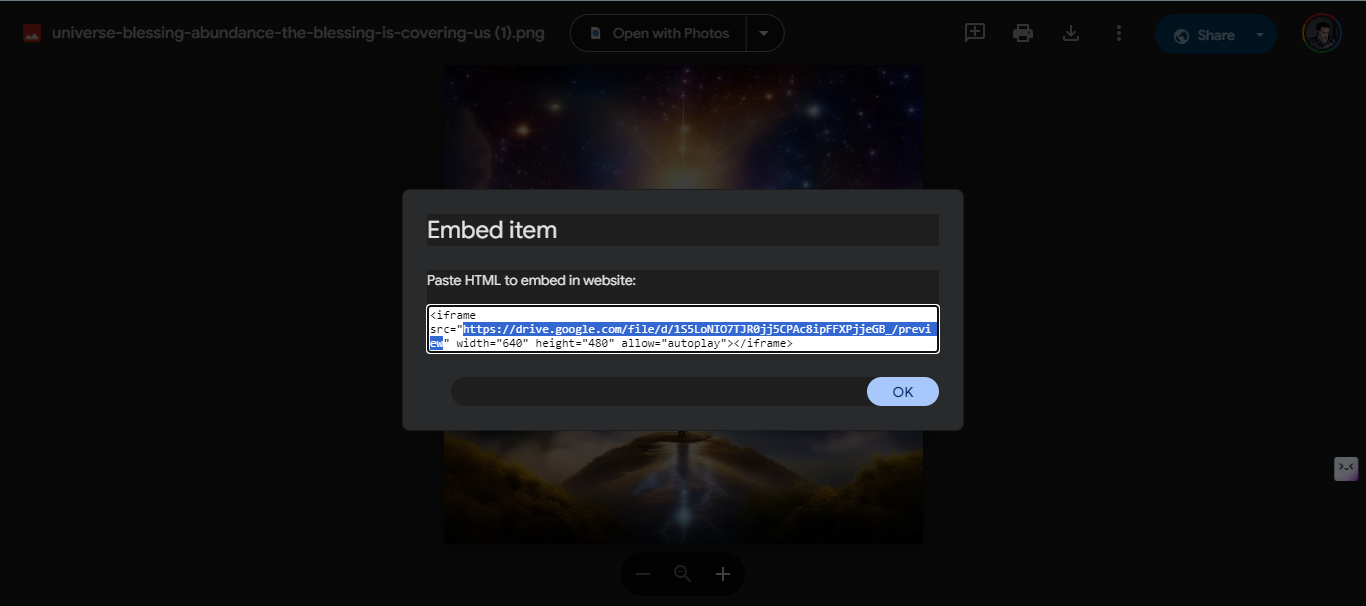
https://drive.google.com/file/d/1S5LoNIO7TJR0jj5CPAc8ipFFXPjjeGB_/view?usp=sharing
https://drive.google.com/file/d/1S5LoNIO7TJR0jj5CPAc8ipFFXPjjeGB_/view
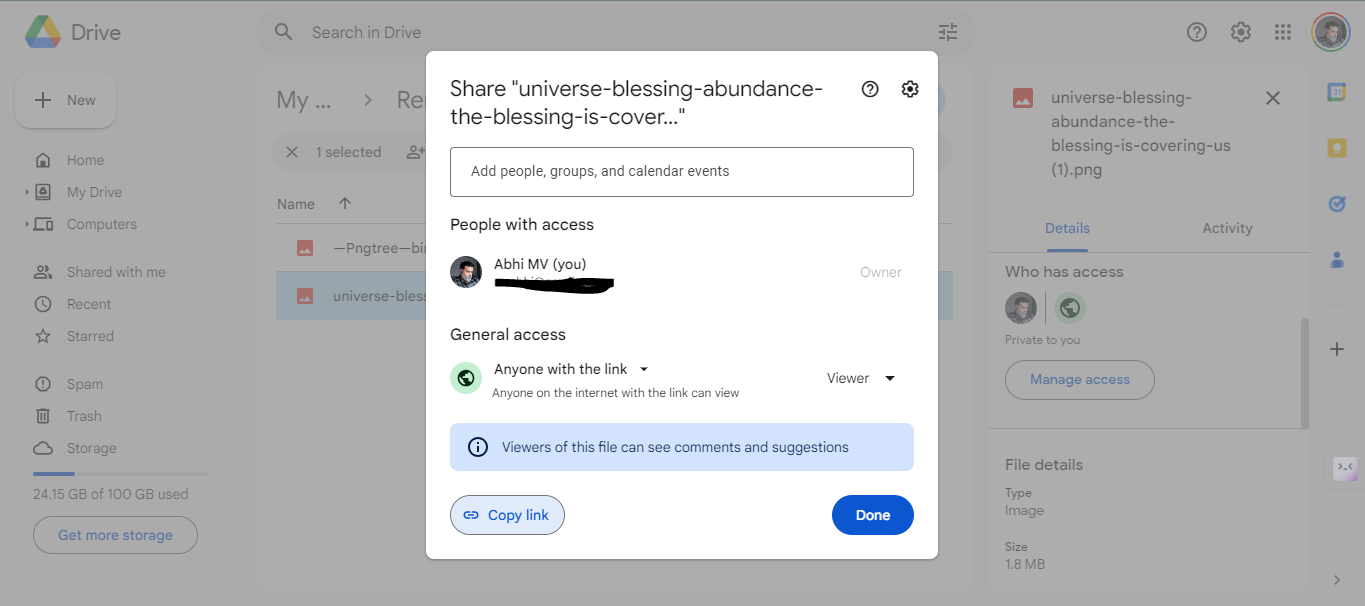
Hey @mvabhi
You can only send the image in the media URL format. Else if you want to convert the link into file extension format then you can make use of the Imgur action step.