WhatsApp API
Status: Closed · Asked by guy dinay on · 0 views
Hi,
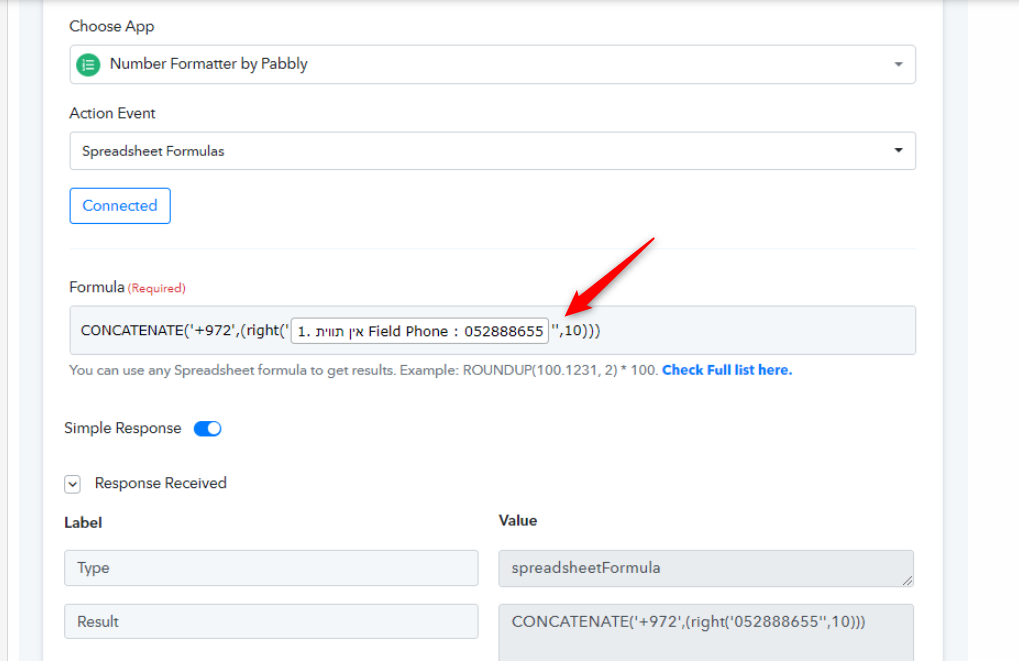
Im trying to connect WhatsApp API but I'm getting this error message:
https://easycaptures.com/fs/uploaded/1528/3702421498.png
Can you help with that?
Thanks,
Guy
Hey @guyseo
Can you please share the name of the workflow, also try configuring your WhatsApp Cloud API action step once as mentioned in the following video.
youtube.com/watch?v=KhFh0MkWLVw
Make sure you have authenticated the Cloud API with your real number, not with the test phone number.
Here is the link to the workflow
https://connect.pabbly.com/workflow/mapping/IjU3NjAwNTY0MDYzMjA0M2M1MjZlNTUzZCI_3D_pc
Its with the real number and not the test
https://www.dropbox.com/s/tmg9l7ot8dmd5qi/2023-01-30_14-37-18.png?dl=0
Hey @guyseo
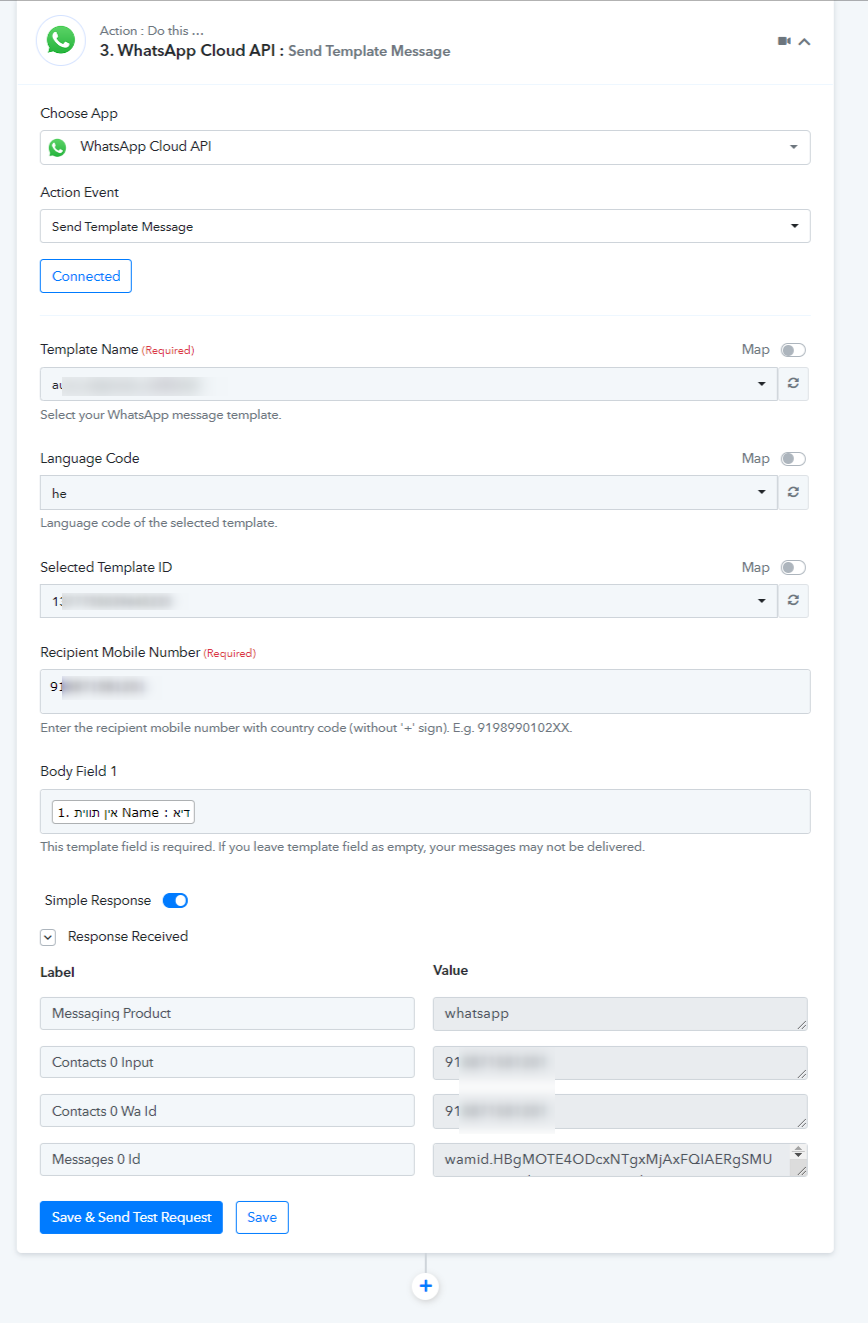
We have checked your workflow and looks like the WhatsApp Cloud API action step is set now.
Kindly pass the phone number with the country code in the prefix as mentioned in the help text.
Thank s a lot!
Our problem is that most of our leads come like this: 0528320107 | 052-8320107 | +972528320107 | 972528320107 | 9720528320107 | +9720528320107
How can I edit the phone number so he will have the exact order so he can get the messages?
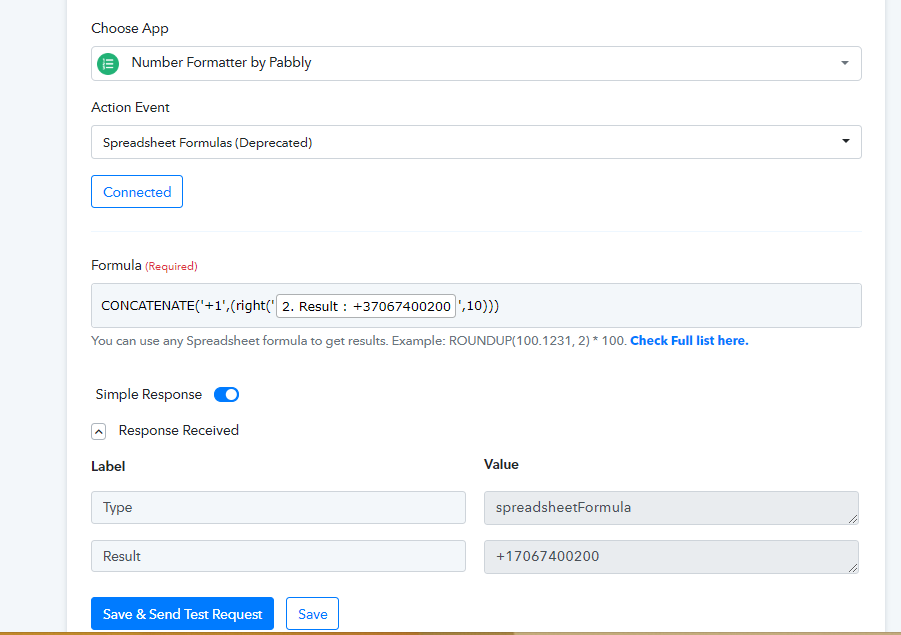
Please check the following method to resolve the inappropriate number to convert it to the correct format.
Thanks a lot for your help
And what if I need to add + and remove 0?
For example, the number is 0528320107 And we need it to be +972528320107
[IMG width="563px" alt="1675165821002.png"]https://forum.pabbly.com/attachments/1675165821002-png.21115/[/IMG]
Yeah, you can change the +1 with your desired prefix from the formula.
I don't know how to make my desired prefix - That's why I've added the example.
Can you help with that?
And what if I need to add + and remove 0?
For example, the number is 0528320107 And we need it to be +972528320107
For example, the number is 0528320107 And we need it to be +972528320107
You can copy and paste the following action step for your requirement.
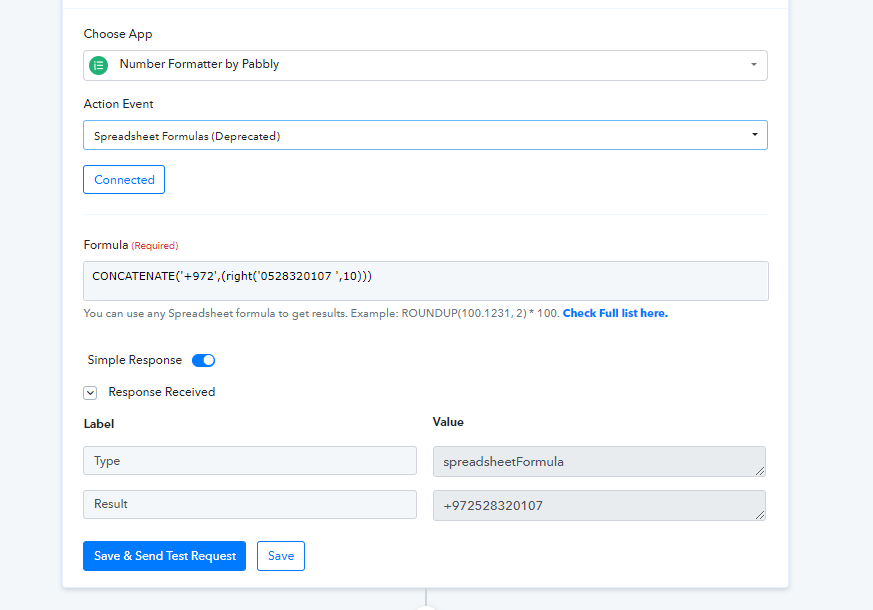
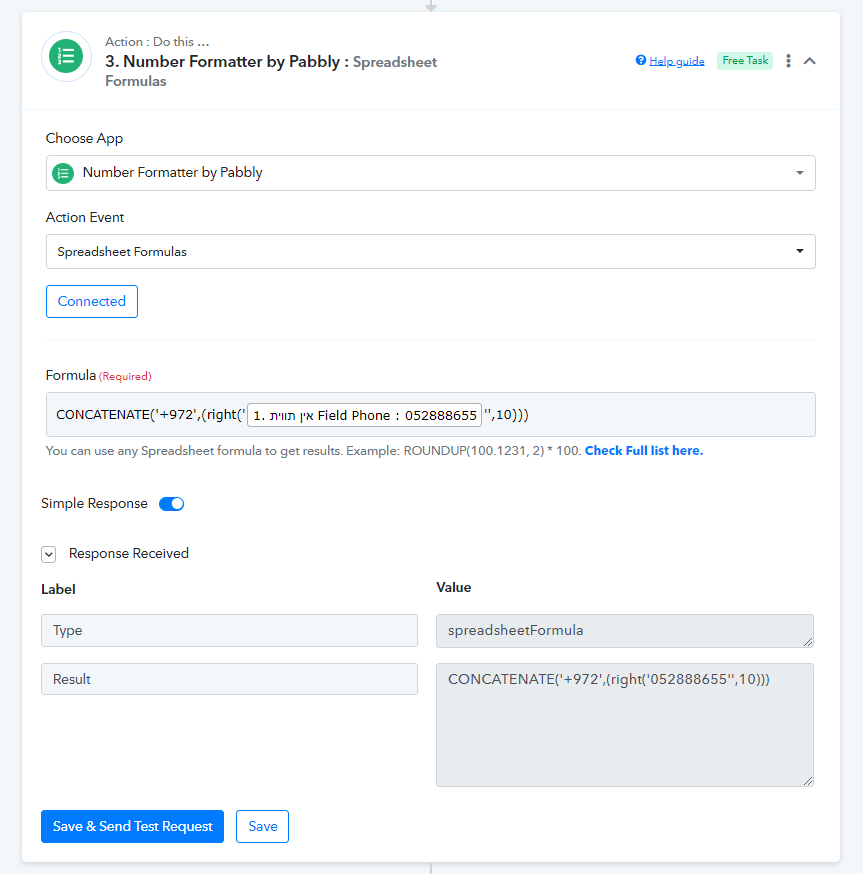
Please check carefully you have passed the double quotes in place of the single quotes in the formula.