WhatsApp Cloud API - Emails not received as text message on whatsapp
Status: Closed · Asked by mohammad.mansour on · 0 views
Dear Sir/Madam,
We are testing Pabbly Connect, and we have created a workflow (Trigger: Email Parser by Pabbly + Action: Whatsapp Cloud API). Email parsing works as expected but when it comes to whatsapp clould API it is not sending emails as text message.
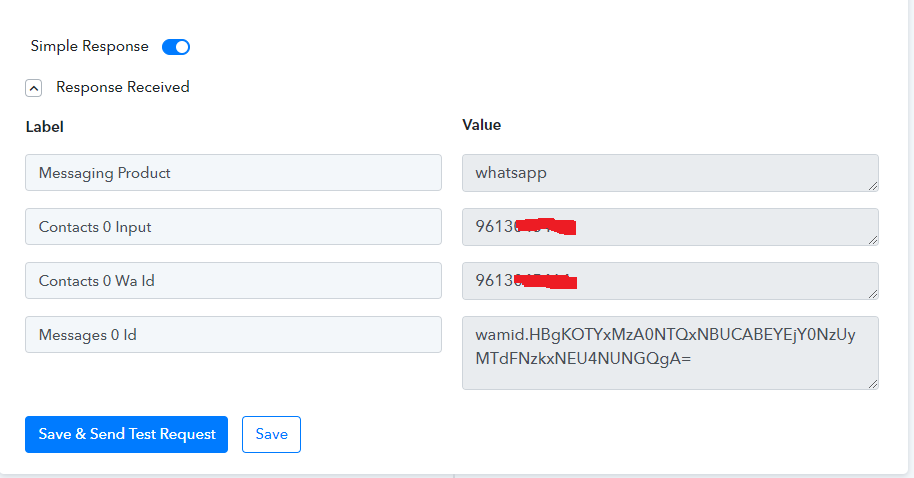
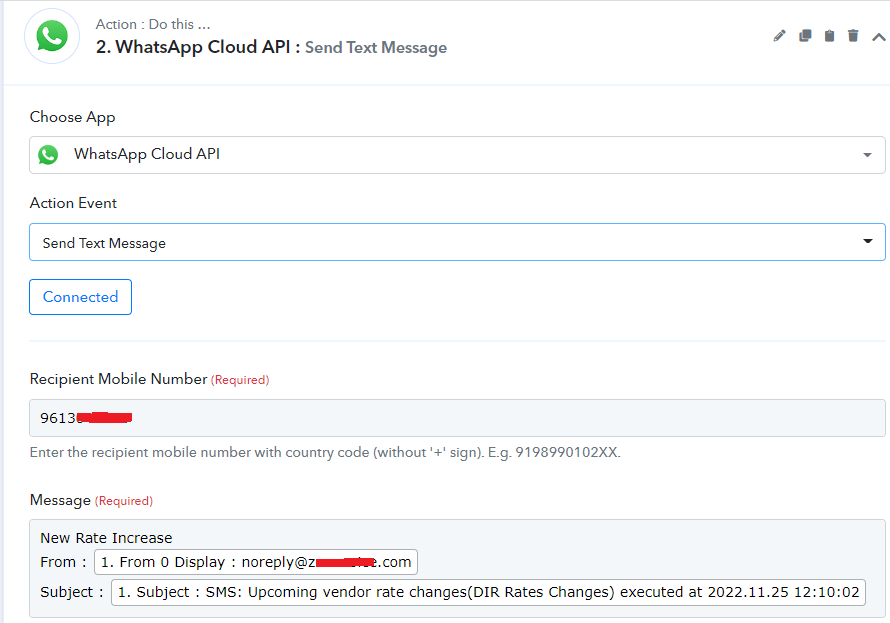
Whatapp Cloud API has been configured as described in Pabbly tutorial and shows connected (Attached: whatsapp_cloud_api_1 & 2). Whatsapp business account is able to send test messages from developers facebook account, but not getting the text message when using the workflow in pabbly connect.
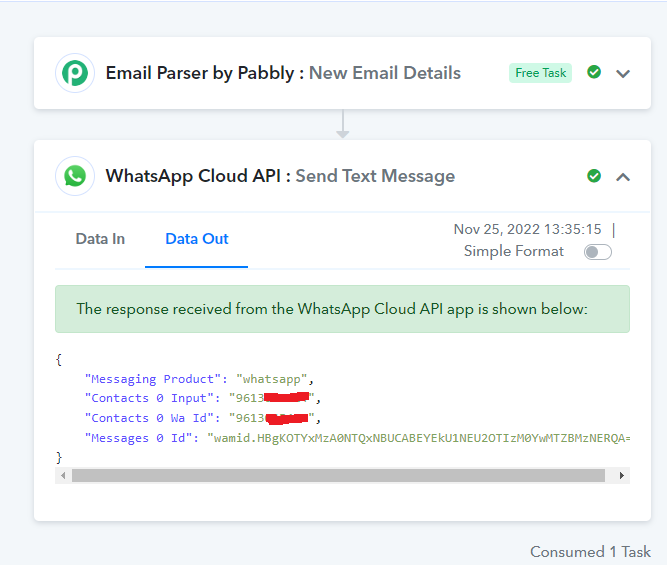
Workflow task status showing: Success (Attached: whatsapp_response.PNG); but emails are not being forwarded as text message to whatsapp.
Can you kindly help on this matter?
Thank you.
Regards,
Mohamad
Attachments
Hey @mohammad.mansour
As we can see from your screenshot, you are not passing the country code in the prefix of the user's phone number.

Kindly try again by passing the country code in the WhatsApp Cloud API action step.
Hi,
Thanks for your reply.
Our country code is: 961 & operator code is: 3 followed by the mobile number (9613xxxxxx).
I am providing full number without + sign as mentioned.
Pabbly is returning success status while we are not getting the text to whatsapp.
The case is that we are not getting any error, so we can't see or identify why text msg is not sent to whatsapp.
Is there a way or log you can provide for our case?
Thank you.
Regards,
Mohamad
Hey @mohammad.mansour
Could you please share your registered email address with Pabbly along with the name of the workflow in which you are getting such an issue?
Hi,
My registered email with Pabbly is: [email hidden], and the workflow name is: ZV SMS Notification.
Thanks for you kind support.
Regards,
Mohamad
Hey @mohammad.mansour
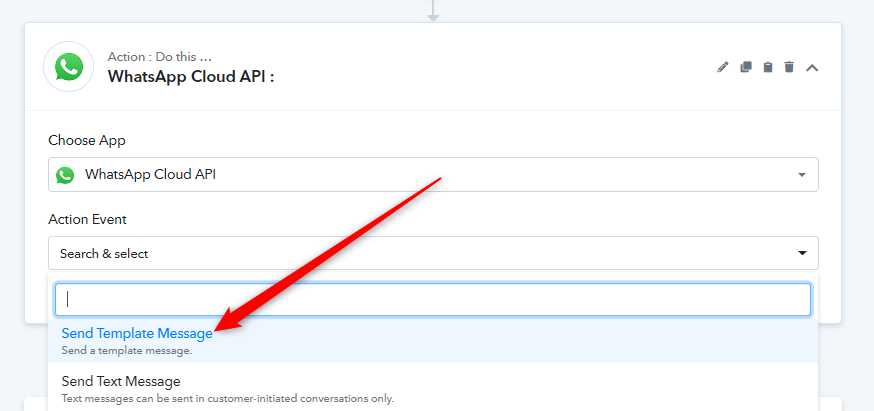
You must use a "Send Template Message" action if the end-user didn't start the discussion on your WhatsApp. Only you may use this action step once the user has begun a chat with your WhatsApp.
Hello,
It worked.
Many thanks for your kind support.
Regards,
Mohamad