WhatsApp Cloud API send to empty number showing SUCCESS status
Status: Closed · Asked by ajikgung on · 0 views
Hi,
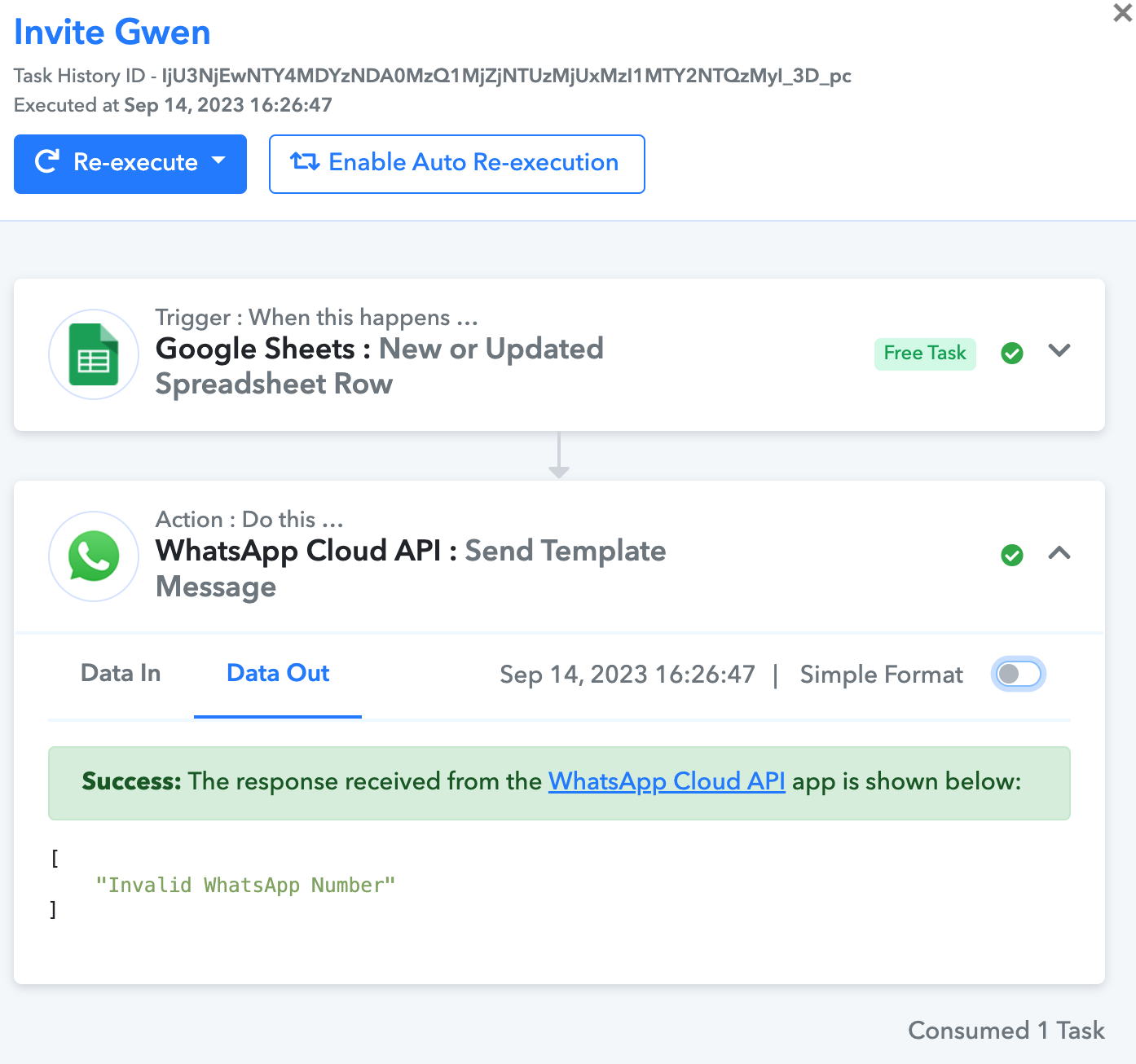
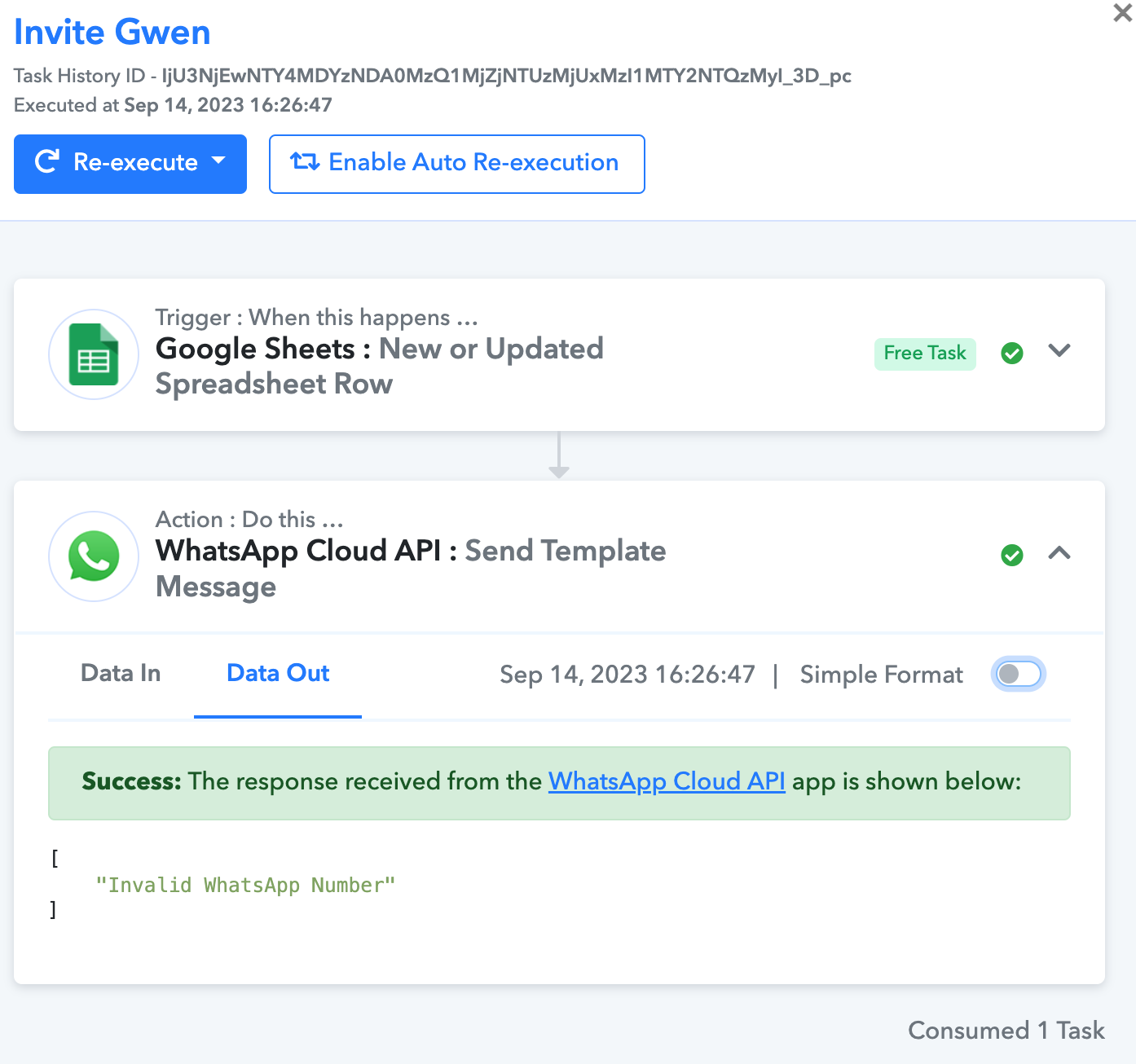
I sent a WhatsApp template message from Google Sheet to WhatsApp Cloud API integration. The list is around 300 numbers, all the task reported SUCCESS, however there are also invalid WhatsApp number and empty WhatsApp number on the list that also reported as SUCCESS task execution. How can I filter this so it will not be included as SUCCESS as it's not successfully sent a WhatsApp message? Or how do I know if there's failure in sending the WhatsApp messages?
Hey @ajikgung
The WhatsApp Cloud API generates a response from their server, and Pabbly Connect captures this API call response on their end. Additionally, based on your workflow, it appears that you have included the plus sign (+) as a prefix for phone numbers.

"The WhatsApp Cloud API generates a response from their server, and Pabbly Connect captures this API call response on their end"
So what you are saying is that Pabbly just display whatever responses given by WhatsApp API right? No matter if the message is not delivered to the end user it will still be informed as SUCCESS?
Attachments
"Additionally, based on your workflow, it appears that you have included the plus sign (+) as a prefix for phone numbers."
No worry, I got this issue.
My only concern is that when WhatsApp was failed to send the message, Pabbly reported the task as SUCCESS. I don't know if this is an issue or it is how it supposed to be in this platform.
So what you are saying is that Pabbly just display whatever responses given by WhatsApp API right? No matter if the message is not delivered to the end user it will still be informed as SUCCESS?
Indeed, the Data Out of the application only shows the response from the application for the corresponding API call.
Can you help into this, I unable to send any messages.
Task History ID -
IjU3NjIwNTZiMDYzNTA0MzQ1MjZiNTUzNjUxMzc1MTZiNTQzNiI_3D_pc
We have replied to your query on your another thread please check that out.