WhatsApp & Google Sheet Related Query!
Status: Closed · Asked by zest83 on · 0 views
Is there a way to send a whatsApp message (chat-api) using Google sheet but at the specified time in the google sheet?
So Suppose, there is a column in the google sheet, where the user can enter a specific time... and the message is triggered at that time only?
Col A - Time
Col B - Day
Col C - Message
Col A - 11 am IST
Col B - Wednesday
Col C - "Hello"
So the message is triggered at 11 AM for this specific message and later the message continues to trigger at the specified time in the Google sheet...
Hey @zest83
We have designed a similar possible use case for you, please check that out and let us know if that works for you. Though in the Google Sheets you have to use the date-time instead of Day and Individual time.
Shared Workflow - https://connect.pabbly.com/workflow/share/AUkFN1AbCGtWHFM5BWgBYAgcCiMBS1MFUTYFFw##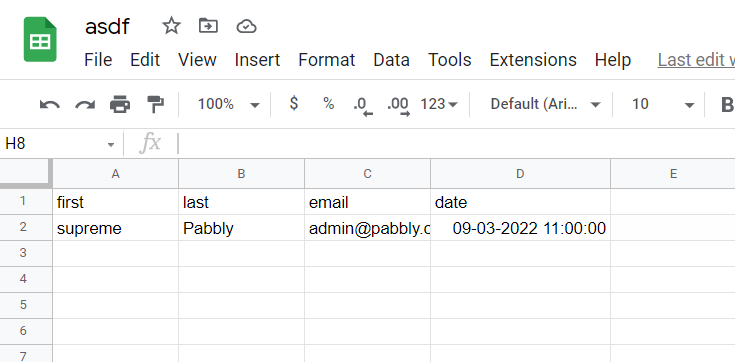
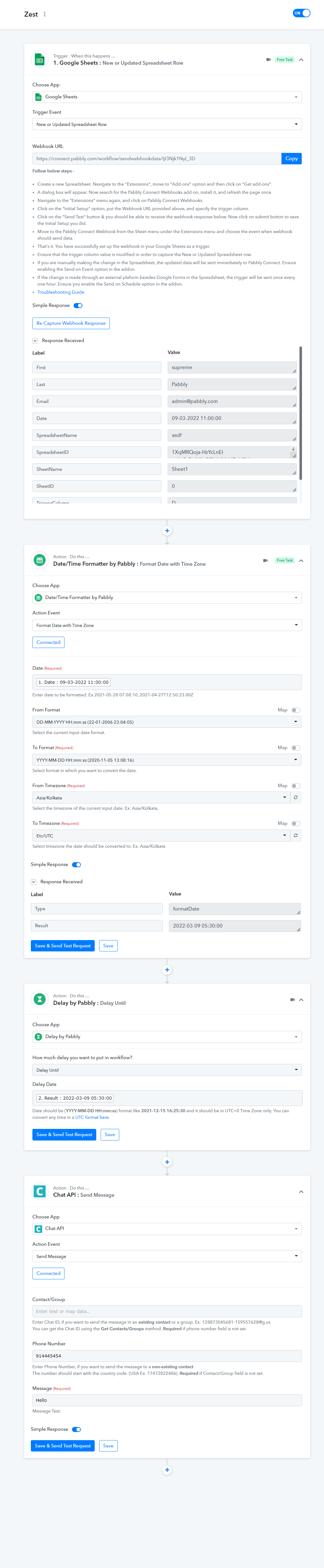
Your shared workflow does not have the Delay Trigger!
Have you modified something?
Coz your screenshots are showing the Delayed Until Trigger
And how often will the Workflow Run?
Will it be LIVE throughout... as in, as soon as it is 10th March, 11 AM - it will AUTO-execute the trigger?
Or Do I need to set something scheduler?
Hey @zest83
And how often will the Workflow Run?
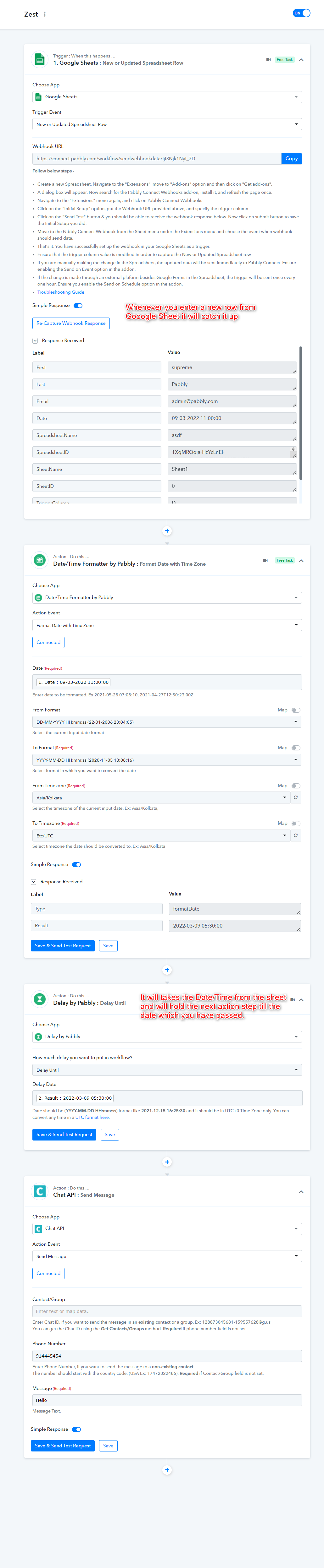
The workflow will work whenever you add a new row in the google sheets where if you add the assigned time(In your google sheets) which will go to the Delay Until action step to hold the further step to work.
Or Do I need to set something scheduler?
No, you don't!
Thank you for your help
Superb Response Time
Appreciate it