WhatsApp Group ID
Status: Closed · Asked by JimSchmidt on · 0 views
The WhatsApp Group ID doesn't seem to be correct. It only continues letters & #s (no @ sign)? I went to the Icon & 3dots and the ID only has letters and numbers.
Hey @JimSchmidt
Kindly use the "WhatsApp by Online Live Support: Get Group Information" action step once to get the Group ID and then try again.
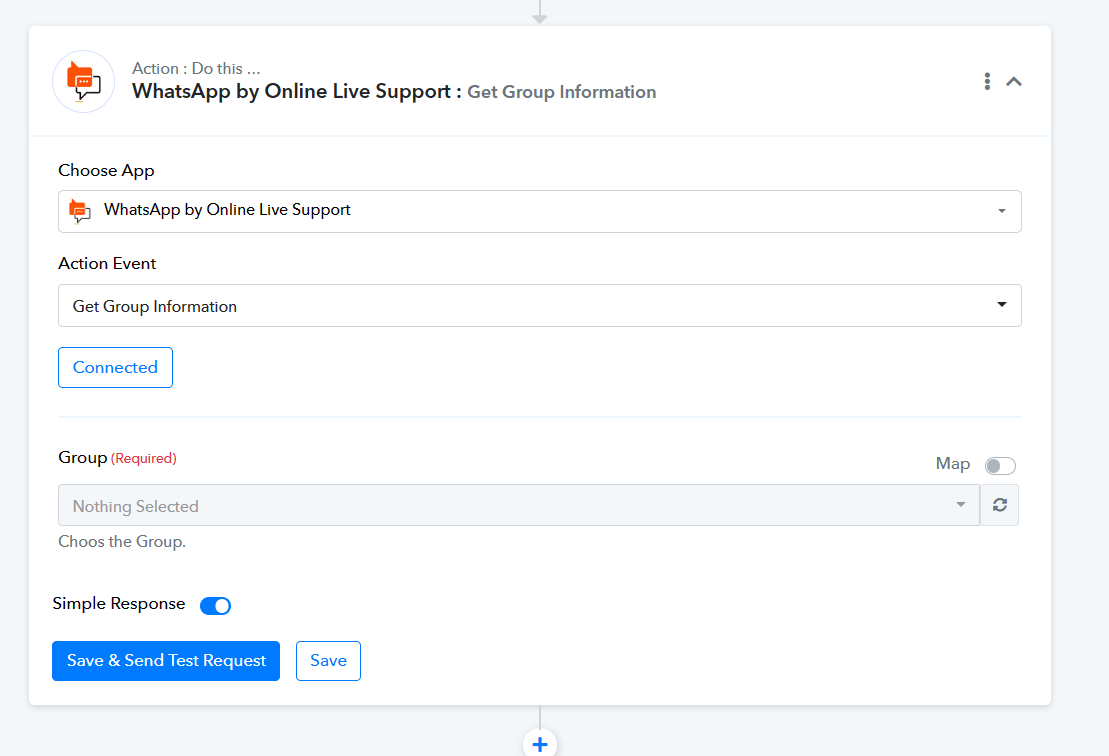
Hi again, something is wrong with that same workflow (https://connect.pabbly.com/workflow/mapping/IjU3NjUwNTZkMDYzMjA0M2M1MjZlNTUzNzUxMzIi_pc) It didn't send a message to the WhatsApp group. Help!
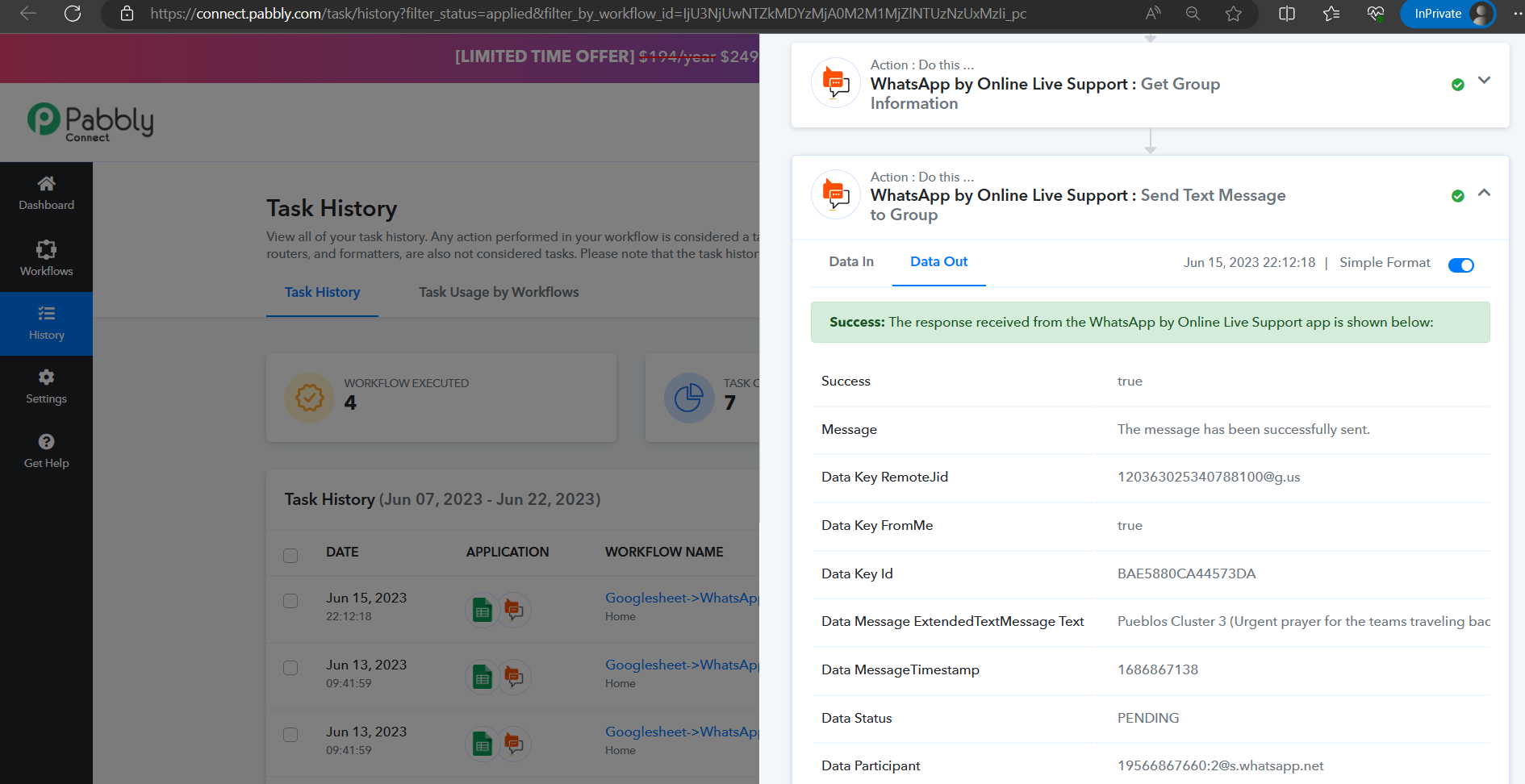
As we can see from your latest history log the message seems to be sent from Pabbly to WhatsApp by Online Live Support correctly.
Although it appears that the status of the message is currently pending, we recommend reaching out to the "WhatsApp by Online Live Support" team for further information regarding this matter.
Thanks, A new row was added in the Googlesheet in the last 10 minutes but the Work didn't flow...
A new row was added in the Googlesheet in the last 10 minutes but the Work didn't flow...
If you are still having issues sending messages through WhatsApp by Online Live Support then kindly contact their team.
And check for the connection and the Group ID which you have provided.
I did, thanks. How do I refresh the Googlesheet row in my workflow...to pull in only the latest new row?
If you only want to process the workflow for new rows then make sure you do not make any changes in the previously added rows' trigger column which could allow them to pass to the workflow.
The issue is that it won't pull in the newest row...I don't believe I made any change in the existing row. But I can't get the workflow to recognize there is a new record. When I try to send custom data (the new row), I get the message ""Request failed for https://connect.pabbly.com returned code 410""
Hey @JimSchmidt
Please try reconfiguring the webhook URL once in your Google Sheets and then capture the webhook response.
I hope this might help you.
(Watch the first part of the video)
Hi, it still doesn't trigger when a new row is added....
Attachments
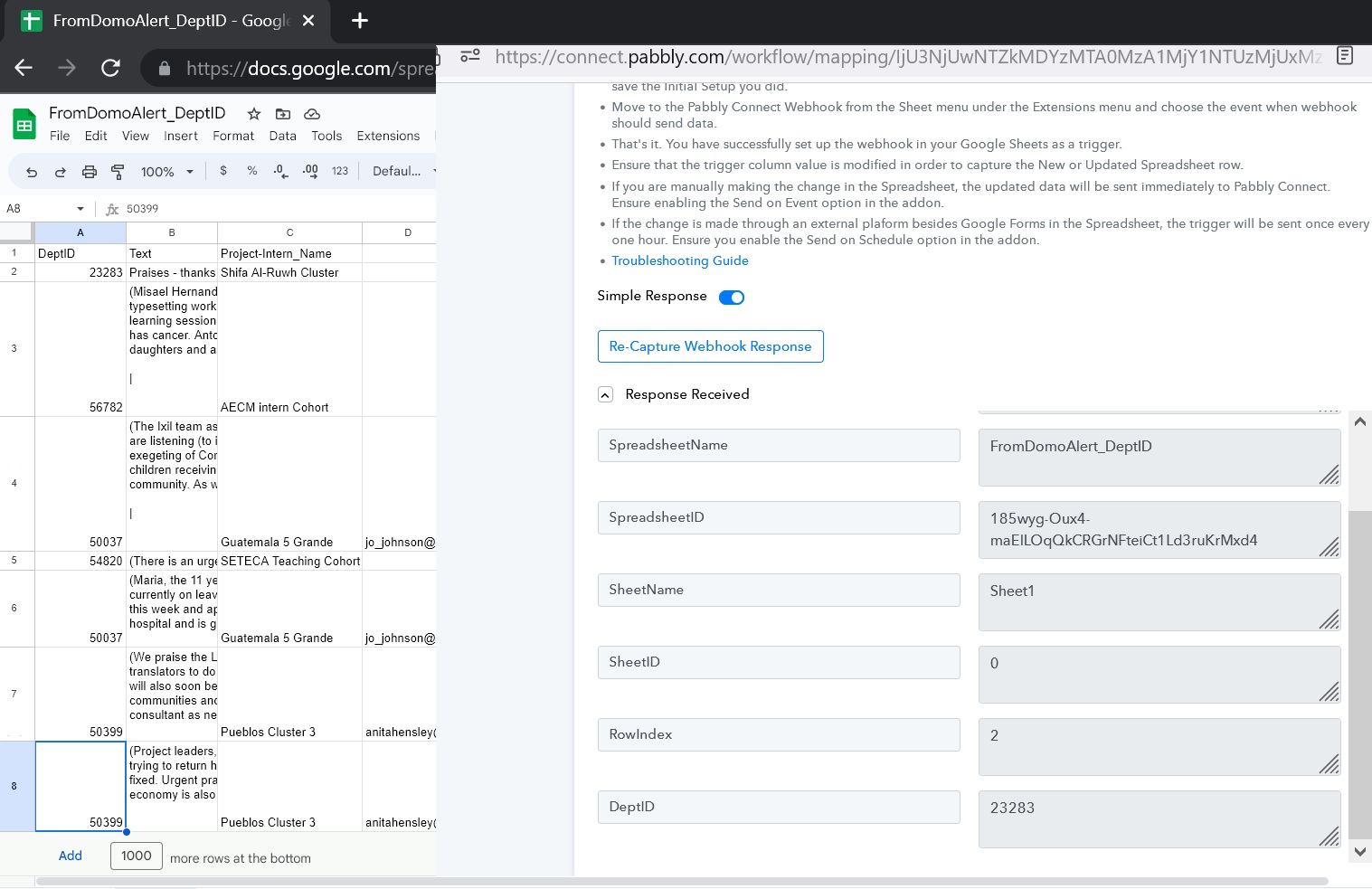
You can only use "Send On Event" when setting up Google Sheets if the data is coming from a Google application or if you manually enter it. If the data is coming from a third-party application, however, you may need to choose "Auto Send On Schedule" or "Send on Schedule," which will forward the data in exactly one hour.
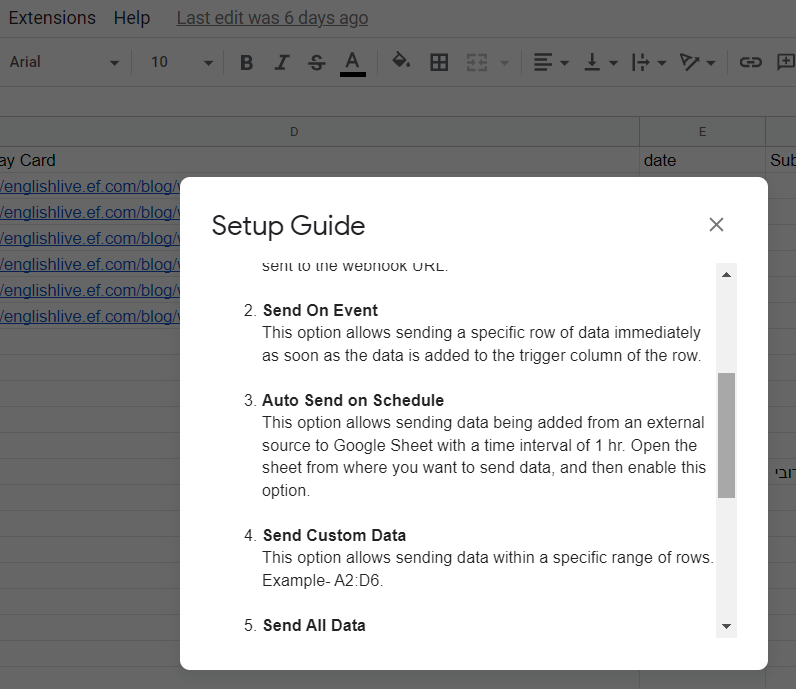
Thanks, the Send Custom Data didn't work either. It's almost as if the Webhook loses connection...but the auto send on schedule did send. Thanks!
It lost the Group ID again & I can put it in manually but it won't accept it if I try to continue.
Kindly reconfigure the webhook URL once in your Google Sheets and then capture the webhook response.
I'm getting a Session Not Found error, again!
Attachments
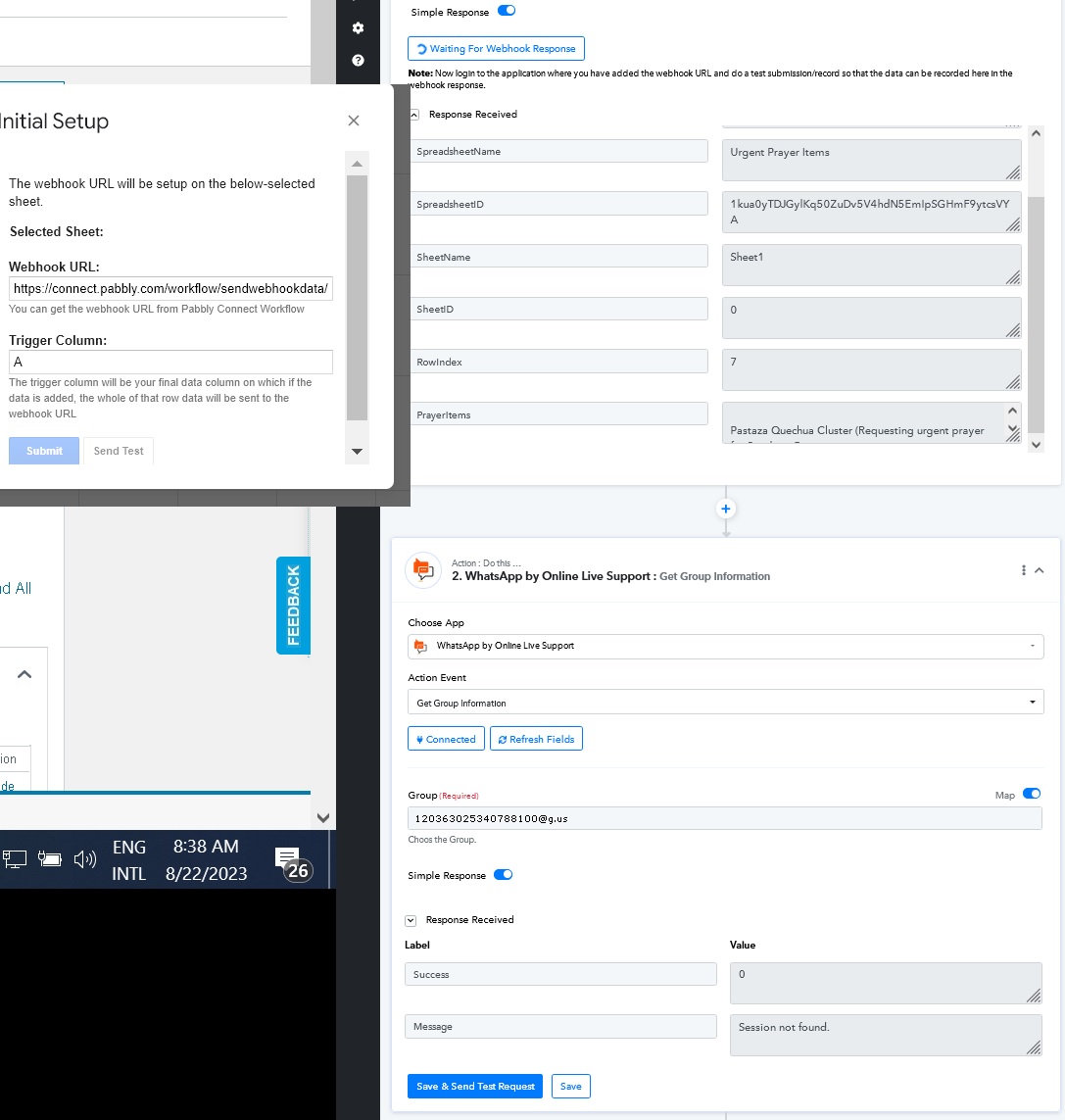
Kindly contact their support team. And check for the connection session ID and the Group ID which you have provided.