When creating a message in waapi
Status: Closed · Asked by Aditya Mundra on · 0 views
When sending a message, it is not taking "Enter" as line break / new line.
All the text is sent as single line.
Use \n for line break, and let us know if that works for you.
Use \n for line break, and let us know if that works for you.
It is also not working, as \ is getting printed and then line break is coming up.
Hey @adityamundra
Could you please share your respective workflow in which you are trying the WA API action step?
Thanks!
@Supreme Verma
The workflow is working perfectly. The problem which I am facing is that the message which I am sending using WAAPI, if I write \n, new line is printed on whatsapp but it comes \
If I do not write \n and just put enter, it is not accepting enter as new line, which was earlier working.
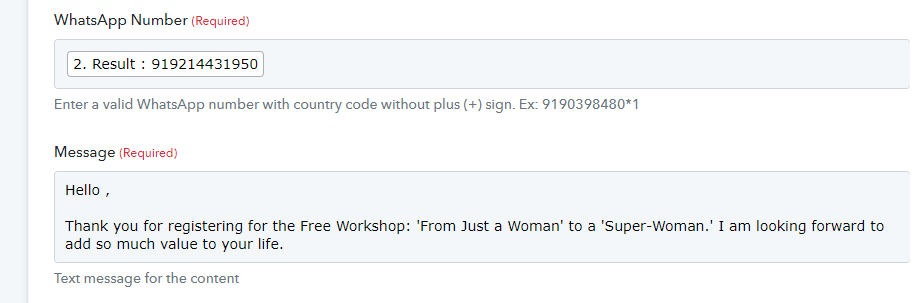
The screenshot I have shared.
I am also sharing the Whatsapp message screenshot.
This is when I wrote \n in pabbly (For trial written only few lines compared to original text)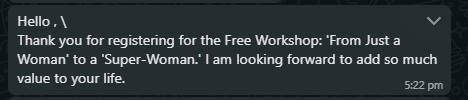
This without \n
The issue is resolved by using
instead of \n