While capturing the data from the website message section is not captured.
Status: Closed · Asked by shreeshchandra.mishra@ats on · 0 views
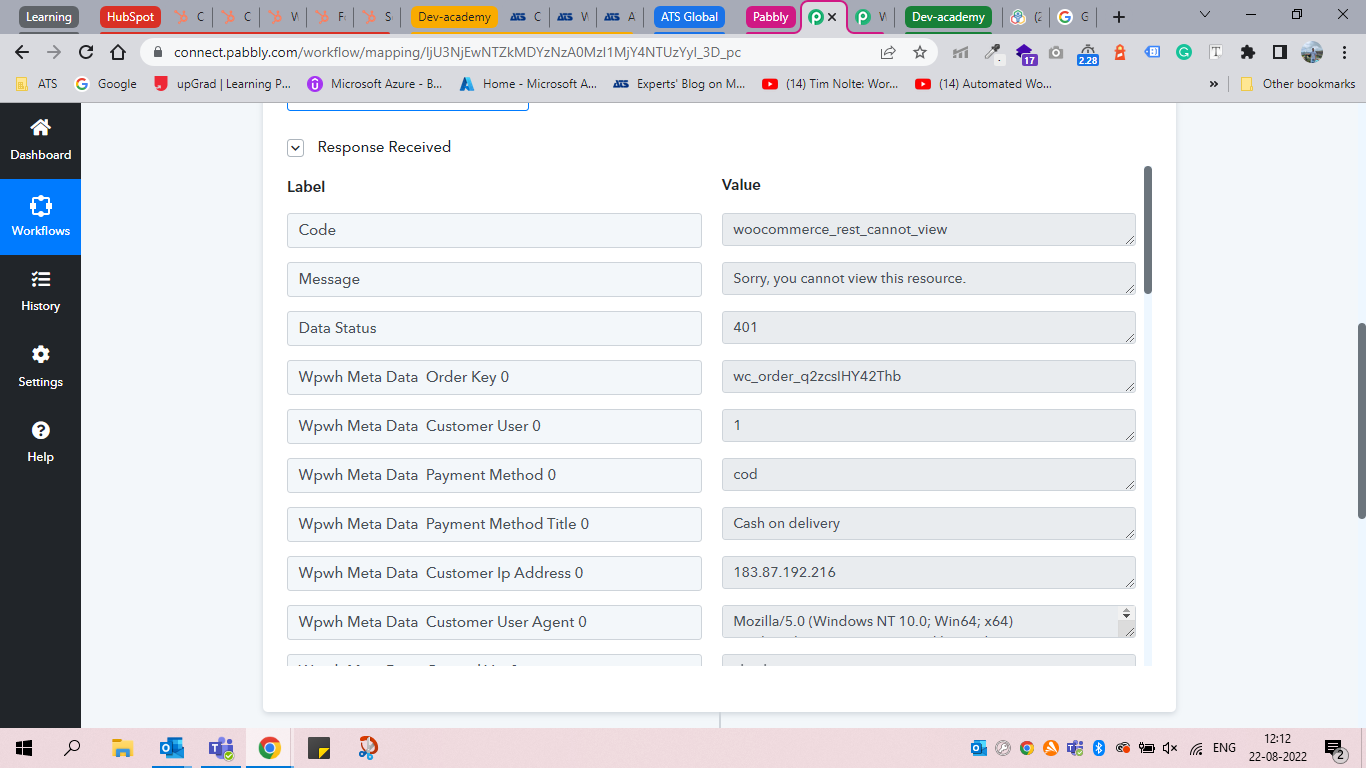
While capturing it's showing the above message.
Let me know if any changes are required within the setting.
Hello @shreeshchandra.mishra@ats
Can you please share your workflow ID, workflow name, App Name, History ID in which you are facing the issue.
App Name: Contact form7 to HubSpot Integration for payment form
Task ID - IjU3NjYwNTZjMDYzMDA0M2Q1MjZhNTUzNTUxM2E1MTYwNTQzMyI_3D_pc
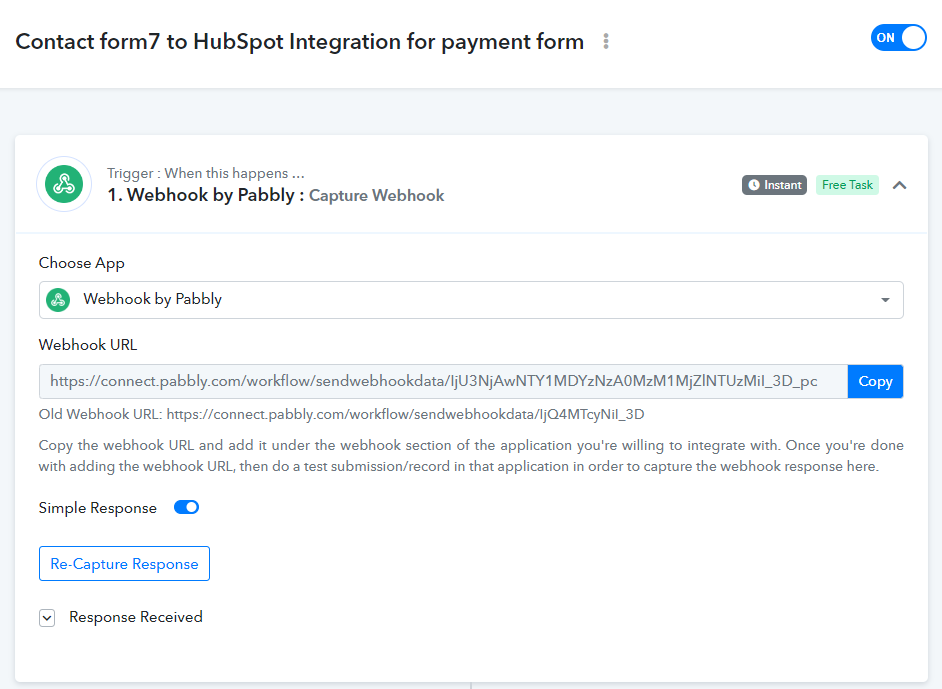
Where do we find workflow ID
Let me know ant thing else required
Hello @shreeshchandra.mishra@ats
Can you please let us know in which WordPress plugin you are using the webhook URL in the first step to capture the webhook response so that It will be helpful for us to debug it.
Also let us know for which event you are capturing the webhook for.
Yes I'm using the WP Webhooks plugin and action created within contact form 7 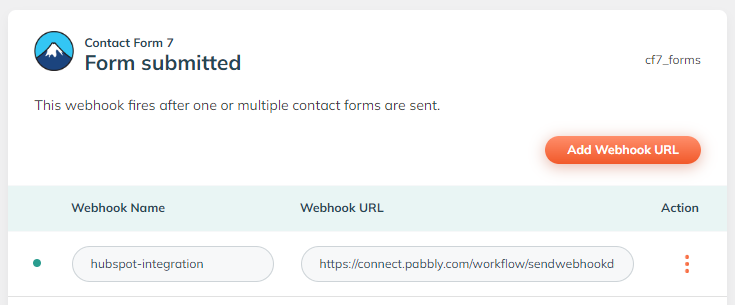
Hello @shreeshchandra.mishra@ats
Are you using Wp Webhooks to create webhook for order created in Woocommerce? if it is so then you will face such error as shown in the image below.

We recommend you to use default webhooks which are given Woocommerce itself for such purpose. You can find woocommerce webhooks in
Woocommerce > Settings > Advanced > Webhooks then click on Add Webhook button & paste webhook url also choose the event as shown in the image below.
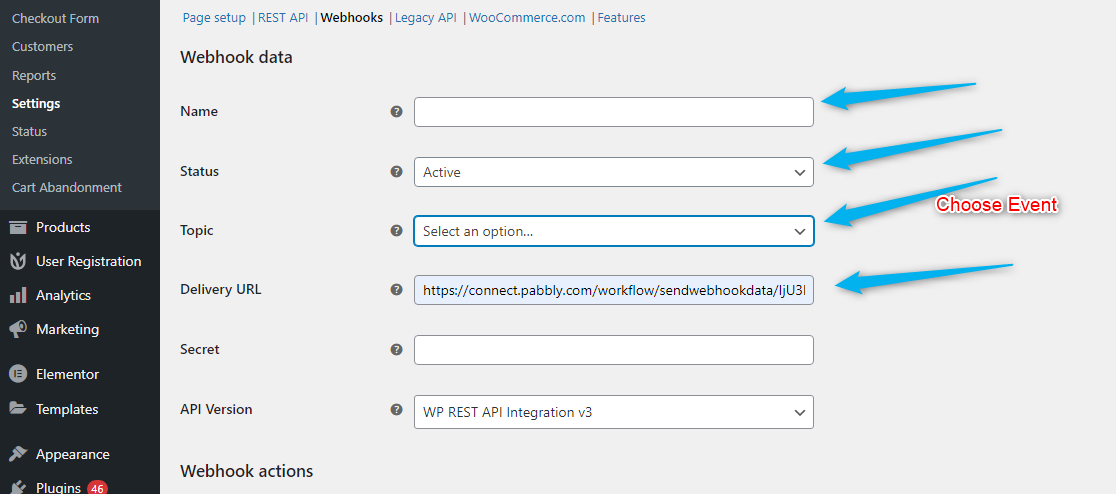
Let us know if this works for you.
Hello @shreeshchandra.mishra@atsAre you using Wp Webhooks to create webhook for order created in Woocommerce? if it is so then you will face such error as shown in the image below.
We recommend you to use default webhooks which are given Woocommerce itself for such purpose. You can find woocommerce webhooks in
Woocommerce > Settings > Advanced > Webhooks then click on Add Webhook button & paste webhook url also choose the event as shown in the image below.
Let us know if this works for you.
Hey @Adarshsoni
It's not working for me.
still receiving the same sorry error.
Please remove the Woocommerce webhook for WP Webhooks plugin and create the same webhook in the Woocommerce plugin.
Please follow these steps as recommended to you before. You can find WooCommerce webhooks in
Woocommerce > Settings > Advanced > Webhooks then click on Add Webhook button & paste the webhook URL also choose the event as shown in the image below.
Once you're with the above, capture the webhook response again and let us know if it working for you.
Please remove the Woocommerce webhook for WP Webhooks plugin and create the same webhook in the Woocommerce plugin.Please follow these steps as recommended to you before. You can find WooCommerce webhooks in
Woocommerce > Settings > Advanced > Webhooks then click on Add Webhook button & paste the webhook URL also choose the event as shown in the image below.
Once you're with the above, capture the webhook response again and let us know if it working for you.
Thank you, it's working fine now.