why all fields are required while atttaching systeme io
Status: Closed · Asked by Tina Modi on · 0 views
hi pabbly team, why all fields are required while atttaching systeme io, when io try to add data into systeme io ,it shows all filelds as required fields, i want name , email as rerquired and rest as unrequired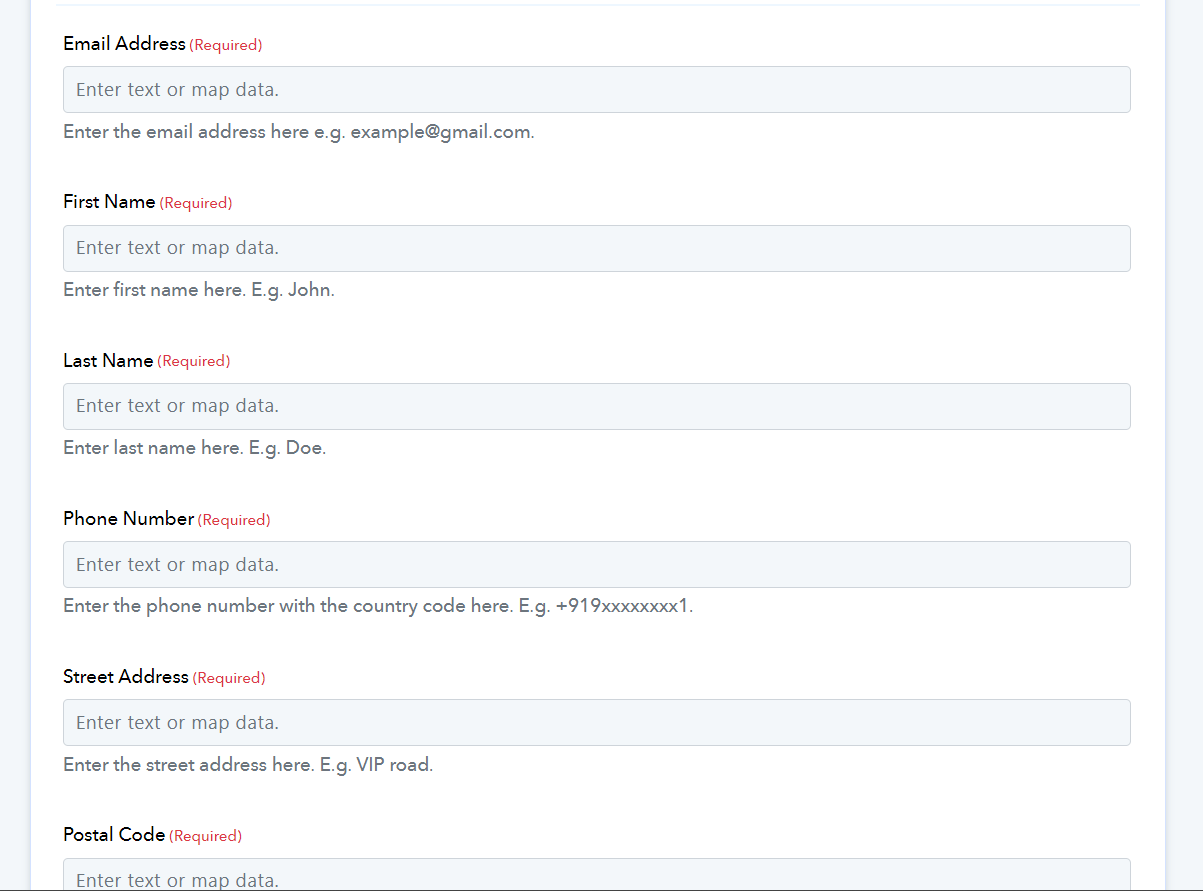
we need only to make name , email as requirement, rest address and other things as non required,pls tell its solution asap
Hey @DigitalwealthwithTina
If you prefer not to pass the fields, you can execute the API using the Pabbly action step for Systeme.io, which allows you to specify the fields as needed.
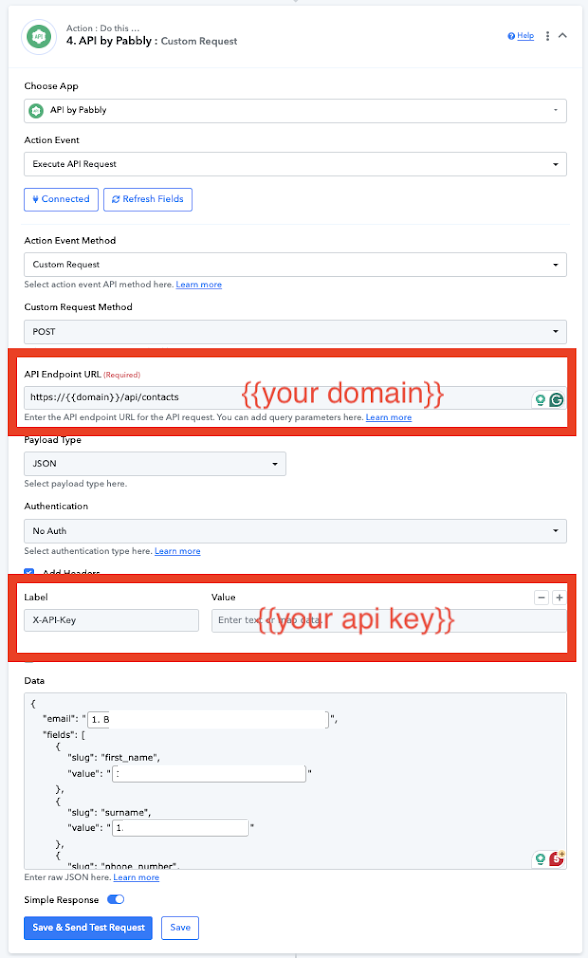
what to put in data , in label can you tell what to put in data 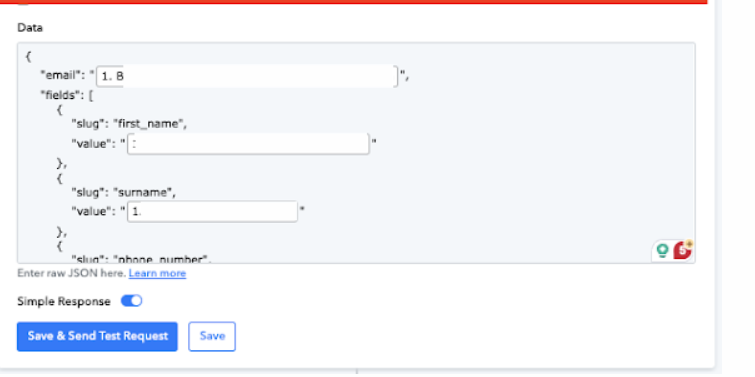
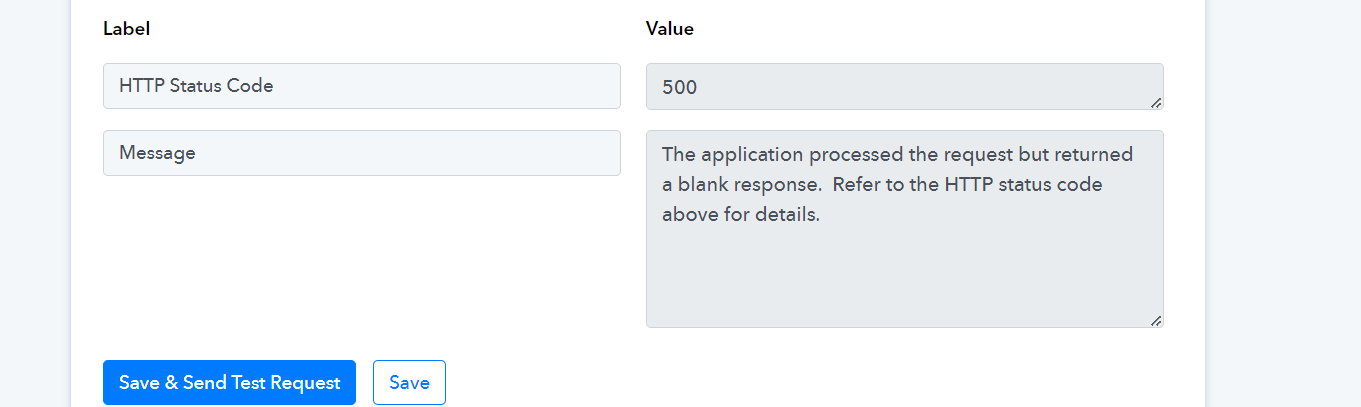
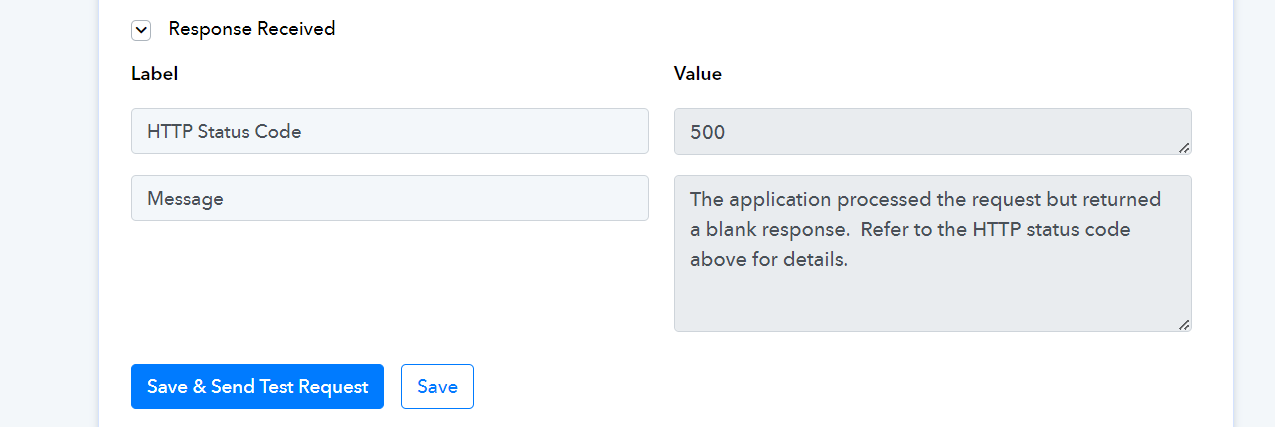
getting error
what to put in data , in label can you tell what to put in data
In the value fields within the double quotes, you can map values such as email address, name, etc., according to your preference.
Try passing the Request body from here -
{
    "email": "MAP THE EMAIL FROM ABOVE",
    "fields": [
        {
            "slug": "first_name",
            "value": "MAP THE NAME FROM ABOVE"
        },
        {
            "slug": "surname",
            "value": "MAP THE LAST NAME FROM ABOVE"
        },
        {
            "slug": "phone_number",
            "value": "MAP THE PHONE FROM ABOVE"
        }
    ]
}
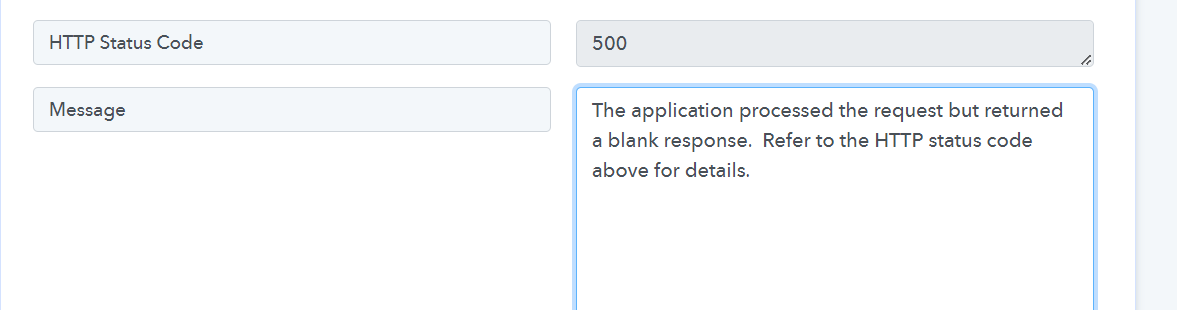
getting this error kindly check workflow IjU3NjUwNTY0MDYzMjA0Mzc1MjY5NTUzNzUxMzUi_pc
The status code that you are getting in the API response is a success status of the API call.
Further, this is the status code coming from the API which states that the application has processed your request successfully but is unable to show the response. Please check the contact in your Systeme.io action step to see whether it has been added or not.
I cross-checked your workflow with the help of the Search Contact by Email action step and it has added the contact accordingly.
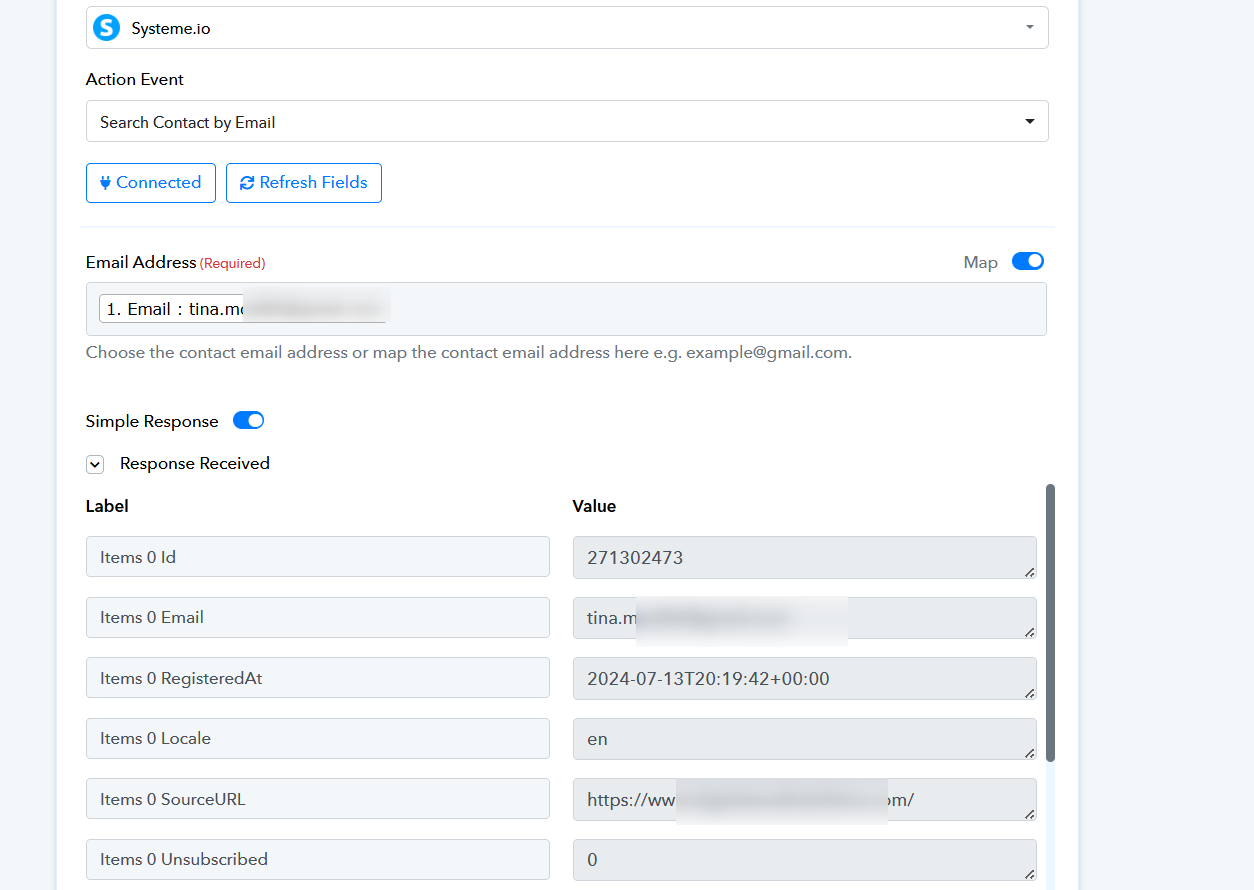
but it is showing 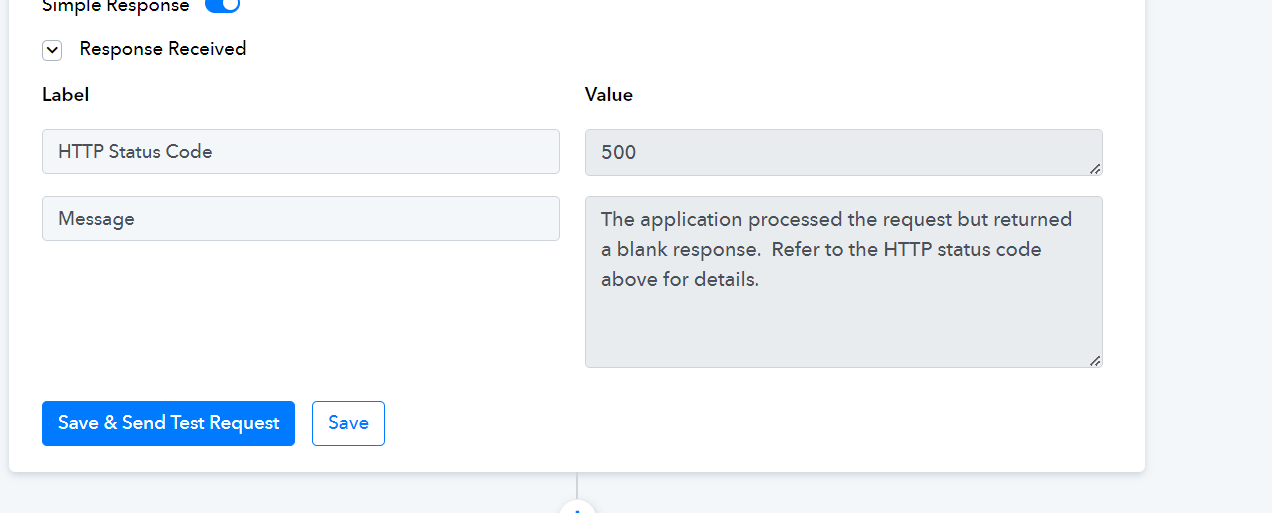
what should i do
even webhooks data is not updating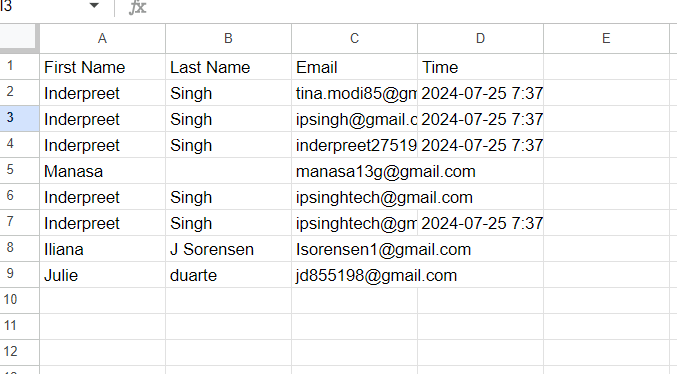
Attempt with updated contact details and then verify once more.
can you check the workflow this also 180KkcGoM1b1iTHK3dpiTIb4jlcqQ9mvNts9hmEq8dEg created new workflow still getting same error
Hey @DigitalwealthwithTina
Thanks for your patience. Kindly use "Create Contact with Custom Field" as this action step will work fine for you.
Let us know if you still face any issues regarding the same.