why i cannt see my Facebook Messenger ?
Status: Closed · Asked by Ahmed Adel on · 0 views
hi team iam trying to connect my account with Facebook Messenger and it connected successfully but it dosent appear after that like screanshot
even after i make a new connection in your Pabbly workflow 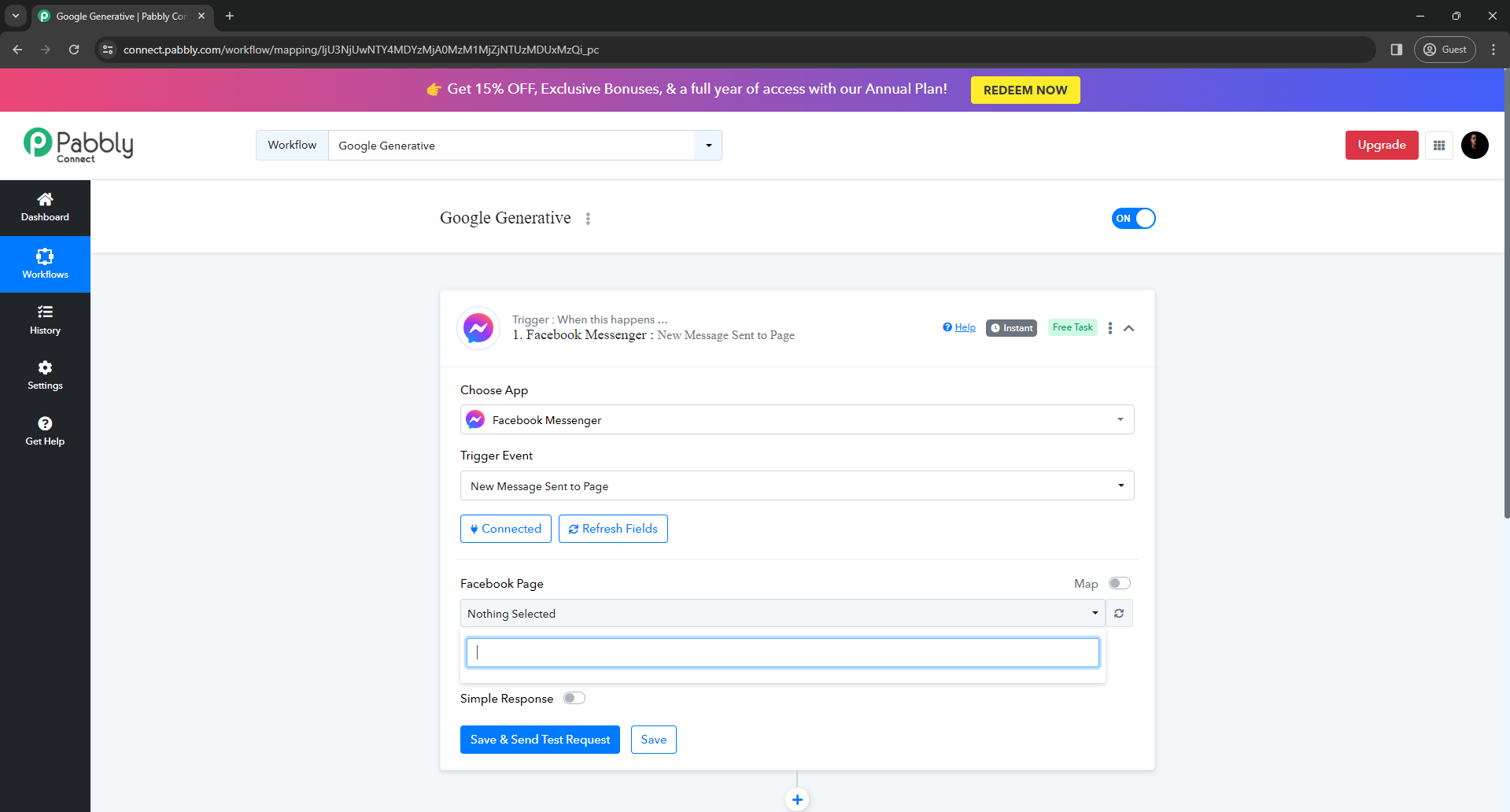
Hello @Ahmed Adel , did you check your Facebook page is public or not If your Facebook page is restricted then it won't be show here.
FYI I'm not from pabbly connect team. I'm automation freelancer who helps other pabbly members.
Contact me - https://www.facebook.com/himeshsoni07
Email - [EMAIL][email hidden][/EMAIL]
thank u @Himesh for your resbond
sure it public and iam ranning ads in this time
Ok then do one thing go to your page in about section you can see your Facebook page id copy that and paste it in Facebook page section by turning on map toggle.
Contact me - https://www.facebook.com/himeshsoni07
Email - [EMAIL][email hidden][/EMAIL]
i did it
and get this resbond am admin and owner for this page and page business not requires Two Factor Authentication
(#200) User does not have sufficient administrative permission for this action on this page. If the page business requires Two Factor Authentication, the user also needs to enable Two Factor Authentication
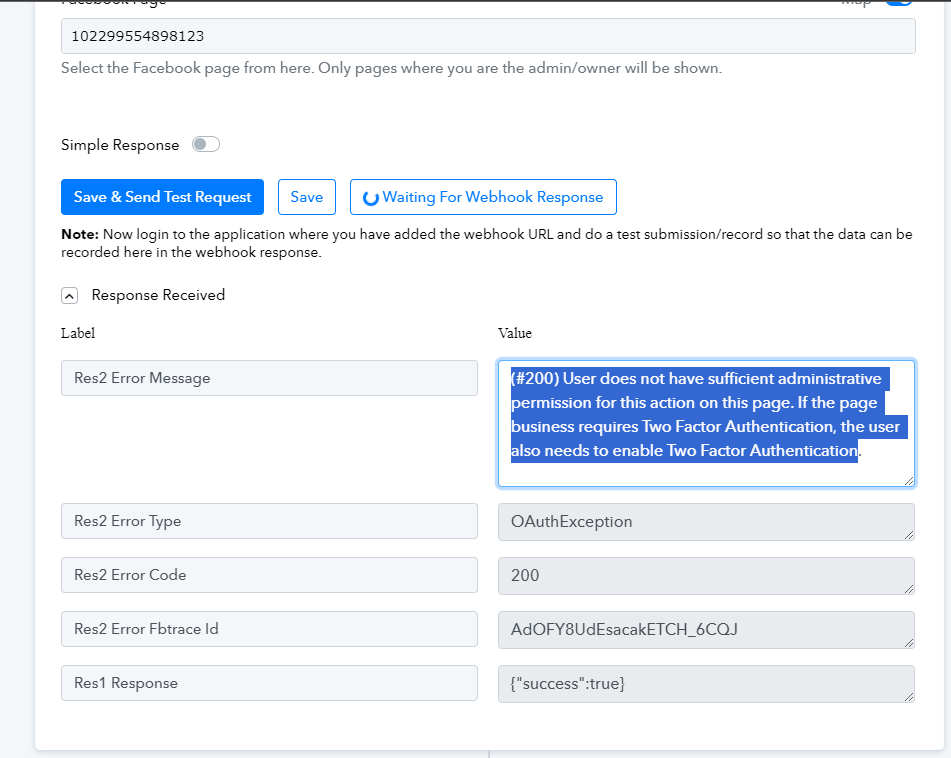
Can we have a free zoom call So that i can help you out because I need to check page permissions.
You can dm me on my messenger so that i can help you out.
Contact me - https://www.facebook.com/himeshsoni07
Email - [EMAIL][email hidden][/EMAIL]
thanks alot
i sent a massage
i did it
and get this resbond am admin and owner for this page and page business not requires Two Factor Authentication
(#200) User does not have sufficient administrative permission for this action on this page. If the page business requires Two Factor Authentication, the user also needs to enable Two Factor Authentication
I have the exact same issue
Hey @williamXXXX!
Could you please share the workflow URL once in which you have experienced the same so that we can look into it?
Further, please follow the steps given in the video shared below to fix this issue that you are encountering.