Why isn't my workflow tagging the customer in Mailchimp?
Status: Closed · Asked by Keith Dream on · 0 views
Hello,
It seems that each time I create a new workflow to tag someone in mailchimp, the settings are correct but they don't actually get tagged.
Here is my workflow:
https://connect.pabbly.com/workflow/share/CUECMFAfBCwHTlQQB2YAYQEUAxBTGQFXVzAAEg##
- Trigger on ThriveCart purchase (test mode)
- Find Member in Mailchimp
- Router > Route 1 If member exists, Update Member with New Tag
- Router > Route 2 If member doesn't exist, Add Member Tag
I ran a few test purchases, saving through each step and the Response Received does show the correct test purchase information.
Can you see if there is something I'm missing here
Thank you,
Keith
https://keithdream.tech
Hey @Keith Dream
Kindly try connecting your Mailchimp account with the action event with a new connection and then try again.
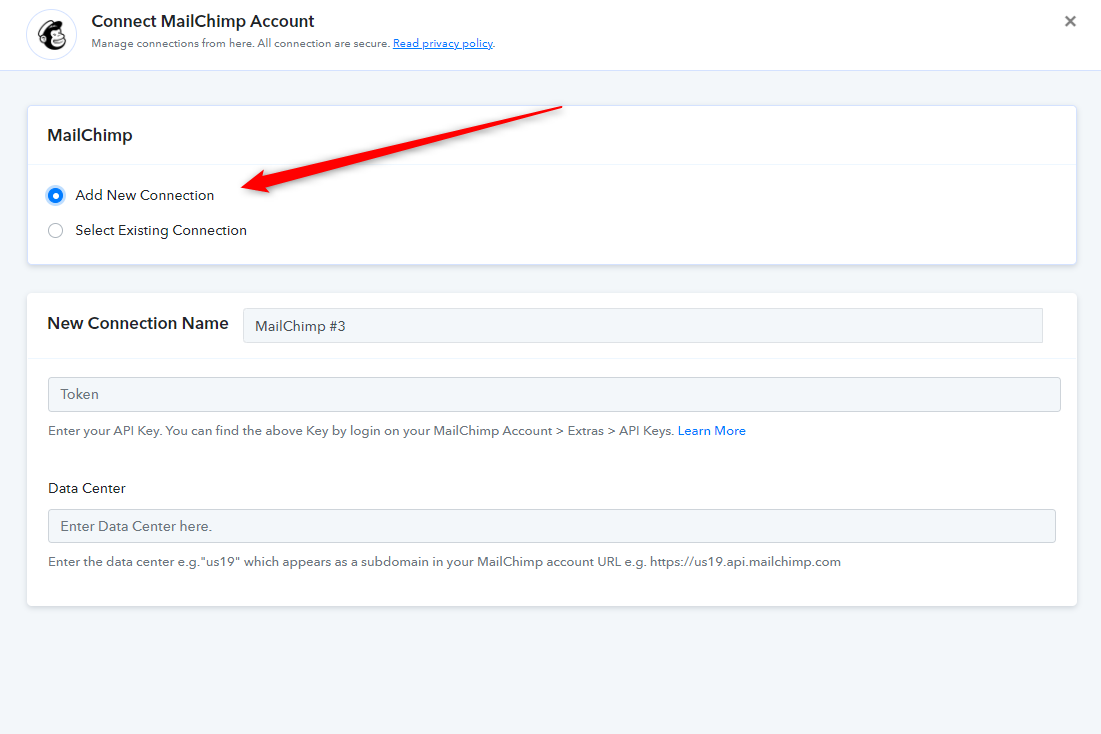
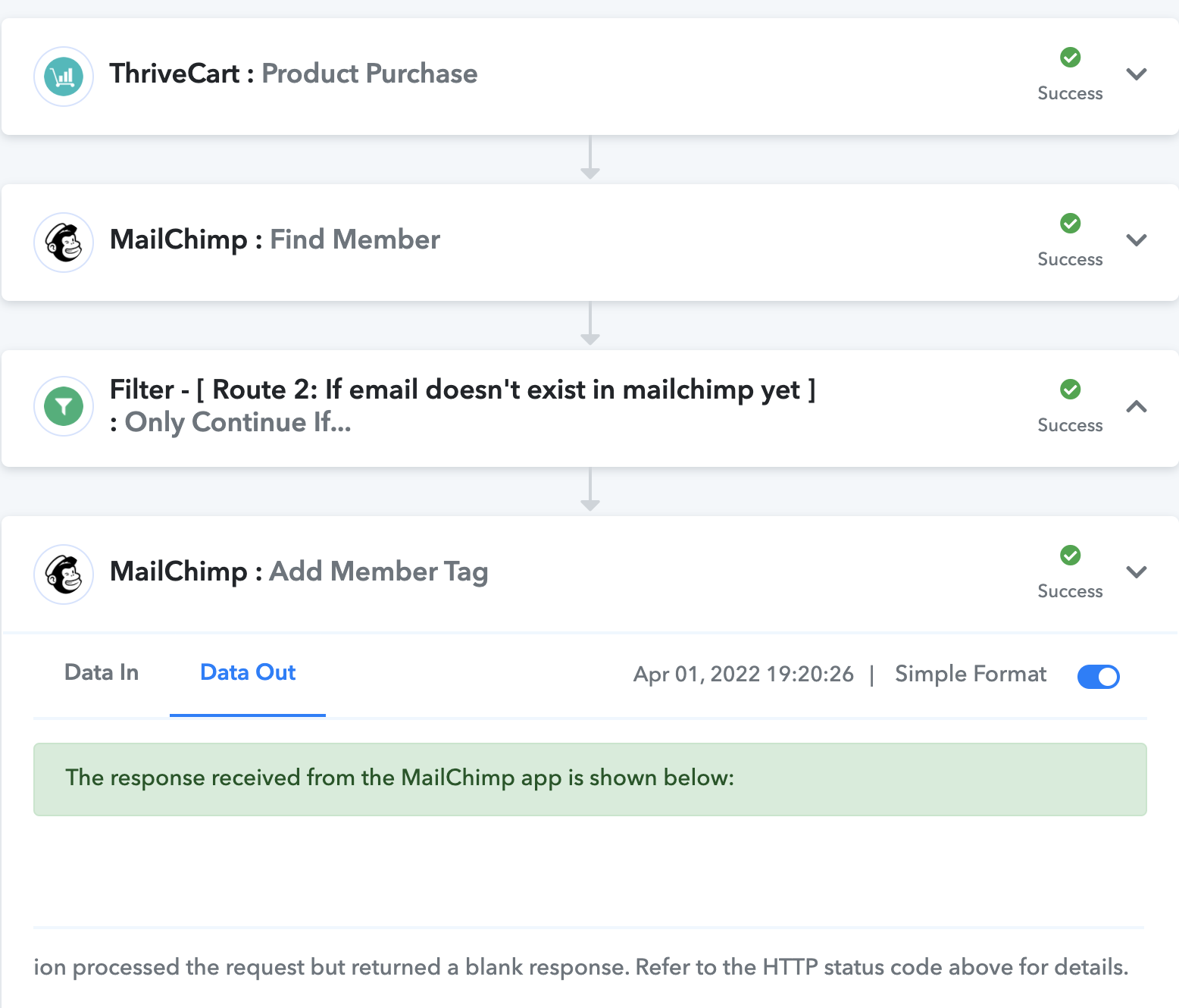
Thank you, the workflow is now passing but I'm still not getting tagged in Mailchimp.
I get an HTTP Status code of 204 and the message is:
[TABLE]
[TR]
[TD]The application processed the request but returned a blank response. Refer to the HTTP status code above for details.[/TD]
[/TR]
[/TABLE]
https://keithdream.tech
Hey @Keith Dream
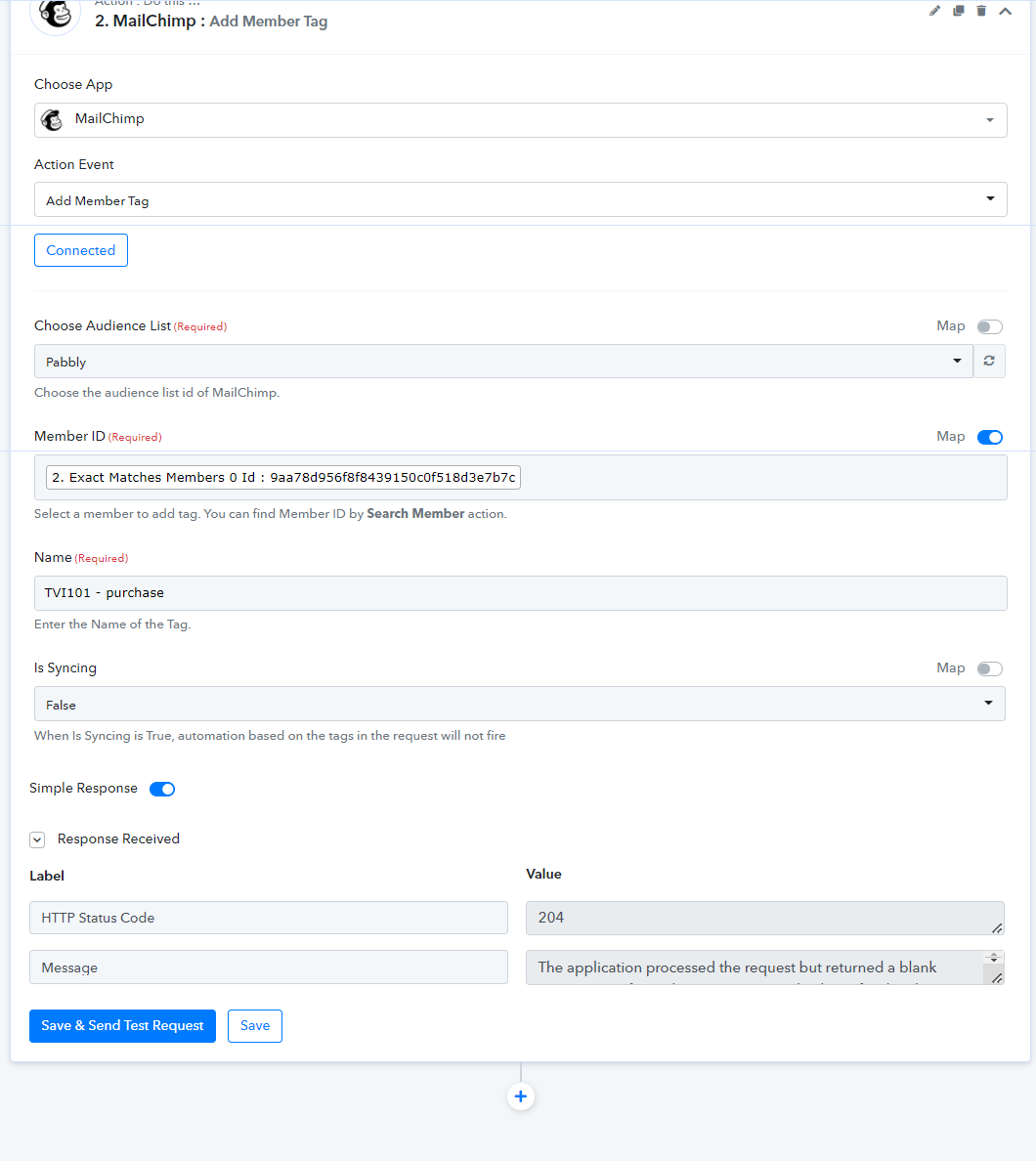
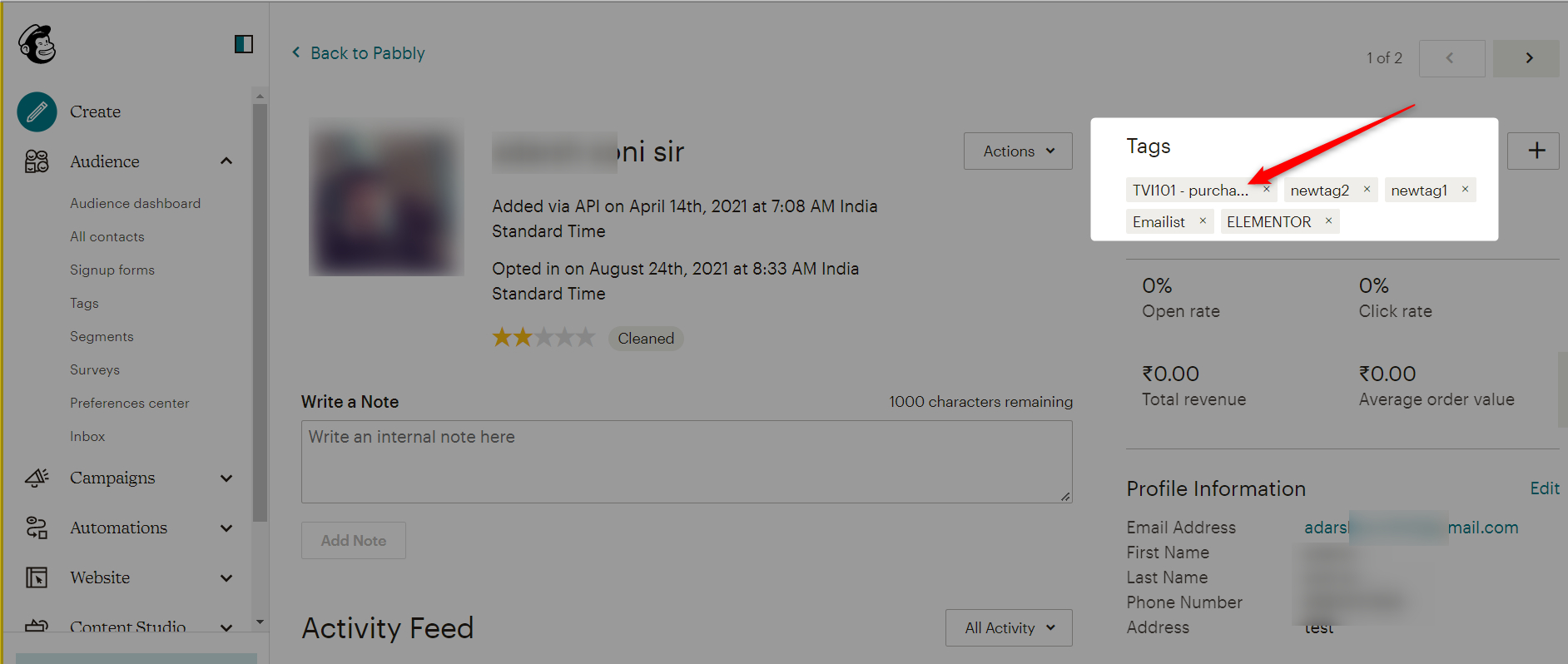
We cross-check the action event at our end and it is passing the tags to the respective user correct. Please reconnect the action event and try again.
Hi again,
Honestly, this is pretty frustrating. I don't know what is going wrong here.
Now I have a new error and it is still not adding the tag.
Is there a step-by-step tutorial anywhere for tagging a member in Mailchimp It seems like it shouldn't be this difficult.
The response received from the MailChimp app is shown below:
[TABLE]
[TR]
[TD]Type[/TD]
[TD]https://mailchimp.com/developer/marketing/docs/errors/[/TD]
[/TR]
[TR]
[TD]Title[/TD]
[TD]Resource Not Found[/TD]
[/TR]
[TR]
[TD]Status[/TD]
[TD]404[/TD]
[/TR]
[TR]
[TD]Detail[/TD]
[TD]The requested resource could not be found.[/TD]
[/TR]
[TR]
[TD]Instance[/TD]
[TD]a8852e7f-219b-370a-4222-66c47c638717[/TD]
[/TR]
[/TABLE]
https://keithdream.tech
It seems like it works if the person is already in the Audience, but the issue happens when they are a new subscriber.
https://keithdream.tech
It seems like it works if the person is already in the Audience, but the issue happens when they are a new subscriber.
Yes, that's the issue. You missed adding the step of adding the new subscriber as a member in your MailChimp account. Please refer to the below screenshot for reference. Once they are added as member, then you can add a tag on them -
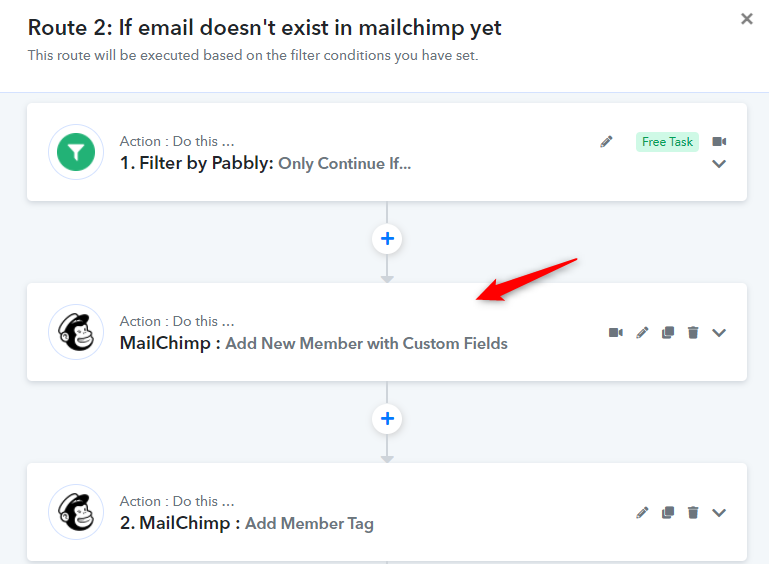
Please make the above suggested changes and let us know if its working as desired for you.
That was it. I guess I did it too many times and missed it when I recreated the action.
In your example, you have two actions for Mailchimp. Is it better to add the tag in a new action
I was able to add it in the "Add New Member with Custom Fields" action. Just wondering what best practice is.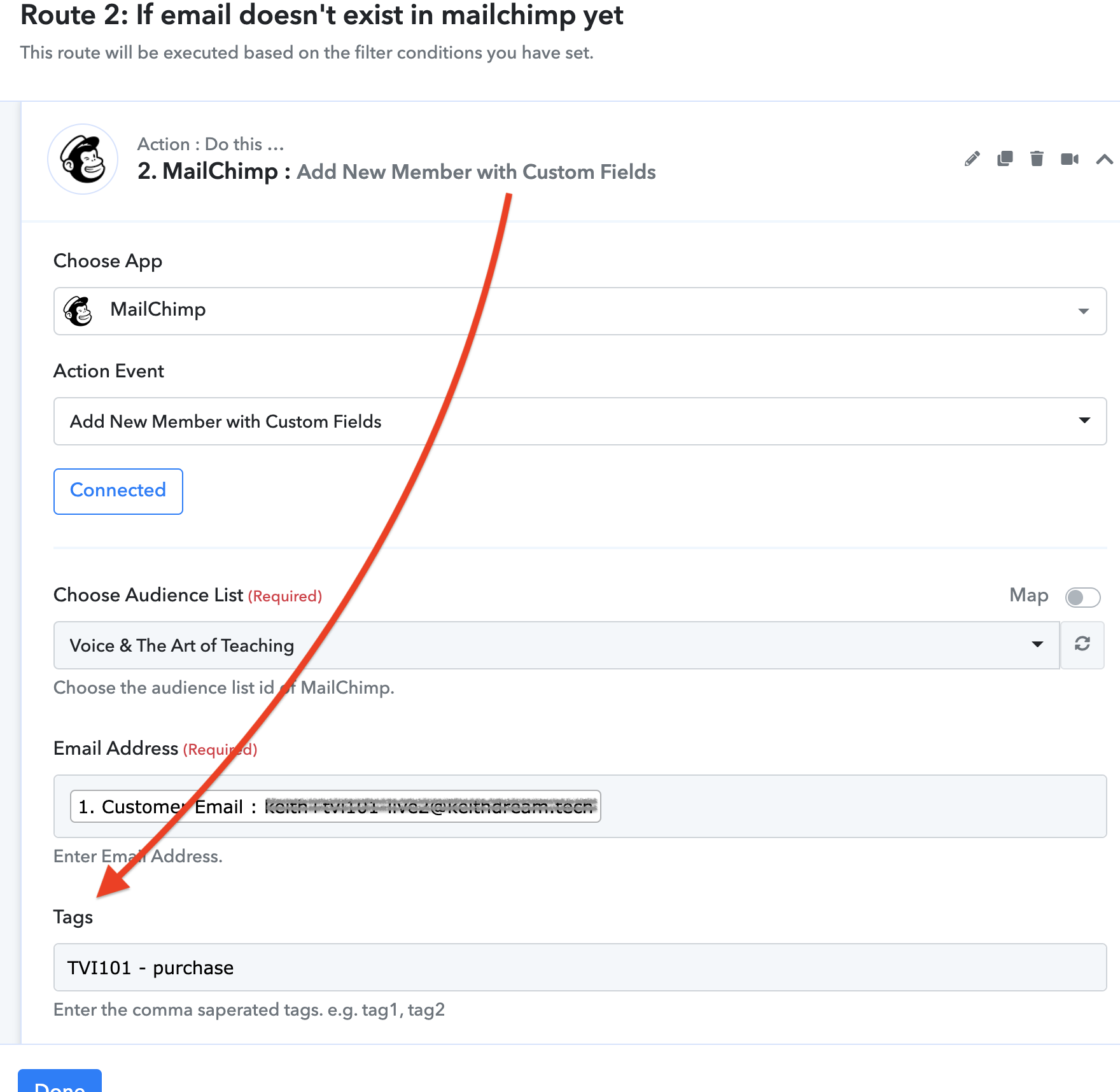
https://keithdream.tech
Sorry my bad!
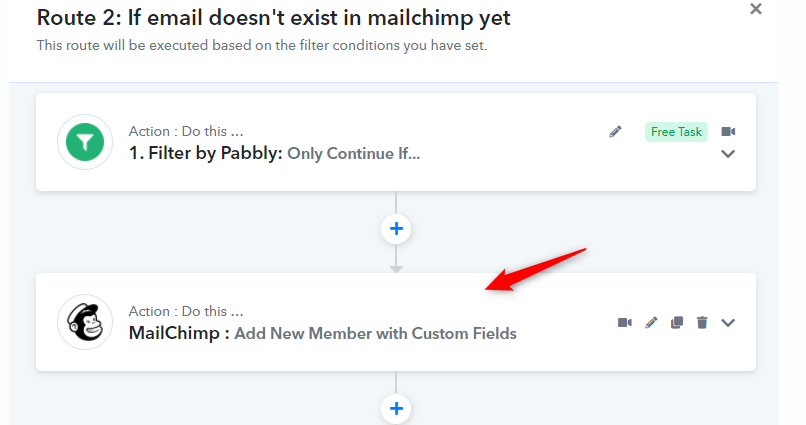
No need to use one more action for adding the Tag. Just use the action event "Add New Member with Custom Fields" where you are already getting field to add tags.
No problem, great! I'm always looking for the best process so I just wanted to check.
Thanks for your support.
https://keithdream.tech
No problem, great! I'm always looking for the best process so I just wanted to check.
Thanks for your support.
Quick question. Are you using the MailChimp automation? The Customer Journy?