why pabbly connect consumed all my task
Status: Closed · Asked by Abhijeet Janorkar on · 0 views
i have setup schedule trigger to every 1 minute sent sms for testing purpose.
but when i made the automation it consumed 90 task.
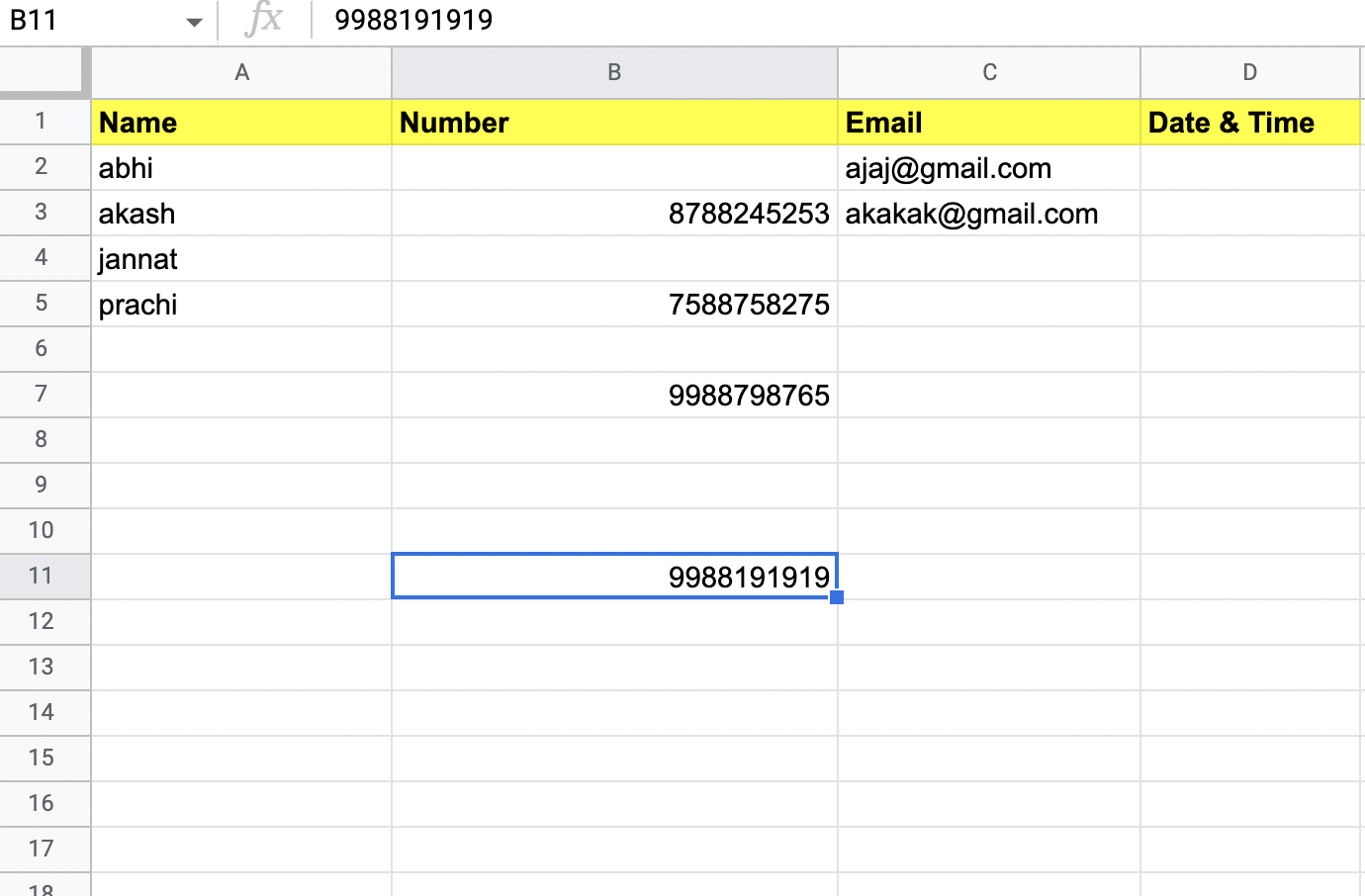
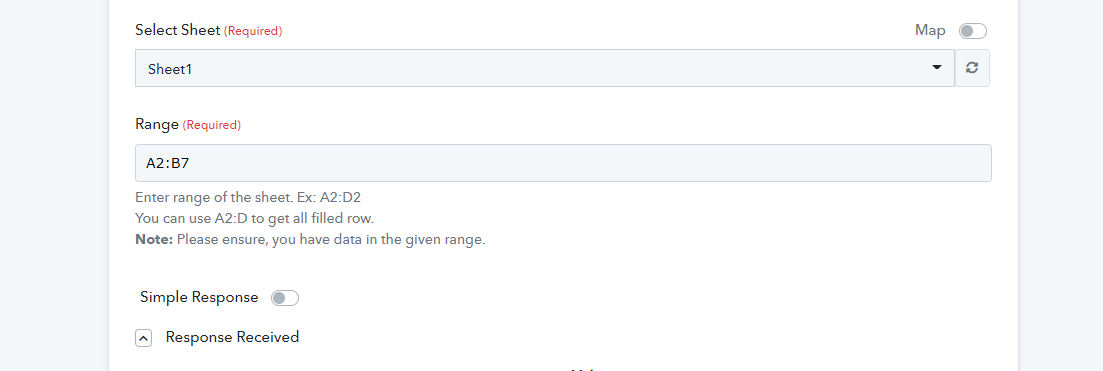
i have given data range as A2:B. i hope it means it will not consider empty rows in b column.
the last column in B row is 11th. then why it consumed 90 task?
Hey @abhipatil
Kindly pass the proper range from your Google sheets in which you are having the row data.
the data is in B row. i have left some column empty just to check if trigger skips it.
do you want to add only B or B(last cell number).
i kept only B because i thought it will skip empty cells and move to next one.
Hey @abhipatil
We are currently looking into it, so kindly allow us some time.
Hey @abhipatilWe are currently looking into it, so kindly allow us some time.
Ok. please do it asap. because it consumes all my task and then it my other task stops working
Hey @abhipatil
We have updated the help text of the Get Rows action step. As you can use the range as A2:D to get all filled rows. D is the last column header of the sheet. Also, ensure that you must have data in the given range.
Further, if you are not passing the end column then you need to pass the definite number to the range to fetch the range till that, otherwise, it will try to fetch all the rows from your Google Sheets.