Woo to GHL not working
Status: Open · Asked by tmm9381 on · 0 views
I'm not seeing updated contact info. I'm looking to create a tag in GHL so I can create automations. I see the actions in pabbly, but nothing in GHL.
Hey @tmm9381,
Could you please elaborate a bit more and grant me access to your workflow by adding me as a team member? This will allow me to gain a better understanding of your issue.
Once you have added me as a Team Member, do let us know the name of your workflow.
Email: arshil.ahmad@pabbly.com
Also, remember to revoke access once your query has been resolved.
Attaching a video for your reference:
You bet. My goal is to simply add a tag, but I'm not seeing anything happen inside GHL. I've personally gone in and made three separate purchases the last two I found the data populated inside the workflow history...but the last one, no history. Last one was using a completely new user on the woocommerce side- new name, email and phone.
-And thanks so much for responding!!!!
It seems like you haven't set up your workflow properly. Please watch the videos shared below to gain a better understanding of how Pabbly Connect works.
Note: Pause your current workflow, and create a new one from scratch.
Follow the exact steps given in this video to set up your trigger application.
WooCommerce: New Order Created (Ignore the action application)
youtube.com/watch?v=7ZkjOvByiyM:118
LeadConnector V1: Create or Update Contact(Ignore the trigger application)
Even though the action step is a bit different, you can still get an idea of how mapping data from the previous step works.
You bet. My goal is to simply add a tag, but I'm not seeing anything happen inside GHL. I've personally gone in and made three separate purchases the last two I found the data populated inside the workflow history...but the last one, no history. Last one was using a completely new user on the woocommerce side- new name, email and phone.
-And thanks so much for responding!!!!
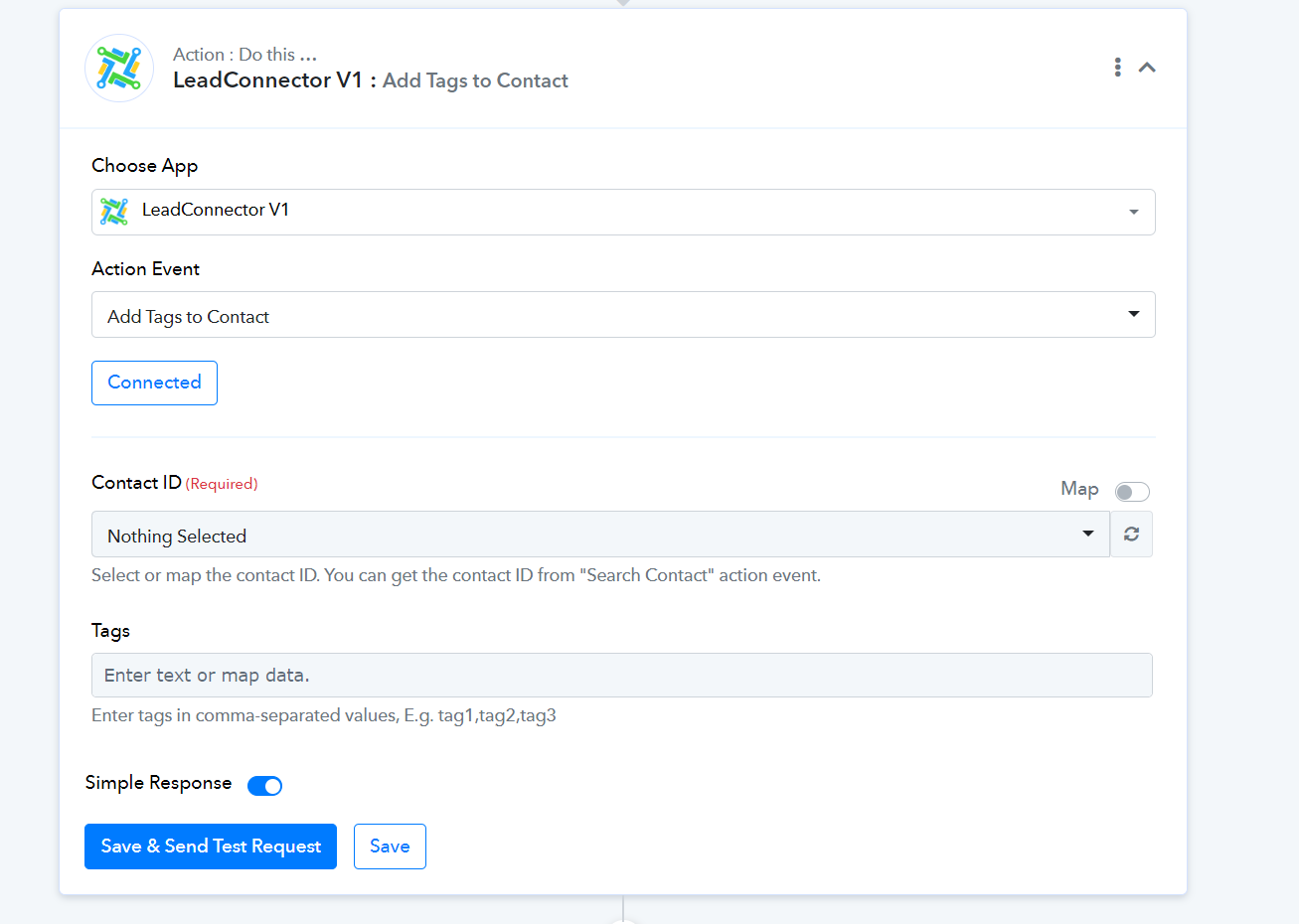
Please use the LeadConnector V1: Add Tags to Contact action event to add tags to your contacts.