Woocommerce Cart Recovery Trigger Interval
Status: Closed · Asked by optired on · 0 views
Ref:
youtube.com/watch?v=0U3XQiWJJEI
Hi, we have followed the video and set up Cart Abandonment Recovery via Whatsapp successfully.
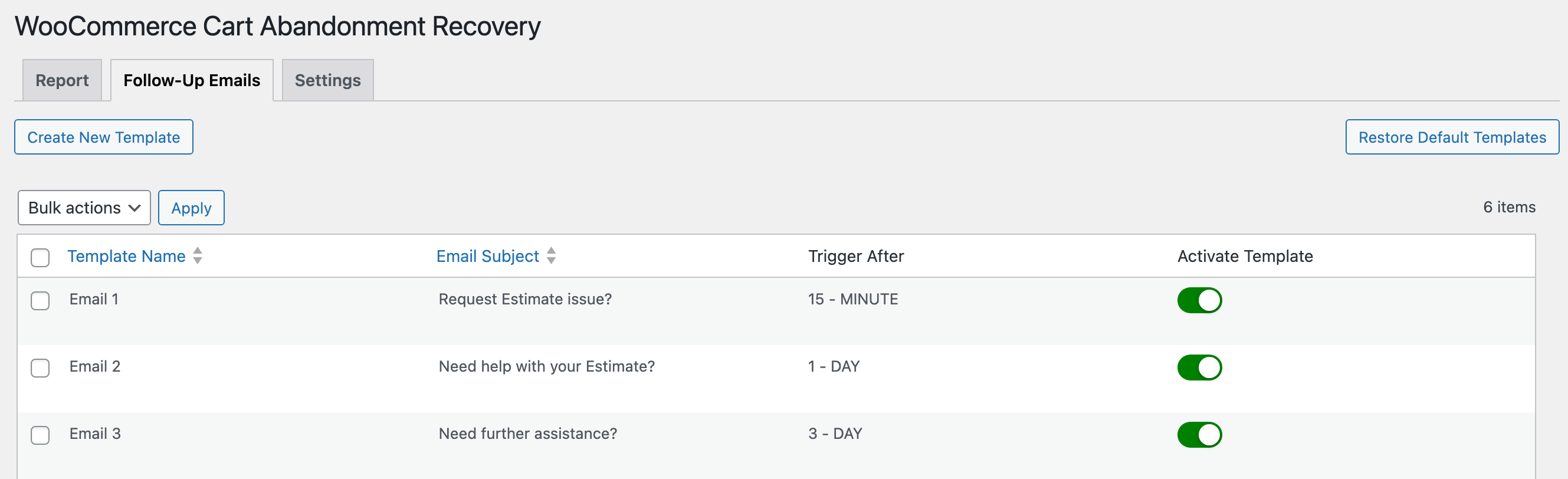
In the screenshot, you can see the plugin have the setting to send at 3 different intervals: 15-mins, 1-day, 3-days follow-up emails.
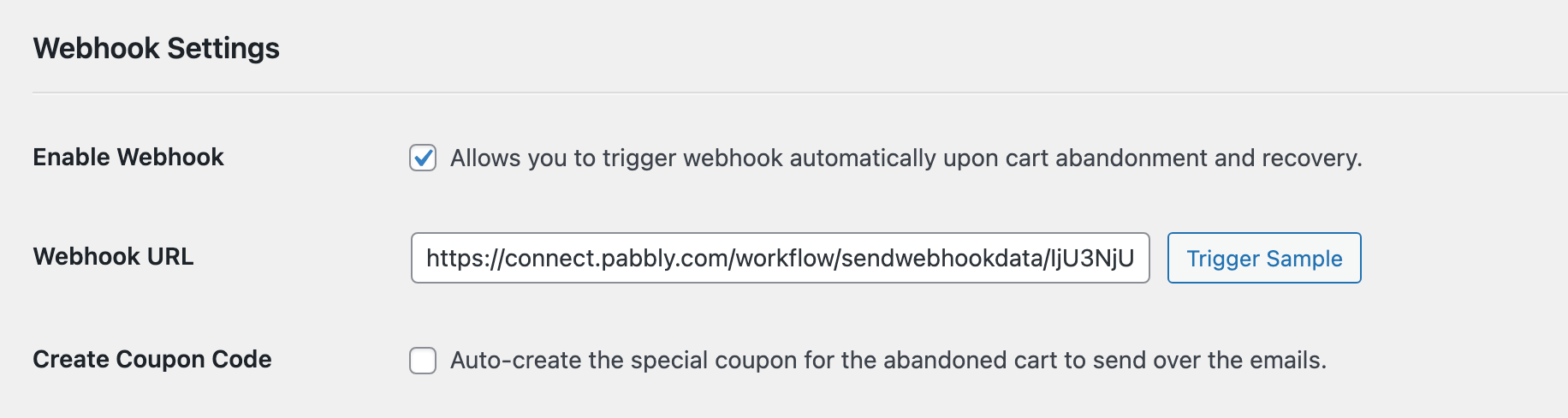
May I check if the same webhook is being triggered at that 3 different intervals?
How can we filter it so that we can send different whatsapps message at the 3 different intervals?
Thanks!
Attachments
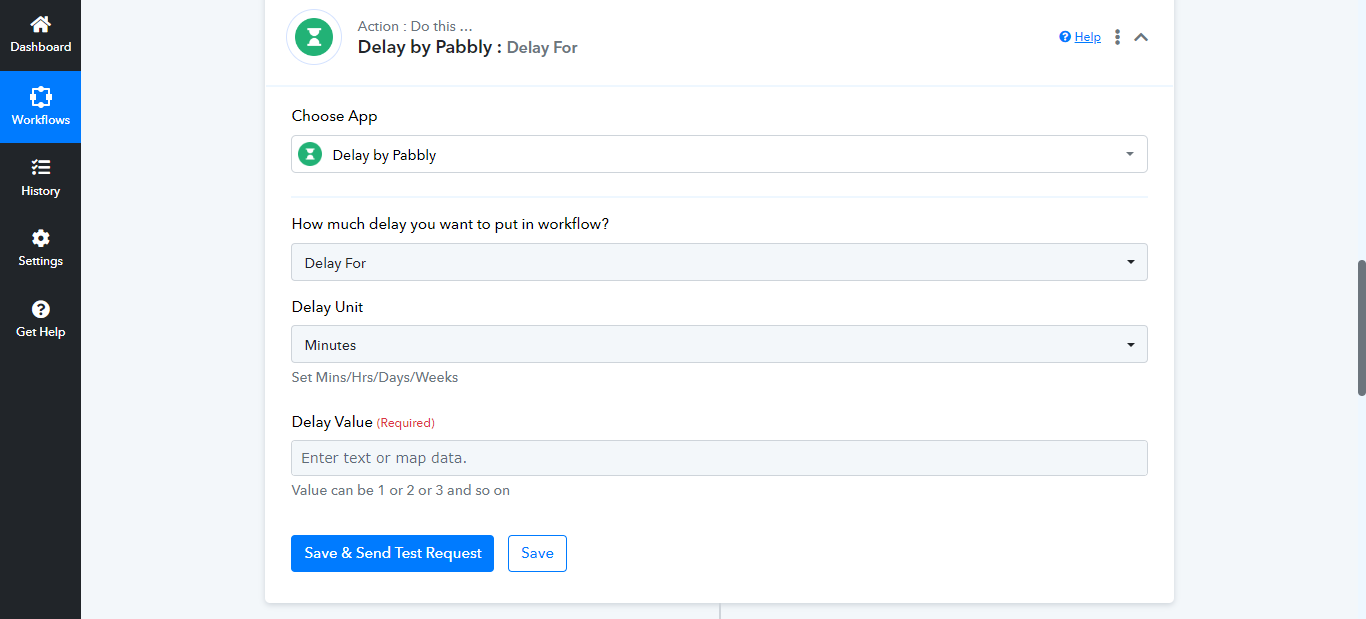
Hello @optired , You can use Delay action in pabbly , It'll delay your output for minutes,hours,days & weeks.
Contact me - https://www.facebook.com/himeshsoni07
Email - [EMAIL][email hidden][/EMAIL]
Hello @optired , You can use Delay action in pabbly , It'll delay your output for minutes,hours,days & weeks.
If I set it up like that, I imagine there will be some issues with unwarranted cart recovery messages.
Example:
What if the customer recovered the cart before interval 2, but the workflow will still send out interval 2 message if I follow your suggestion?
If I set it up like that, I imagine there will be some issues with unwarranted cart recovery messages.Example:
What if the customer recovered the cart before interval 2, but the workflow will still send out interval 2 message if I follow your suggestion
Before delay Action you can Retrieve cart data by woo Commerce Retrieve actions.
Contact me - https://www.facebook.com/himeshsoni07
Email - [EMAIL][email hidden][/EMAIL]
Before delay Action you can Retrieve cart data by woo Commerce Retrieve actions.
not sure what to do with that step, is it to check if there are zero items in the cart and set up a roter?
not sure what to do with that step, is it to check if there are zero items in the cart and set up a roter
You have to fetch all orders for that customer in last 1-day/2-days using custom API call to check if that customer has already placed an order with you or not. The plugin can handle the emails dynamically but not the webhook.
It doesn't send the order id in the webhook and both orders are considered as separate order anyways so you can't exactly track it.
Contact me - https://www.facebook.com/himeshsoni07
Email - [EMAIL][email hidden][/EMAIL]