WooCommerce - Create a new order fail
Status: Closed · Asked by Walter on · 0 views
Hello,
I am trying to create a new order in WooCommerce from a form.
In Pabbly Connect I am using Webhook + WooCommerce.
All required fields are filled. No special character has been used.
WooCommerce is giving the following response:
Code: rest_invalid_json
Message: invalid JSON body passed
Data Status: 400
Data Json Error Code: 3
Data Json Error Message: Control character error, possibly incorrectly encoded
A screenshot is attached.
Can anybody help me to fix this? Thanks
Attachments

Hey @Walter
It appears that from your Pabbly account your WooCommerce action stop is working fine.
Kindly give it a try and let us know if you get stuck at any step.
I have been able to find the problem by myself.
The parameter "Customer ID" is required by WooCommerce. Without that, the integration des not work.
Pabbly Connect does not have the red asterisk on that field, so I believed it was optional.
You may want to fix that.
If there's no "Customer ID" available, a "0" can be used (guest order).
Hey @Walter
In the "Create an Order" action step you can simply leave the field blank by toggling the map button, so in that way, you don't need to pass the customer in the field, which is not required.
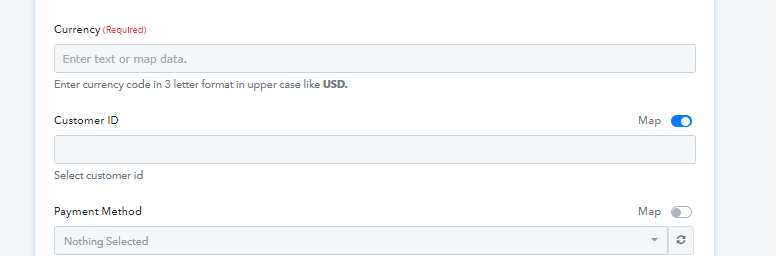
I tried to do the same and the scenario stopped working.
I am seeing the same error posted before (see screenshot below).
With customer ID = 0 the scenario works, but with Customer ID = empty (map=ON) it doesn't work.
Attachments

Hey @Walter
We have reconnected the action step and after leaving the customer field empty, it is working accordingly.
Kindly check again and let us know if that works for you.
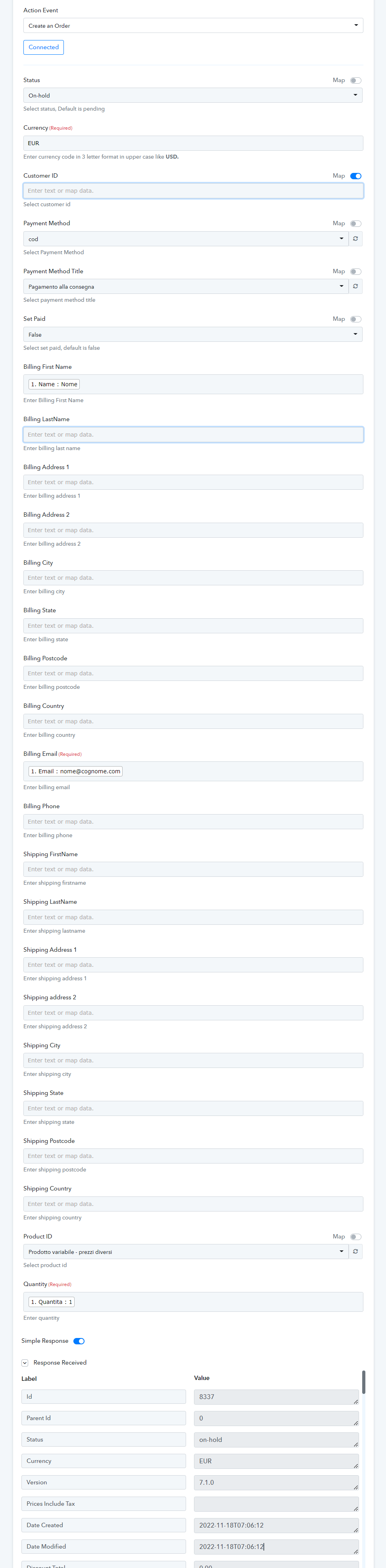
It works, thanks!