Woocommerce "order paid" trigger
Status: Open · Asked by Affenjimbo on · 0 views
Hi I am testing pabbly right now if it can handle all the automations zapier does for me right now.
One of them is the "order paid" trigger. It makes sure date gets only transmitted if somebody really paid the order. We get a lot of new orderns which get aborted during the payment process, so this is pretty crucial to get just the paying customers into this automation.
I could not find such a trigger in pabbly. Am I missing something?
Thanks a lot
Affenjimbo
Hi I am testing pabbly right now if it can handle all the automations zapier does for me right now.One of them is the "order paid" trigger. It makes sure date gets only transmitted if somebody really paid the order. We get a lot of new orderns which get aborted during the payment process, so this is pretty crucial to get just the paying customers into this automation.
I could not find such a trigger in pabbly. Am I missing something?
Thanks a lot
Affenjimbo
You can use WooCommerce trigger "Order Created" and can then make use of filter step to filter the WooCmomerce order that is only "Paid" -
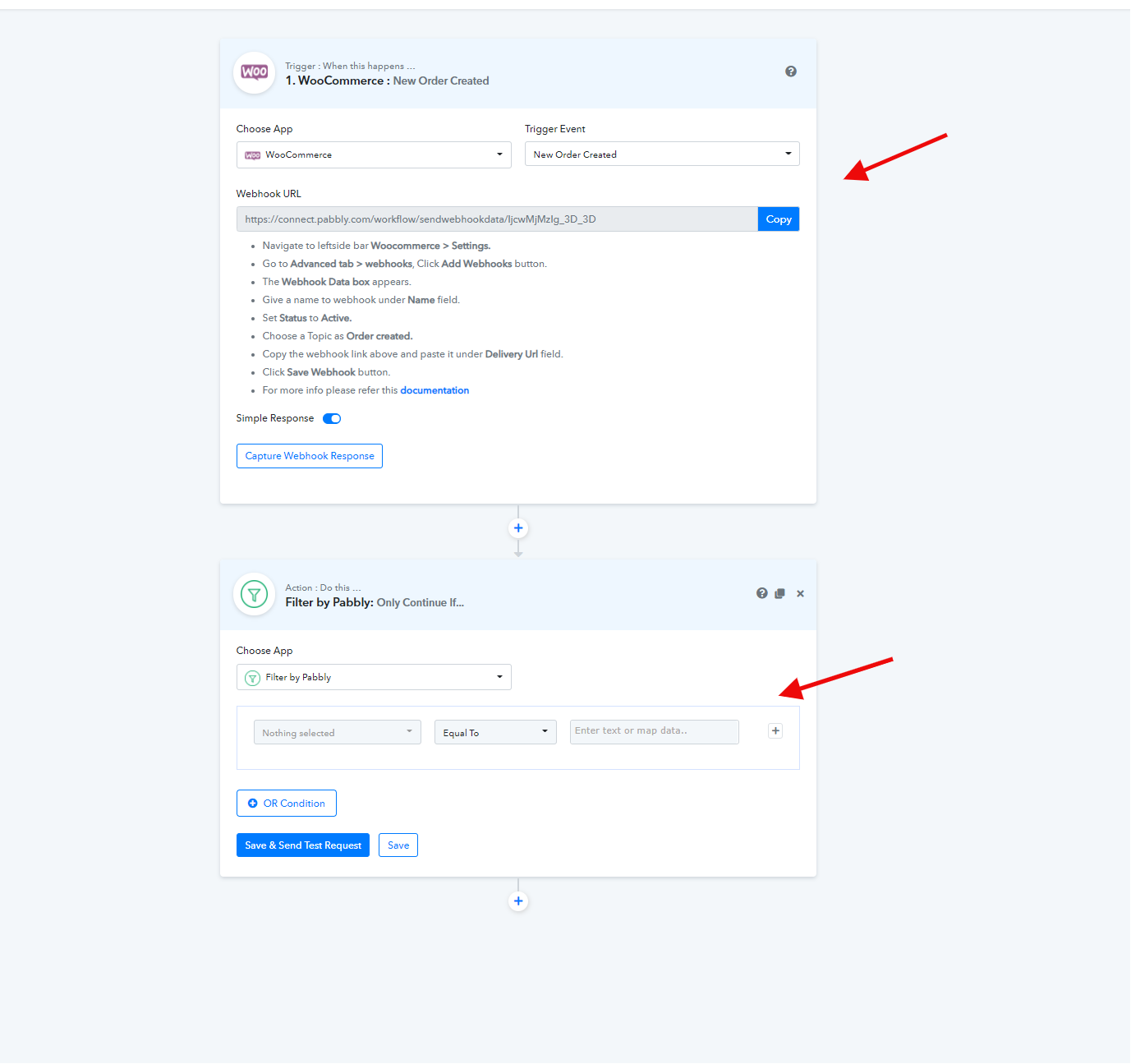
I tested this now, and it is not working. The trigger is "order created" so there is nothing to filter for when this trigger goes off as the payment happens after that. I get my google-sheet filled by pabbly with unfinished checkouts. The problem is the data of paid and unpaid checkouts look exactly the same. There is no difference in data to filter for.
I tested this now, and it is not working. The trigger is "order created" so there is nothing to filter for when this trigger goes off as the payment happens after that. I get my google-sheet filled by pabbly with unfinished checkouts. The problem is the data of paid and unpaid checkouts look exactly the same. There is no difference in data to filter for.
Please go through the screenshot below:
You must be getting data from WooCommerce webhook initially.
That webhook data should have the Status field in it.
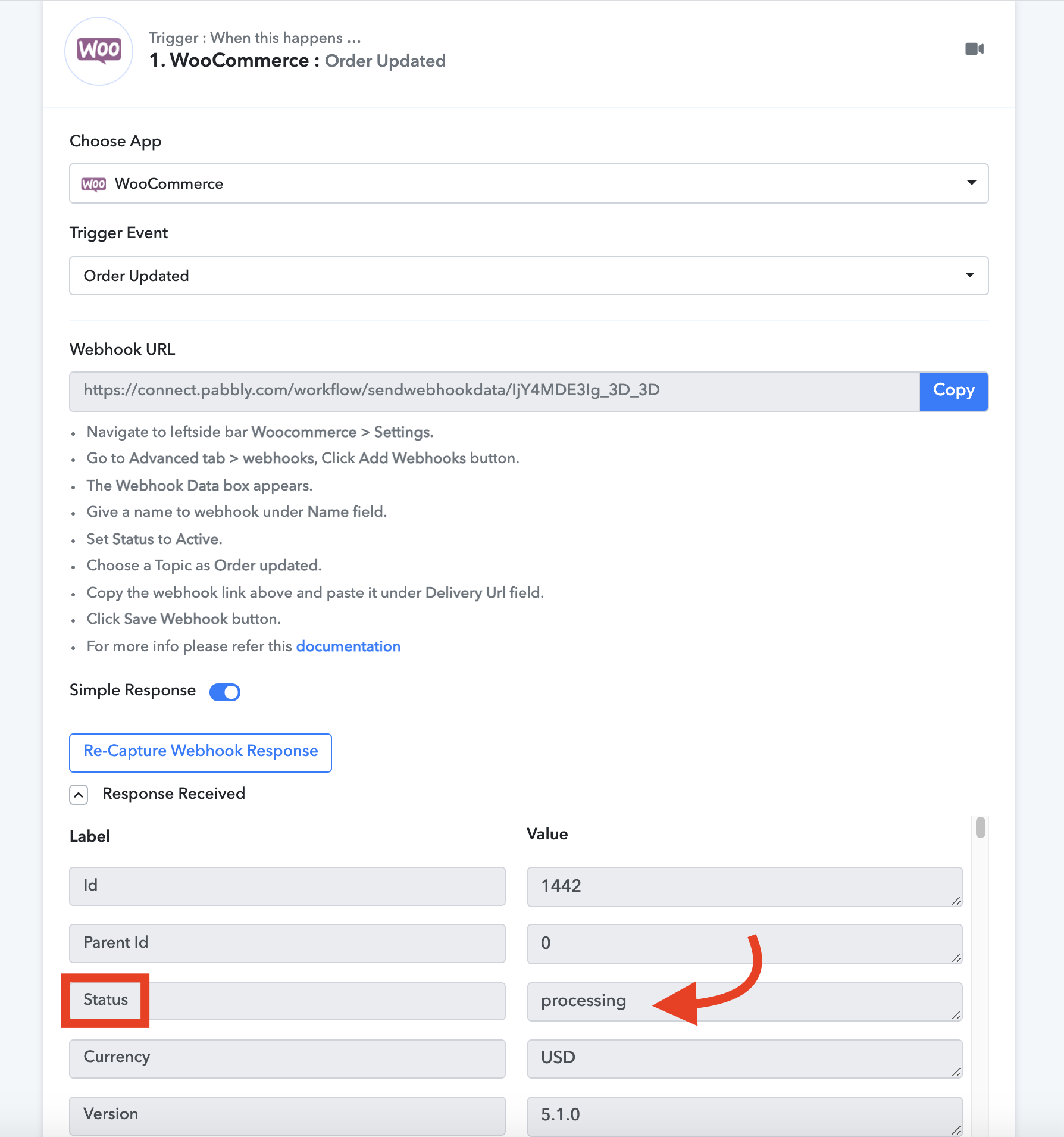
For all the orders that are completed, you should use filter in the next step with Status = processing.
See screenshot below:
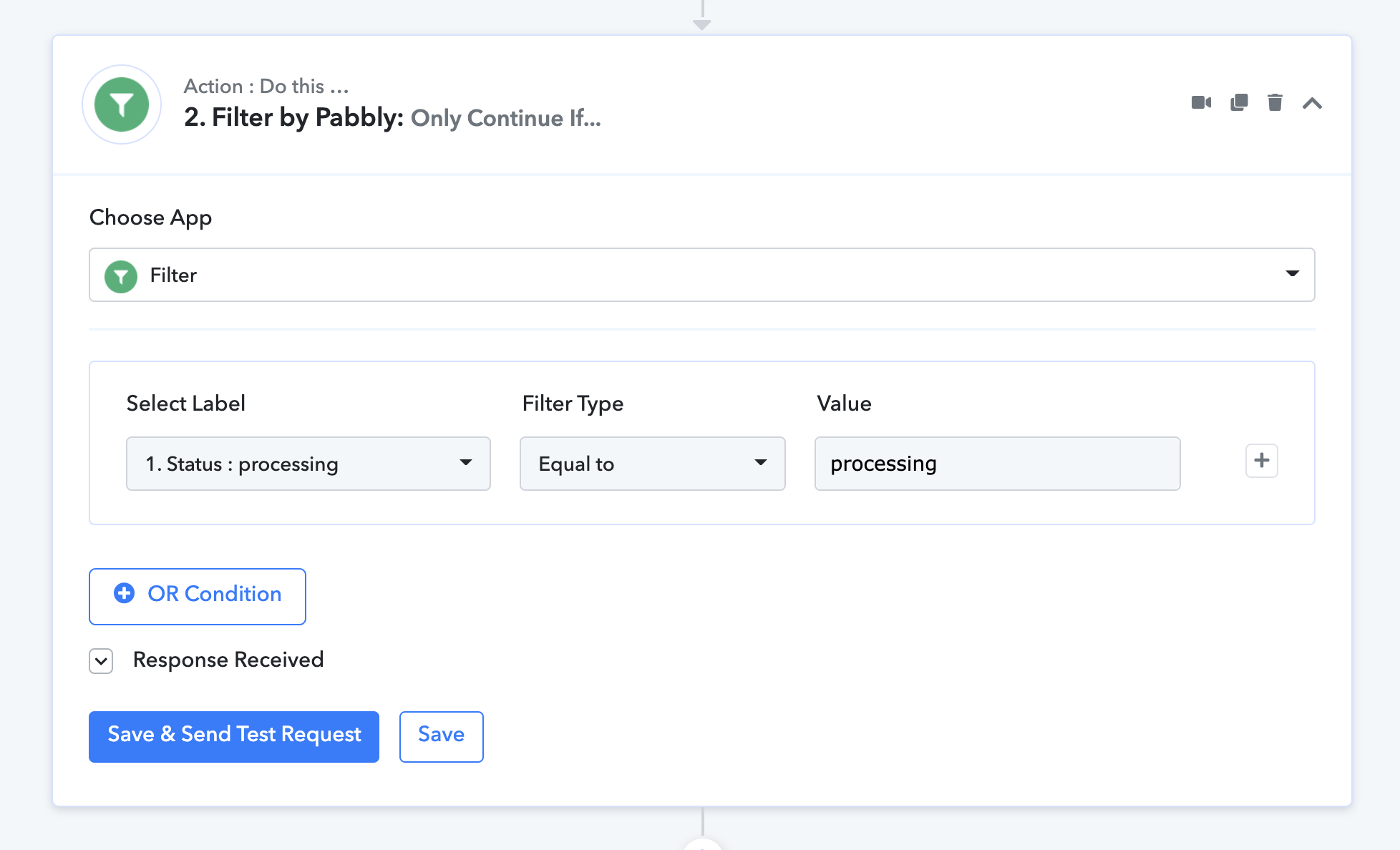
After filter, you can have your Google Sheets Add New Row step where you can send Order Status = Processing data to the sheet.
All other Status will be filtered out and will not be sent to the next step.
Attachments
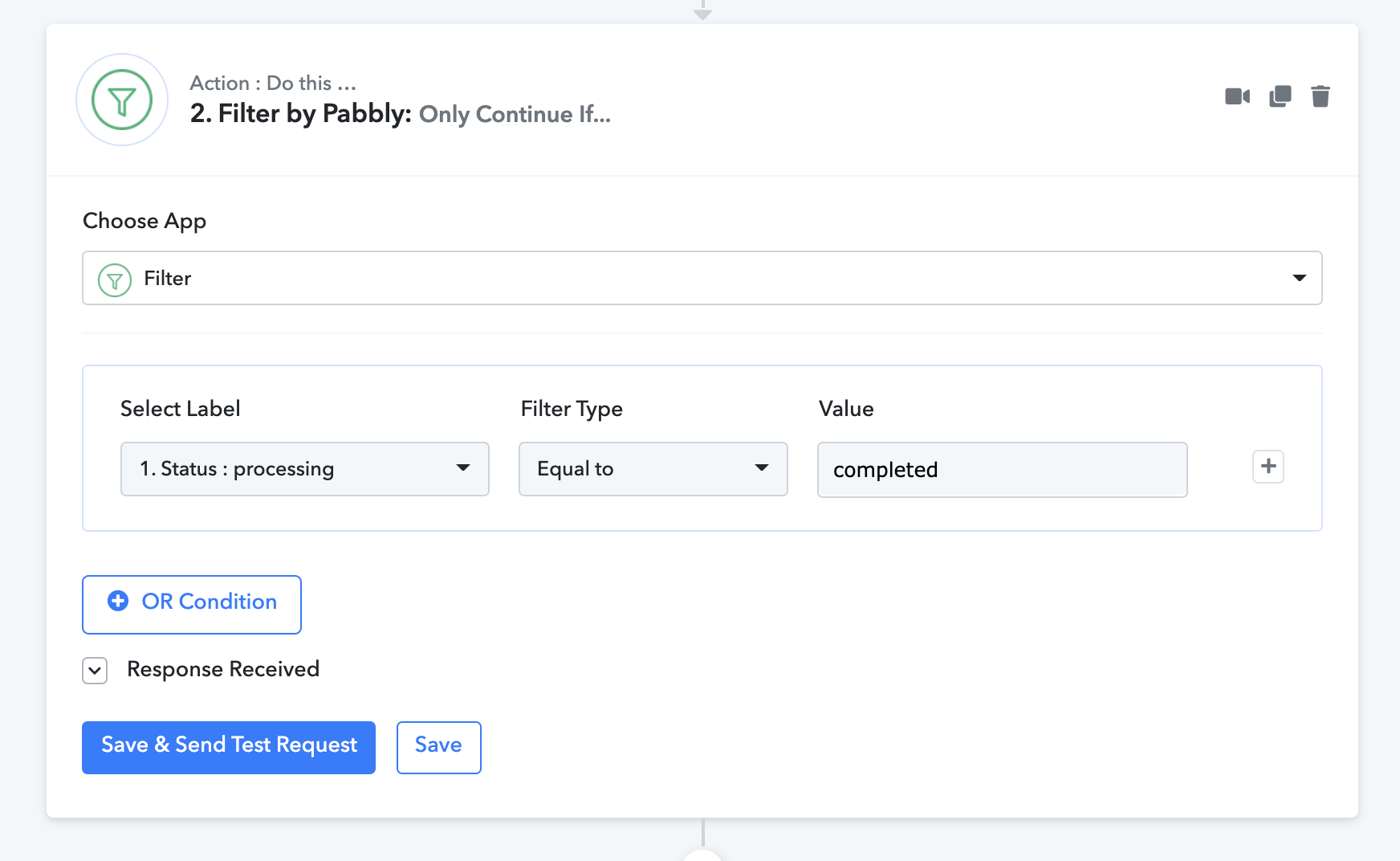
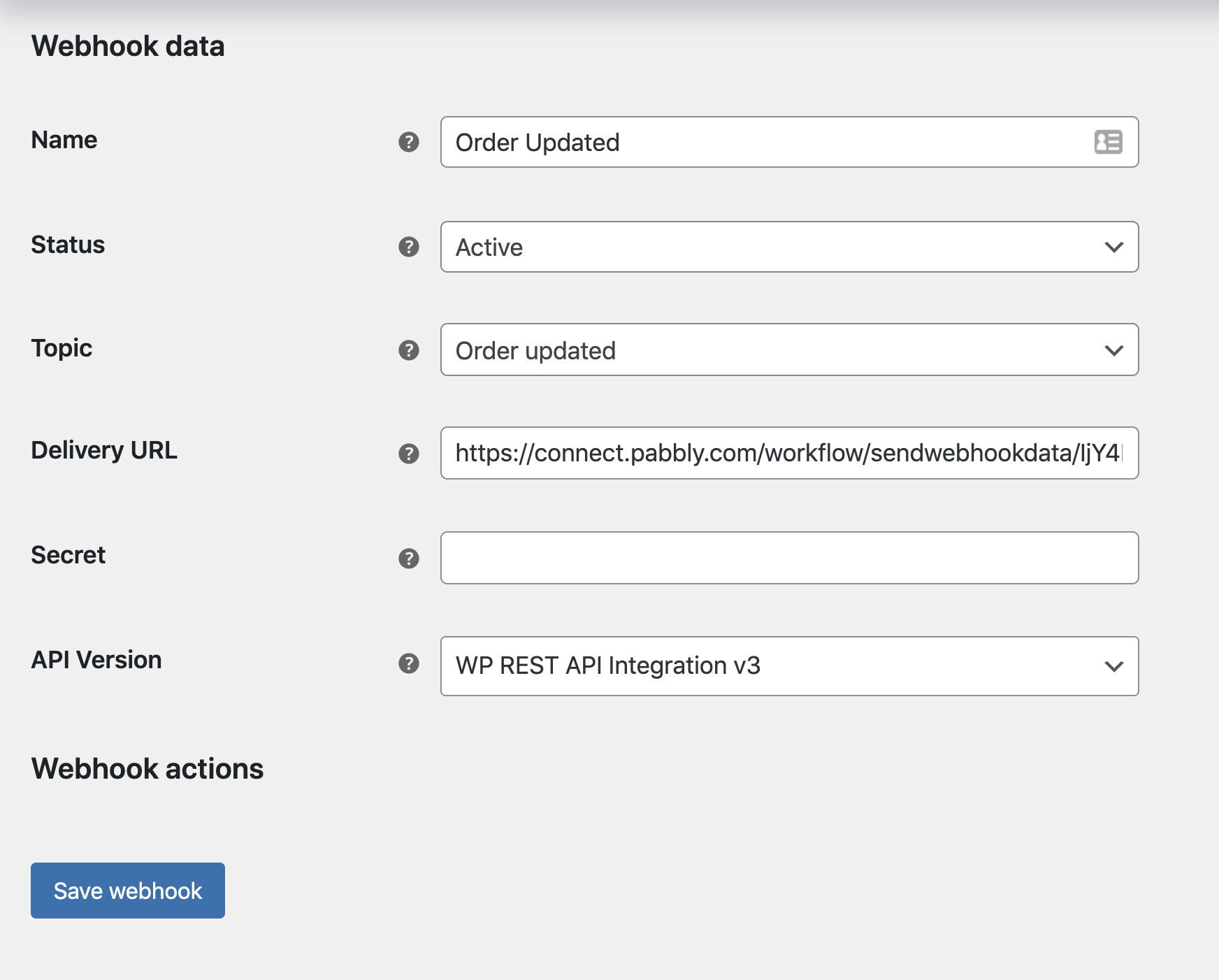
Also in this case, we are using the Order Updated Webhook inside WooCommerce because all WooCommerce orders change status when they are completed and are successful.
Neeraj thanks a lot for your replies. The first solution doesn't work as usually payment happens after the order is created. All my orders in pabbly paid and unpaid have the status "pending".
The "order updated" trigger makes more sense. I will test it, if it works as intended.
Your second solution does not work too. The order gets updated several times and every time there is an entry into the google sheet. So I End up with 4-5 entries per order.
Your second solution does not work too. The order gets updated several times and every time there is an entry into the google sheet. So I End up with 4-5 entries per order.
You update row(update status only) of that particular order by lookingup that row usung order id.
Your second solution does not work too. The order gets updated several times and every time there is an entry into the google sheet. So I End up with 4-5 entries per order.
Did you use the filter with status equal to processing?
With filter your sheet will not be updated everytime but only when the order status is in final processing.
Hi thanks a lot for your help!
It works now! I had to set the status equal to "processing".
I was already afraid, I have to stay with zapier :ROFLMAO: