WooCommerce Solution - pending / failed / processing orders
Status: Closed · Asked by businesscoachsahil on · 0 views
Kindly see
Whenever a woocommerce order is being executed, it enters Pending state
When payment is done, it still remains in Pending State
After 1-3 mins, It goes to Completed State or Failed state or Processing state. If payment is not done, it remains in pending state
As a result, pabbly triggers and order is captured in pending state.
Hence, notifications cannot be send to all orders without knowing their order was failed, completed or still pending.
I tried Delayed filter, but that simply delays, the response "pending" once fetched cannot be changed
I need a solution that woocommerce is triggered after 10-15 mins the order is created so that it fetches actual status.
If i use Order Updated, that is also not correct as it still fetches pending status of the order only.
So i wonder how people can use trigger with woocommerce
Hey @businesscoachsahil
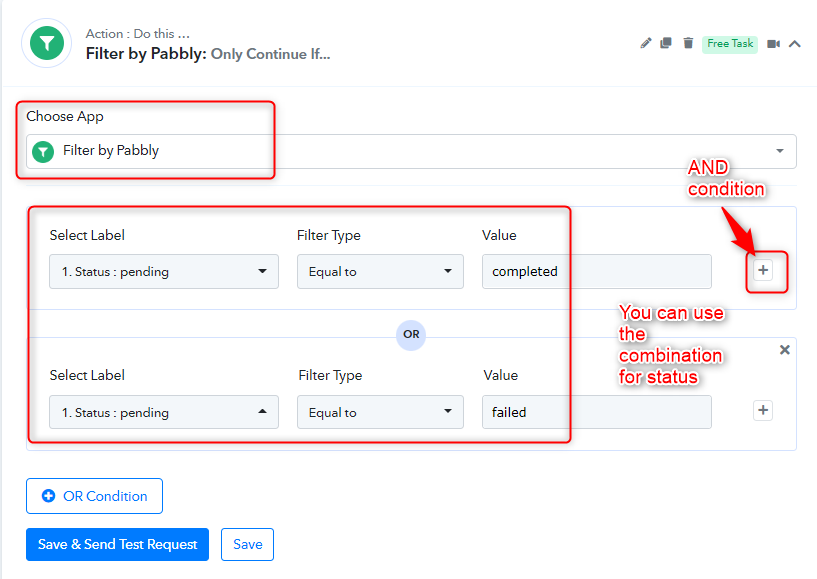
In this scenario, you can use the filter condition if the status = Completed/Failed then only workflow will get run. Kindly use the below filters as shown in the below screenshot:-
Thanks
Kunal
Filter checks the trigger response value
If the trigger response value is always pending
filter will always say false
Hey @businesscoachsahil
You can add a delay module and add a delay of 20-30 mins after the trigger step. Then you can use the action WooCommerce - Retrieve Order and give the id as an input parameter.
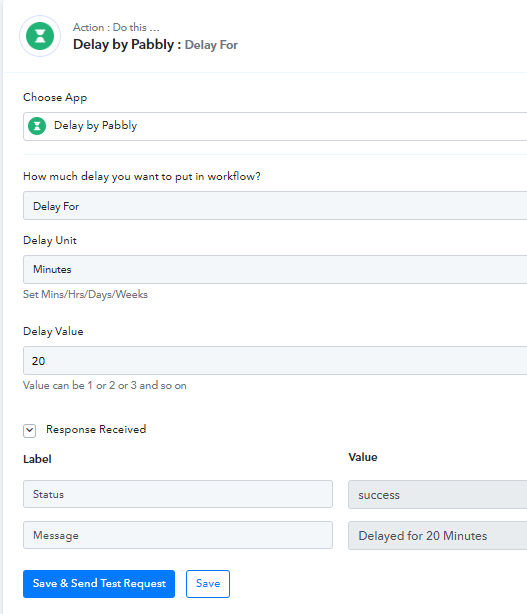
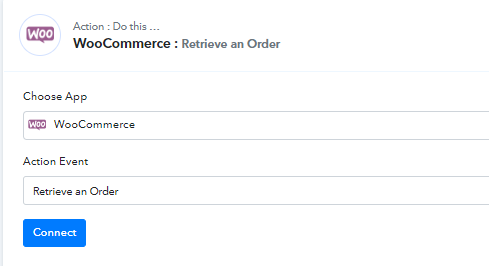
Once you have gotten the details then you can put the filter status = Completed/Failed and then you can process the workflow.
Kindly let us know if you have any questions or comments.
So can you imagine how many actions that would be
trigger - 0
delay - 1
woo commerce order retrieve - 1
filter - 0
now i will have to do action i want - google sheet or whatsapp - 1
Total 3 action to do any 1 standard task in woocommerce
Hey @businesscoachsahil
Yes, you have to use a total of 3 tasks for a standard task in the workflow. Because Woocommerce does not give any update when the status of the order going to change. It will get changed in the next 10-20 mins. To capture updated status you have to use retrieve order action in the workflow.
Thanks
Kunal
hi
im using a filter
that if the retrieved order status does not contains or does not equal to failed or pending, then whatsapp message should be sent or other tasks should be done
however, tasks are still being executed even on failed , pending orders
i have tried all options- contains, equal to, does not equal to, does not contains
screenshot attached
Attachments
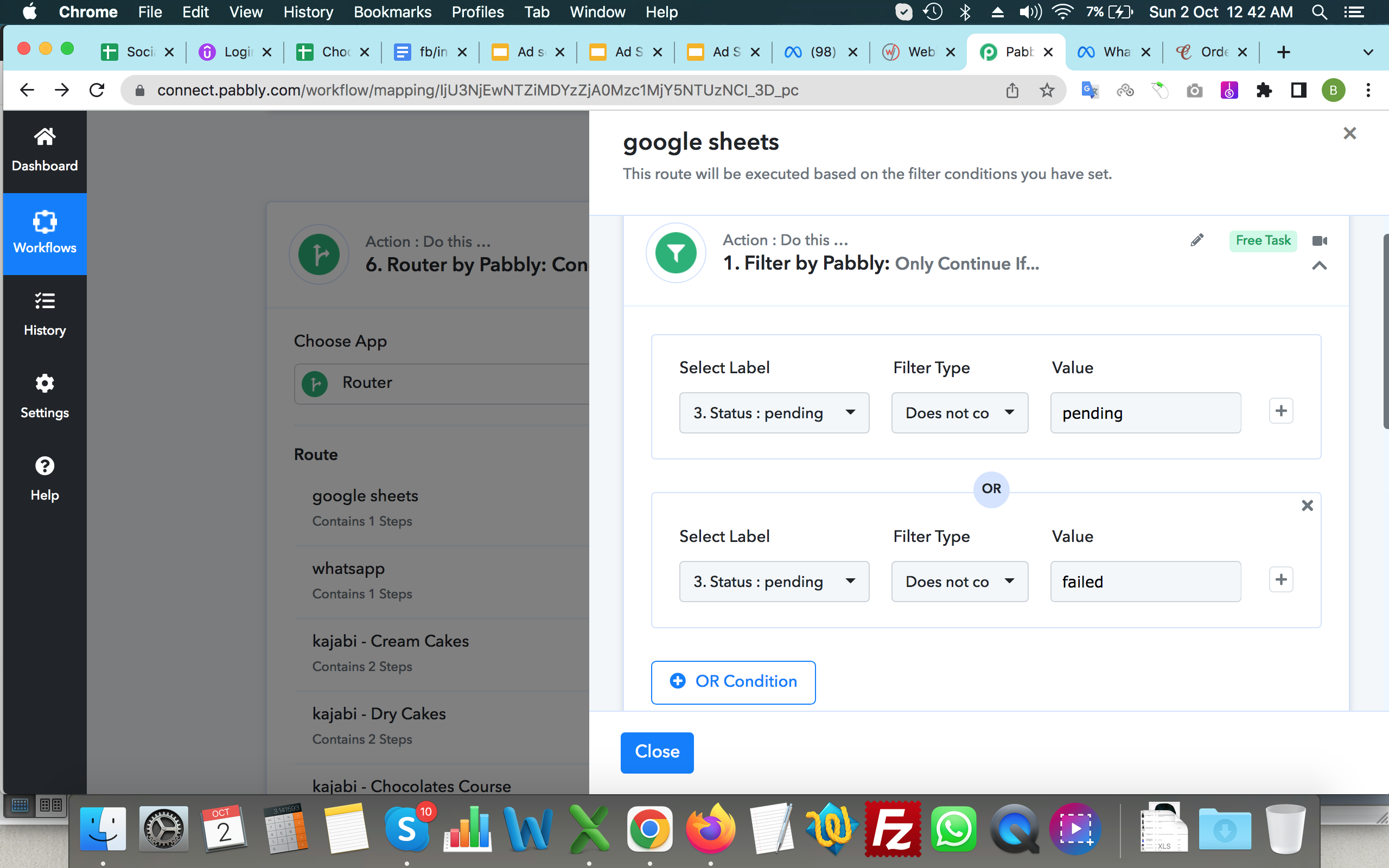
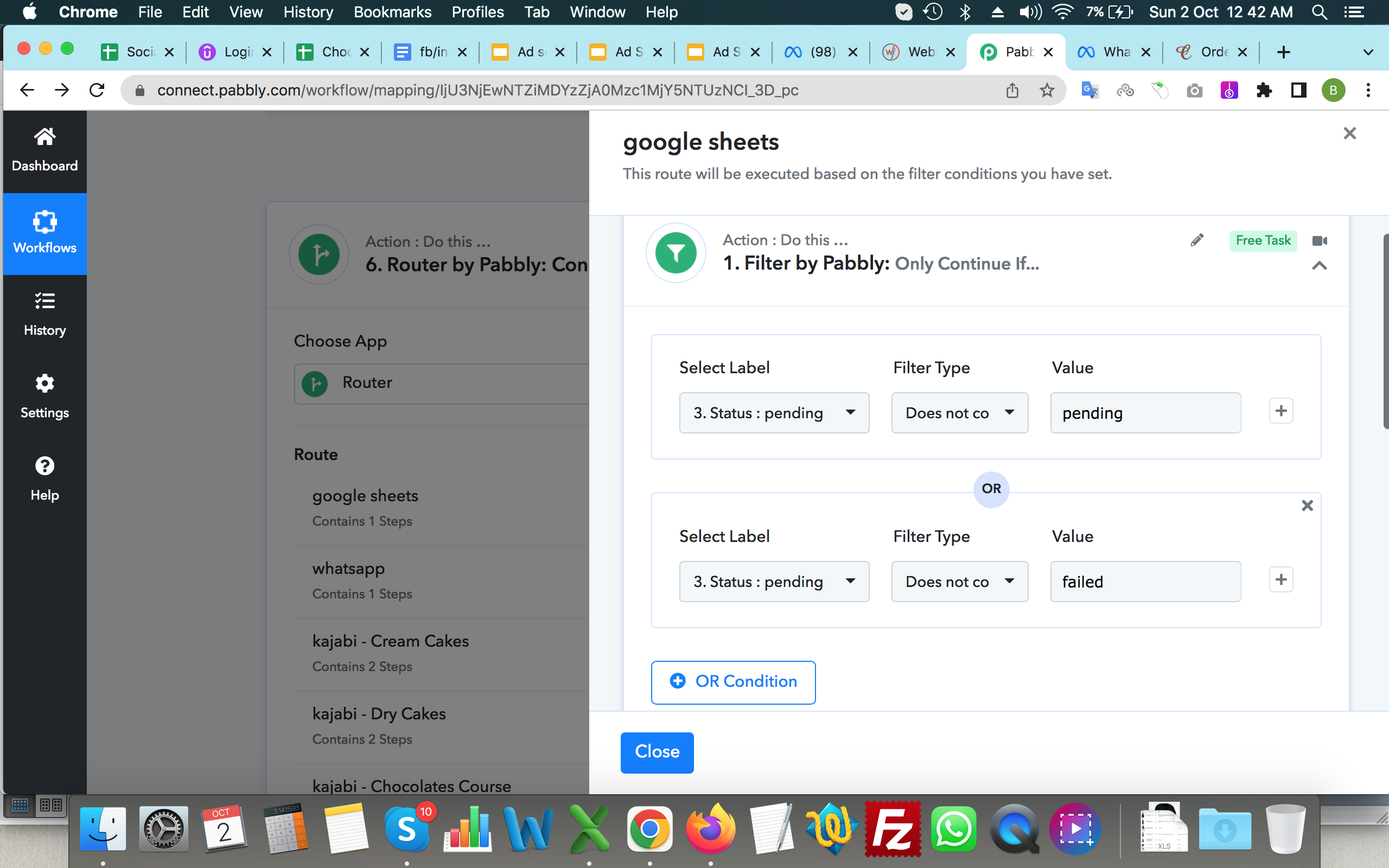
please see these screenshots
everytime it shows success
whatever i may use - contains, equal to, does not equal to, does not contains
Attachments
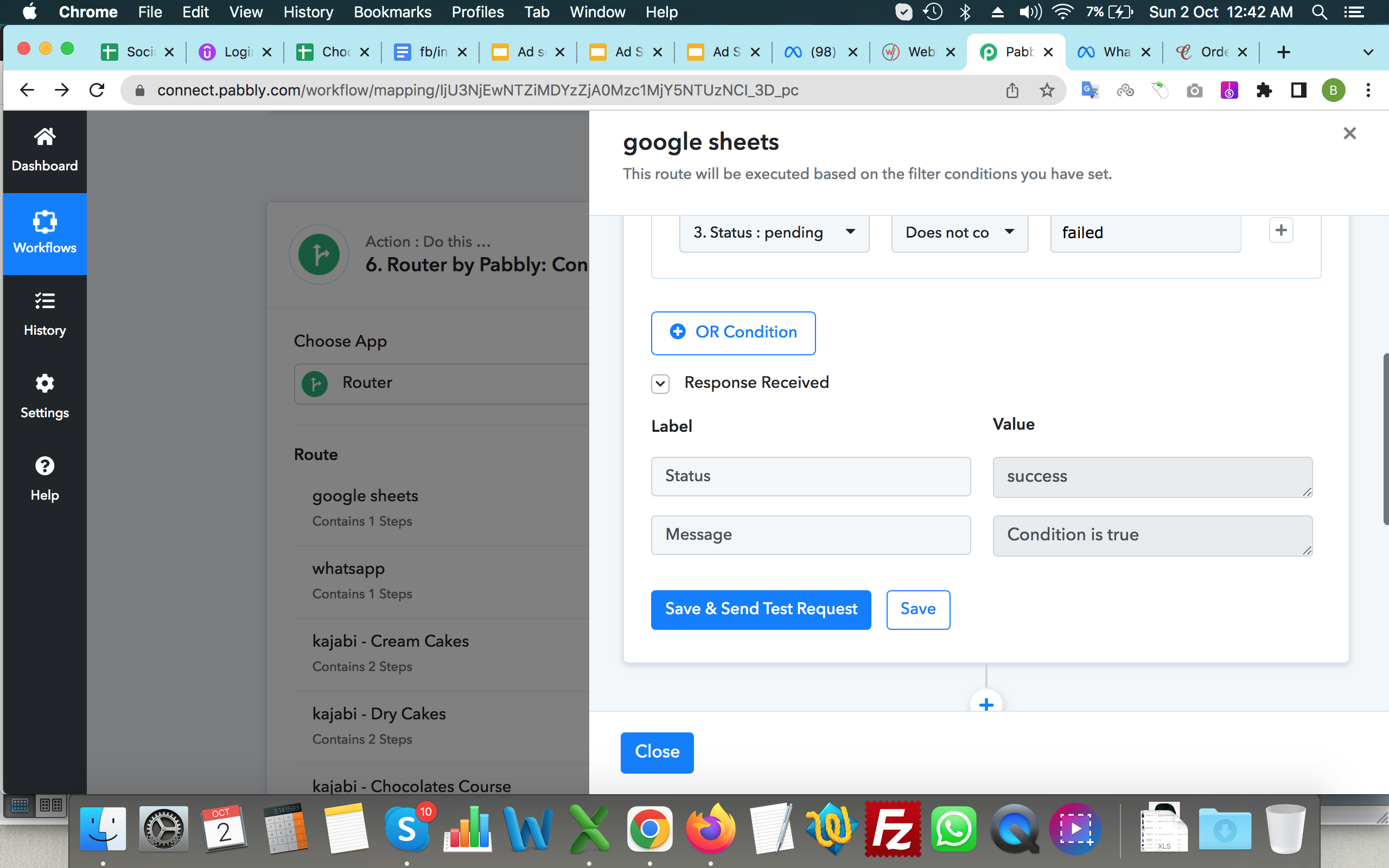
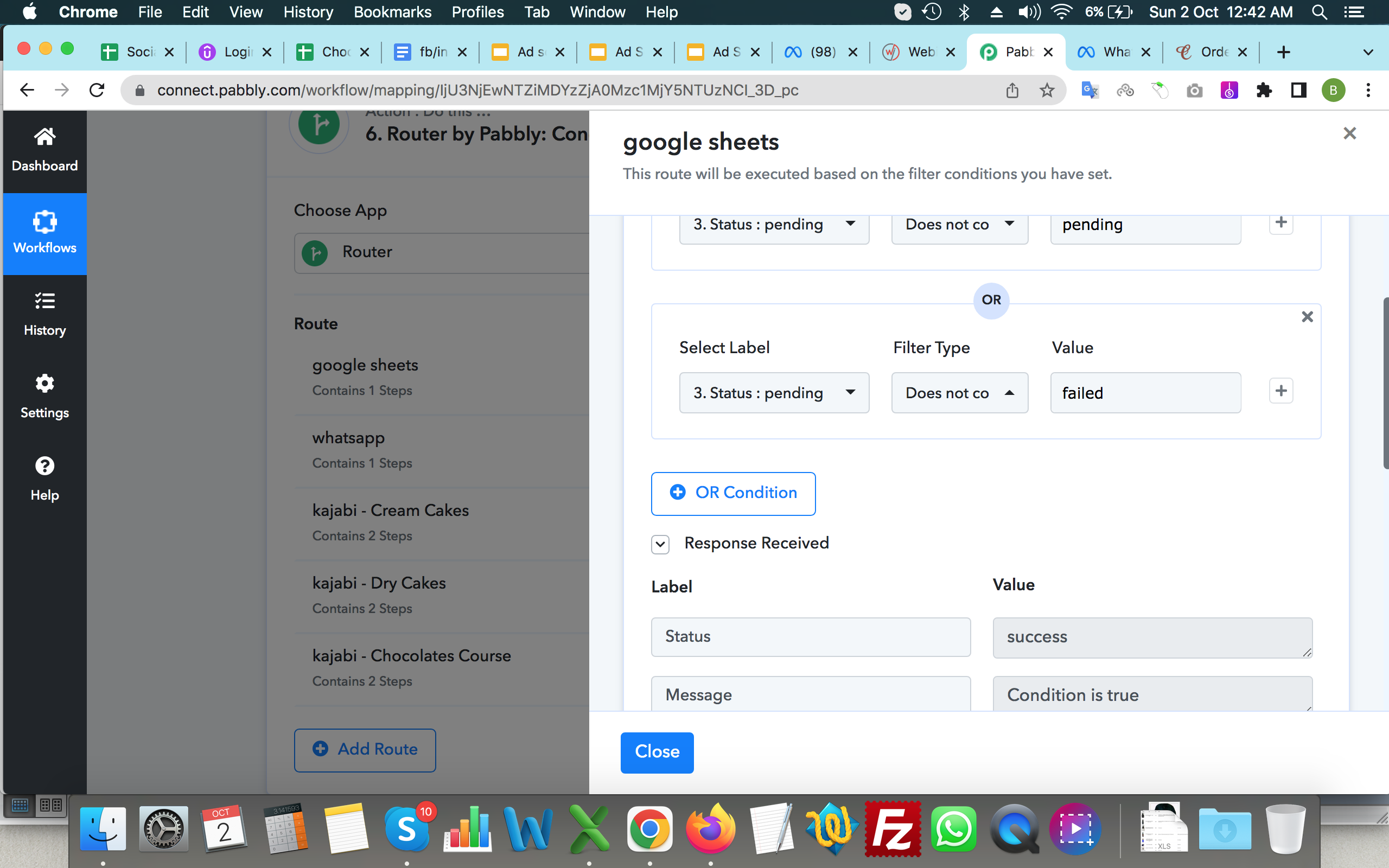
please assist
this is really causing lot of troubles as woocommerce orders are not getting filtered status wise and as a result action is being executed on all payment pending orders
Hey @businesscoachsahil
We are checking the details with the team. Kindly allow us a day time to check and reply back with an update.
@Kunal
whats the solution for the above query, as i am too facing the same.
i would like to try the retrieve order id, but unable to find the order id for the response received. please get an screenshot for easier understanding
whats the solution for the above query, as i am too facing the same.other i would like to try the retrieve order id, but unable to find. please get an screenshot for easier understanding
Can you please elaborate on your concern briefly?
@Supreme
I am trying at send an whatsapp message on successful payment on woocommerce.
but however even before the payment process is started the response is been catched in pabbly connect
and the workflow gets executed even if the payment is failed.
need to send message only after successful payment.
tried retrieving order after delay but unable to do so as suggested in the above response by kunal. actually dont know order id input method.
Can you share the workflow URL in which you have performed the automation?
Hey @99 Interactive
If you want to process the workflow when a user has made the complete payment then we recommend you use the Filter action step.
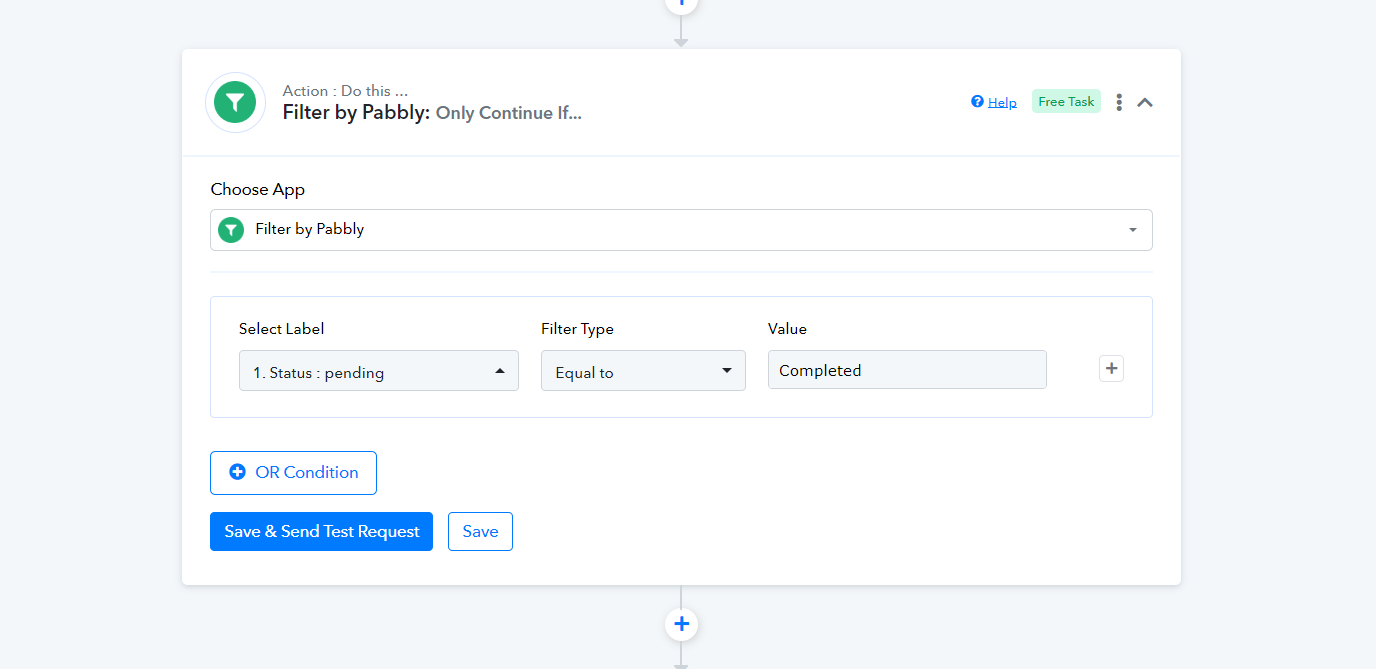
Hi @Supreme
Tried as suggested issue is. web hook response is captured as soon as the payment gateway is open to receive payment. now when its been captured the status is pending.
how can that be changed to processing or complete to filter and proceed further. ?
so the filter option wont work
it can only stop the workflow to not get executed. but when the payment is complete it must run how to do that ?
Hi @Supreme
Don`t know how successful but i found another way to solve my issue.
it can only stop the workflow to not get executed. but when the payment is complete it must run how to do that ?
For that exact reason, we have added the filters action step that when the payment for that order is completed it will only process as there WooCommerce will send the data for payment compiled.
For a better understanding of the Filter action step, you can check the following tutorial video.