Woocommerce Trackship Webhook
Status: Open · Asked by Subin Kumar on · 0 views
Hi, I want to get the tracking status of orders in WooCommerce. I m using Track Ship plugin in WooCommerce to update the tracking number, courier company and such details via connecting that plugin with API. They provided API documentation, As I wanted now to get the order status like in transit, out for delivery etc.. with the help of webhook. Please help me How can I get the webhook response with the help of Pabbly ? I don't understand the parameters to filled where I enter the Header, Get or post response .
Documentation: https://docs.trackship.co/docs/trackship-for-custom-store/tracking-webhook/
Hey @vmpetsmart
Since the required trigger event of Trackship to get the status of order is a post webhook type trigger event.
So, you need to post the request to add the trigger event here - https://pabbly.hellonext.co/
Hey @vmpetsmartSince the required trigger event of Trackship to get the status of order is a post webhook type trigger event.
So, you need to post the request to add the trigger event here - https://pabbly.hellonext.co/
Hey @Supreme , I found the endpoint file here
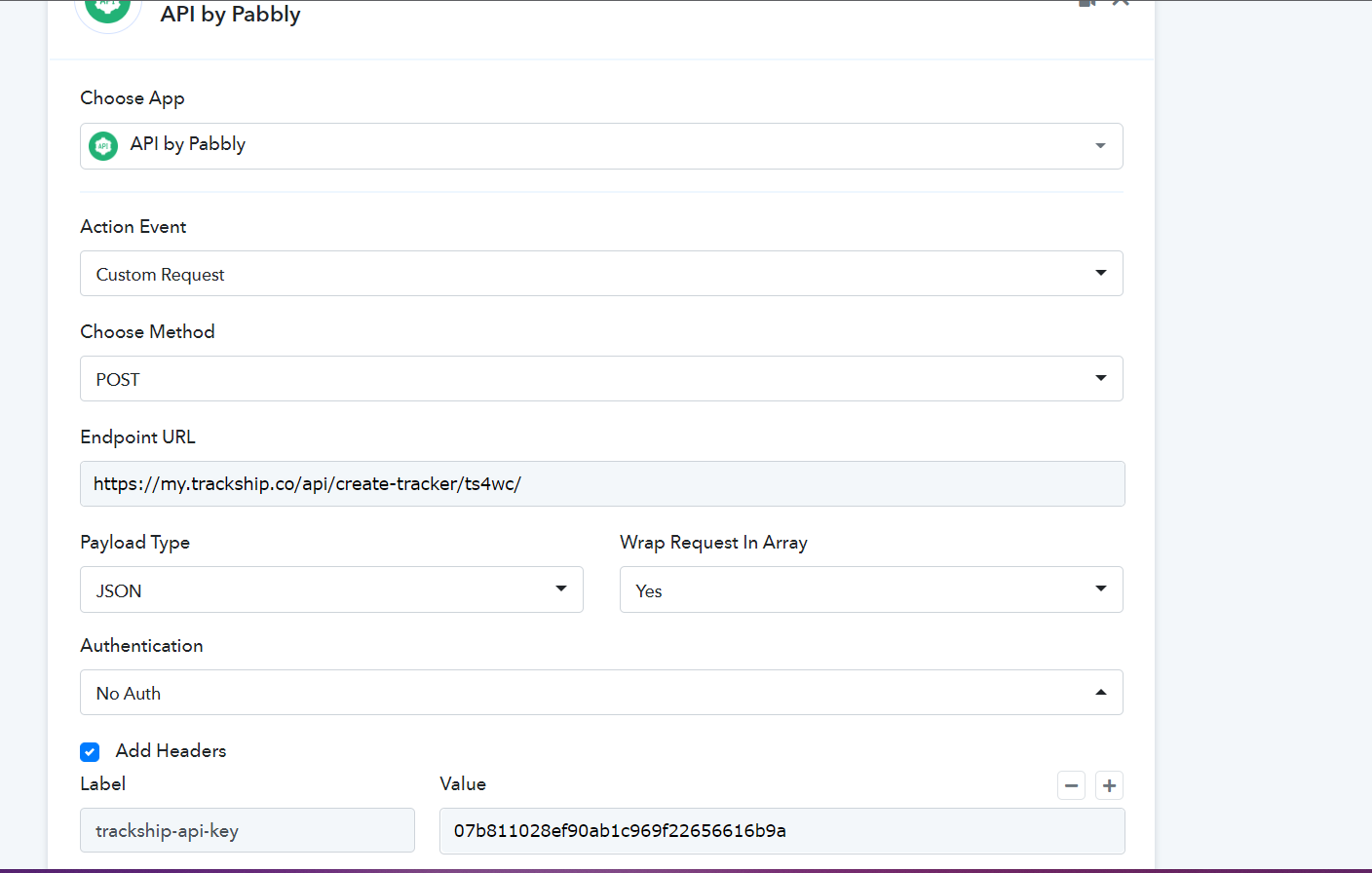
Can you cross check with the documentation? 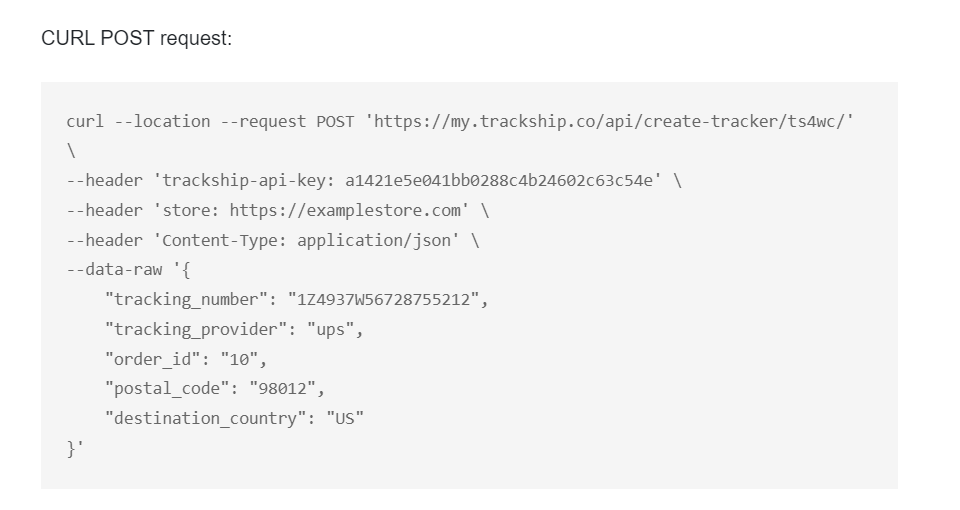
when I enter this details response received is domain and key error
Hey @vmpetsmart!
Kindly share the workflow name in which you are trying to set up the "API by Pabbly" module so that we can help you better.
Hey @vmpetsmart!Kindly share the workflow name in which you are trying to set up the "API by Pabbly" module so that we can help you better.
woocomerce to wati order tracking link
6th step
What exactly I wanted is TrackShip API is sending webhook events to the woocommerce like order updates (in-transit,tracking number,estimate delivery date) I wanted to collect that data.
Hey @vmpetsmart
As we can see from your workflow now, the API by Pabbly action step is working fine now.
Kindly give it a try and let us know.
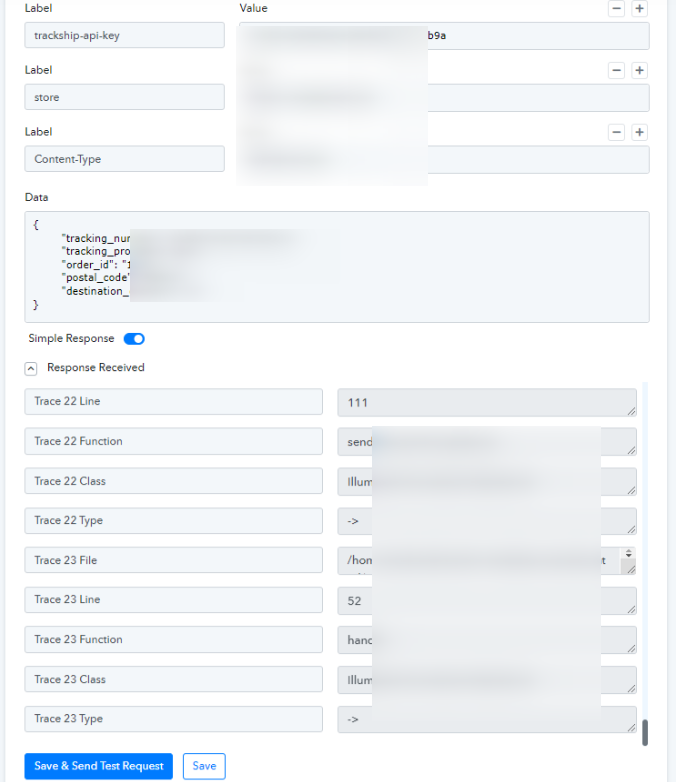
Hey @vmpetsmartAs we can see from your workflow now, the API by Pabbly action step is working fine now.
Kindly give it a try and let us know.
Hey it is working now. In the same workflow 1step of trigger i' am receiving the order updates like the shipment status in transit, out for delivery. I want to filter these tracking event status updates whenever the webhook updated. How could we do that? Reference video link https://www.loom.com/share/229f1c6ab50a4fcf9595fed148fc239b
Hey @vmpetsmart !
If you want to Filter the updates, then you can use the Filter step after your trigger step-
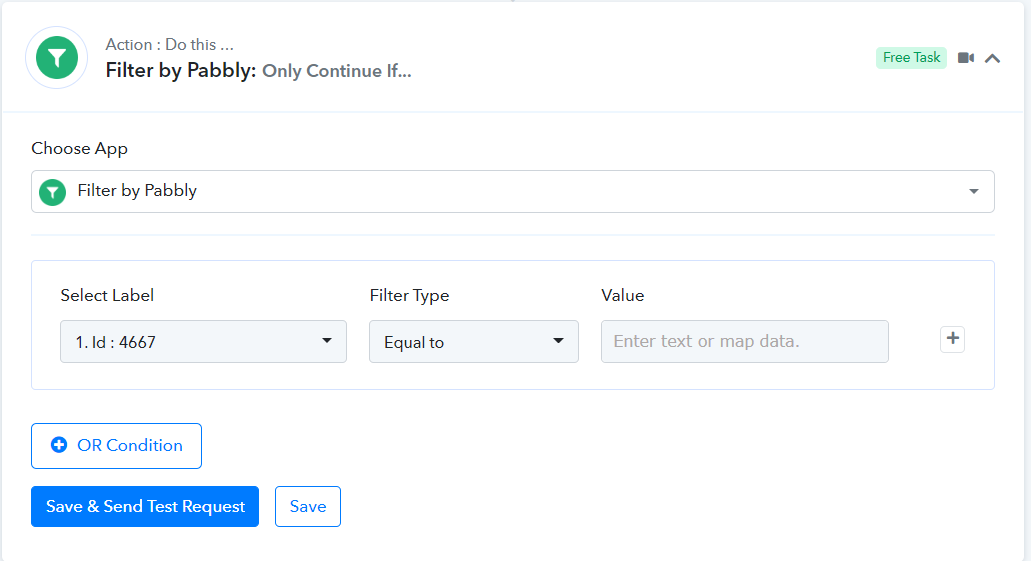
But can you let us know where you want to add the Filtered data or you need to stop certain status from proceeding further?
Can you brief a bit more, so we can better understand on your concern and guide you further if possible?
Hope, to hear from you soon.
Hey @vmpetsmart !If you want to Filter the updates, then you can use the Filter step after your trigger step-
But can you let us know where you want to add the Filtered data or you need to stop certain status from proceeding further?
Can you brief a bit more, so we can better understand on your concern and guide you further if possible?
Hope, to hear from you soon.
Ok I am bit explaining more again