Woocommerce > Trigger Event > Order Paid
Status: Closed · Asked by Paulius Kazlauskas on · 0 views
Hello,
i miss Order Paid Trigger Event in Pabbly connect.
Could you implement this because this feature is possible in Zapier?
Possible Trigger Events in Pabbly connect:
https://prnt.sc/G_dQSuHewmQB
Zapier:
https://prnt.sc/dAsIG0NMq-rJ
Hey @human
You can use the Webhook by Pabbly trigger event to capture the Webhook response for paid orders from WooCommerce.
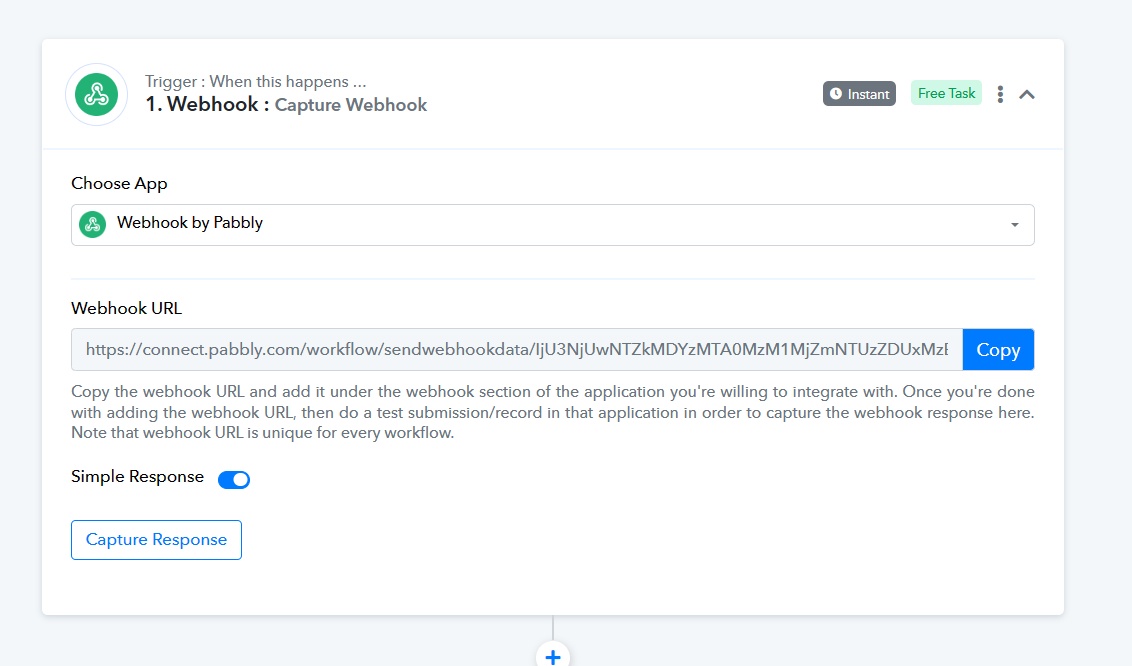
youtube.com/watch?v=FRkl5R7-Ls0
To use the "WooCommerce: Order Paid" webhook trigger event in WooCommerce, you'll need to follow these steps:
1. Set up a webhook endpoint: First, you need to create a webhook endpoint on your website or server to receive the webhook notifications. This can be done using a custom script or a plugin that handles webhook functionality.
2. Configure the webhook in WooCommerce: In your WooCommerce admin panel, go to "WooCommerce" -> "Settings" -> "Advanced" -> "Webhooks." Click on "Add webhook" to create a new webhook.
3. Configure the webhook settings:
Topic: Select "Order Paid" from the dropdown list.
Delivery URL: Enter the URL of your webhook endpoint.
Secret: Optionally, you can set a secret key for added security. This secret key will be included in the webhook request headers.
API version: Choose the appropriate version for your webhook endpoint.
4. Select the events to include: By default, the "Order Paid" webhook triggers when any order is marked as paid. If you want to narrow down the triggers, you can configure event filters for specific order statuses, payment methods, or other criteria.
5. Save the webhook: Once you have configured the webhook settings, click on "Save webhook" to create it.
6. Handle the webhook in your endpoint: In your custom script or plugin, you need to implement the logic to handle the incoming webhook requests. The exact steps will depend on your specific setup and requirements.
7. Test the webhook: To ensure that the webhook is working correctly, place a test order in your WooCommerce store and complete the payment process. You should receive a webhook notification at your specified endpoint.
Hello Supreme,
thank you for your in-depth reply.
I will try your approach.
IMHO, the more user friendly approach would be to add order.paid trigger to Trigger Event list in Woocommerce functionality.
Thanks for your assistance.