woocommerce_product_image_upload_error
Status: Open · Asked by Nistel on · 0 views
Good morning,
Since this morning, I can no longer add products to the Woocommerce store.
Here is the error message: woocommerce_product_image_upload_error
It worked correctly before and this morning it simply doesn't work anymore.
Can you help me ?
Task History ID -
IjU3NmQwNTZmMDYzNTA0MzM1MjZjNTUzMzUxMzM1MTY3NTQzMiI_3D_pc
https://connect.pabbly.com/workflow/mapping/IjU3NjUwNTZhMDYzMTA0Mzc1MjY0NTUzNjUxMzIi_pc
Attachments
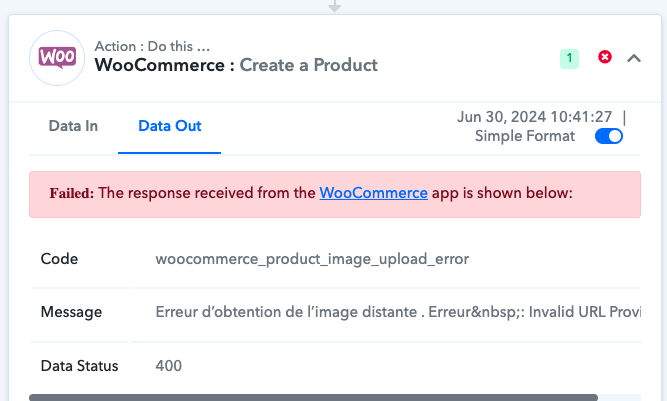
In addition, despite the error, the images are loaded into the library of my website but the products do not appear.
Anything new regarding my request please?
Hi @Nistel,
Please allow us some time to look into this concern. We will get back to you with an update soon.
Anything new regarding my request please?
Our salespeople have not been working for two days because of this problem.
Help please.
Our team is currently looking into this issue. Please allow us some more time. We will get back to you as soon as possible.
Hey @Nistel
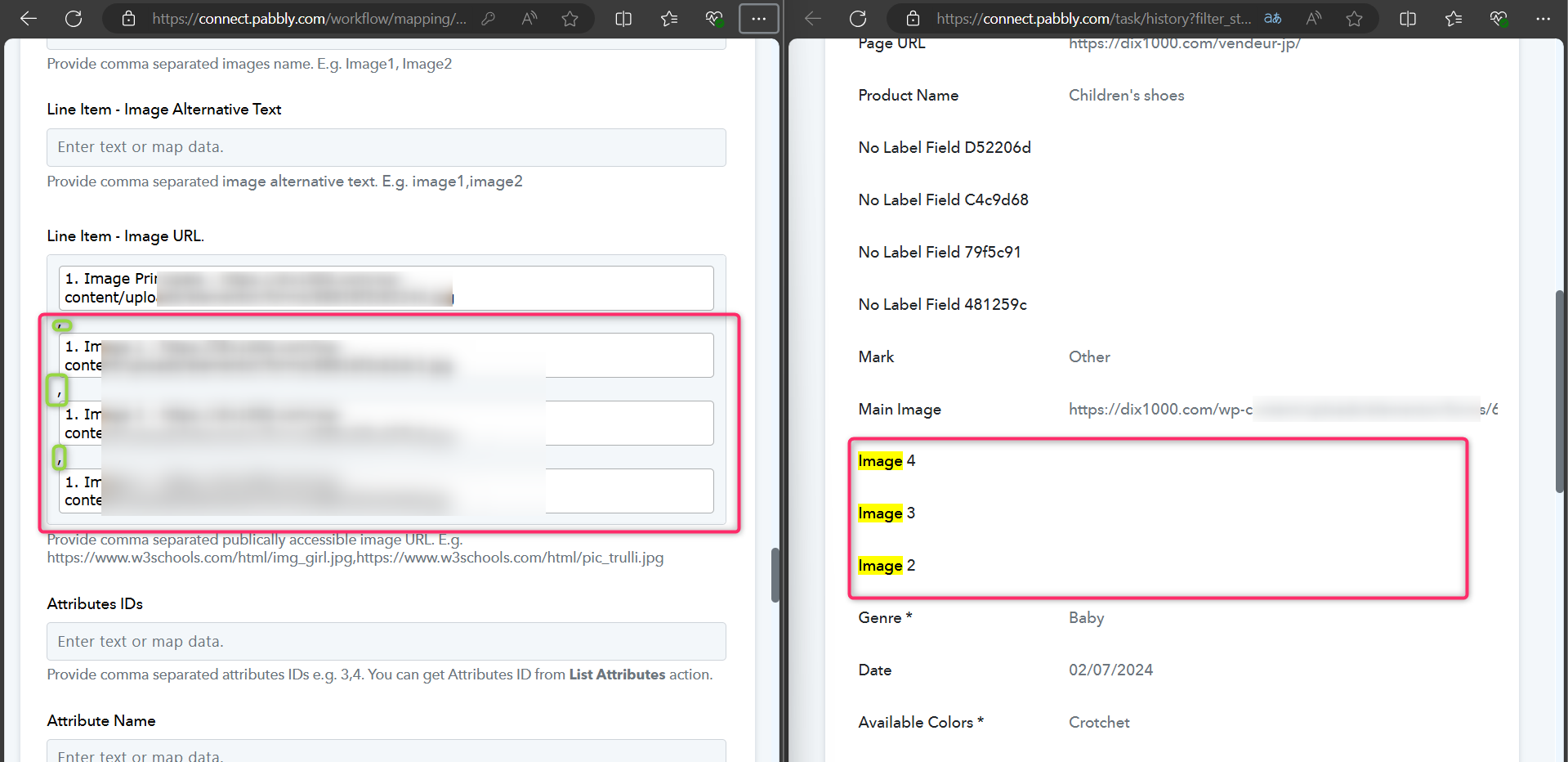
Since the image URLs are mapped in a comma-separated list with four entries, and the images are displayed as distinct numbers during live execution, the action step accounts for the precise placement of commas.
Good morning,
Thanks to your message, I saw my mistake. There were commas lying around in the absence of the 4 images.
My problem is solved. Thank you Pabbly
Thank you for the update. We are glad the issue is fixed now.