Wordpress step is not pulling custom roles created in WP
Status: Closed · Asked by olimckenna on · 0 views
I am using a WP plugin called "Members" to add custom roles for WP users, for example "customer"
I am using a WP step to change the role of users after a certain event, but it's pulling only the default roles such as Admin, user, subscriber, etc.
Is there any way to automatically change the role to custom one?
Thanks
Hey @olimckenna
Is there any way to automatically change the role to custom one?
It seems like you haven't captured the webhook response of the "Wishlist Member: Member Added to Level" trigger event properly.
Kindly refer to the following video tutorial for your basic understanding of how you can capture the webhook response.
(Watch the first part of the video)
Hello, I am not using wishlist member, I am using a plugin members, so your solution wouldn't work as we're speaking about a completely different plugin.
I am talking about this plugin: https://wordpress.org/plugins/members/
It allows you to create new roles.
When I want to assign these roles automatically in Pabbly, they're not fetching from WP. I guess they're stored differently? Any workaround possible?
I found this older thread, seems like this could work: https://forum.pabbly.com/threads/wordpress-custom-user-roles-not-there.1372/
Hey @olimckenna
Thanks for the update, I hope this might help you out.
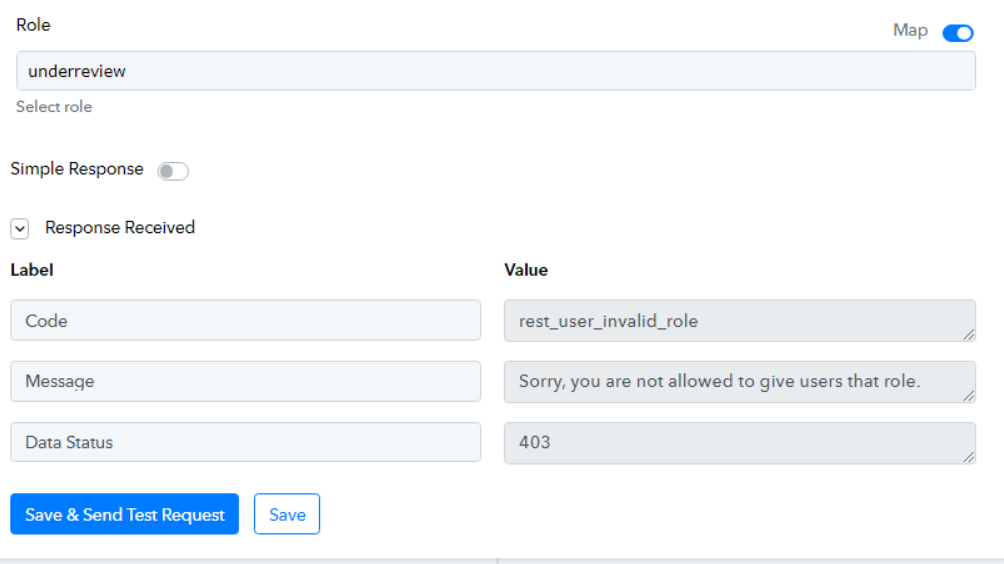
Well I tried to implement it, I have custom roles and inside Pabbly i tried to add the role value, but getting an error: https://prnt.sc/zde2nXYcqg54.
Do you have any more information on adding custom roles this way?
Hey @olimckenna
Can you please share the screenshot where you have created the roles inside your WordPress?
Hello, I am using this plugin: https://wordpress.org/plugins/members/
All roles produce this value that can't be changed (I thought it's how it's stored in the DB, so I can reference it) -- https://prnt.sc/KrjVnrSzTCxt
thanks
Please allow us some time, we are currently looking into it.
Here in the screenshot which you have shared
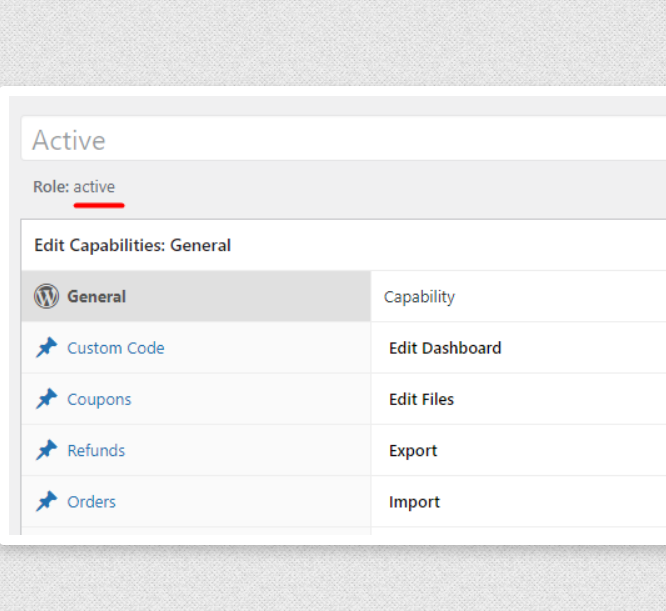
Mentioned Role -
So, please share the screenshot from your WordPress account in the following manner.
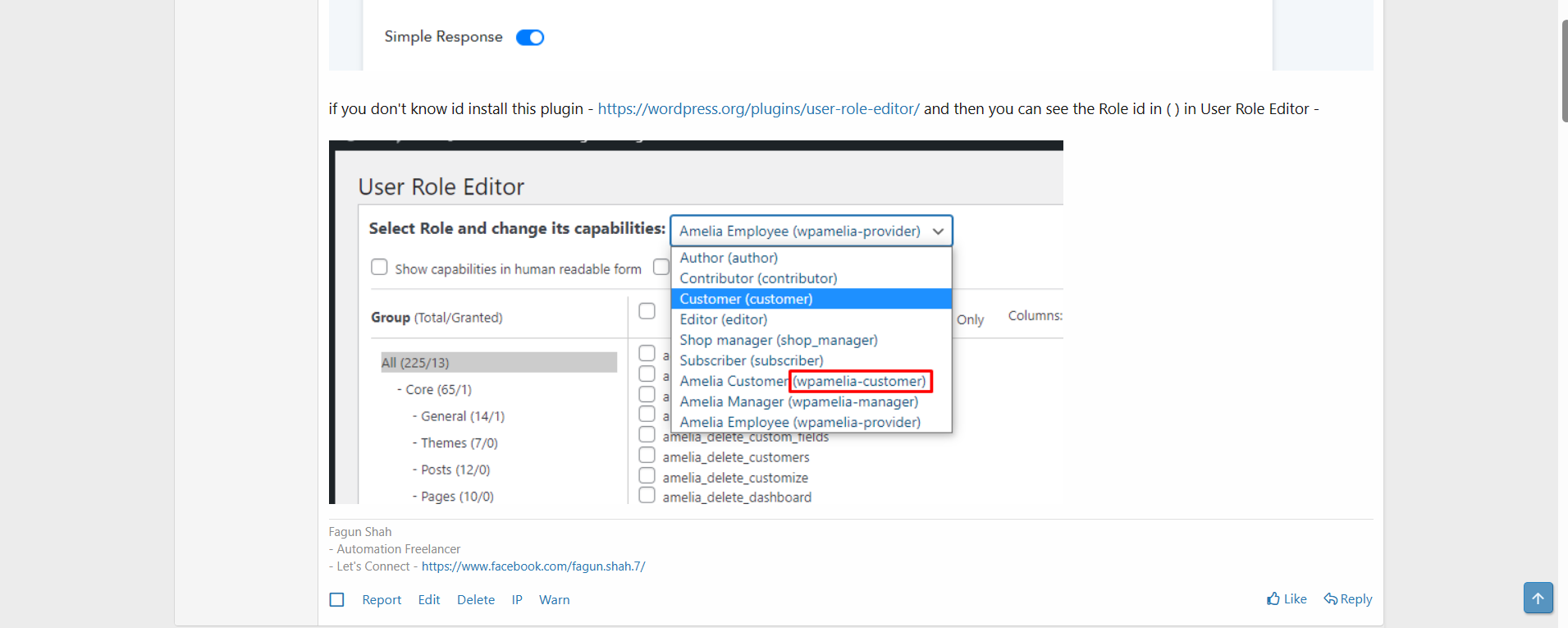
The problem is that it's a different plugin / set-up, I found a workaround however