Worflow doesent run - google sheets to twitter
Status: Open · Asked by waswaswas on · 0 views
Hi I copied the workflow from this video
but it doesent post on twitter. can someone help? Thanks in advanceHey @waswaswas,
Please grant me access to your workflow by adding me as a team member. This will allow me to gain a better understanding of your issue.
Once you have added me as a Team Member, do let us know the name of your workflow.
Email: arshil.ahmad@pabbly.com
Also, remember to revoke access once your query has been resolved.
Attaching a video for your reference:
Hey @waswaswas,Please grant me access to your workflow by adding me as a team member. This will allow me to gain a better understanding of your issue.
Once you have added me as a Team Member, do let us know the name of your workflow.
Email: [EMAIL]arshil.ahmad@pabbly.com[/EMAIL]
Also, remember to revoke access once your query has been resolved.Attaching a video for your reference:
Hi I just added you
Name: Daniel Brock
email: [email hidden]
Thanks for the quick reply
Hey @waswaswas,
In the Google Sheets 'Get Row(s)' action step, you need to disable the 'Simple Response' button in order to obtain the responses in array format. Only then will the Iterator be able to detect the data. I have made the necessary changes for now.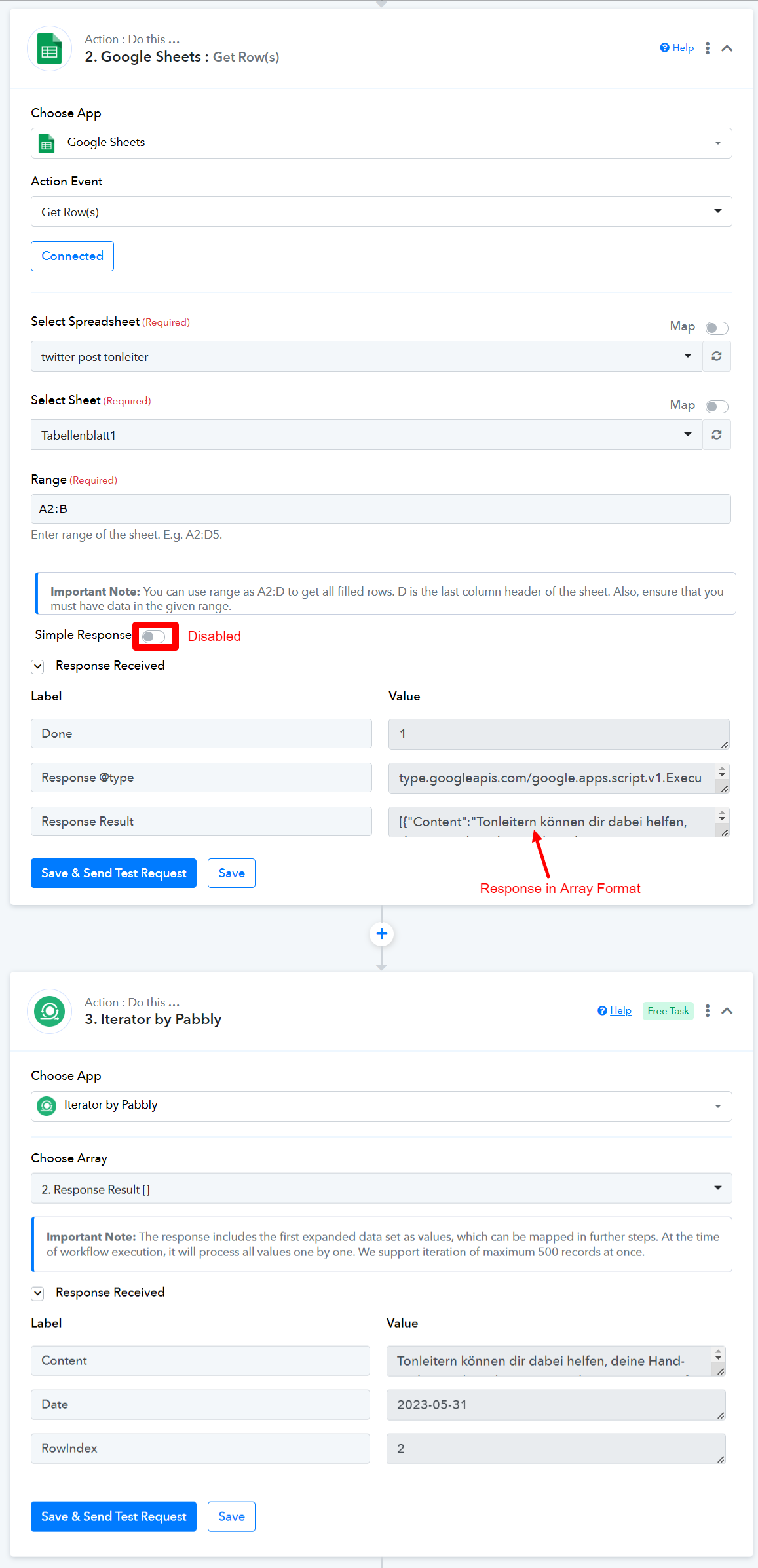
Please follow the exact steps given in the video and map the data in Twitter: Create Tweet action event from the 3rd step of your workflow.
I already disabled it but changed it because nothing happened. but thanks for the set up. maybe it will work now.
Hi, im sorry to say, that it doesent work currently, where is the bug or mistake? Any ideas? thx in advance
There was an issue with the label you selected for your Filter. I have changed it, and going forward, your workflow should function properly.
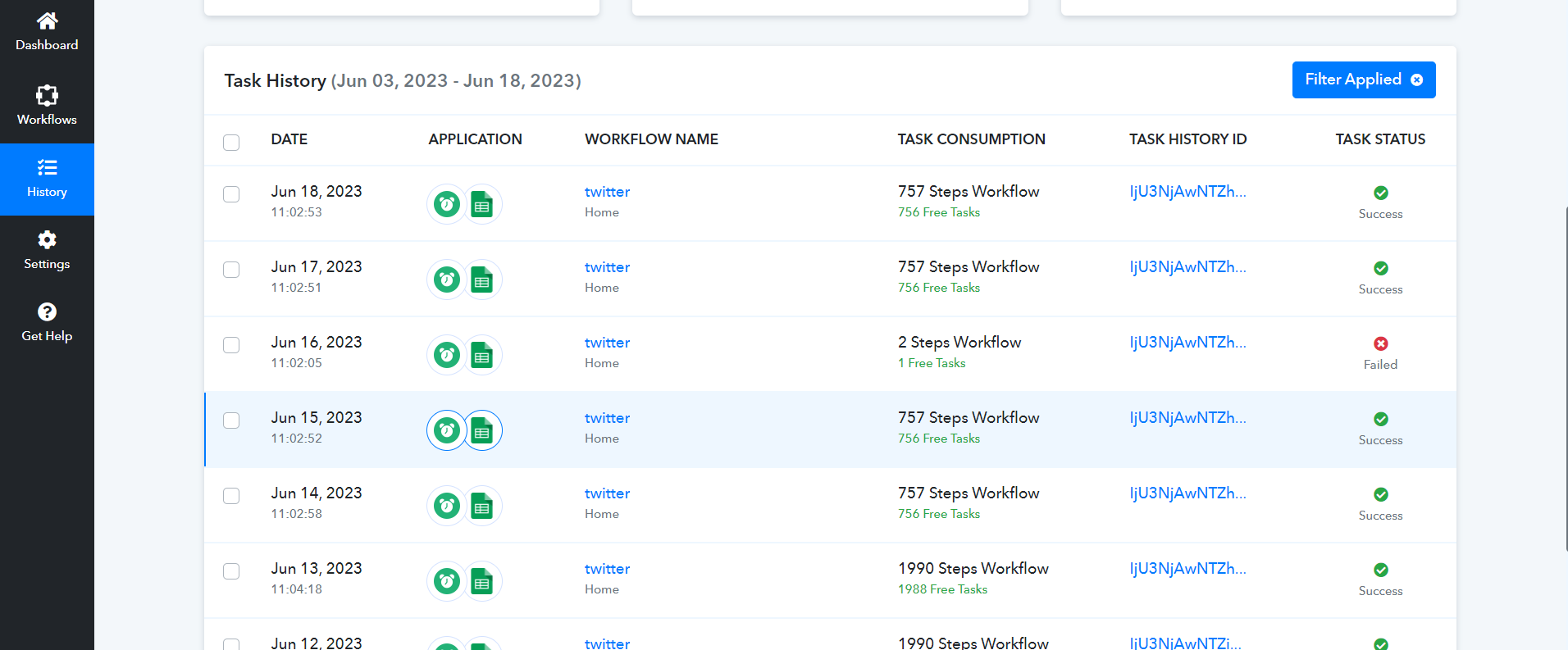
thanks it worked! but i changed a row and a day later i received this email:
This email is to notify you that for the workflow "twitter" , a recent task was not executed due to following error -
Task History ID: IjU3NjAwNTZhMDYzNTA0MzY1MjZlNTUzNjUxMzQ1MTZiNTQzOSI_3D_pc
Step Name: Google Sheets > Get Row(s)
Connection Name: Google Sheets #4
Task Error Detail:
{
"response": "\n\n\n\n \n\n\n\nconnect.pabbly.com | 502: Bad gateway\n\n\n\n\n\n\n\n\n\n\n
\n \n Bad gateway\n Error code 502\n
\n\n \n Browser\n \n
\n Working\n\n https://www.cloudflare.com/5xx-error-landing?utm_source=errorcode_502&utm_campaign=connect.pabbly.com" target="_blank" rel="noopener noreferrer">\n Cloudflare\n \n
\n Working\n\n \n Host\n \n
\n Error\nWhat happened?
\nThe web server reported a bad gateway error.
\nWhat can I do?
\nPlease try again in a few minutes.
\n}
Note that the workflow has not been paused and continues to run according to your settings. Further, you have the option to re-execute tasks that encountered error from the history section.
can you help again? thanks on advance
@waswaswas, Based on your task history, your workflow appears to be functioning correctly now. It seems that there was a temporary server-related issue that has since been fixed.