Work Flow Not Running After Delay
Status: Open · Asked by IChild Company on · 0 views
Dear Support
Work Flow Name: V4 Send Fee Report
Task 1 ID: IjU3NjAwNTY1MDYzZjA0MzE1MjZhNTUzNTUxMzI1MTY2NTQzNCI_3D_pc
Task 2 ID: IjU3NjAwNTY1MDYzZjA0MzE1MjZhNTUzNDUxM2I1MTZhNTQzMSI_3D_pc
Task 3 ID: IjU3NjAwNTY1MDYzZjA0MzE1MjZjNTUzMjUxM2I1MTYzNTQzMiI_3D_pc
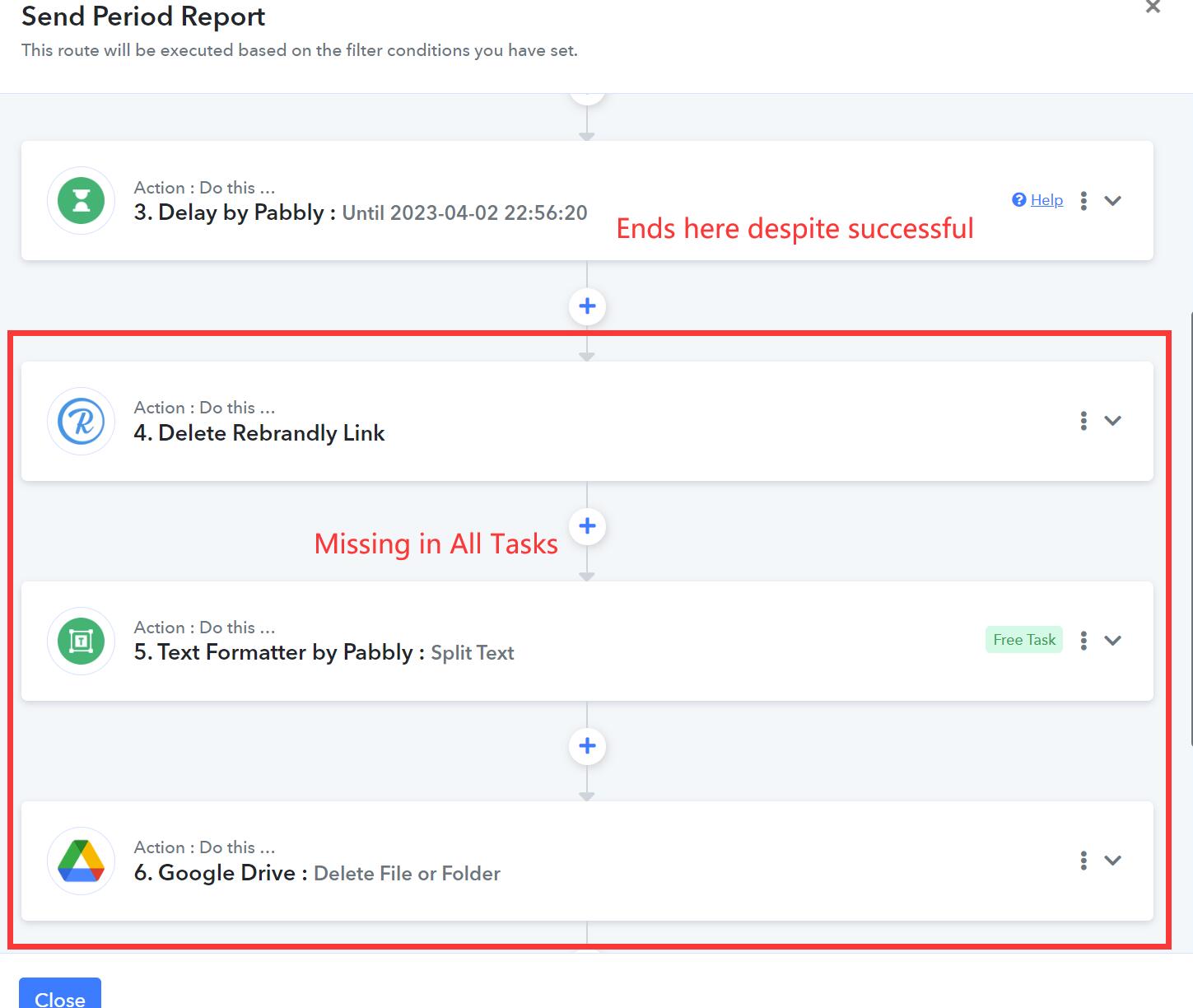
All the above tasks ends after the Delay.
Hi @ichilddev,
Please grant me access to your workflow by adding me as a team member. This will allow me to gain a better understanding of your issue.
Once you have added me as a Team Member, do let us know the name of your workflow.
Email: arshil.ahmad@pabbly.com
Also, remember to revoke access once your query has been resolved.
Attaching a video for your reference:
Hi @ichilddev,Please grant me access to your workflow by adding me as a team member. This will allow me to gain a better understanding of your issue.
Once you have added me as a Team Member, do let us know the name of your workflow.
Email: [EMAIL]arshil.ahmad@pabbly.com[/EMAIL]
Also, remember to revoke access once your query has been resolved.Attaching a video for your reference:
Hi hi . Thanks for your prompt reply. Added you as a team member.
Based on your Task History, all three tasks appear to have been executed now.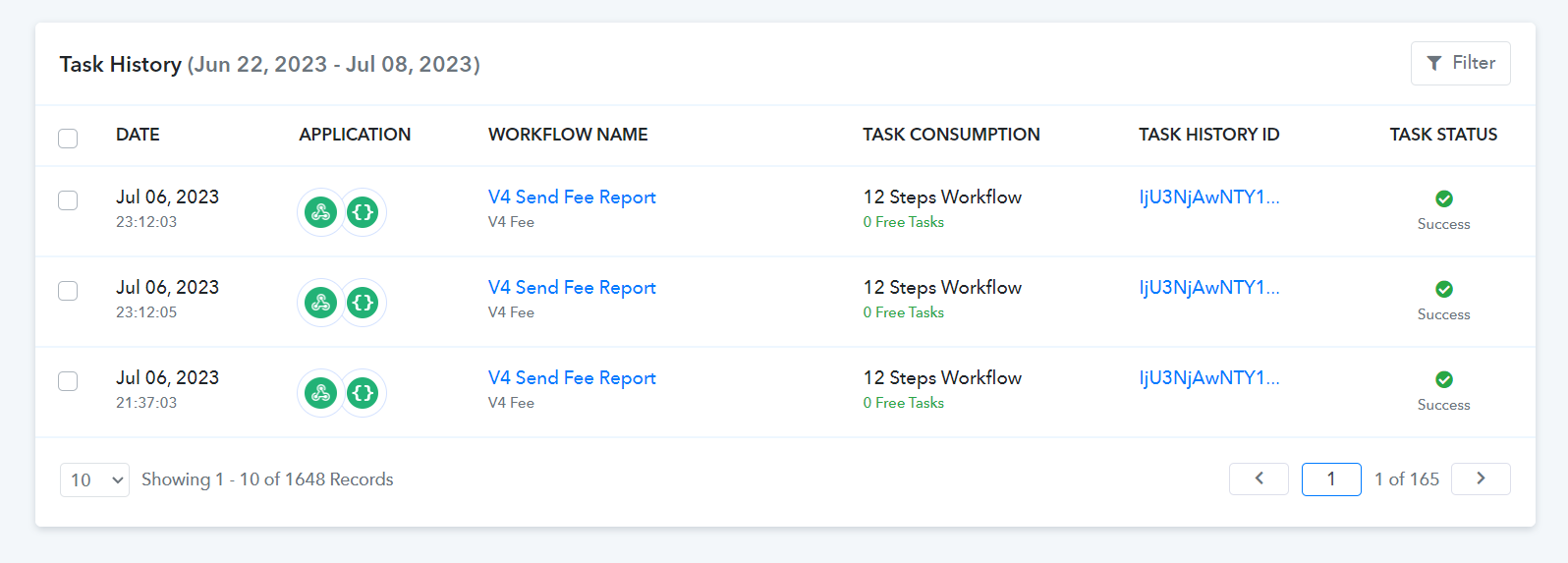
Based on your Task History, all three tasks appear to have been executed now.
Weird at the time of reporting the tasks weren't completed. Is there any issue?
To my knowledge, there are no known issues with Delay. It's important to keep in mind that Delay is executed based on the UTC time format, so make sure to adjust the time accordingly.
We have converted to Singapore time to get the expiry date. Should it be executed in Singapore time? Or we need to convert back to UTC time for delete?
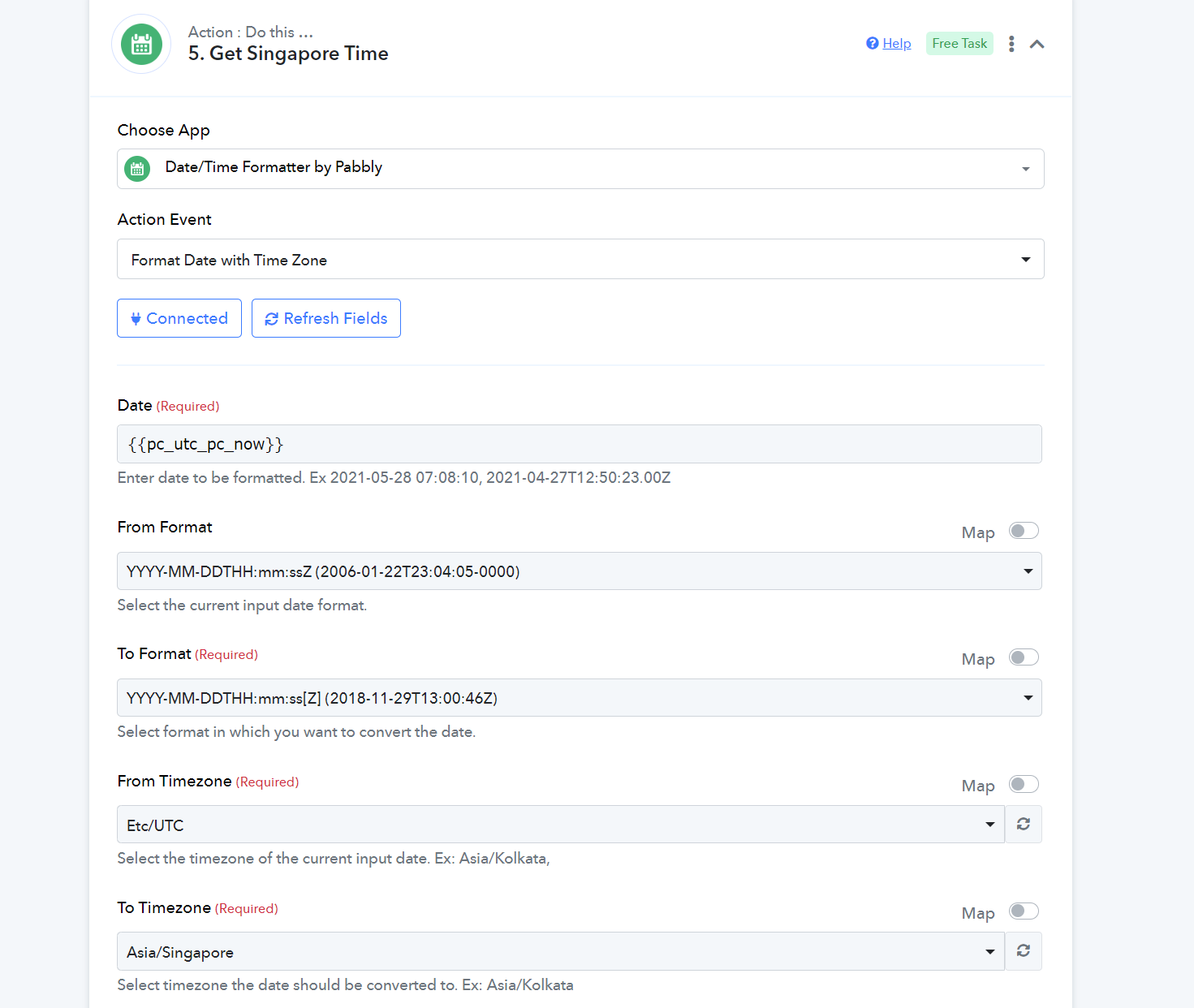
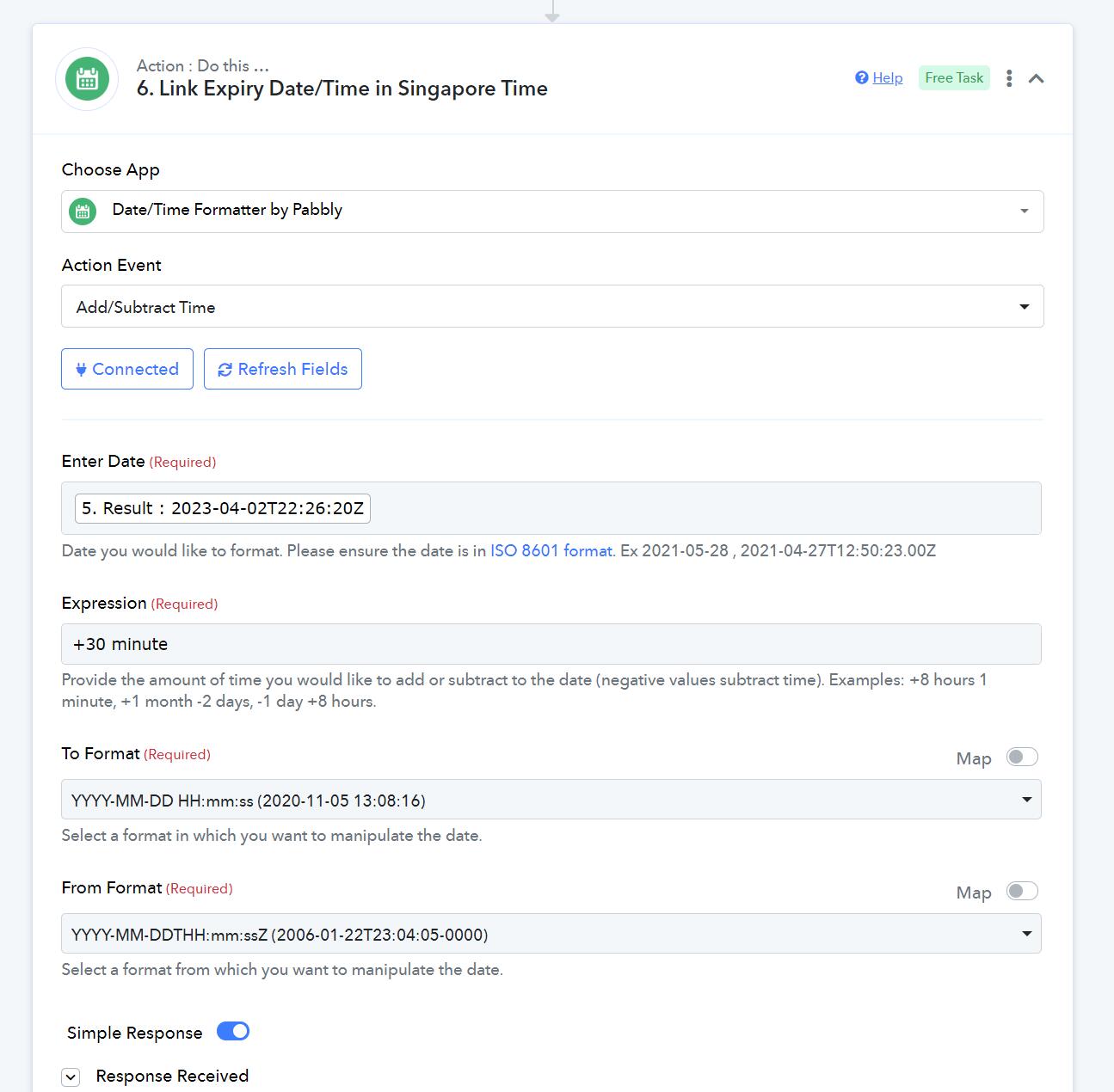
Whatever time you feed into Delay, it always considers it to be in UTC format. For example, if you input 2023-07-28 02:00:00 (2 AM) into Delay, the deletion will occur at 2023-07-28 10:00:00 (10 AM) in Singapore time.