Workflow error
Status: Closed · Asked by guyo3008 on · 0 views
{
"error > status": 400,
"error > message": "Invalid email address.",
"error > type": "BadRequestError",
"error > documentation_url": "https://labs.aweber.com/docs/troubleshooting#badrequest"
}
Can you please tell me what I did wrong in setting it up?
Thanks!
Hey @guyo3008
As per the Aweber knowledge base, it seems like either there is a problem with the email address itself or the request itself. When adding a subscriber, common status code 400 errors include "Subscriber already exists" and "Email address is wrong," in addition to formatting issues with requests as a whole.
You can also refer to the following link for the same.
https://help.aweber.com/hc/en-us/articles/360035908933-When-should-a-failed-API-request-be-retried-
I hope this might help you out.
Thank you for your help.
For some reason I'm not being added to the relevant list on Aweber in the Leanotox workflow. Can you please go over the settings
for that workflow and let me know if anything is wrong?
Thank you!
For some reason I'm not being added to the relevant list on Aweber in the Leanotox workflow. Can you please go over the settings
for that workflow and let me know if anything is wrong?
Yes, the workflow seems fine to us, kindly make sure that the email address that you are passing is valid.
Thank you. Is there a free email address testing platform that I can use ?
Is there a free email address testing platform that I can use ?
You can check Inboxkitten for the same or can search on Google.
Hi,
I created a new email address and still I'm not being added to the relevant list on aweber like with my other workflows which work great.
Can you please tell me what's wrong with my workflow Leanotox?
Thank you!
Can you please tell me what's wrong with my workflow Leanotox?
Could you please try reconnecting the action step and try again?
Seems like your authentication of the Aweber failed at the moment.
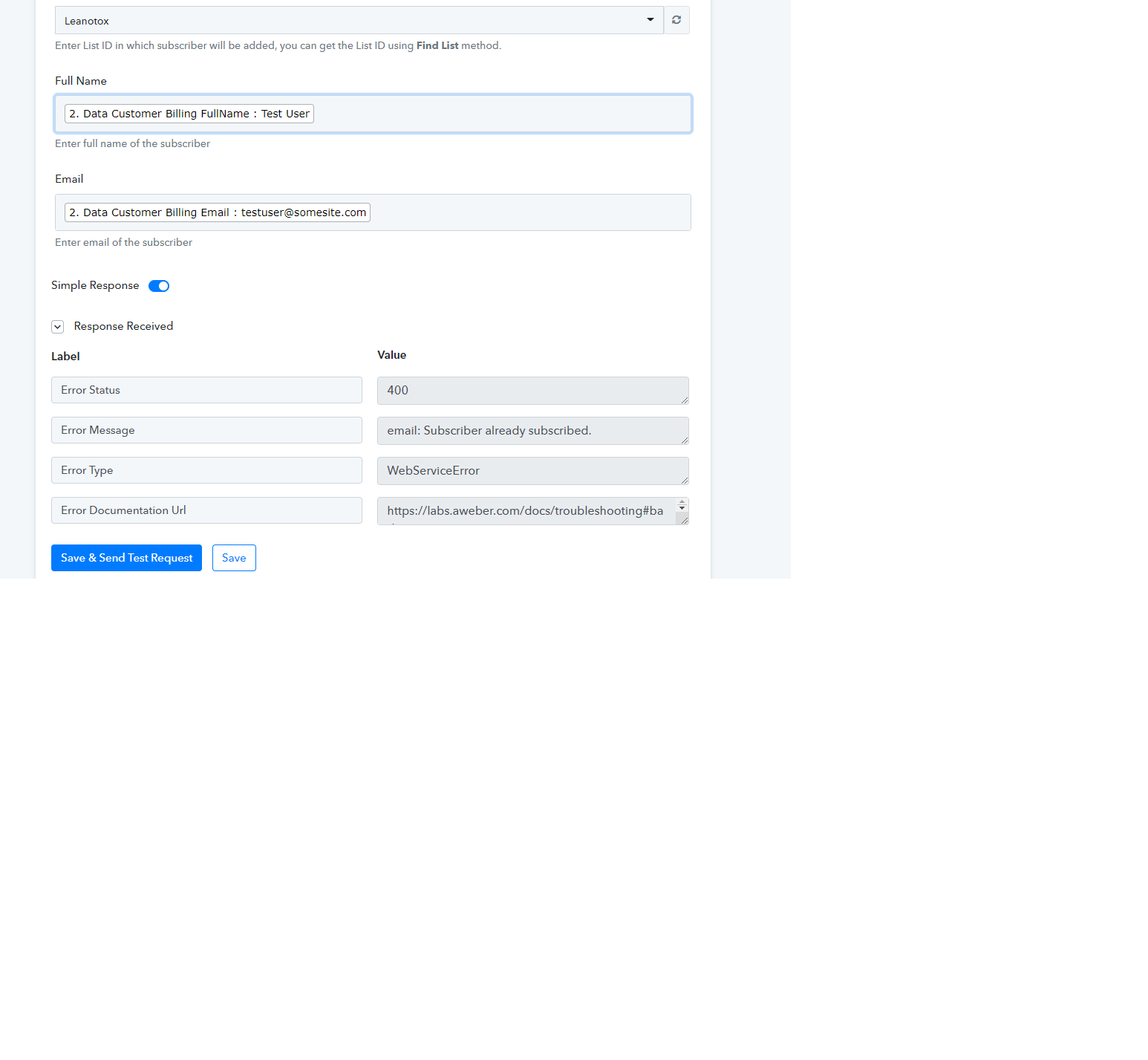
I tried creating the action step of Aweber again but it says error 400 Subscriber already subscribed"
I tried creating the action step of Aweber again but it says error 400 Subscriber already subscribed"
attached screenshot
Attachments
Hey @guyo3008
Seems like the Aweber action step is responding to your request accordingly. The email address which you passed in the action step was already in your Aweber account and because of that, it shows the above message.
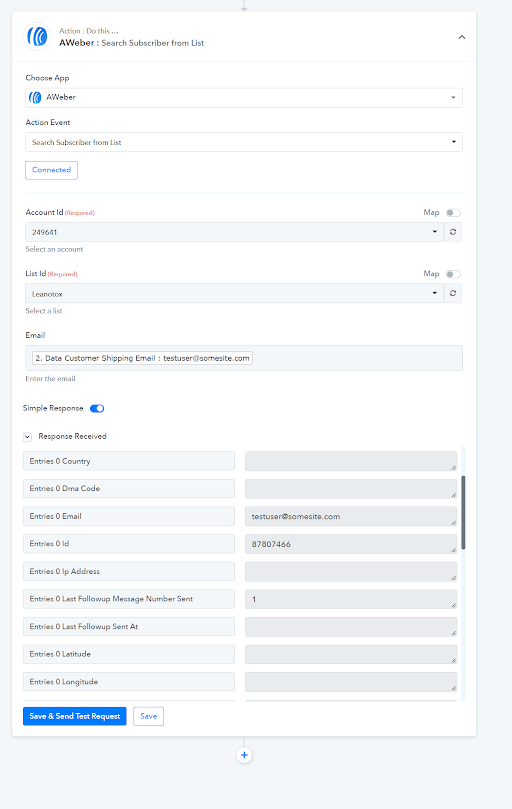
Kindly give it a try in live automation.
Hello,
I tried again using an email I used before which I already deleted from my aweber subscriber list but it still says "email already subscribed"
I think remembers all emails I used in testing and doesn't allow me to use them again even if I already deleted them from aweber.
How can I remove them from pabbly so I can use them again and again when testing? I'm running out of emails to use...
Hey @guyo3008
We have checked the same at our end and the application is not showing the subscriber "Already subscribed"message.
You may watch the short recorded video for the same.
ok thanks. Can you provide me with your email address so I can see whether you are added to the aweber list after I do a test purchase of my product and using that email address?
Thank you.
You can use the email id admin@pabbly.com for testing.
Hi, I made a test sale with this email address [EMAIL]admin@pabbly.com[/EMAIL]
You should see a test purchase receipt and a auto welcome email from aweber.
You were not added to aweber- I just checked.
I'm sure something is wrong with the workflow
Hey @guyo3008
Thanks for testing this scenario. We will check the details and let you know about it.
Thank you. The settings should be exactly like the other workflows which work perfect! Not sure what I did wrong when creating the Leanotox workflow.
Hi, can you please update me on when this stands? Have you managed to find out what the problem is with the Leanotox workflow?
Thank you!
Hey @guyo3008
As we can see from your latest history Logs you are passing the same email address from your Clickbank. Kindly give it a try with a unique one and as per the Aweber application, you can only pass role-based email addresses to it.
Such email addresses starting with the following cannot be accepted.
admin@
orders@
payments@
press@
sales@
support@
webmaster@
https://help.aweber.com/hc/en-us/articles/204029356
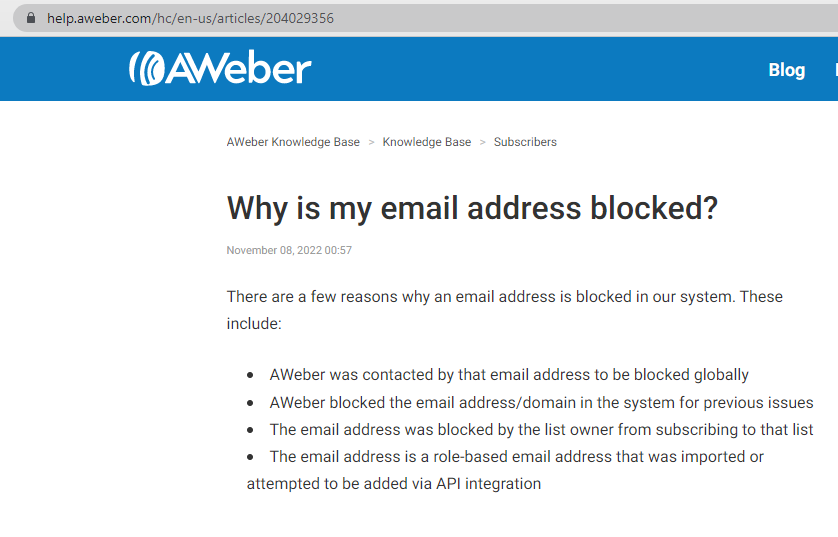
So, kindly try again by creating a new sale with a different user.