Workflow execution has been stopped
Status: Closed · Asked by auguk on · 0 views
Hello,
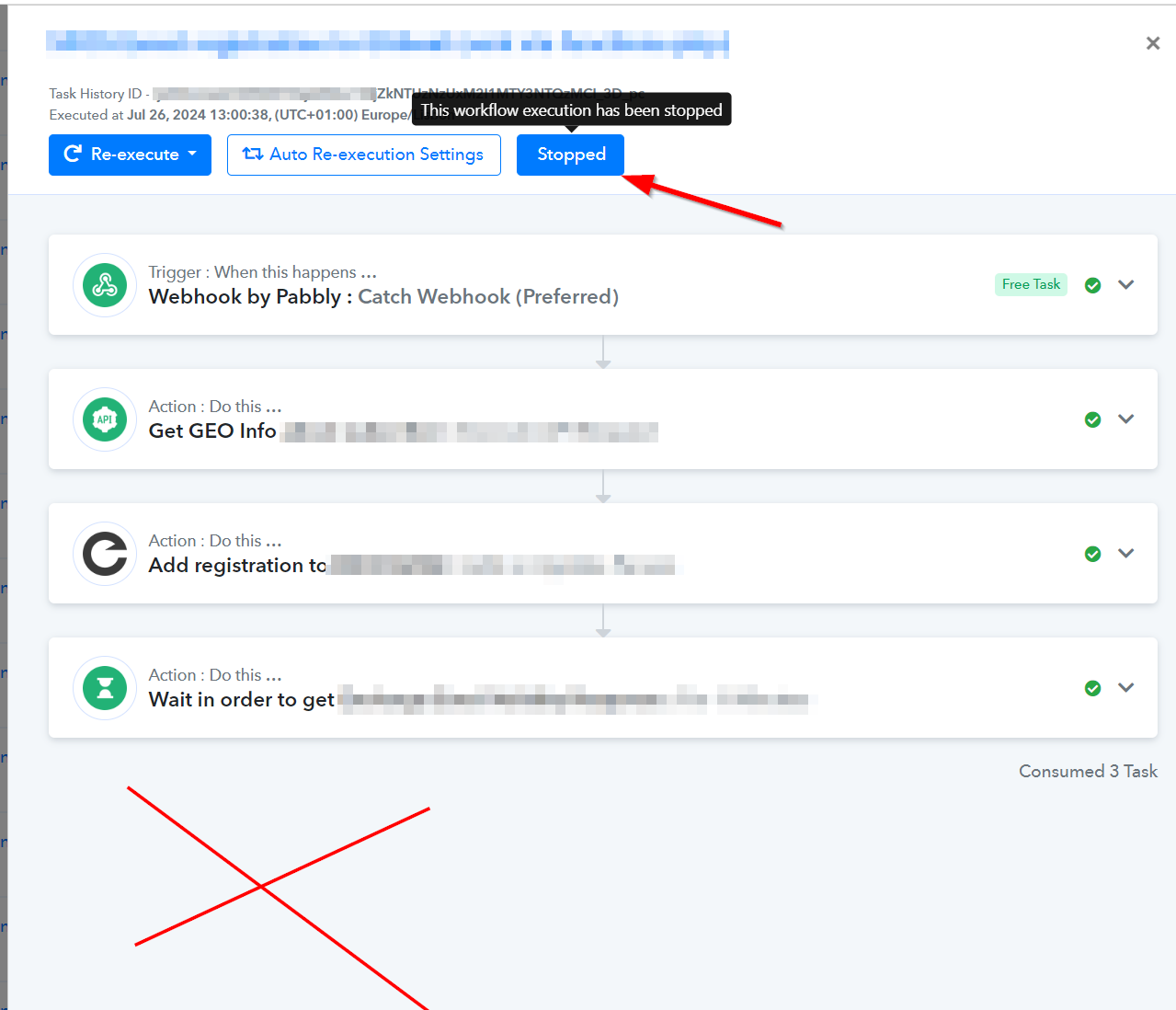
My workflow has been stopped and did not proceed.
Task ID added to the post notes.
Are you able to investigate why it was suddenly stopped?
I haven't stopped it manually (I would not even know how to do it).
I think the issue is similar to this forum thread, which is still open:
https://forum.pabbly.com/threads/delay-step-doesnt-seem-to-be-working.22232/
Here is the screenshot of my workflow history:
Hey @auguk,
Greetings from Pabbly!!
We have checked on it, and it seems quite unusual as this typically happens when someone manually stops it.
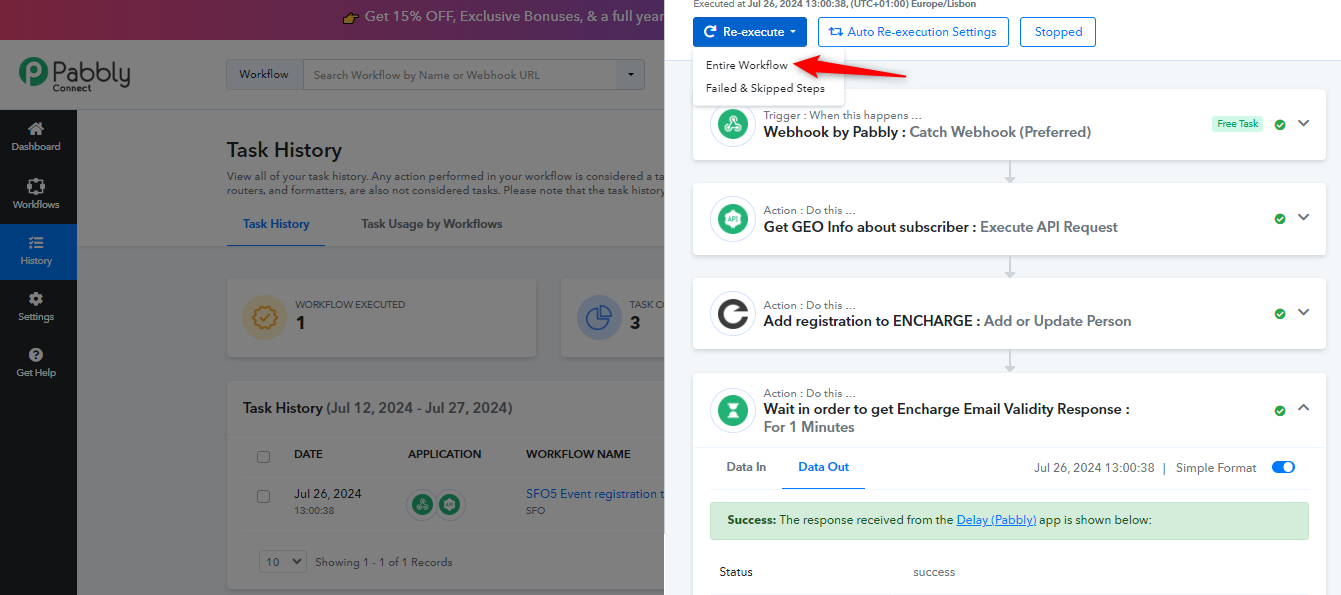
We advise you to try re-executing the task history "IjU3NmQwNTZiMDYzNjA0Mzc1MjZkNTUzNzUxM2I1MTY3NTQzMCI_3D_pc" and let us know if you still face this issue.
Regards,
Akarshi
Yes, I re-executed the task and it was processed succesfully.
However, is there a trigger I can monitor whenever task is stopped?
I am worried that there might be more tasks mystically stopped in the past (like the one mentioned already), but it is impossible to filter such cases out in the task history.
Do you have advise how to find more of such cases within the task history?
Thank you
Hey @auguk,
The task history keeps data for the past 15 days. Although there is no specific filter for this, you can browse your task history to check the number of workflow steps that have been executed to their maximum.
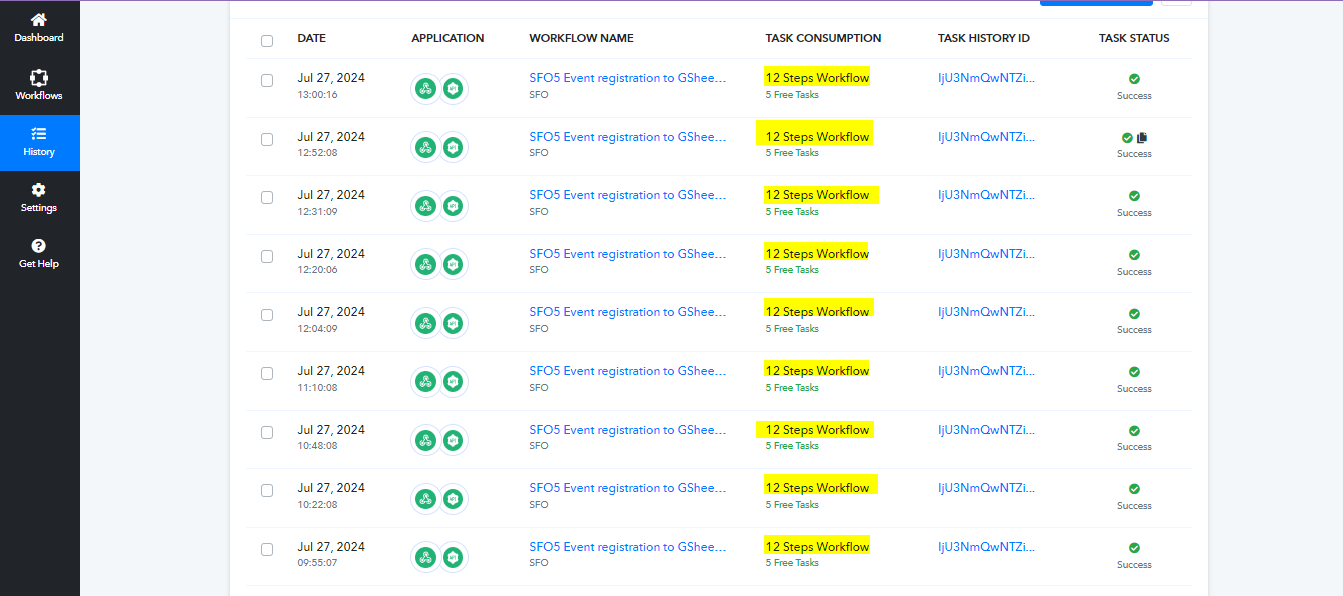
Such cases are very rare. As mentioned, it is unusual for an automation to stop like this without someone manually intervening.
Thanks & Regards,
Akarshi
Looking at the number of steps executed is very useful tip, thank you!