Workflow Firing Multiple Times
Status: Open · Asked by SheaOliver on · 0 views
Hello,
The workflow below is firing multiple times on one trigger from ThriveCart. How do I get t to only fire one time?
https://connect.pabbly.com/workflow/mapping/IjU3NjUwNTZkMDYzMDA0Mzc1MjY1NTUzNjUxMzUi_pc
Here are the task history ids that were fired multiple times:
IjU3NjMwNTY0MDYzNjA0MzI1MjZkNTUzMDUxMzE1MTY2NTQzMSI_3D_pc
IjU3NjMwNTY0MDYzNjA0MzI1MjZkNTUzMDUxMzE1MTYxNTQzNSI_3D_pc
IjU3NjMwNTY0MDYzNjA0MzI1MjZkNTUzMDUxMzE1MTYwNTQzOCI_3D_pc
Thanks for the help!
Cheers!
Shea
Hey @SheaOliver
I'm investigating the issue. Please grant me some time to do so.
Manthan
P.S. - Do check our Pabbly YouTube Channel where we have more than 7400+ automation tutorials.
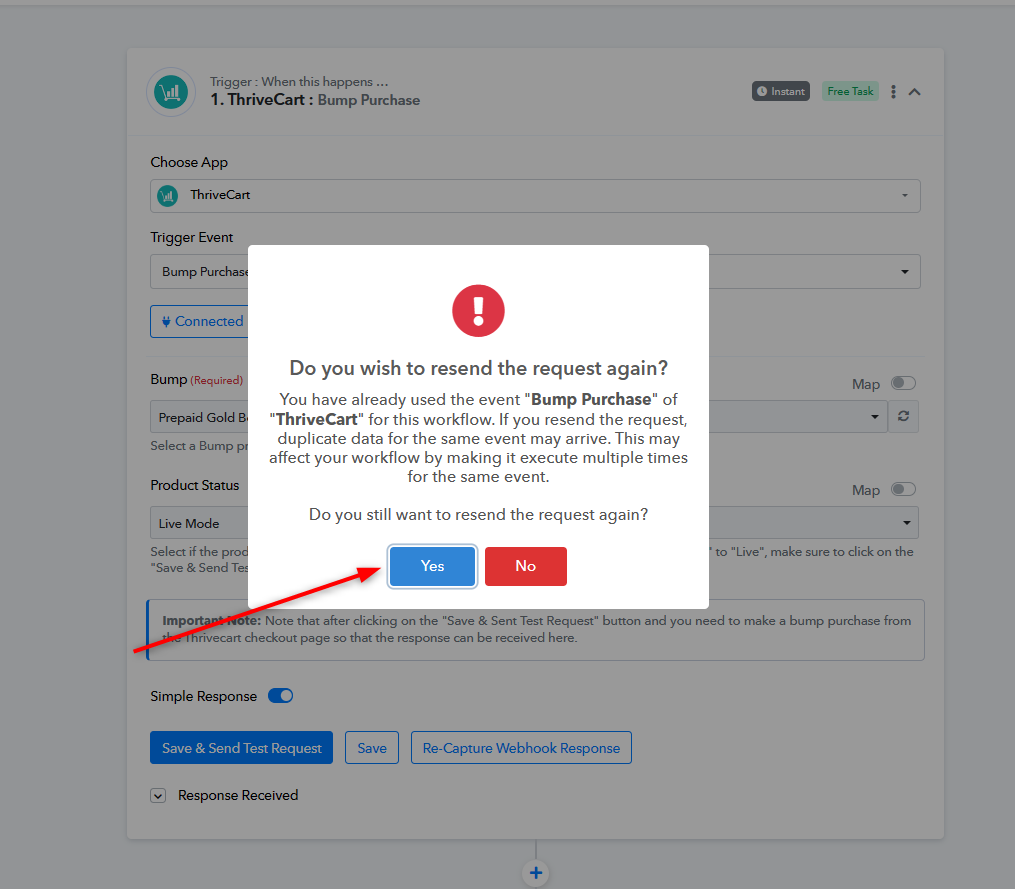
Yes, you may have clicked on the button Save and Send Test request and then you have clicked on the Yes button three times. That's the reason it is sending duplicate data multiple times.
Also, try to click on the Save and Send test request button only once, and to get the data from the trigger application you can click on the Re-capture webhook response button.
Attachments
This was triggered by a customer purchase, not while I was setting up the automation.
When you click on 'Save & Send Test Request' multiple times, it will trigger your workflow in multiple times in automation, not during setup. Therefore, yes, the workflow will get triggered multiple times when a customer makes a purchase.
To resolve this issue, you need to disable this workflow and create a new workflow from scratch (without cloning). Additionally, ensure that this time, you only click on the 'Save & Send Test Request' button once.