Workflow intermittently publishing SKU field
Status: Closed · Asked by strangeworldrecords on · 0 views
Hi,
I cannot understand why my workflow is only sometimes grabbing the SKU and publishing that text to Insta/FB.
A quick scroll through my Insta and FB and you can see that sometimes the ARTIST (always in caps) - Title appears and often it does not.
I have about another 30 minutes worth of entries to do tonight.
The most recent entry, BEHERIT, DID have the ARTIST - Title published.
(I add the ARTIST - Title to the sku field in Shopify and this is supposed to become the heading of the IG/FB post)
Please help!
Hey @strangeworldrecords
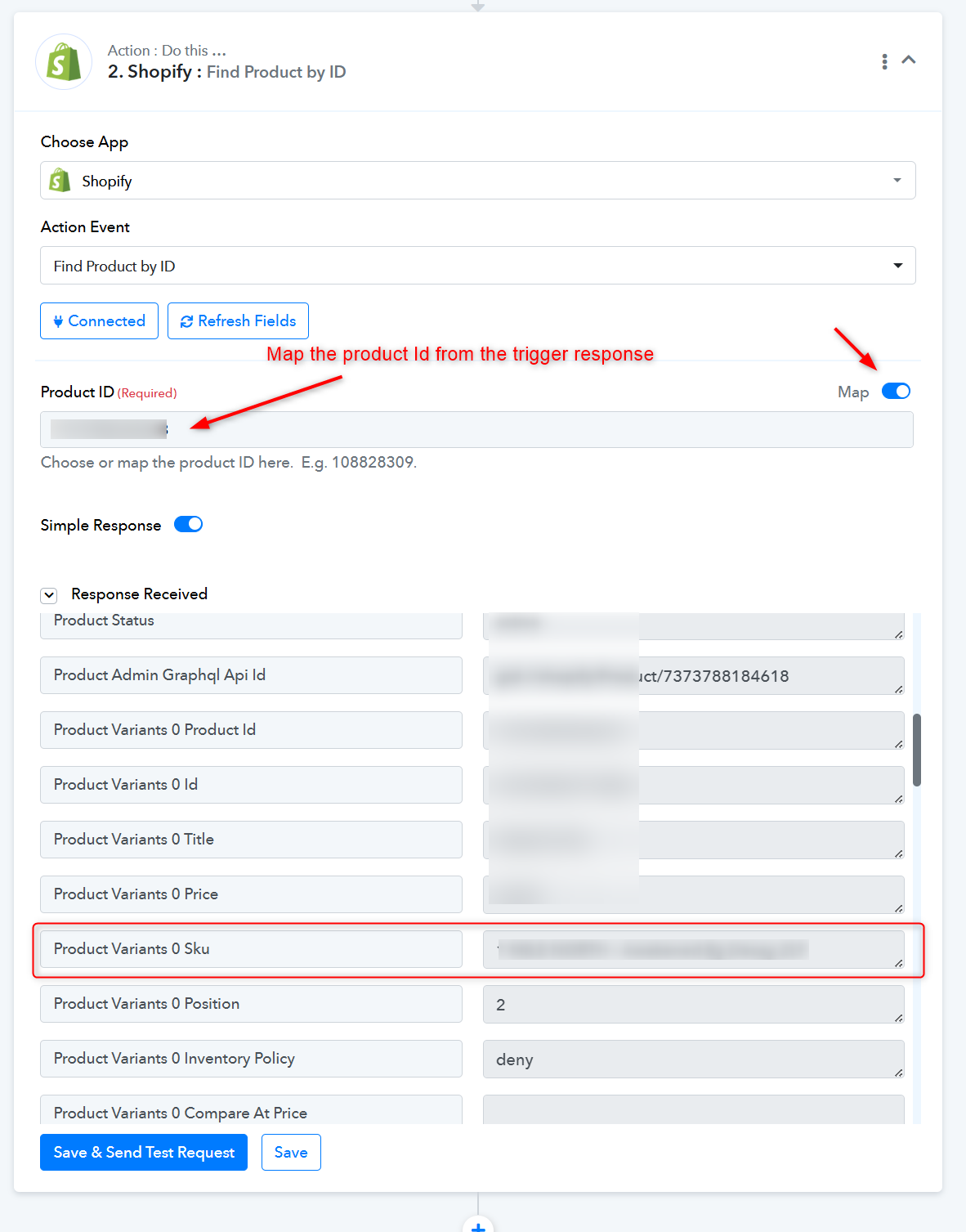
If you are not receiving the SKU value from Shopify, please use the 'Find Product by ID' action step following the trigger event and then map the SKU value from there.
I'll be honest - I'm really confused.
My workflow has TWO "routes" each with filters.
I would say it has already been mapped because, as I said, this information SOMETIMES appears, sometimes not.
Sorry but I really need more help here.
I would say it has already been mapped because, as I said, this information SOMETIMES appears, sometimes not.
Indeed, if Shopify occasionally fails to include the SKU values in the trigger response, you can incorporate the 'Find Product by ID' action step and assign its SKU value to the same location where the trigger response's SKU value is mapped.
Yesterday it failed almost EVERY time.
From 25 entries, I think only ONCE did it include the SKU.
Do you think you could show me EXACTLY where I need to add this action step because the "routes" make everything look different from your earlier screenshot!
I would like to get started on today's entries but would love it if this could be repaired and the workflow work as it is supposed to!
Looking closer, Route 2 has this action (seen after clicking through to "Set Filter & Action Steps"):
Route 1 does not have the Find Product By ID action.
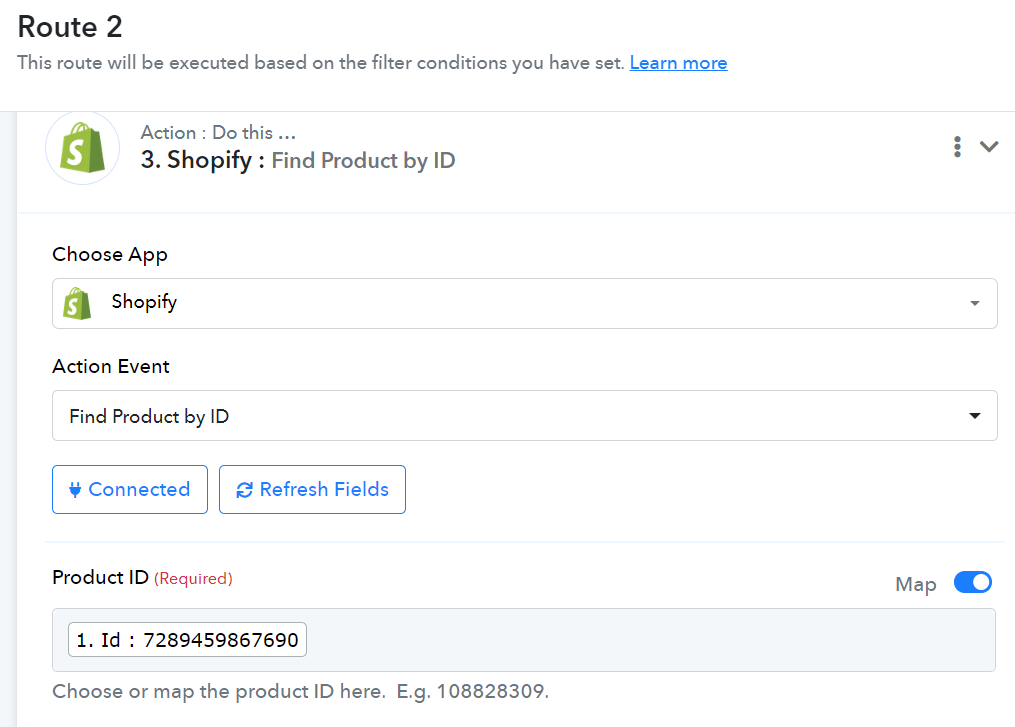
I tried to fix it, using the BRIEF response I have received from you.
Although the workflow worked, it DID NOT ADD THE SKU TO THE POST.
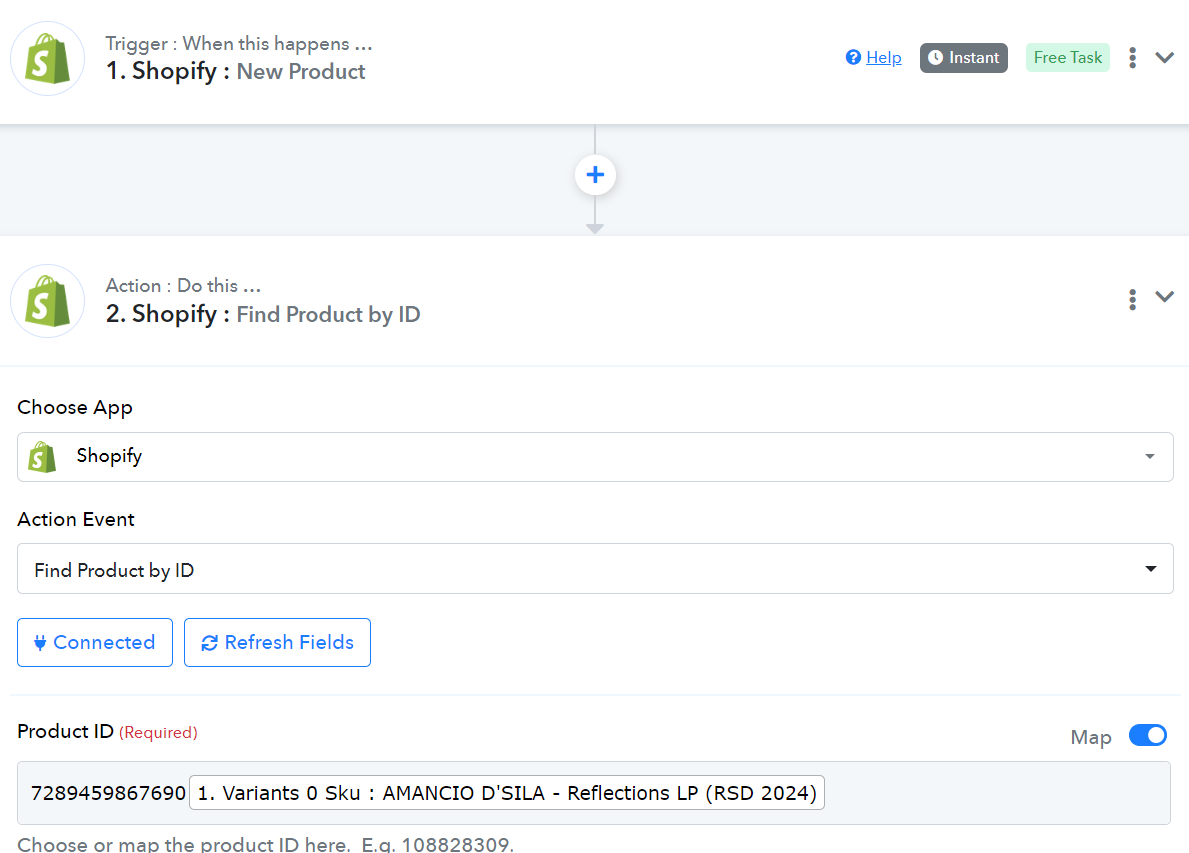
Here's what I add after the trigger:
checking my email, I have received this error report:
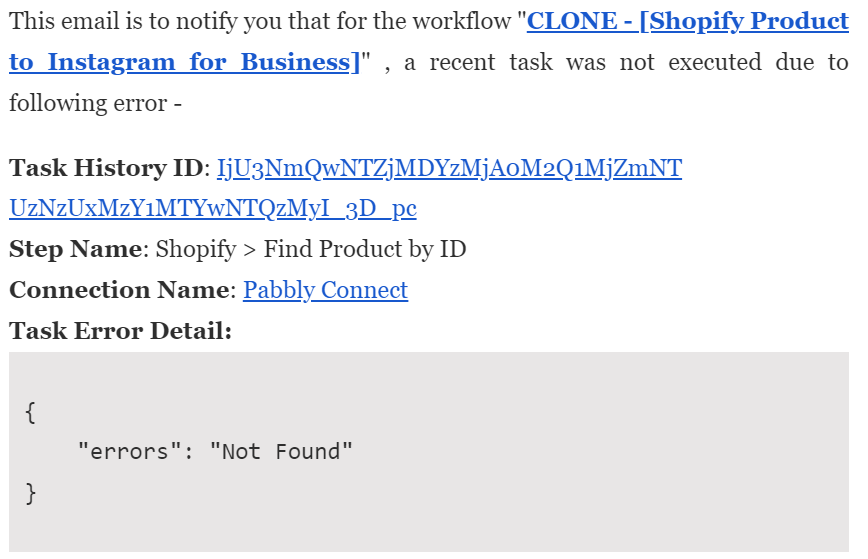
I do not know enough about this to repair it myself and would greatly appreciate more complete instructions.
I am removing the action step I added.
Do you think you could show me EXACTLY where I need to add this action step because the "routes" make everything look different from your earlier screenshot!
Please check the previous message. Kindly place it after the trigger event and then map it in the places where you need to pass the SKU values.
If you are not receiving the SKU value from Shopify, please use the 'Find Product by ID' action step following the trigger event and then map the SKU value from there.
Map only the product Id from the trigger response-
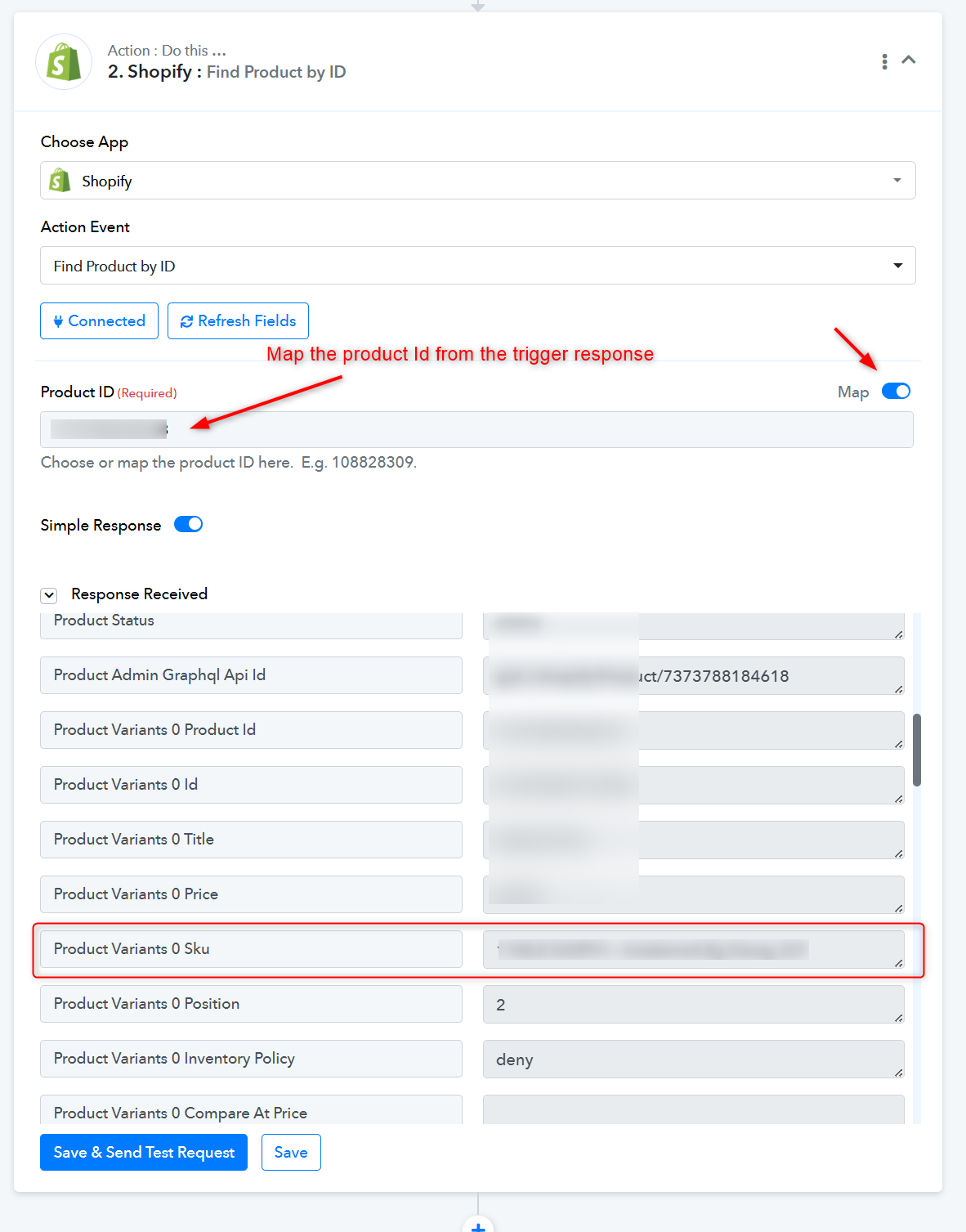
Aaargggh!
You can see from the first screenshot that I DID place it AFTER the trigger event.
You have provided the exact same instructions as earlier - these are the instructions I followed but clearly don't fully understand.
Did you look at the image I provided?
Please tell me where I have gone wrong.
(You can see in my second image that I did provide the Product ID and "mapped" it - am I not supposed to also point it to the SKU?)
The SKU has been appropriately mapped in the action step following the second step.
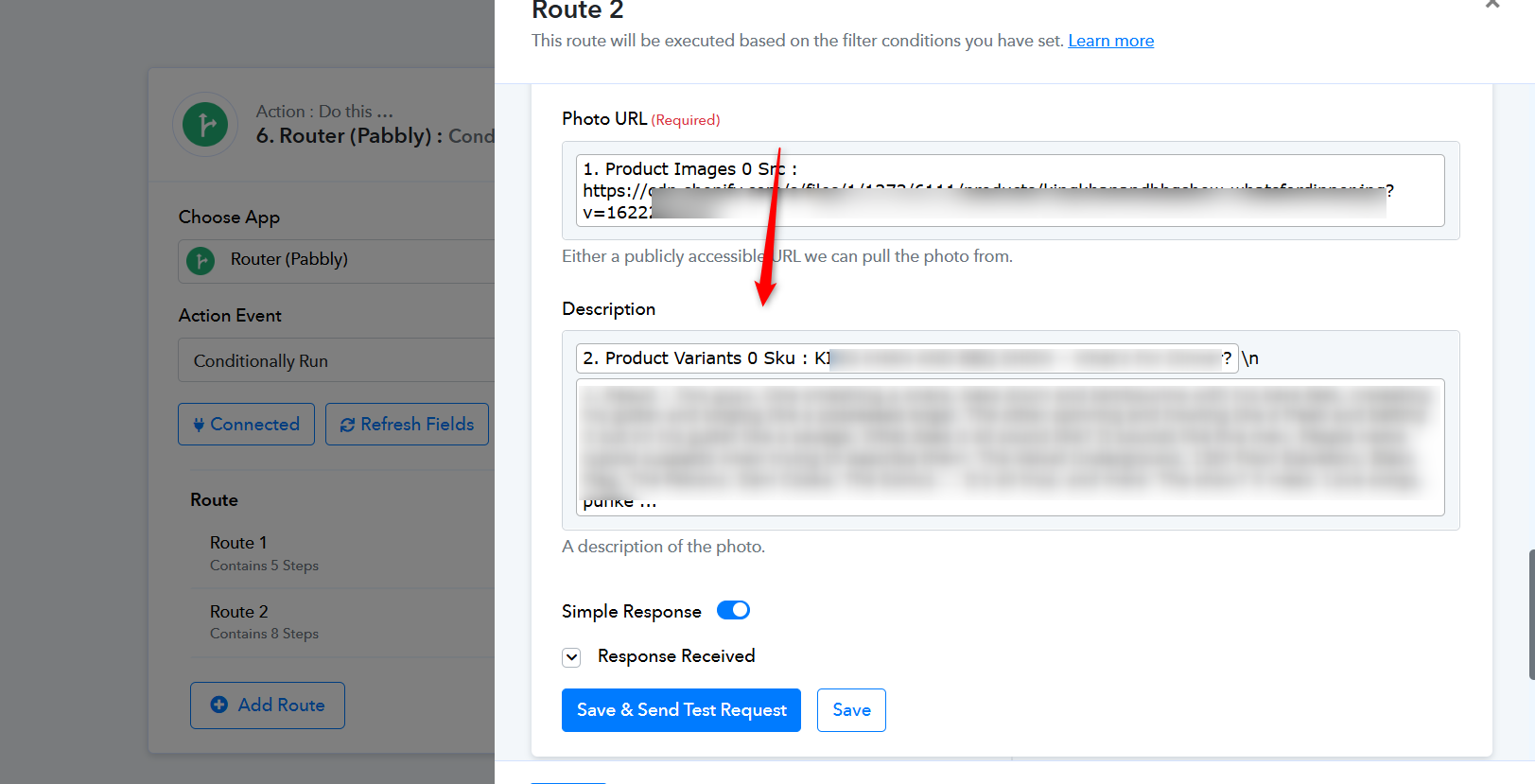
I can see in the example you have provided that you are (somehow) seeing the old workflow.
I know this because the text after "Product Variants 0 SKU : " begins to say "KING KHAN..."
This was the Product ID that was previously mapped.
I now use the CLONE I created in May '24 and the mapped Product ID is "AMANCIO..."
The problem is I am not seeing what you are screenshoting. It is different. For example, I can only see "1. Variants 0 Sku" not "Product Variants 0 SKU : " as in your screenshot.
How do we fix this?
We have checked your cloned workflow for the same, please do the same changes in your main working workflow.
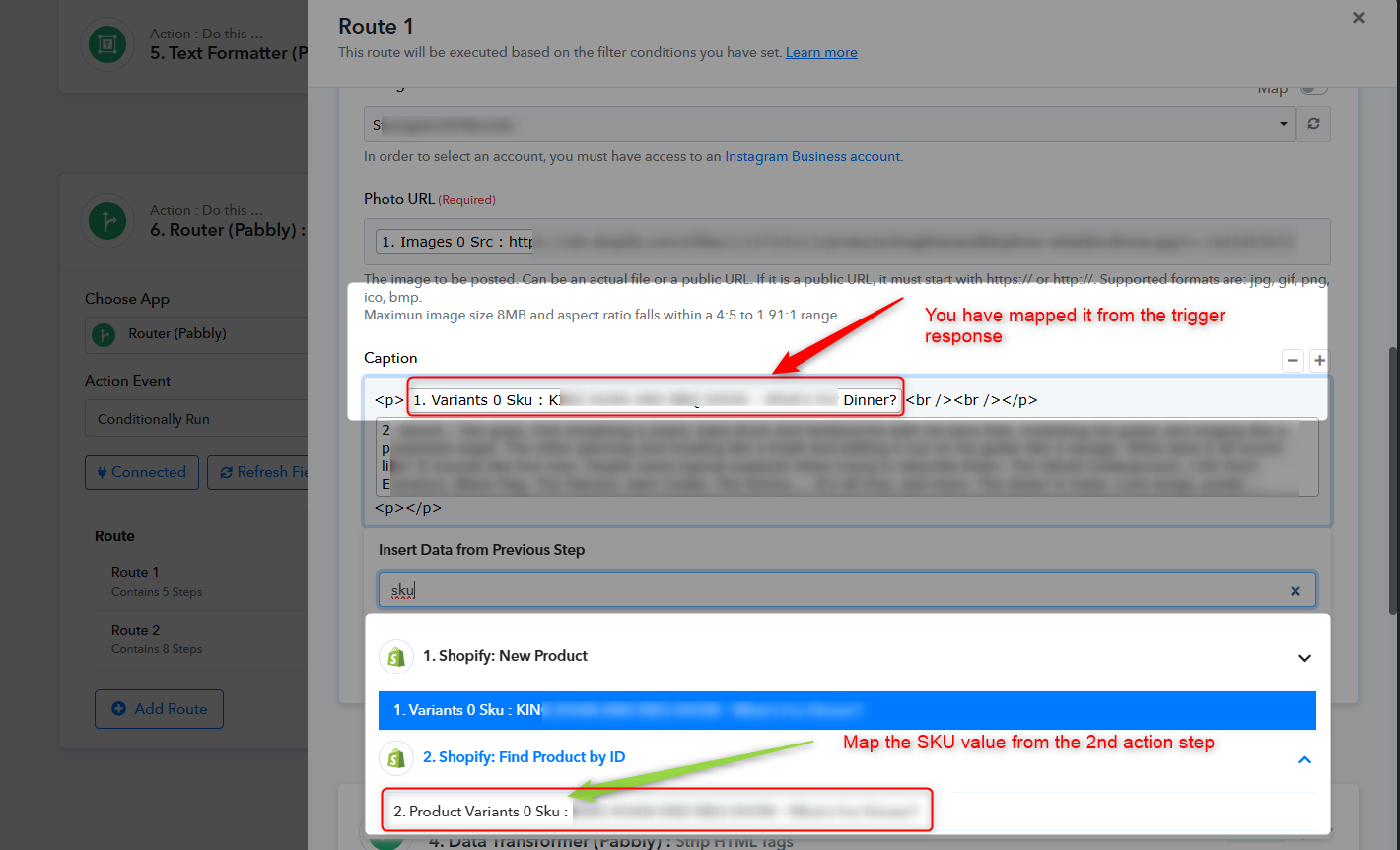
Thanks, but when you state "You have mapped it from the trigger response" - is this something that I have done that needs to be REMOVED? or are you say it's something I need TO DO?
If your answers weren't so brief - or were more clearly explained - it wouldn't take so long or need so many questions from me!
You must understand, once the workflow is working (not so many times in 4-5 years!) that's it, I forget about it.
When something breaks - like I'm experiencing now - I have to re-learn the steps and what to do.
"You have mapped it from the trigger response" - is this something that I have done that needs to be REMOVED? or are you say it's something I need TO DO?
We suggest mapping it on your end rather than through your trigger response by the Find Product by ID function.
Hang on, I just noticed you have stated "please do the same changes in your main working workflow."
I thought only the CLONE is working. Are you saying the clone AND the previously used workflow BOTH need to have this mapping performed?
I thought only the CLONE is working. Are you saying the clone AND the previously used workflow BOTH need to have this mapping performed?
We will only refer to the main workflow and map the SKU value from the "Find Product by ID" only.
We will only refer to the main workflow and map the SKU value from the "Find Product by ID" only.
I thought a CLONE workflow superceded an existing workflow?
I wish I could get a simple answer to a simple question:
Does the clone AND the previously used workflow BOTH need to have this mapping performed?
OR
Does the mapping need to be performed on the original workflow only?
I have resumed entering items into my website.
The first entry appeared as it has recently - with no SKU represented (ARTIST - Title) but then, the second entry, there is the SKU:

I ask again, if it works sometimes, does that not indicate the workflow is set up correctly BUT there is something wrong elsewhere in the workflow - or Pabbly itself?
Hey @strangeworldrecords
Please let us know if you can be available for a Google Meet session so that we can assist your concern more effectively.
Just now, it worked:
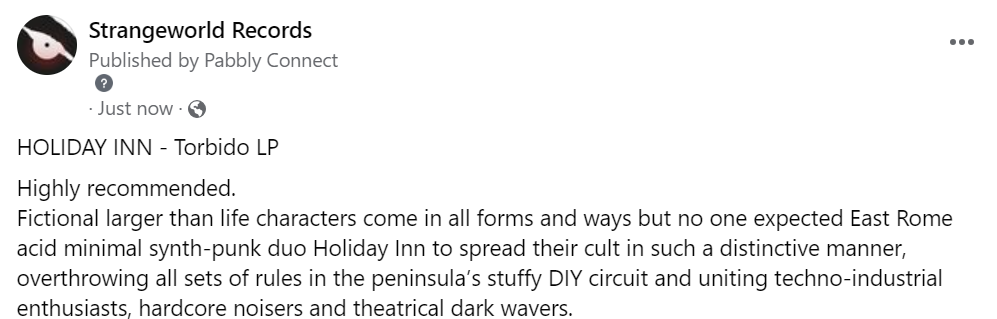
the previous entry did not work as it should:

please help with more precise instructions (or investigate the system) as clearly, the workflow IS set up correctly (otherwise how does it work sometimes?)
Hey @strangeworldrecords
We can resolve your concerns via a Google Meet, which would be more efficient and convenient for you. Please inform us of your preferred time so that we can proceed accordingly.
Okay, I am ready now (but warn you, every time I try these Zoom or Teams calls, they rarely work! Maybe Google Meet will be different...)
I have never used Google Meet before - I have checked and have it among my Chrome settings - what do I need to do?
That's Great @strangeworldrecords !
Just schedule a meeting via this link and according to your preferable timing and then we can discuss your concerns and find a resolution accordingly