Workflow is failing bcoz of Data Mapping Issue
Status: Closed · Asked by Fagun Shah on · 0 views
Workflow name - CLONE - [Gsheet Pabbly Schedule]
In above workflow data is not passed properly by pabbly after receiving it from Gsheet to Text Formatter and Filter Step.
This fails my whole workflow.
Check task id - IjI2NDk3NDg1Ig_3D_3D
In that you will see that pabbly get data from sheet but is not mapping to Text Formatter.
We checked and looks like the parameter are different -
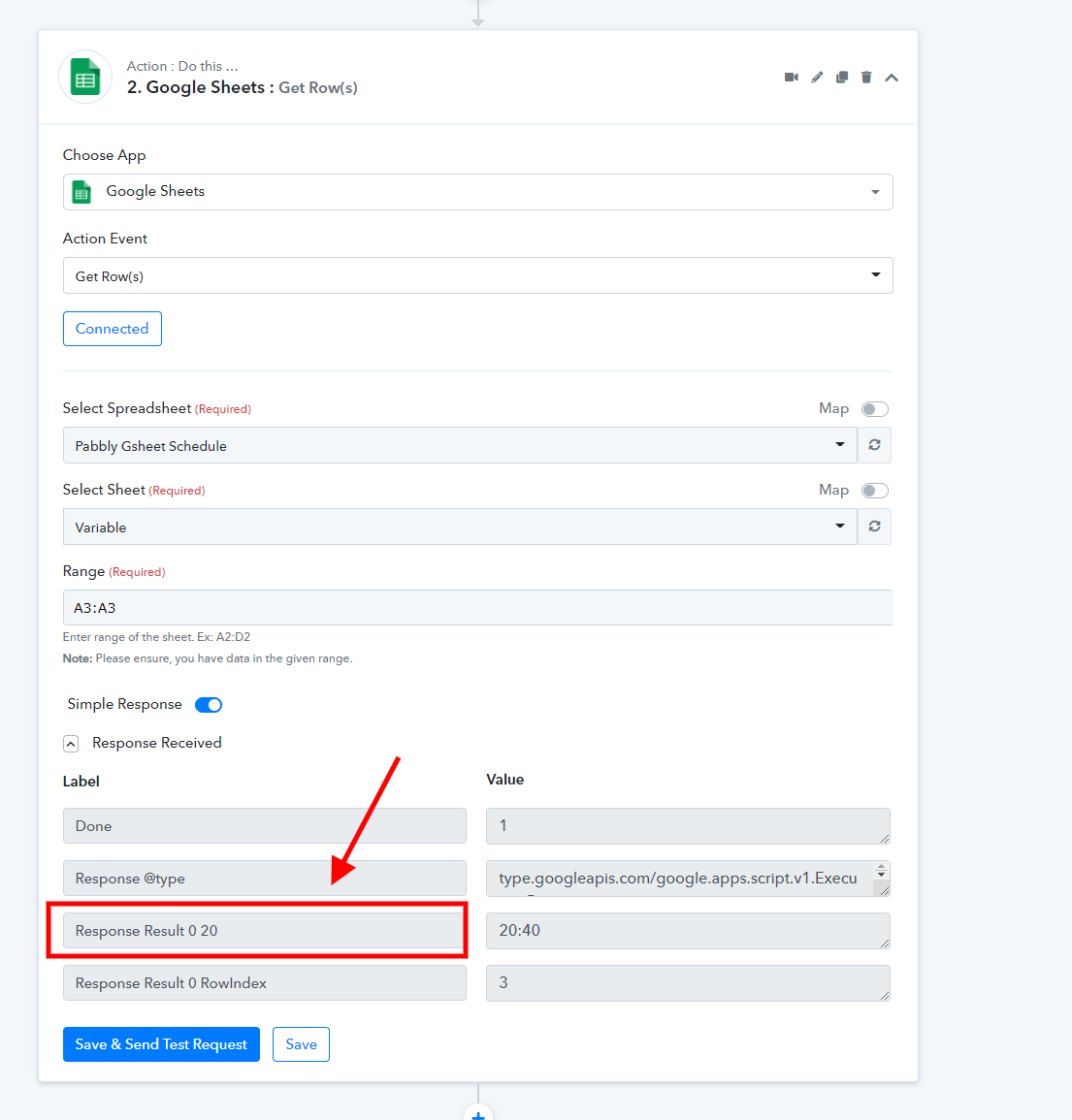
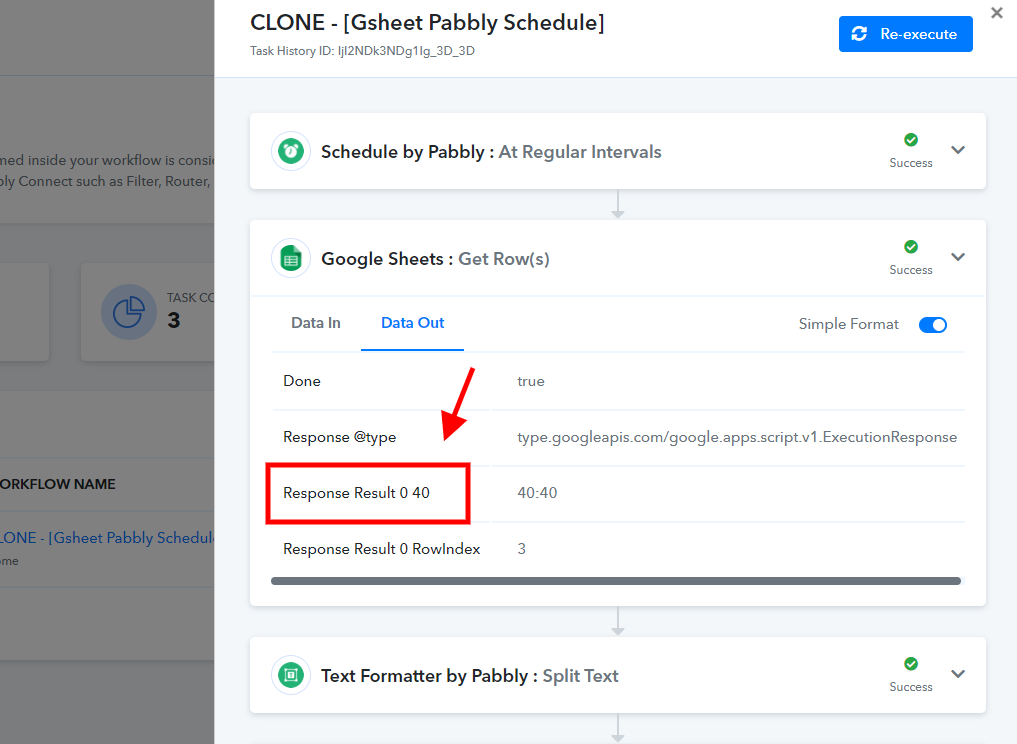
We checked and looks like the parameter are different -
So this is happening because it is taking it as a Header from Google Sheet Row
Yes, but we got your point. We will be updating this soon.
I don't think you need to update anything, I made changes from my side and it worked properly.
Actually I wanted to decrease the Google Sheet New Rows added time to 1 minute, instead of 1 hour default by pabbly addon.
It uses 1 more tasks every minute if there is no New Rows and 2 more tasks if there New Rows.
Ghseet link used in this workflow - https://docs.google.com/spreadsheets/d/1g6nFtGpmDMxpGEVELvgSXewTeExlYrcYJWS_KrXJb8Q/edit usp=sharing
Let me know your thoughts on this -

Attachments