Workflow not working/trigger not fired
Status: Open · Asked by mattara on · 0 views
I am facing a major issue on my workflow, where the google sheets trigger is not fired. I inserted it right and tested the connection. Data is sent on testing the connection, but afterwards the workflow does not get triggered and it does not run therefore. Please help!
Hi @mattara,
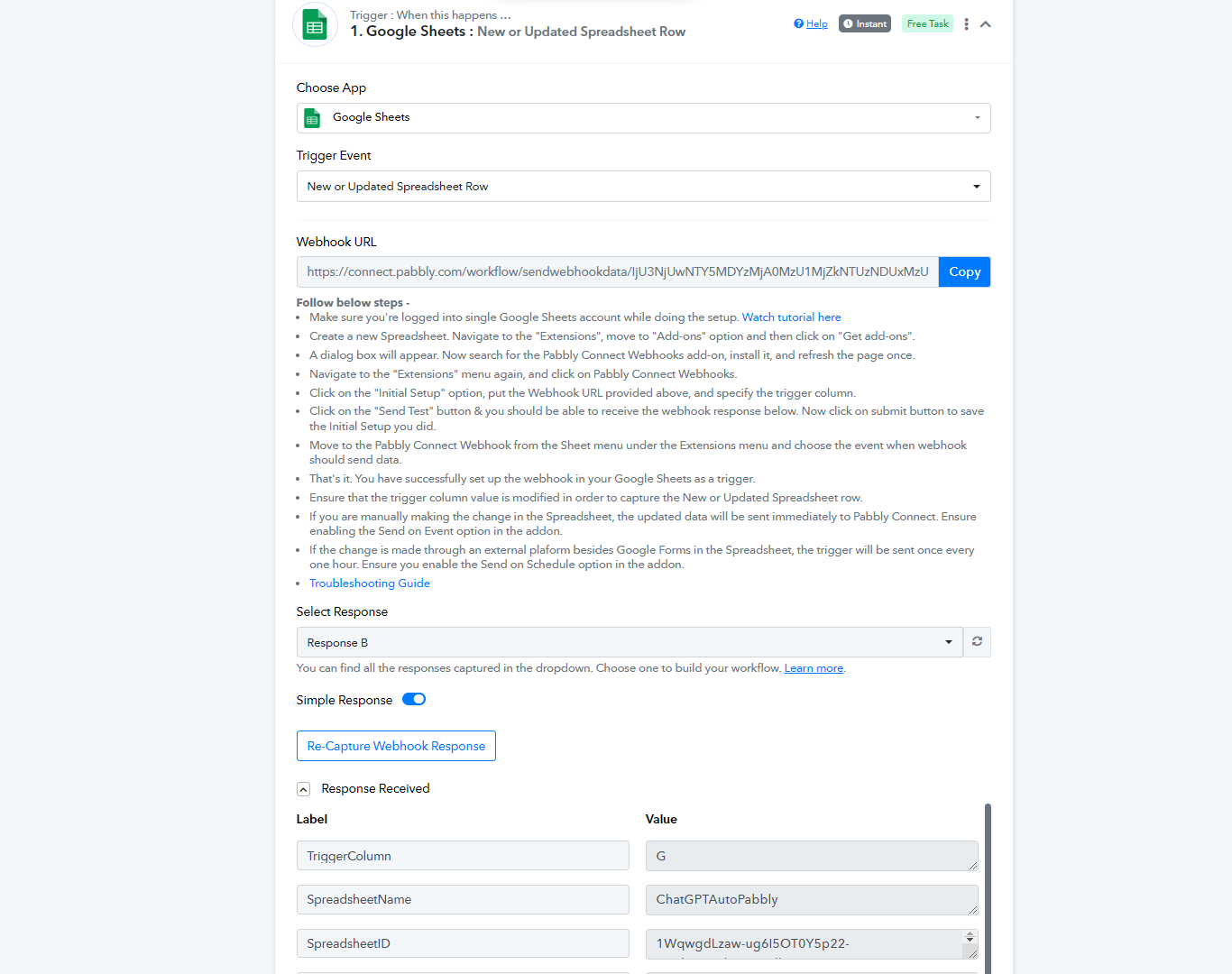
To make automation work, you need to enable 'Send On Event' if you're manually entering data into your Google Sheets. If the data added to your Google Sheets comes from another API or third party application, you also need to enable 'Auto Send on Schedule'.
Please make sure that you have enabled the 'Auto Send on Schedule' feature.
[IMG alt="1699229742551.png"]https://forum.pabbly.com/attachments/1699229742551-png.33814/[/IMG]
Note: If your data is being added from an external source/API, your workflow will take up to 1 hour to get triggered.
Hi, thank you! That was the problem. Thank you, now working.
One more question: currently when execution on 1 new line, Pabbly consumes 2 tasks. How can I do that only 1 task is consumed?
Is your workflow triggered twice when a new line is added to Google Sheets? If so, could you please share the Workflow URL where you have this concern?
I am not exactly sure what you mean by '2 tasks consume'.
This is the workflow:
https://connect.pabbly.com/workflow/mapping/IjU3NjUwNTY5MDYzMjA0MzU1MjZkNTUzNDUxMzUi_pc
Before I am adding a new row, the count of TASKS REMAINING is
9992
Afterwards it is 9990.
I just added one new line though. I guess it has something to do with column G, right?
I need to fill it with sample/placeholder data in order to have the execution run. Then it gets overridden with the post-url.
Sorry, I mean a new line, not a row of course.
The workflow you have shared has 4 paid tasks.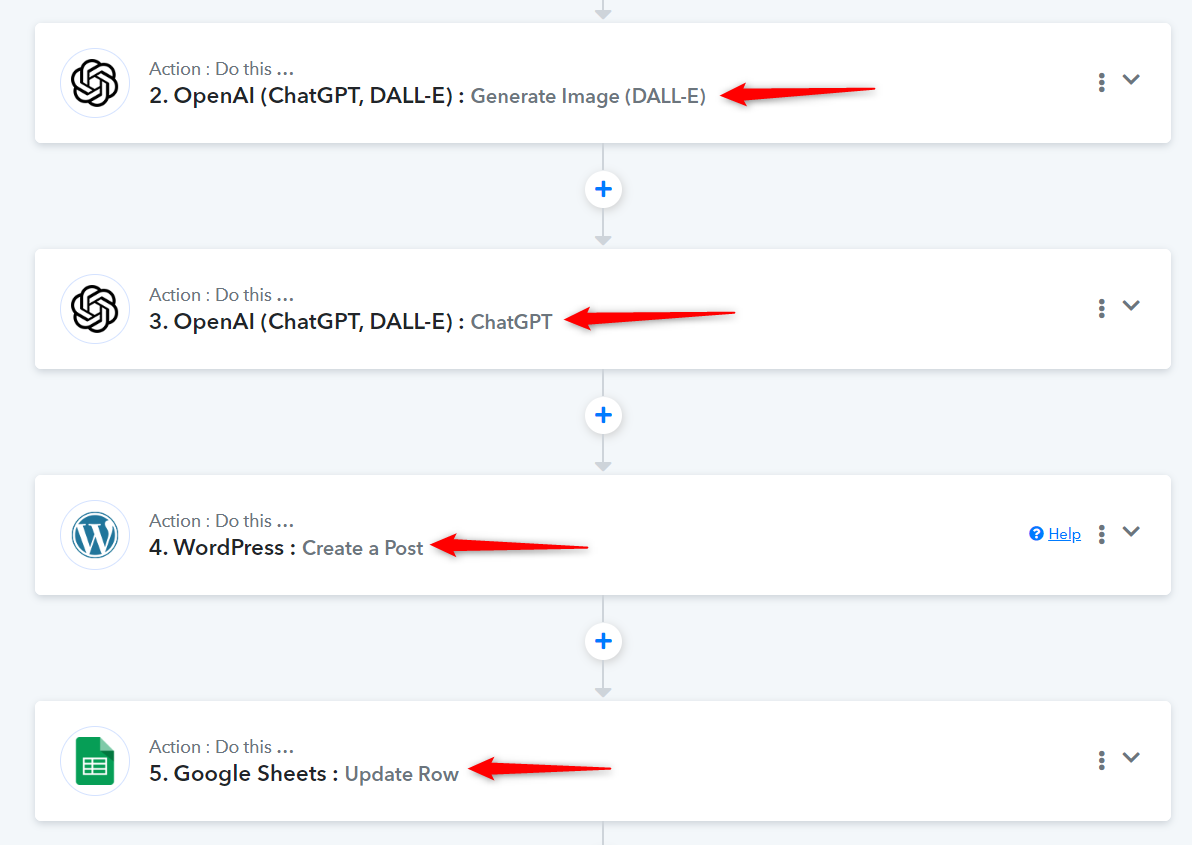
Therefore, each time you add a new line to your Google Sheets spreadsheet and your workflow gets triggered, 4 tasks will be consumed from your allotted REMAINING TASKS.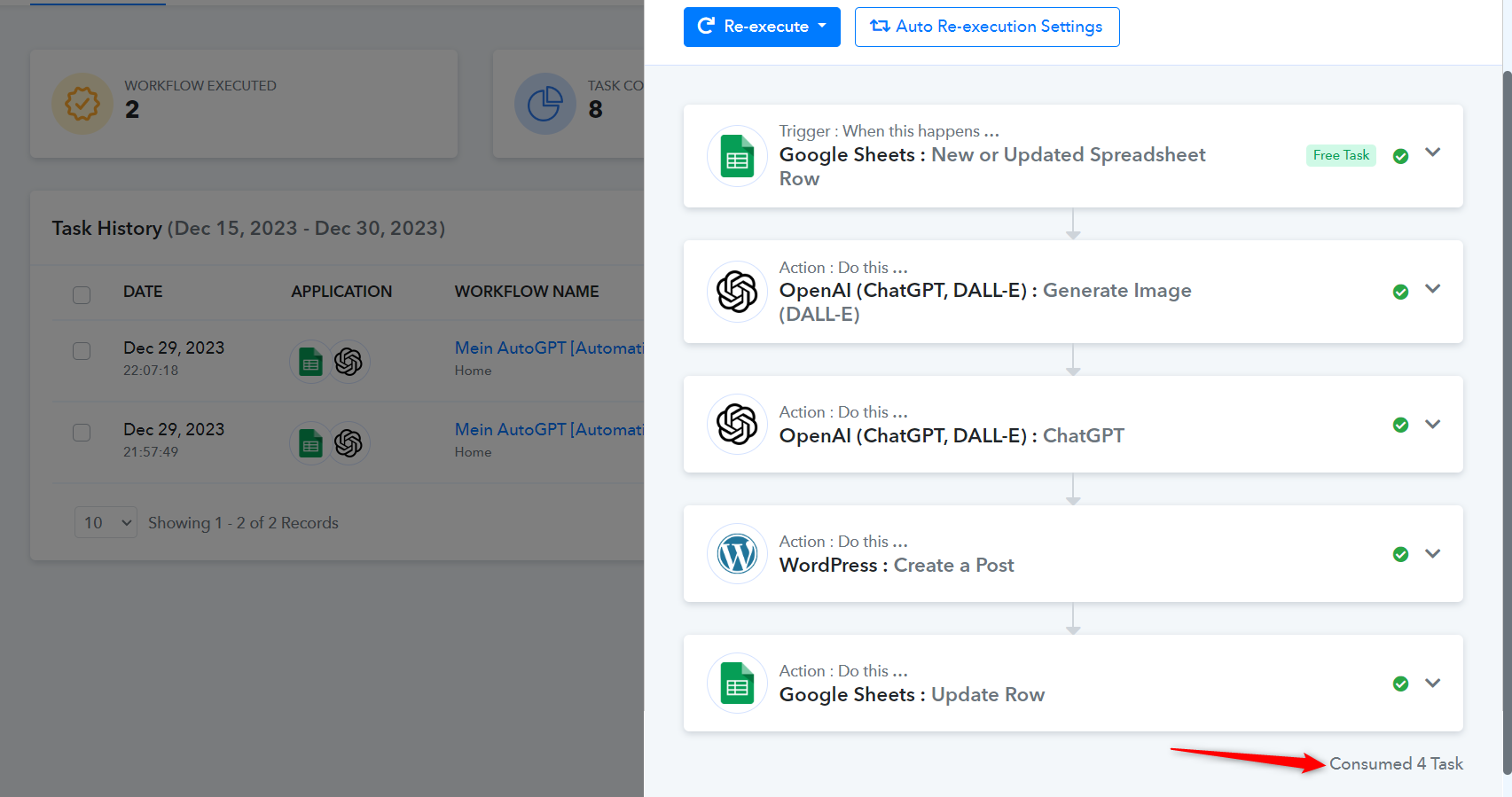
To understand how tasks are calculated in Pabbly Connect, please watch the video shared below.