Workflow Triggering on Empty Field in Google Sheet
Status: Open · Asked by iRest Institute on · 0 views
I have a Workflow setup to Trigger when Column J of a Google Sheet is added to.
The Google Sheet is being filled by a Google Form from column A to I. It's not filling J, but the Workflow is triggering anyway. (This may be because initially "I" was the trigger column, but I changed it to J later after adding another column.)
As a workaround, I can setup a filter to stop the Workflow if "J" is empty, but I wanted to check if there is a better way.
Hi @iRestAdmin,
Please try reconfiguring the connection with your Google Sheets spreadsheet. Make sure you click on the 'Submit' button after you have clicked 'Send Test'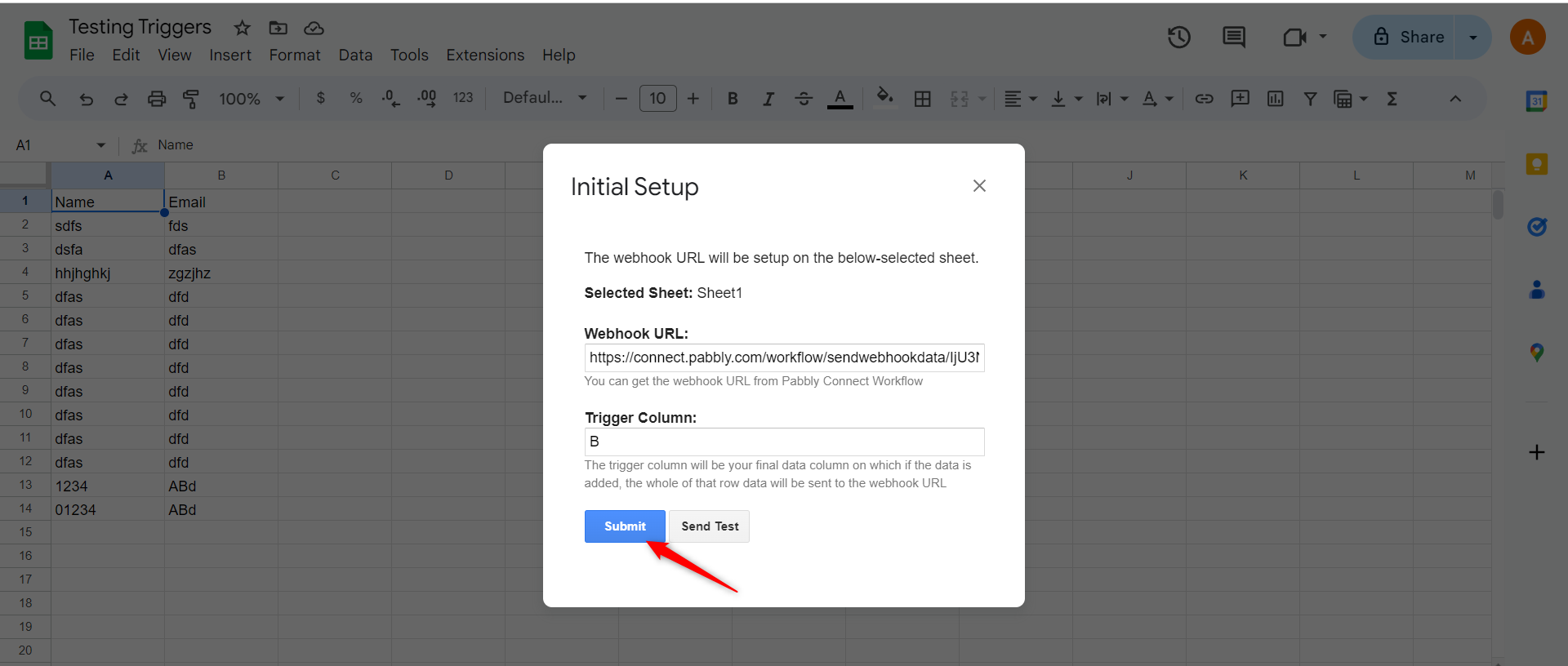
OK, I reconfigured it. I'll let you know if the issue persists.
Attachments
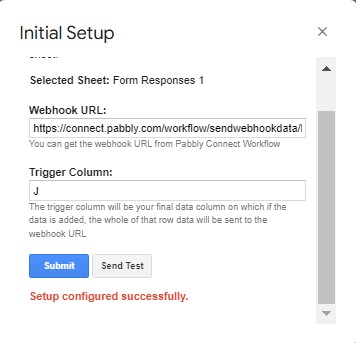
Unfortunately, it's still triggering when records are added, even though the field is empty. Is there anything else we can try?
Can you please record a short video on the same, so that we can look into it and help you accordingly?