Workflow with API by Pabbly Always Invalid, but Response Success in Postman
Status: Closed · Asked by NBS on · 0 views
Hi, I'm using API Pabbly in my workflow to send messages, previously I tested it on Postman and got a response Success,
but somehow the same URL endpoint and parameters I tested on API Pabbly workflow always got Invalid Data.
Kindly help, what went wrong with the API Pabbly?
On Postman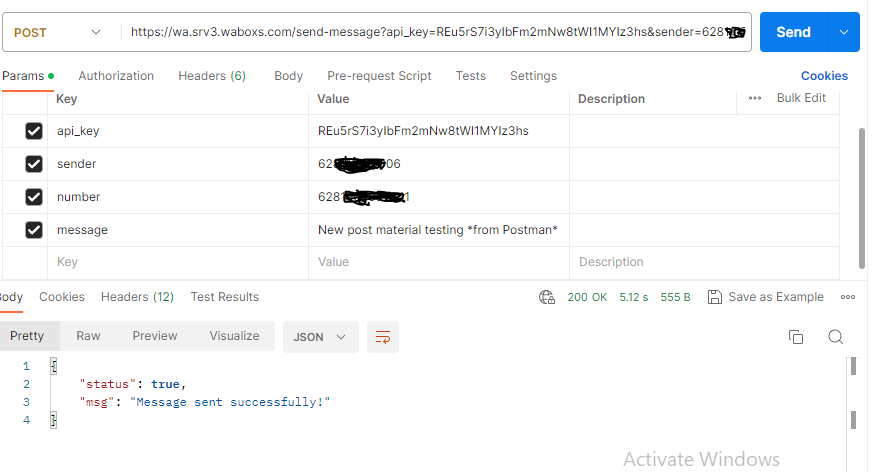
On Pabbly API : Invalid data, while using the same parameters and endpoint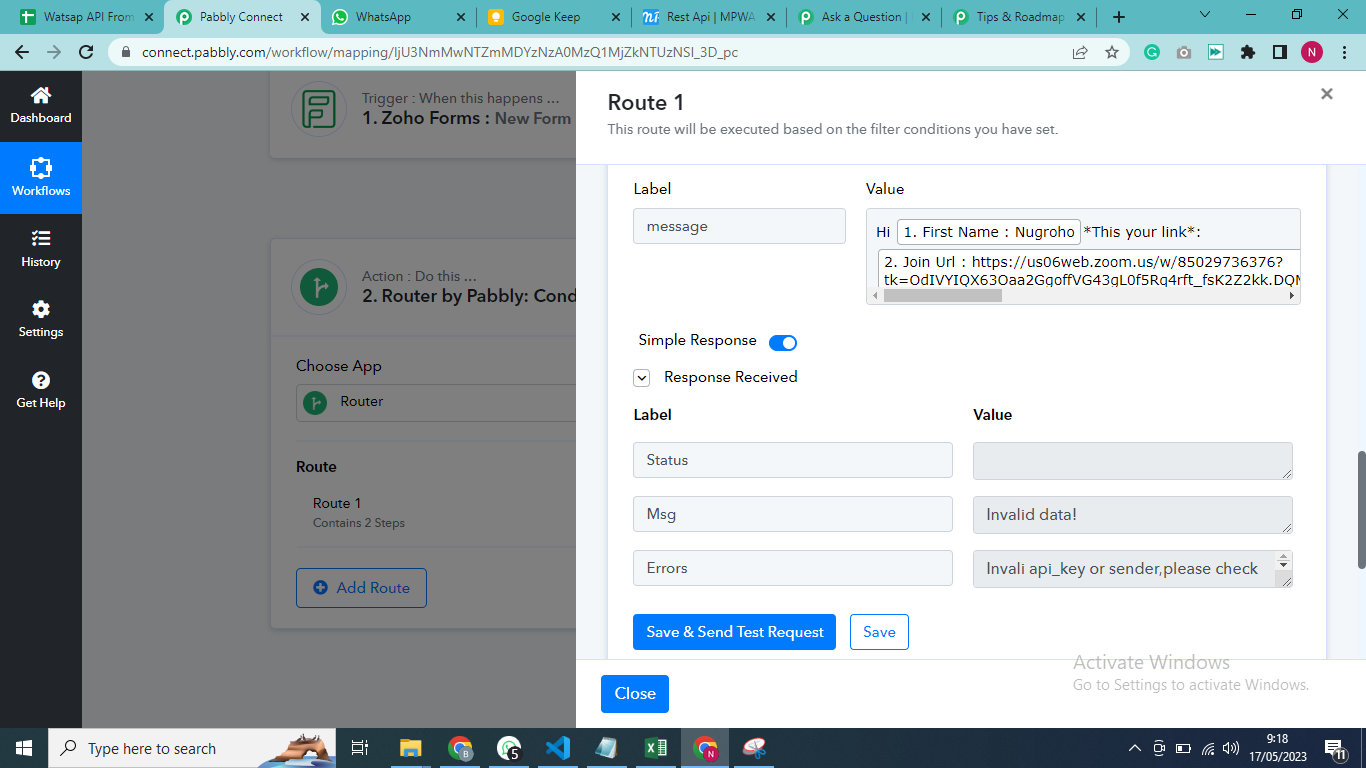
Hey @NBS
Kindly share the name of the action step and the API documentation of the application. So that we can look into it.
You can check the step here :
https://connect.pabbly.com/workflow/share/D0dRYwJVUDNQGgZrA0gFIggcVVEJUAVhABkBE1xTBX1WGFIpVxYNZwpGUXNeDQFgUxoCaA9TU2gBFQoOUwUCcVBKAwYHGABdBDcCRw1SX3UPbQ##
Its inside of the router step, after the Zoom.
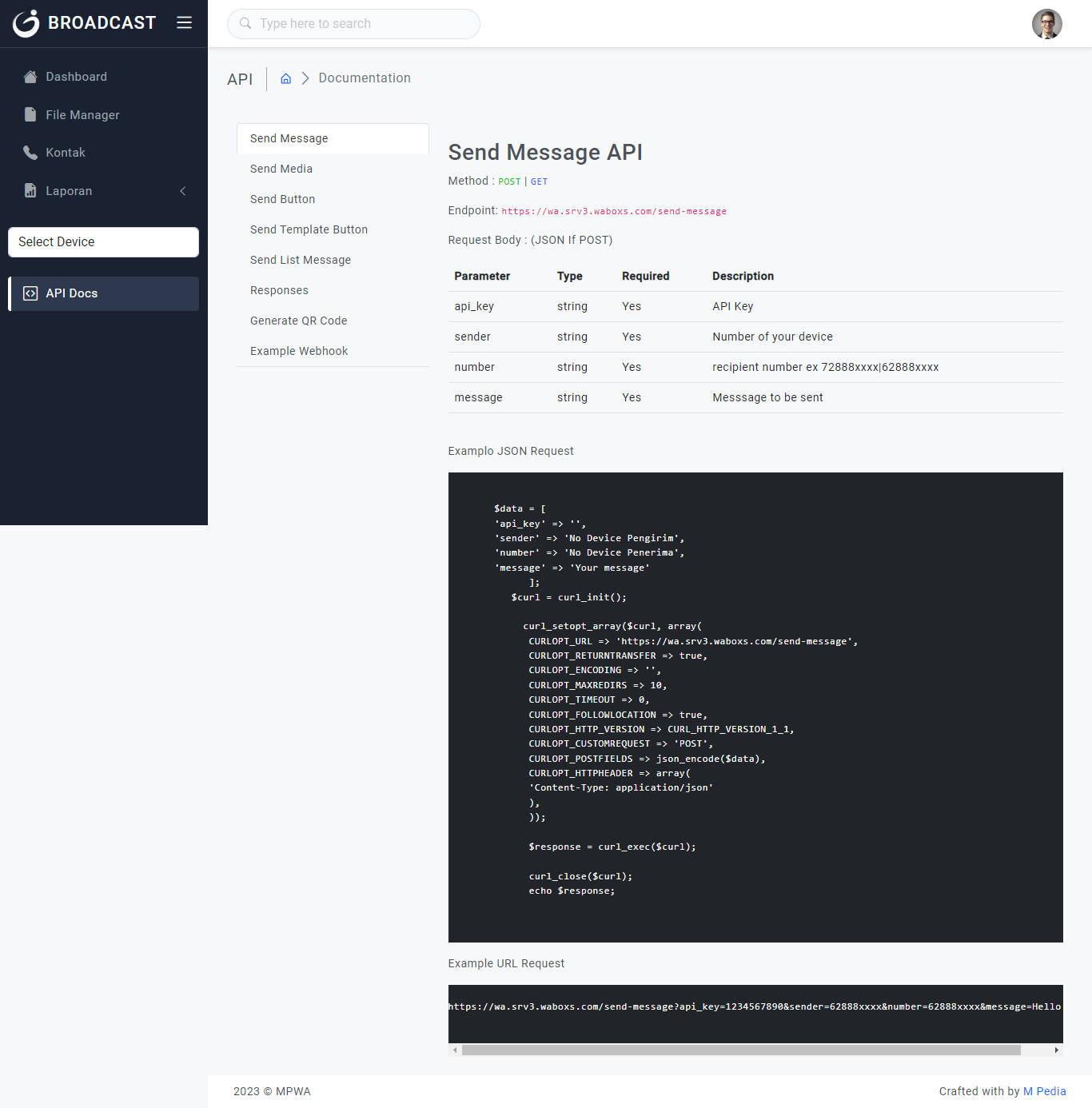
This is the copy of the documentation, refer to the 'Send Message API' section
Watsap Docs
Kindly help @Supreme
Attachments
Hey @NBS
Kindly try the Payload Type to "Form Data" and then try.
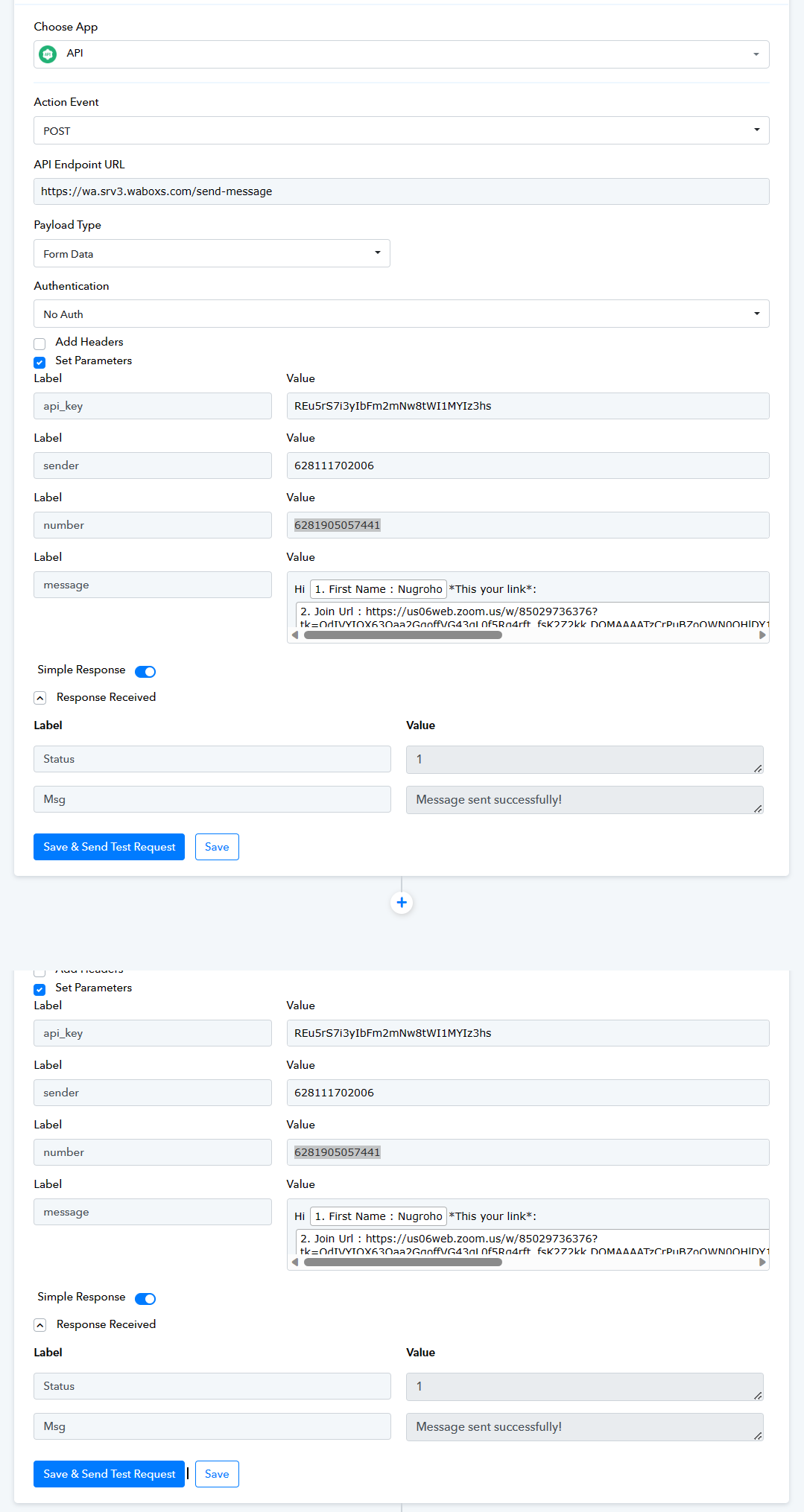
Thanks @Supreme it works!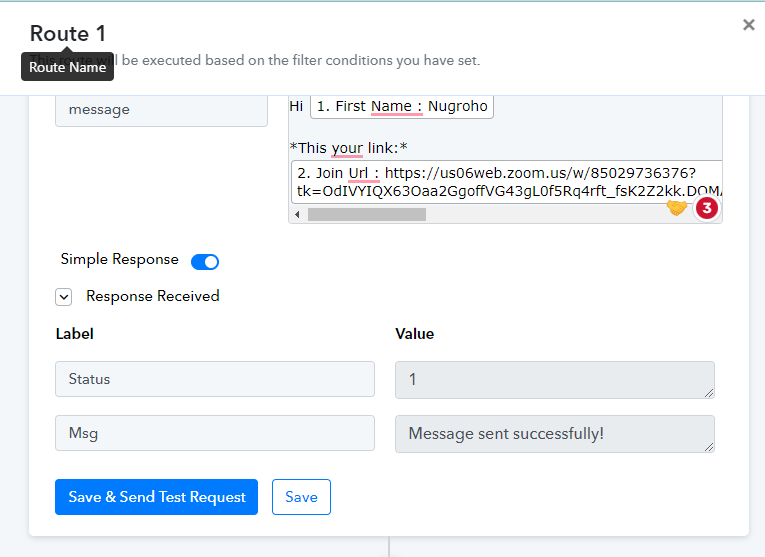
But 1 question, can you explain how do you identify that the Payload has to be stated as "Form Data" instead of "JSON"?
While the documentation is stated as JSON.
Appreciate your explanation. Thanks
We just checked your Postman screenshot and it doesn't show any JSON to pass the data in the body. So it was clear that the data should get entered in the Form Data payload type.
Further, it seems like their API supports the form data as we can see it has the query parameters.
[IMG width="821px" alt="1684289831630.png"]https://forum.pabbly.com/attachments/1684289831630-png.26097/[/IMG]