Workspace Email Connected. Emails also Sent, but not getting Delivered.
Status: Closed · Asked by Kamal Lakhera on · 0 views
Its a simple workflow. I have joined Google form with Google Workspace Email response.
Both Triggered Well.
Email is also showing in the sent Folder in my google workspace gmail account but not getting delivered to the destination address.
Please Help !!!!!
Hey @Kamal Lakhera
We have tested the same workflow scenario at our end and it is sending the email to the right recipient's email address.
Kindly check again and if you still face the same difficulty again then record a short video or share a screenshot.
I'm facing the same issue. The response shows sent on Pabbly but the recipient isn't receiving any emails.
The email is in the sent box but isn't received. The sender email is Google Workspace email.
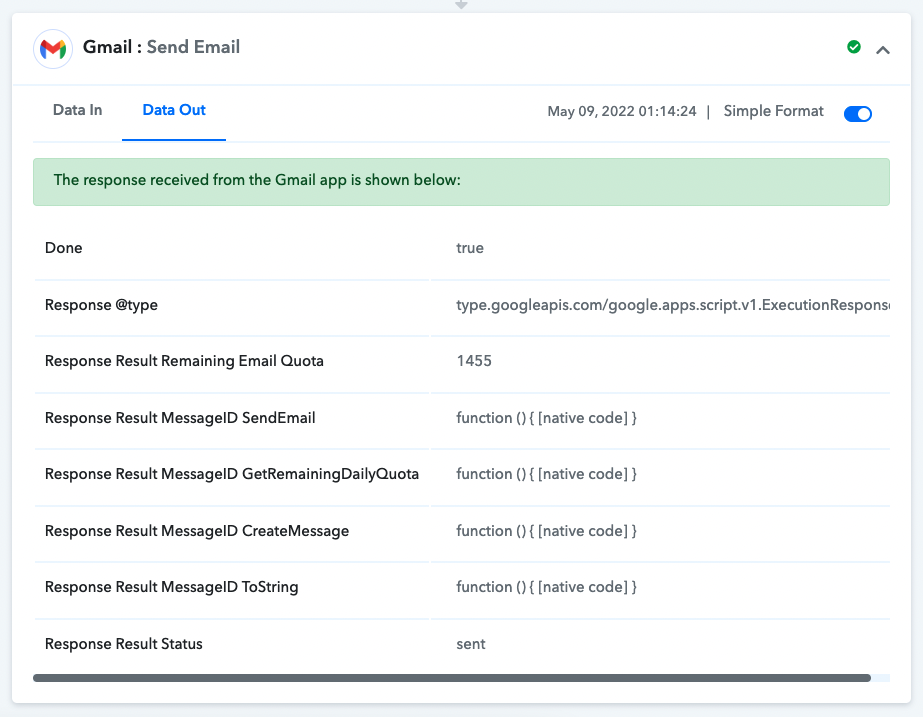
I'm facing the same issue. The response shows sent on Pabbly but the recipient isn't receiving any emails.The email is in the sent box but isn't received. The sender email is Google Workspace email.
Can you let us know the name of the workflow so that we can test it once from our end?
TIA!
Can you let us know the name of the workflow so that we can test it once from our end?TIA!
Sure, It is named has "SCK Affiliate Sign Up"
Hey @Shreyas Umesh
Can you please make a fresh connection with your Google Workspace email and then try? We tested through Google Workspace email and we were able to receive the email immediately.
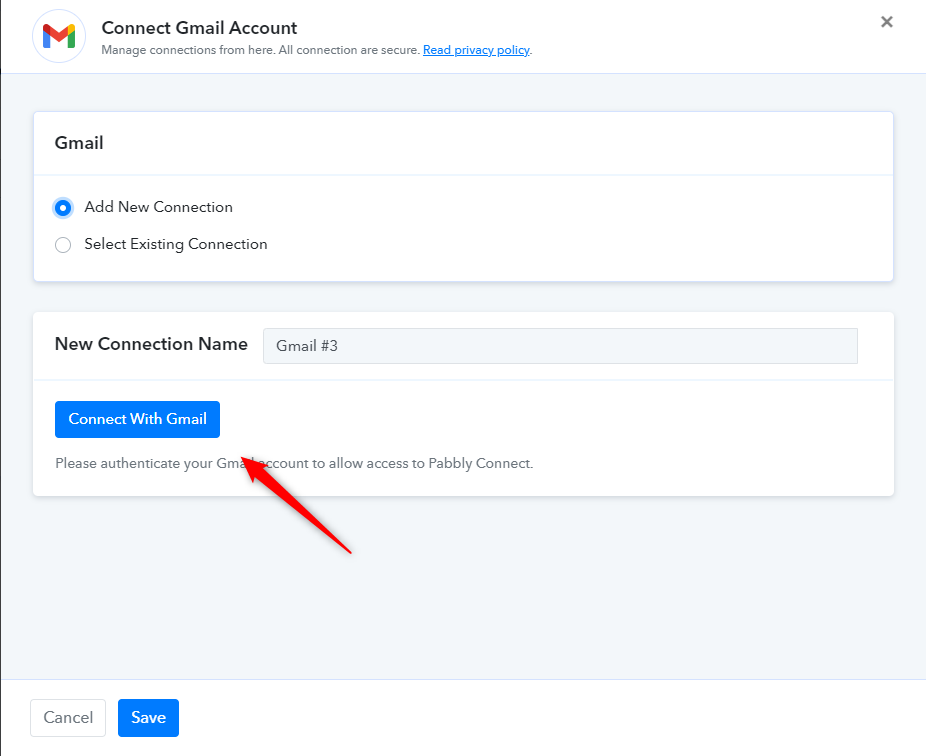
Do let us know if the works for you.
I did add the Google account has a new connection but that didn't work either.
I changed the sender email to my personal Google workspace email and the email was sent. Any idea what could be the issue?
I did add the Google account has a new connection but that didn't work either.I changed the sender email to my personal Google workspace email and the email was sent. Any idea what could be the issue?
Yes, we saw that. Can you confirm if your other email address is properly configured for sending emails from your Google Workspace account (the one which starts with [EMAIL][email hidden][/EMAIL])?
Note that we tested and checked for a possible issue but couldn't find anything unusual at our end.
Yes, we have always used that email address inside Pabbly for sending emails via Gmail. This is the first time I'm facing this issue. Plus it shows in the sent box which is actually weird.
I found no errors showing in https://toolbox.googleapps.com/apps/checkmx/ for my workspace domain. (dkim spf dmarc etc)
Don't know where to check this problem.
Email showing in sent mails, still not getting delivered. Please check the following video.
Thanks
I found no errors showing in https://toolbox.googleapps.com/apps/checkmx/ for my workspace domain. (dkim spf dmarc etc)Don't know where to check this problem.
Email showing in sent mails, still not getting delivered. Please check the following video.
Thanks
Change the sender email to something other than [email hidden] and see if that works because it did for me.
Yes, It is working through normal Gmail.
But we need to work it on Workspace (Personalized Domain) Email.
Yes, It is working through normal Gmail.But we need to work it on Workspace (Personalized Domain) Email.
[email hidden] did not work but my personal domain email did work ([email hidden]) for me.
@gmail is working fine. @domain not working.
is there any setting which we are missing.?
Hey @Kamal Lakhera
We have tested the same at our end with all the domain sites and all of them are working fine. Kindly contact the Google Workspace team for the same.
You can also refer to the following thread for a similar problem.
https://support.google.com/a/thread/8585681/e-mails-with-domain-alias-are-not-working?hl=en
As I mentioned all settings are OK. I am able to send and receive emails directly through Google Workspace gmail account.
But not through Pabbly Connect.
Just reached to the logs email sent through Pabbly Connect. (Snapshots Attached)
Please help to solve the issue.
Attachments
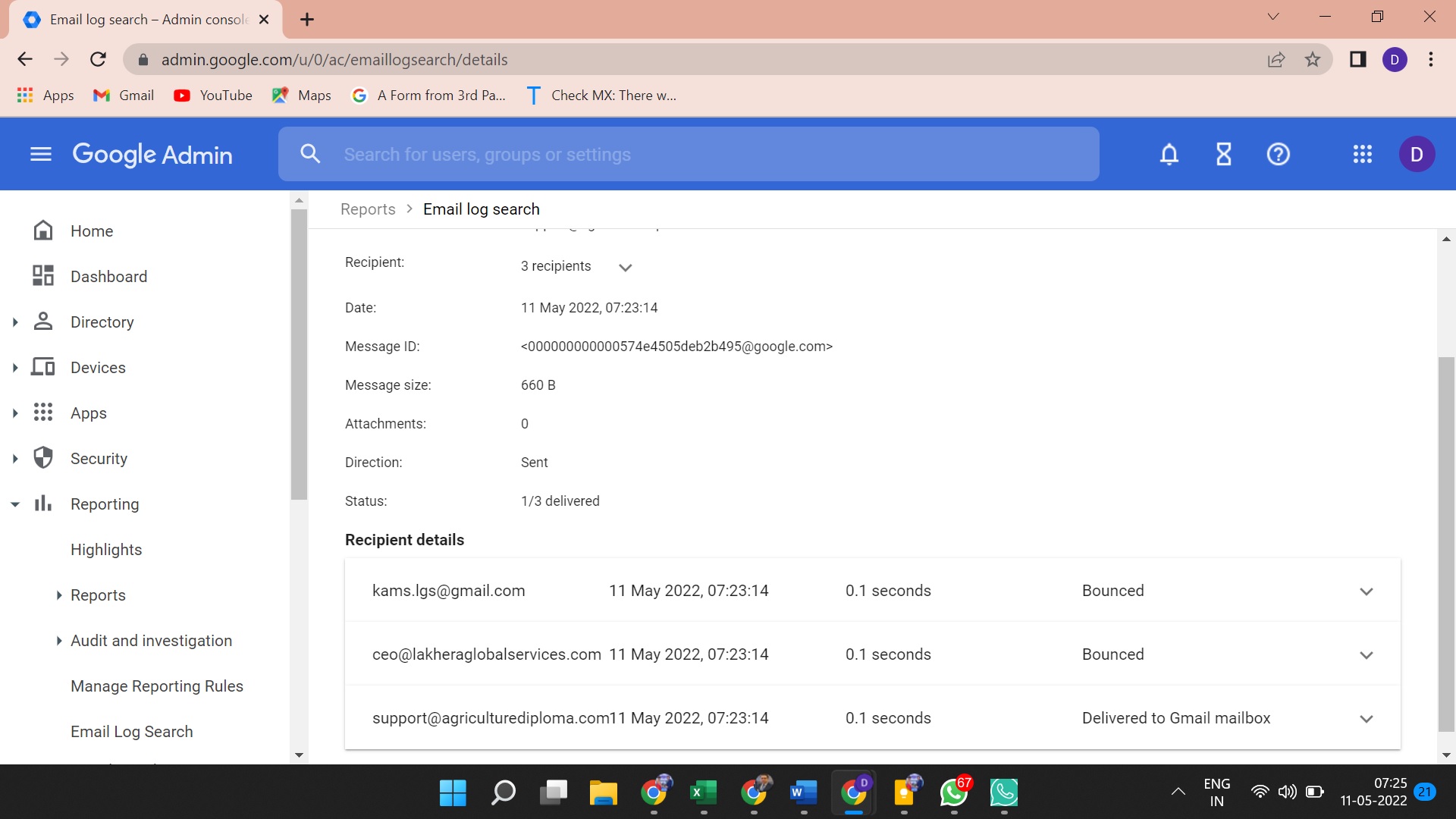
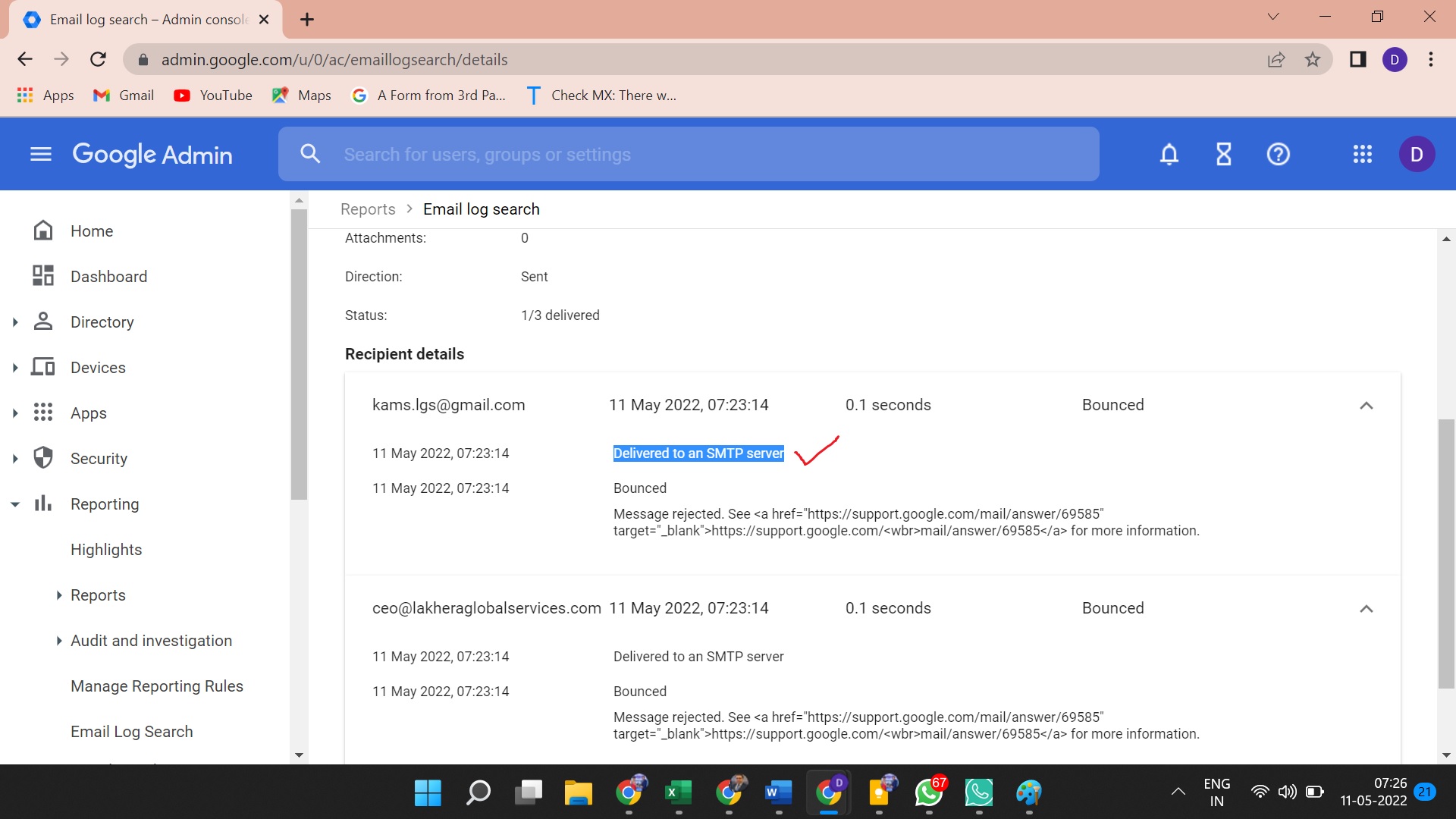
Hey @Kamal Lakhera
As we have tested the action step with our particular domain it is working, so kindly contact the Google Workspace support team for the same.
Please check ASAP.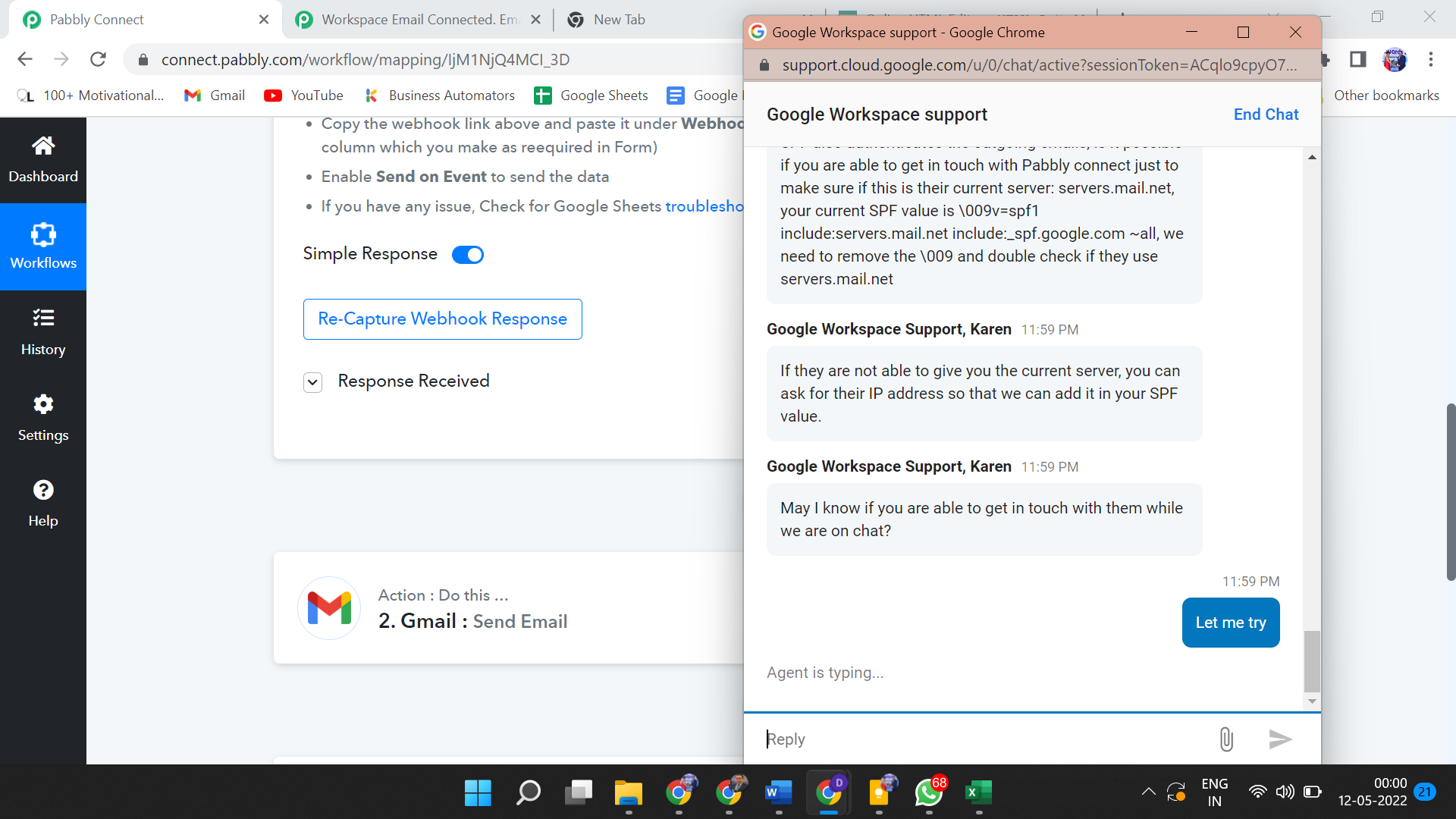
Please confirm Pabbly Connect CURRENT SERVER or IP ADDRESS. So that SPF records can be double checked as suggested by Google Support.
Hey @Kamal Lakhera
Please confirm Pabbly Connect CURRENT SERVER or IP ADDRESS. So that SPF records can be double checked as suggested by Google Support.
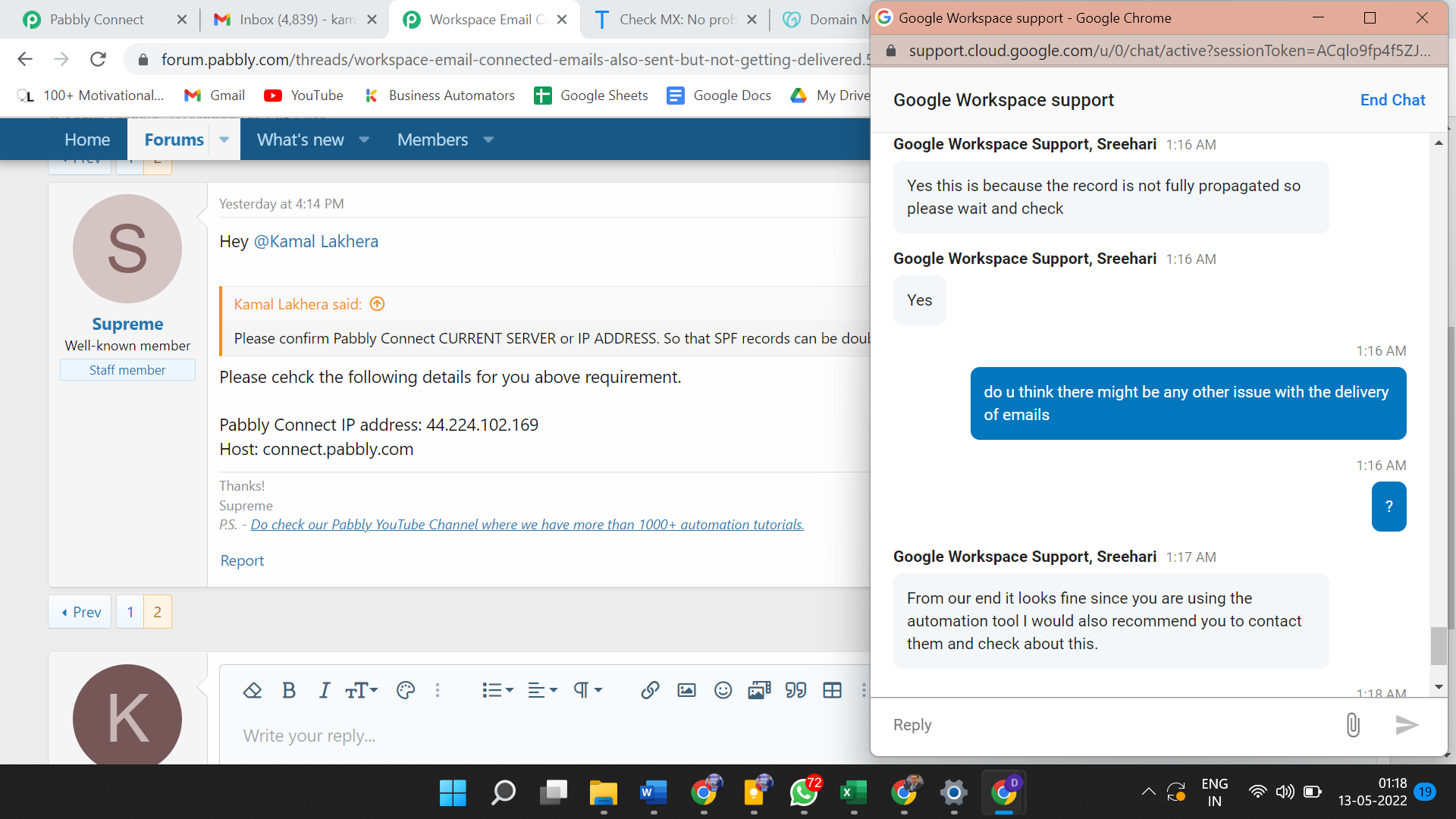
Please check the following details for you above requirement.
Pabbly Connect IP address: 44.224.102.169
Host: connect.pabbly.com
I Hope it works now.
Hey @Kamal Lakhera
Could you please confirm whether the issue is fixed or not?
It is very Unfortunate that issue is still not solved yet and I am still not able to start my first automation yet.
No problem with GoDaddy and Google Workspace. Emails are being sent and received properly but not through Pabbly Connect.
Its been 5 days already. No call Support. Email not replied yet. Please Fix this !!!!
It is very Unfortunate that issue is still not solved yet and I am still not able to start my first automation yet.No problem with GoDaddy and Google Workspace. Emails are being sent and received properly but not through Pabbly Connect.
Its been 5 days already. No call Support. Email not replied yet. Please Fix this !!!!
We would like to inform you that emails are not being sent through the Pabbly Connect server. We simply authorize your Gmail account here for sending emails and all the emails are actually being sent through Gmail servers only. So if there is any DNS or SPF or DKIM issue, then you will have to check with the Google Workspace team itself.
Note that we have reviewed the whole of the Gmail integration and we couldn't find any such issue being reported from our other customer (Gmail integration is currently being used in over 9,500+ automation workflows).
Can you check the logs in your Google Workspace account and see what delivery status is being shown thereon for the email address [EMAIL]admin@pabbly.com[/EMAIL]? We made the test at around 12.55 PM IST on 14th May 2022.
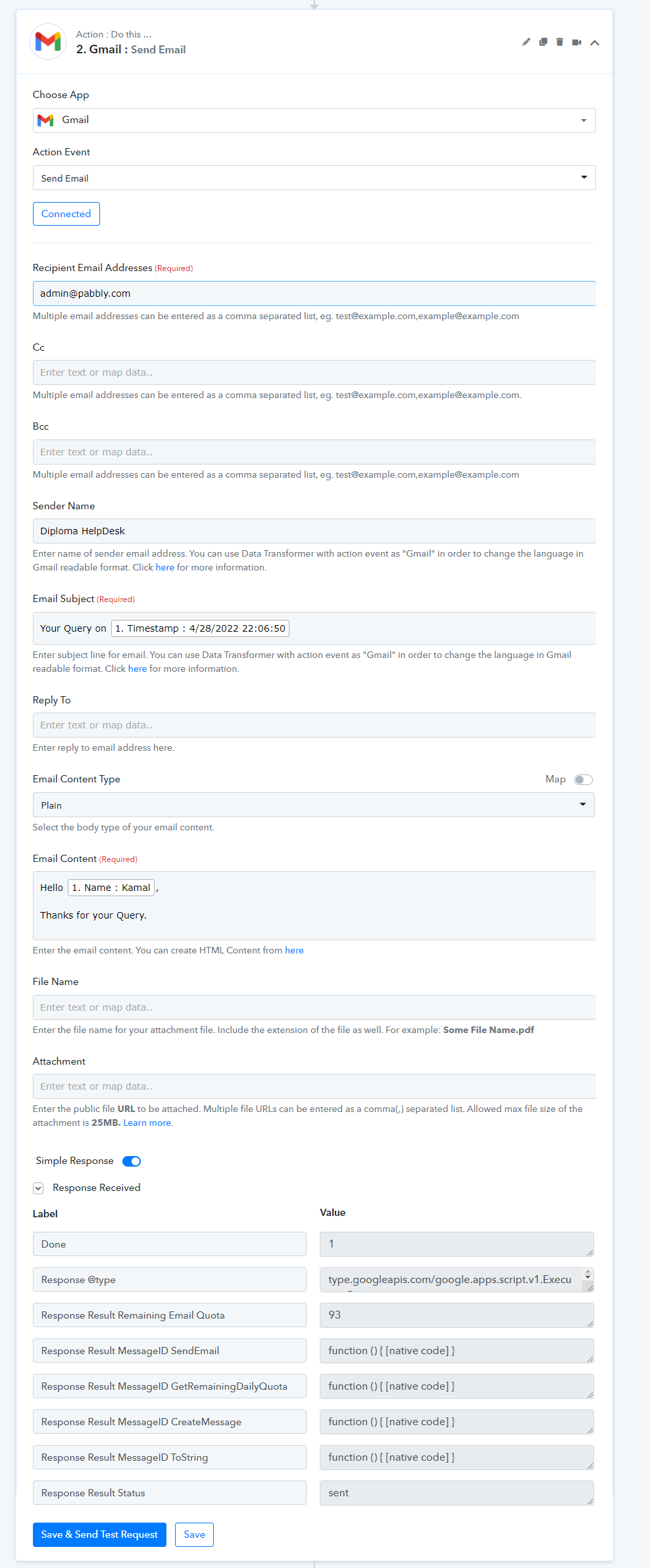
We are sending the Gmail log as well which you can share with the Google Workspace team so that they can help you out. Please check your registered email address where we have sent that information from email admin@pabbly.com.
Our integration team has confirmed that there isn't an issue from the Pabbly Connect end and the Gmail integration is working fine.
Solved !!!
When I connected my google workspace account with GoDaddy hosting. It created the MX record twice automatically. I deleted the same and it worked !!!
Thanks !!