WOXO integration issue
Status: Closed · Asked by Dokaben on · 0 views
I am having a problem with WOXO's "Generate Native Video".
Even if I fill in all the required fields and submit a test, it still returns the message ""data" parameter is mandatory".
Is there any documentation or video tutorials on integrating with WOXO?
I am having a problem with WOXO's "Generate Native Video".
Even if I fill in all the required fields and submit a test, it still returns the message ""data" parameter is mandatory".
Is there any documentation or video tutorials on integrating with WOXO?
We have updated your workflow. Please check at your end.
I confirmed. Thank you for helping me!
Could you please add "Generate Dynamic Video" as Action in the future update?
I need "Dynamic Video" as well as "Native Video".
I checked https://pabbly.hellonext.co/b/Integration-Request/p/woxo but I cannnot add comment.
Could you please add "Generate Dynamic Video" as Action in the future update?
I need "Dynamic Video" as well as "Native Video".
I checked https://pabbly.hellonext.co/b/Integration-Request/p/woxo but I cannnot add comment.
Sure. We will pass this requirement to the integration team and they should be able to add this in the next integration update.
Great! Thank you!
I'm sorry for asking so many questions.
How can I make a video that consists of multiple scenes like this one?
https://docs.google.com/spreadsheets/d/1HG6xxbDS4195RcbgtAaUM3h9WObKusyR-xQzYISlb28/edit#gid=0
I thought I could do it with "Generate Native Video with Line Items", but that was for creating multiple videos, not for a single video with multiple scenes.
I'm sorry for asking so many questions.
How can I make a video that consists of multiple scenes like this one?
https://docs.google.com/spreadsheets/d/1HG6xxbDS4195RcbgtAaUM3h9WObKusyR-xQzYISlb28/edit#gid=0
I thought I could do it with "Generate Native Video with Line Items", but that was for creating multiple videos, not for a single video with multiple scenes.
The current integration supports only 1 scene. By the end of this week, it will start supporting 5 scenes as the integration team is still working with the Woxo team. You will be notified as soon we update it.
Thanks!
That's very nice. I look forward to your updates.
I would like to make three suggestions.
1.
It would be better to have two fields in Pabbly, because what you enter in "Video Title" in Pabbly is reflected in "ProjectName" and "Scene1 Title" in WOXO.
2.
I would like to request that the words in Pabbly match the words in WOXO, so it would be better to match the expressions in WOXO.
Pabbly -> WOXO
Video Title -> Scene1 Title
Video Description -> Scene1 Text
Video URL -> Scene1 Media URL
3.
It would be better if the order of the input form is Scene1 Media, Title, Text like in WOXO.
I would like to make three suggestions.1.
It would be better to have two fields in Pabbly, because what you enter in "Video Title" in Pabbly is reflected in "ProjectName" and "Scene1 Title" in WOXO.2.
I would like to request that the words in Pabbly match the words in WOXO, so it would be better to match the expressions in WOXO.
Pabbly -> WOXO
Video Title -> Scene1 Title
Video Description -> Scene1 Text
Video URL -> Scene1 Media URL3.
It would be better if the order of the input form is Scene1 Media, Title, Text like in WOXO.
Shared this with the integration team. You shall see this update soon.
@Dokaben
Please test the Woxo integration now. It has been updated with all feedback you shared and supports 5 scenes as well.
Great! I'll check this.
Something I have not entered (a mysterious html code) will be automatically filled in, causing an error.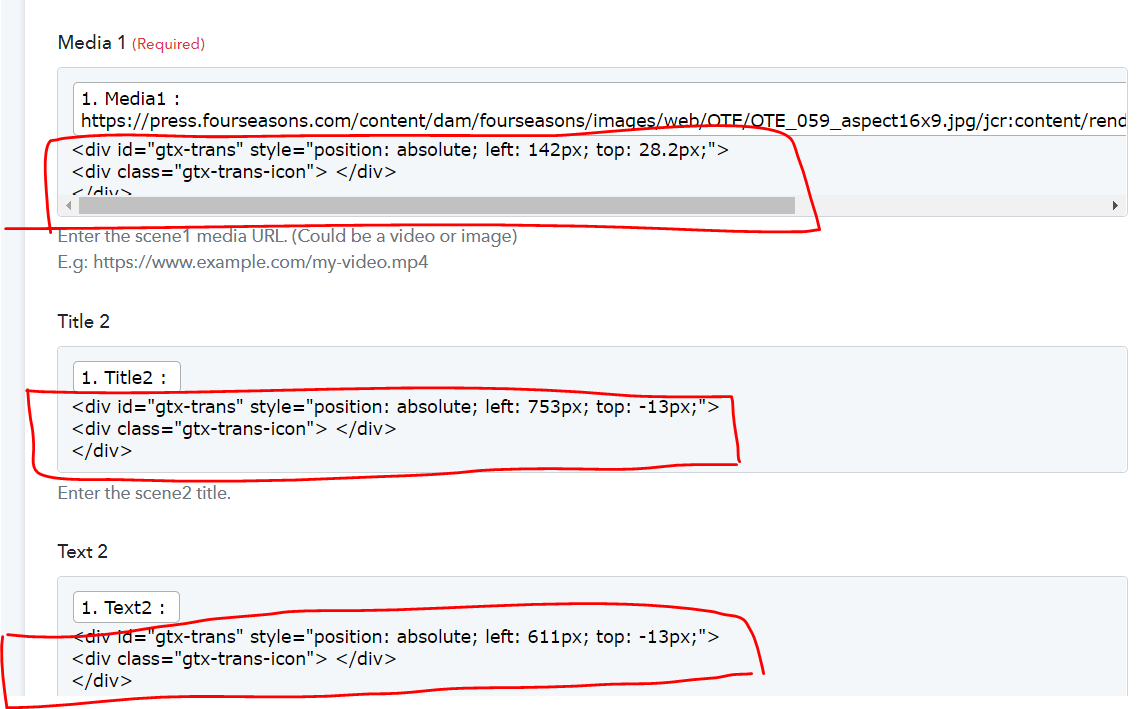
Something I have not entered (a mysterious html code) will be automatically filled in, causing an error.
Try setting up the workflow in incognito mode by disabling the browser extensions.
This is due to Chrome Translation Extension... Sorry.
https://www.joomlacontenteditor.net/support/forum/105853-insert-gtx-trans-in-html-code
After I Save & Send Test Request, I got the message "Error excecute front10 lambda function"
Attachments

This is due to Chrome Translation Extension... Sorry.
https://www.joomlacontenteditor.net/support/forum/105853-insert-gtx-trans-in-html-codeAfter I Save & Send Test Request, I got the message "Error excecute front10 lambda function"
We have updated your workflow. Please check it here - https://connect.pabbly.com/workflow/mapping/IjE0MDYyNCI_3D
Thanks! It's wonderfully done and I'm very impressed.
I have 2 requests.
1.
I would like to add a form to enter the ProjectName. Currently, the ProjectName is what you put in the Title1 form, and I would like to enter the project name, customer name, date, etc. for the ProjectName. I want to separate the title of the first scene of the video from the project name.

2.
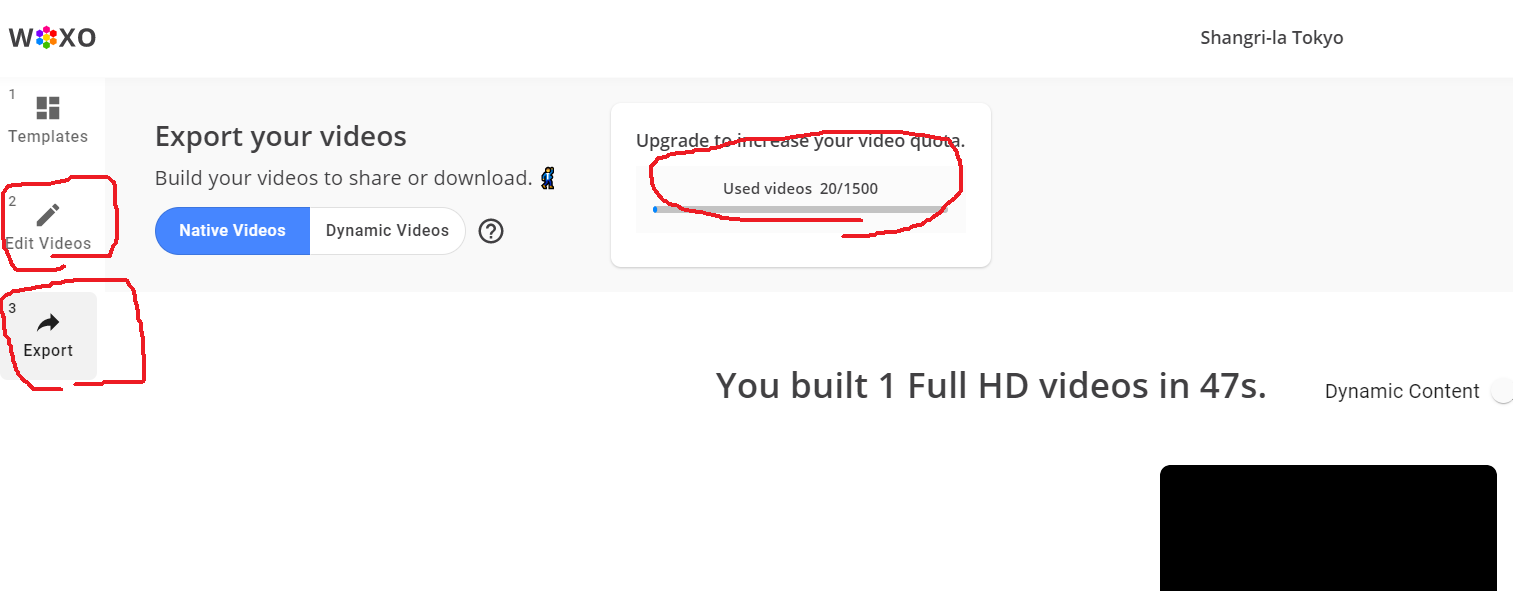
Is it possible to make the input to the WOXO spreadsheet (2. Edit Video in the WOXO admin page) and the export (3. Export in the WOXO admin page) separate steps? Currently, steps 2 and 3 are combined together, so every time I use the API, the credits for exporting the video will be reduced.
Thanks! It's wonderfully done and I'm very impressed.I have 2 requests.
1.
I would like to add a form to enter the ProjectName. Currently, the ProjectName is what you put in the Title1 form, and I would like to enter the project name, customer name, date, etc. for the ProjectName. I want to separate the title of the first scene of the video from the project name.
2.
Is it possible to make the input to the WOXO spreadsheet (2. Edit Video in the WOXO admin page) and the export (3. Export in the WOXO admin page) separate steps? Currently, steps 2 and 3 are combined together, so every time I use the API, the credits for exporting the video will be reduced.
The current integration is based on the Woxo API documentation. The requirements which you're asking for need changes in the Woxo API. We suggest contacting them once regarding your request, as they should be able to guide you better on this.
Thanks!
The API specification of WOXO is not available to the public, and I don't know what it is like, so I apologize for the off-target request.
Please keep up the good work, as it is great as it is. Thank you very much.