Wp Amelia to whatsapp integration (360dialog)
Status: Closed · Asked by atul tiwari on · 0 views
Will you please provide guidance on the use case below
Step 1 : Patients Books in Wp Amelia ( wordpress Plugin)
Step 2 : Details of appointment sent to Whatsapp No (doctor- Admin) ( using 360 dialog)
Step 3 : Patients should receive appointment reminders 4 hours prior to appointment and 1 hour prior to appointment .
Please guide on the steps or reference video if you have .
Awaiting reply.
Thanks and regards
Hey @atultiwari1958
We have designed your workflow ( Amelia to WhatsApp Admin ) in your account accordingly, kindly try this at your end and let us know if that works for you.
Thanks
Thanks for your Reply.
Can you please few steps .
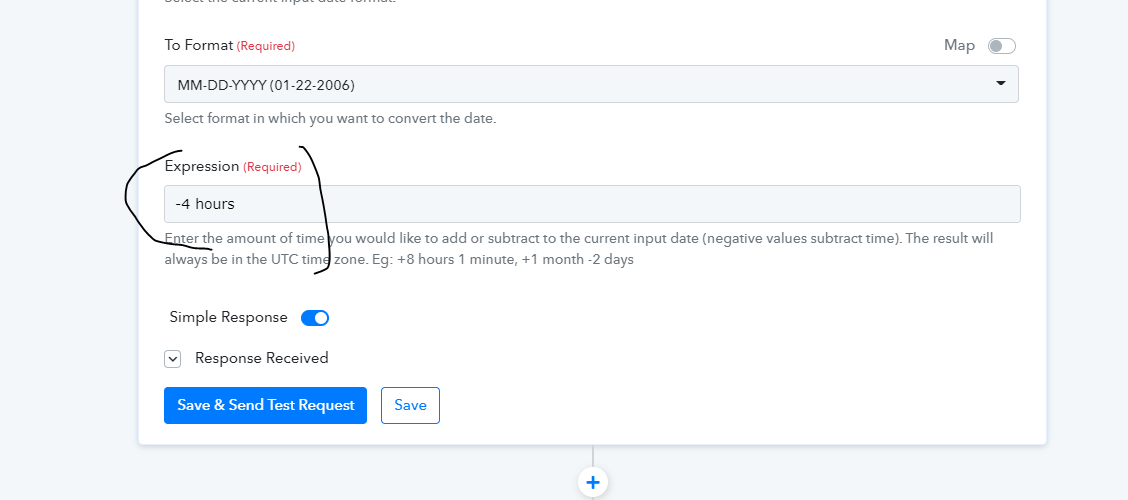
Why we are using expression - 4hrs ?
and delay Action step
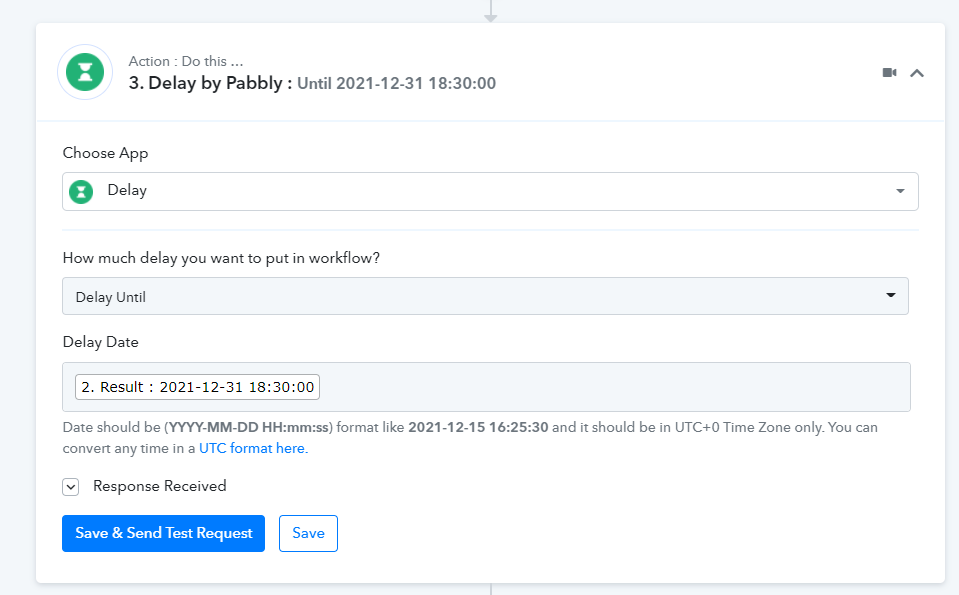
Please guide to understand these two steps .
Thanks once again for your support
atul
Pabbly Team added -4 hours step to get a time which is 4 hours prior to your meeting time.
And then used delay until to that 4 hours prior time before sending reminder.
So basically your workflow will subtract 4 hours from meeting timeto get a 4 hour prior time from meeting and then wait until that time tosend the reminder.
Will you please provide guidance on the use case belowStep 1 : Patients Books in Wp Amelia ( wordpress Plugin)
Step 2 : Details of appointment sent to Whatsapp No (doctor- Admin) ( using 360 dialog)
Step 3 : Patients should receive appointment reminders 4 hours prior to appointment and 1 hour prior to appointment .Please guide on the steps or reference video if you have .
Awaiting reply.
Thanks and regards
Can you please Check and guide
Step 1 : Patients Books in Wp Amelia ( https://woocommerce-176213-2365242.cloudwaysapps.com/booking/)
Step 2 : Patient receives Appointment confirmation in Whatsapp - Immediately ( 360dialog)
Step 3 : Patient receives Appointment Confirmation in Whatsapp - 1 hour prior to appointment .
I had difficulty in delay setting - Please check and guide
https://connect.pabbly.com/workflow/share/WBBQYl8UAChWHFUvDmsHZQEWAQIETgZQB2BRQw##
Awaiting response
atul
Hey @atultiwari1958
We have corrected your workflow as per your use case, kindly try again.
Thanks
Tried . Not recieved any message . Can you please check
Hey @atultiwari1958
We looked into your workflow's history and it looks like you haven't tried it yet. Since the last entry show no execution from your end in recent hours.
Kindly try again properly.
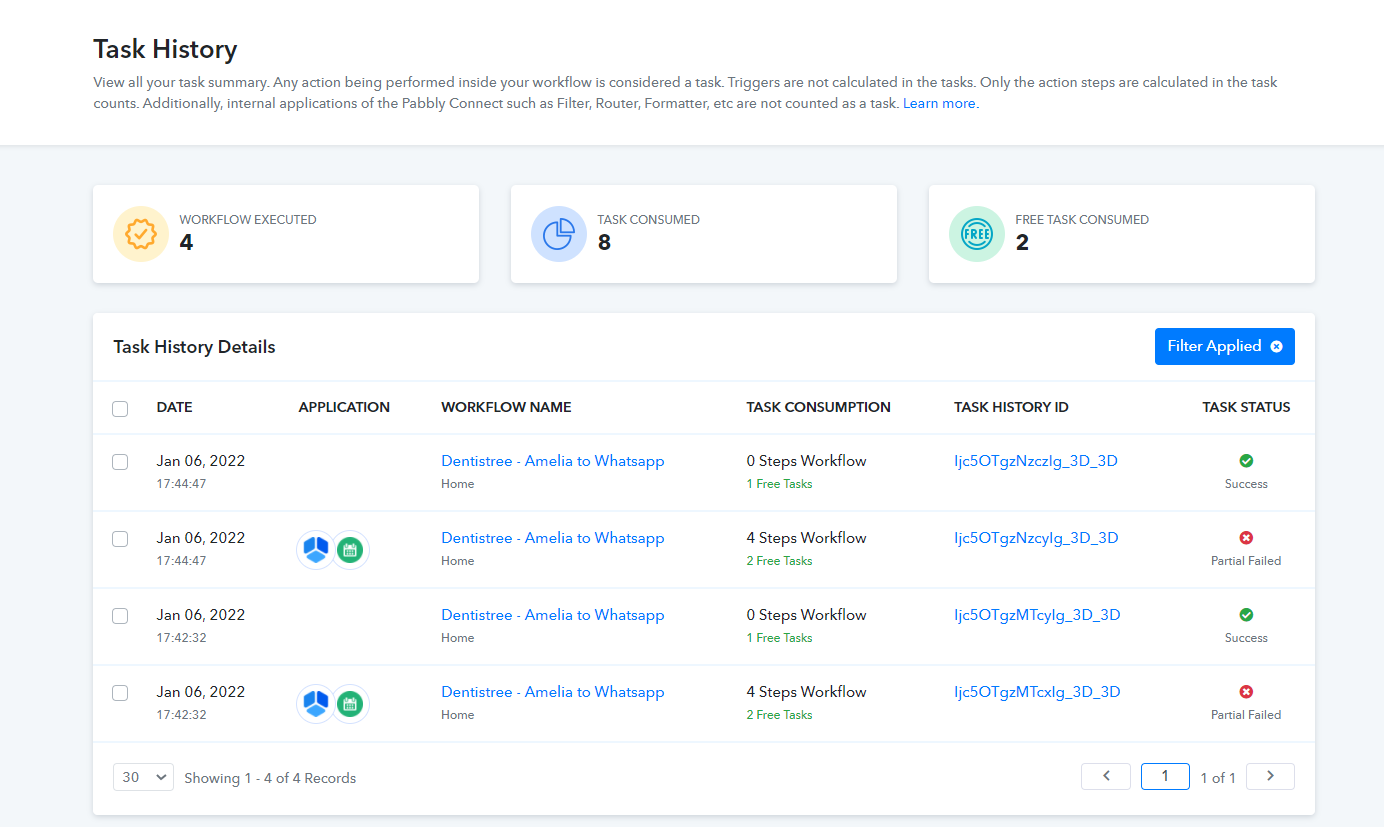
Tested now sir - It shows in history but not recieved any message in whatsapp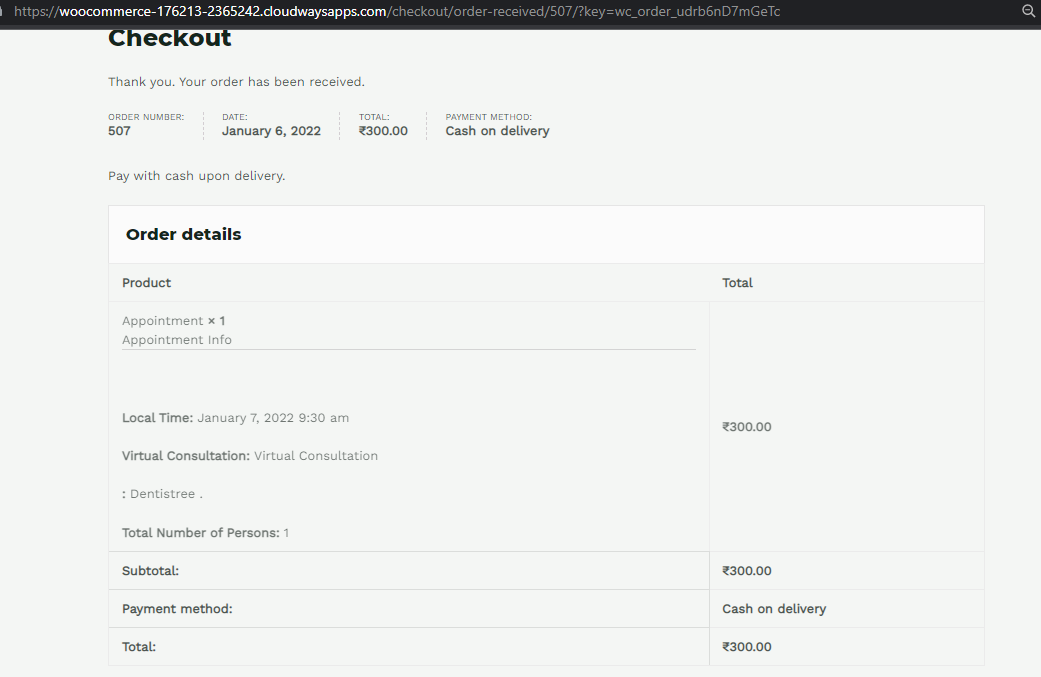
Tested now sir - It shows in history but not recieved any message in whatsapp
I believe it is stopping at second stage - iterator
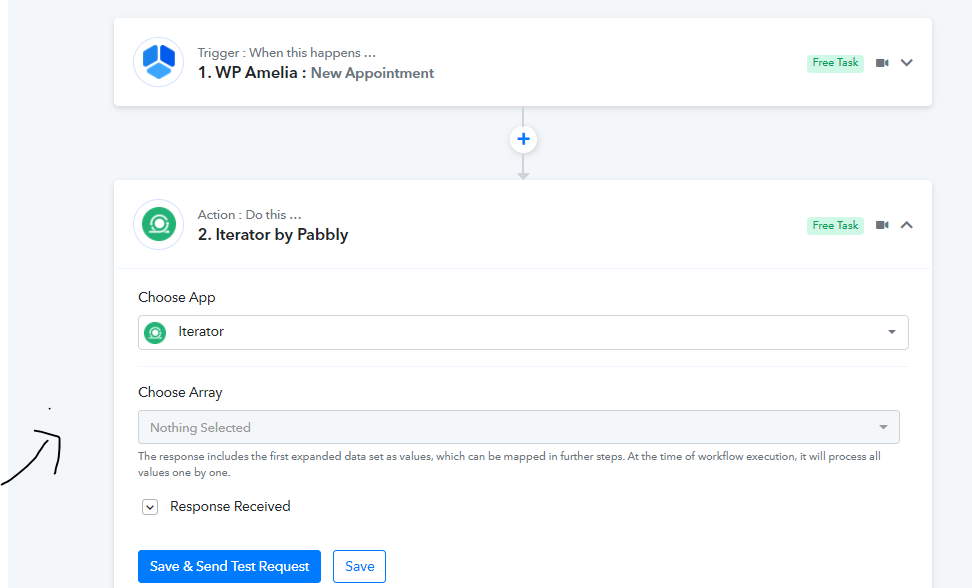
I believe it is stopping at second stage - iterator
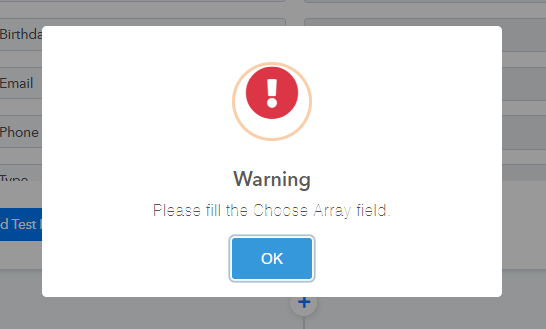
In my another flow : https://connect.pabbly.com/workflow/share/AUkFNwJJU3sDSVIoD25QNF1JBgUHTQlfBGMBEw##
I have difficulty sending message to whatsapp ( send text message) , where as i was able to send template message . Please guide on this also
@atultiwari1958
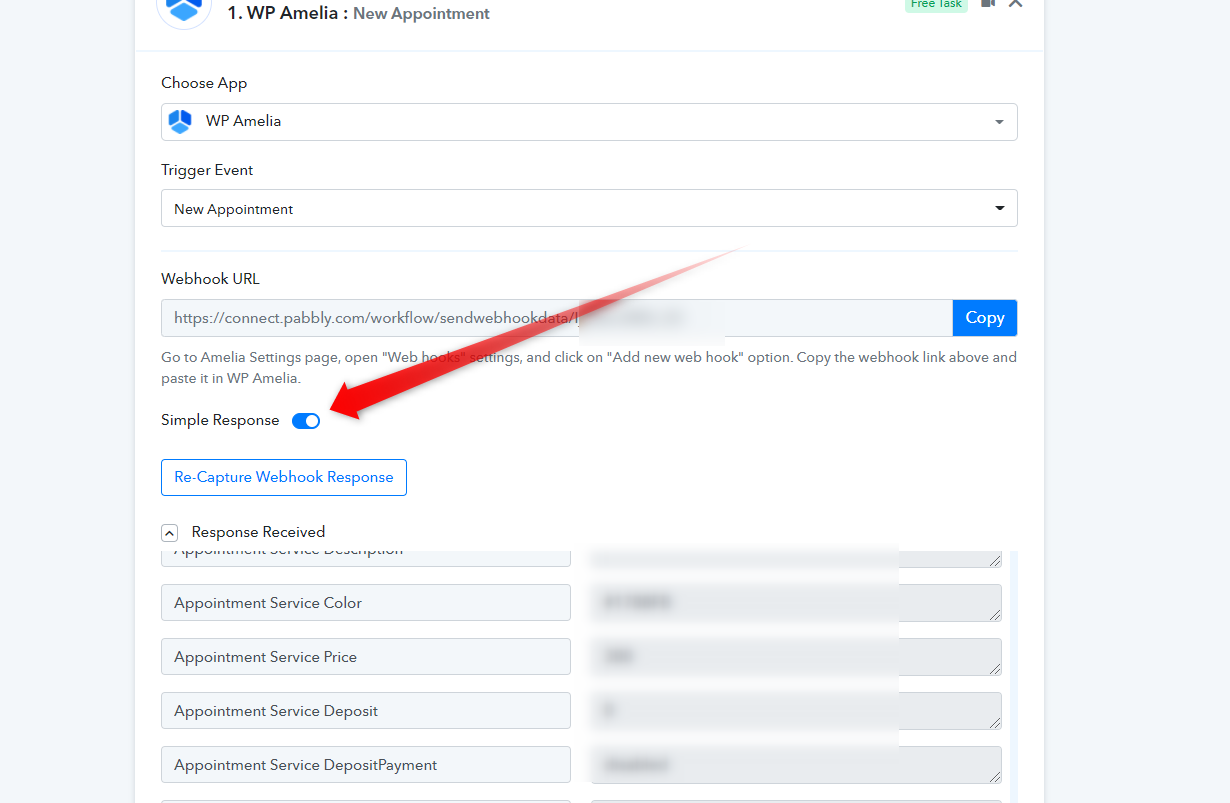
Because you have changed the capturing response mode from advance to simple response on the trigger response, the JSON array which was produced previously is no more is coming.
Please capture the webhook response in advance response and kindly do not change it again, since you are getting multiple entries from the Wp Amelia.
thanks for that.
https://connect.pabbly.com/workflow/share/DkZUZl4VBi4CSAB6D25XM1xIVVYJQwheVTIJGw##
In the above flow - I m recieving 2 messages instantly.
Requirement
Please set second reminder message delay timing . ( Message has to be sent 1 hour prior to appointment)
Thanks once again for your support
thanks for that.https://connect.pabbly.com/workflow/share/DkZUZl4VBi4CSAB6D25XM1xIVVYJQwheVTIJGw##
In the above flow - I m recieving 2 messages instantly.
Requirement
Please set second reminder message delay timing . ( Message has to be sent 1 hour prior to appointment)
Thanks once again for your support
Hey @atultiwari1958 !
We have updated your workflow and it will work for you by sending the instant message to the user and then 1 hour before of the appointment time.
thanks for the update..
Is delay in workflow is free task ?
For patient Messages
https://connect.pabbly.com/workflow/share/XRUCMAJJUnpfFFQAAVIDKltMBxQBS1MFUTYAEg##
For Admin Messages
https://connect.pabbly.com/workflow/share/DERQYlEaU3teFAZ8B2ZQNAAUCgkCSAVTA2RURg##
My Requirement is very simple :
1. When patients books they should receive instant confirmation message and 1 hour prior to appointment
2. Similarly for Admin - should receive instant confirmation and 1 hour prior to appointment ( for testing i have kept 10 mins)
I was successfully send instant messages for both patient and admin , but having difficulty in setting delay messages
Kindly check and help me setup delay properly
also please give details on the changes you have done for delay , so in future i will setup properly without disturbing you ...
Hey @atultiwari1958
My Requirement is very simple :1. When patients books they should receive instant confirmation message and 1 hour prior to appointment
2. Similarly for Admin - should receive instant confirmation and 1 hour prior to appointment ( for testing i have kept 10 mins)
We looked into your workflows and they seem fine to us, the delay action step is to send messages to your patience before 1 hour of appointment time which is also working fine as we can see in your workflow's history logs.
Though as it has already been stated that you need to pass the date-time format in UTC in Delay Until action step and because of the time difference your messages were not sent to you as the appointment time had passed. Though we have set that up in both of your workflows.
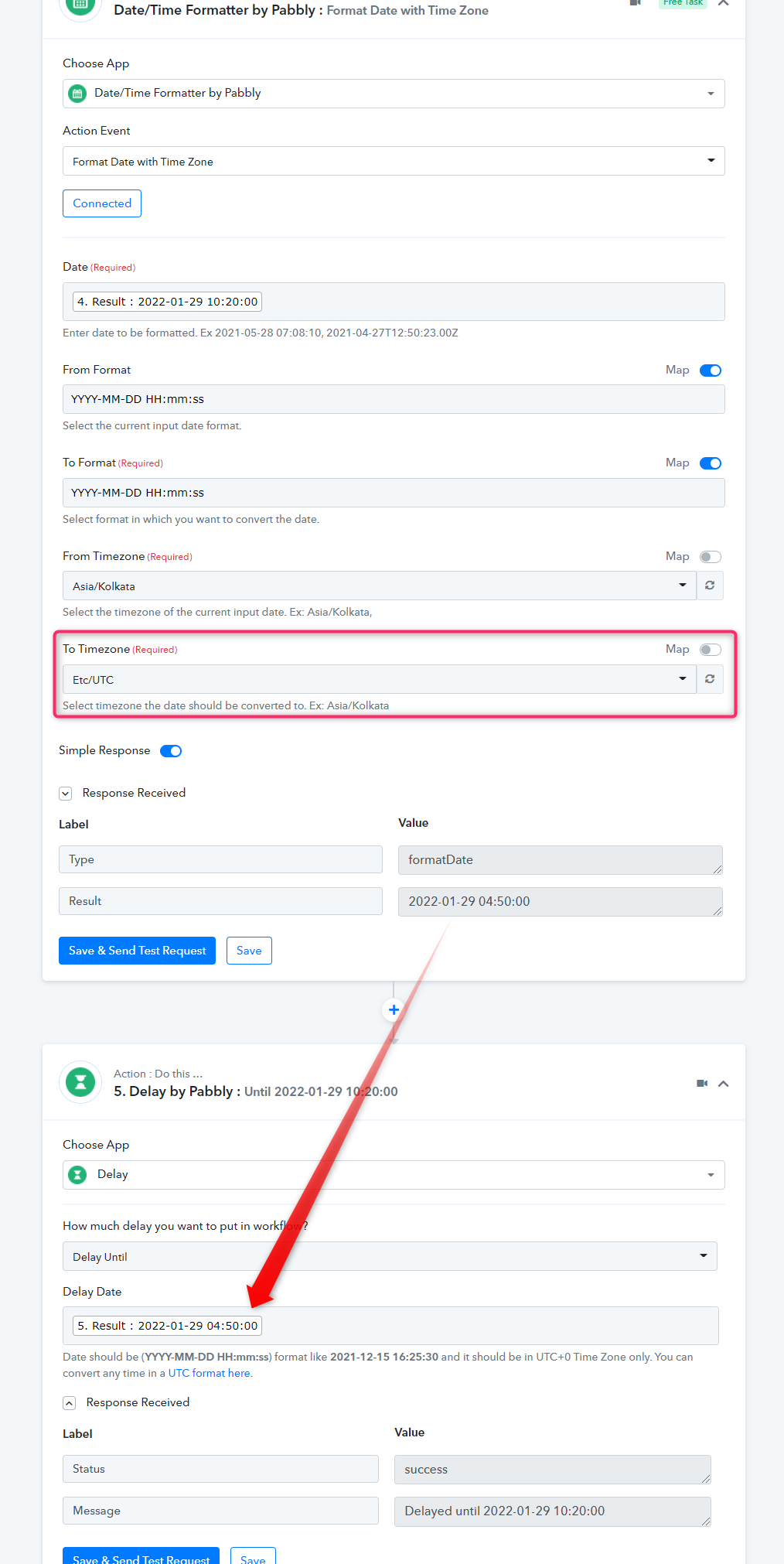
Thanks for setting up ..