Writing into Google sheet
Status: Open · Asked by ranga naik on · 0 views
Hi Team,
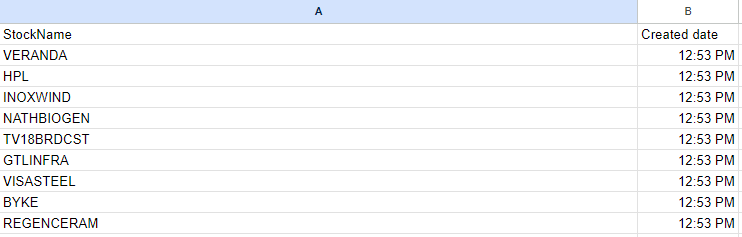
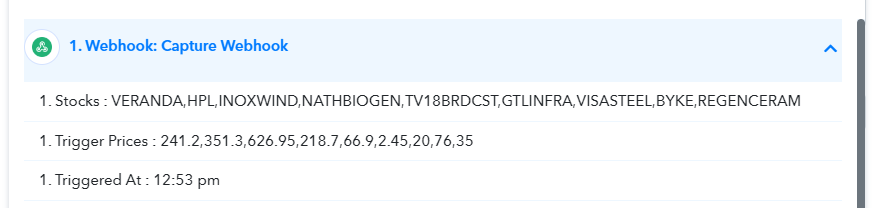
I am getting the below data from the webhook I want to write to Google Sheets as new rows. I want Triggered at Value should be repeated against Stocks please refer to wanted desired output screenshot
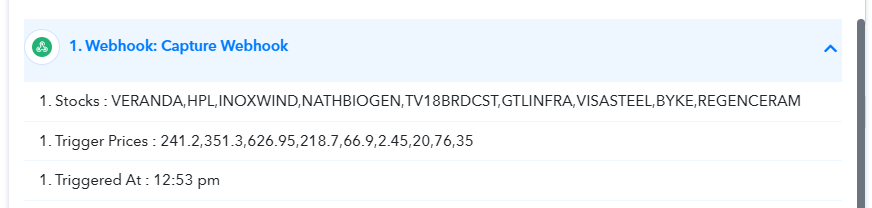
Wanted desired output
Attachments
Hey @ranganna !
Sure, kindly use the below-mentioned Google Sheet step to map your comma separated data-
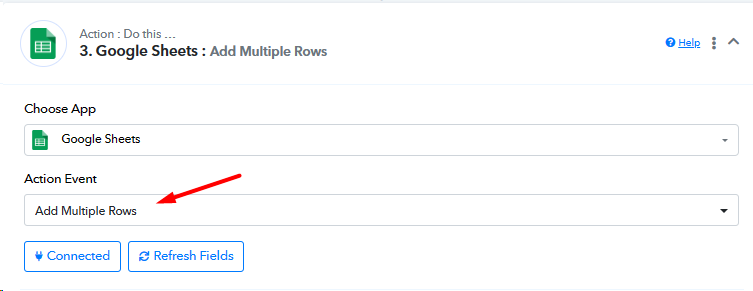
This will add a new row for all the comma-separated data inside a new row.
Here is a video tutorial for your reference-
youtube.com/watch?v=I-jUyU4Uuvo
Hope, this works for you.
Hey @ranganna !Sure, kindly use the below-mentioned Google Sheet step to map your comma separated data-
This will add a new row for all the comma-separated data inside a new row.
Here is a video tutorial for your reference-
youtube.com/watch?v=I-jUyU4Uuvo
Hope, this works for you.
I Have tried but triggered at is single value that should repeat automatically it's not happening
Hey @ranganna !
Can you confirm if the stock names will be of the same number always or will fluctuate up and down?
So accordingly we can guide you on how to map for the Value at data further.
Hope, to hear from you soon,
No it will fluctuate every 1 min
Hey @ranganna !
We mean to say, will the stock names will always be the same or will they be lesser or more everytime -
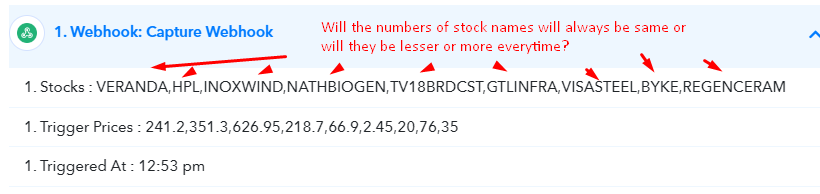
Meaning will VERANDA be there always or will it be sometimes only?
So on this basis we can guide you further with your concern.
Stock names will vary every 1 min but trigged at value always one value
Stock names will vary every 1 min but trigged at value always one value
Even count also vary some times 1 stock might appear some times 10 sometimes 50
Hey @ranganna !
Kindly use "Code by Pabbly : JavaScript" code as shown below to duplicate the single date value to multiple times on the basis of number of stocks as shown below-
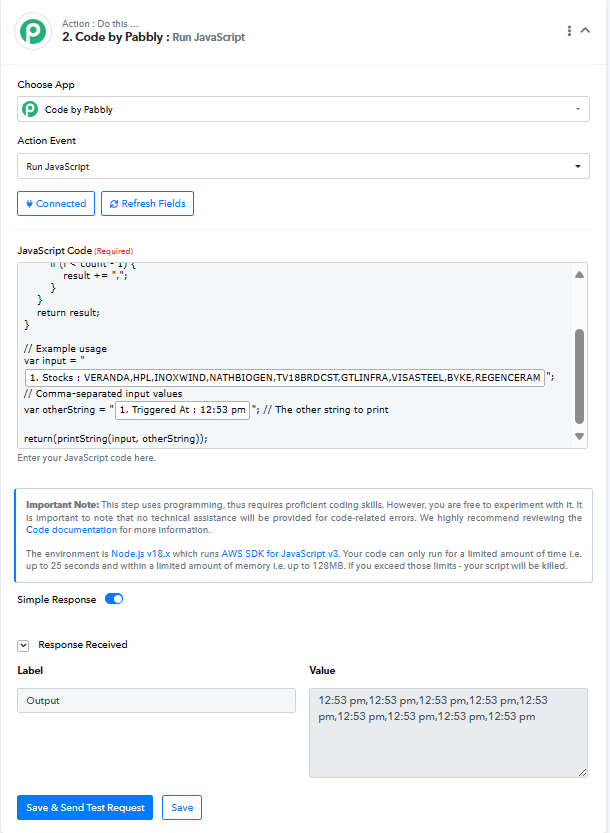
Here is the JS code which you need to use-
function printString(inputString, otherString) {
    var values = inputString.split(',');
    var count = values.length;
    var result = "";
    for (var i = 0; i < count; i++) {
        result += otherString;
        if (i < count - 1) {
            result += ",";
        }
    }
    return result;
}
// Example usage
var input = "VERANDA,HPL,INOXWIND,NATHBIOGEN,TV18BRDCST,GTLINFRA,VISASTEEL,BYKE,REGENCERAM"; // Comma-separated input values
var otherString = "12:53 pm"; // The other string to print
return(printString(input, otherString));
Just map the value from the trigger response and click on "Save & Test Request".
It will provide you with comma separated time which you need to map directly inside the date field of Google Sheet.
This will add time to every stock as per your requirement.
Is it possible to provide python code I don't know javascript
Hey @ranganna !
Sure, below you can check for the Python code-
def print_string(input_string, other_string):
values = input_string.split(',')
count = len(values)
result = ""
for i in range(count):
result += other_string
if i < count - 1:
result += ","
return result
# Example usage
input_str = "VERANDA,HPL,INOXWIND,NATHBIOGEN,TV18BRDCST,GTLINFRA,VISASTEEL,BYKE,REGENCERAM" # Comma-separated input values
other_string = "12:53 pm" # The other string to print
print(print_string(input_str, other_string))
Map data inplace of the bold letters above and it should work as per your requirement now.
Running python consumes a task ? if yes without running python is it possible to achieve ?
Currently, using Code by Pabbly is the only workaround we have for your use case.
Currently, using Code by Pabbly is the only workaround we have for your use case.
you should bring some looping concept
Hey @ranganna !
Sure, we will try to add the desired feature in the near future.