Xero connect to woocommerce
Status: Closed · Asked by GOH PEI LI on · 0 views
How I update the product quantity of the woocommerce if I create the bill in Xero
Hey @zaoyao2016
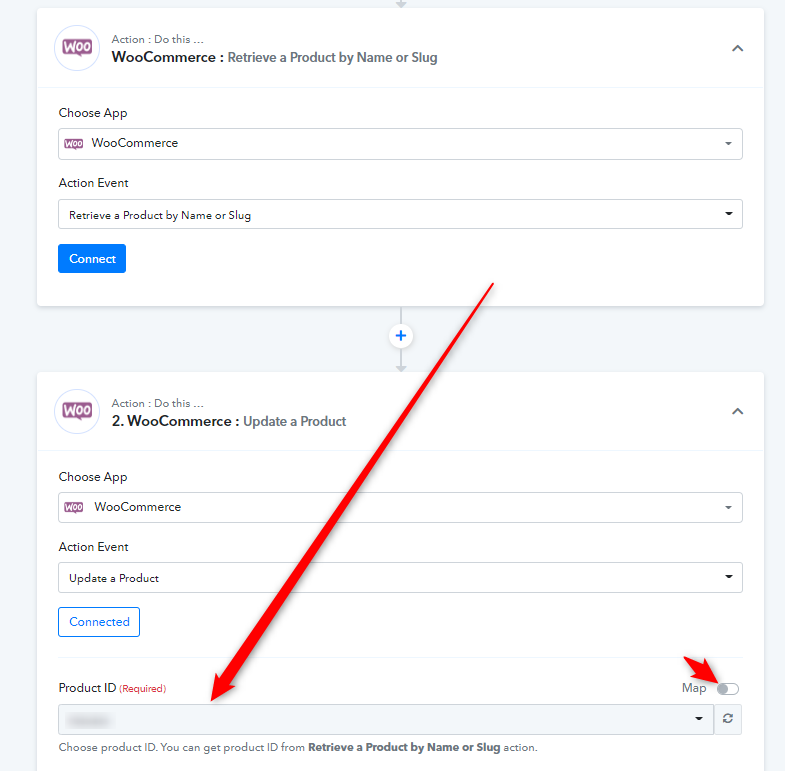
As we can see from your workflow, you haven't configured WooCommerce accordingly.
Please check the following thread to add the Basic Auth plugin to your WordPress.
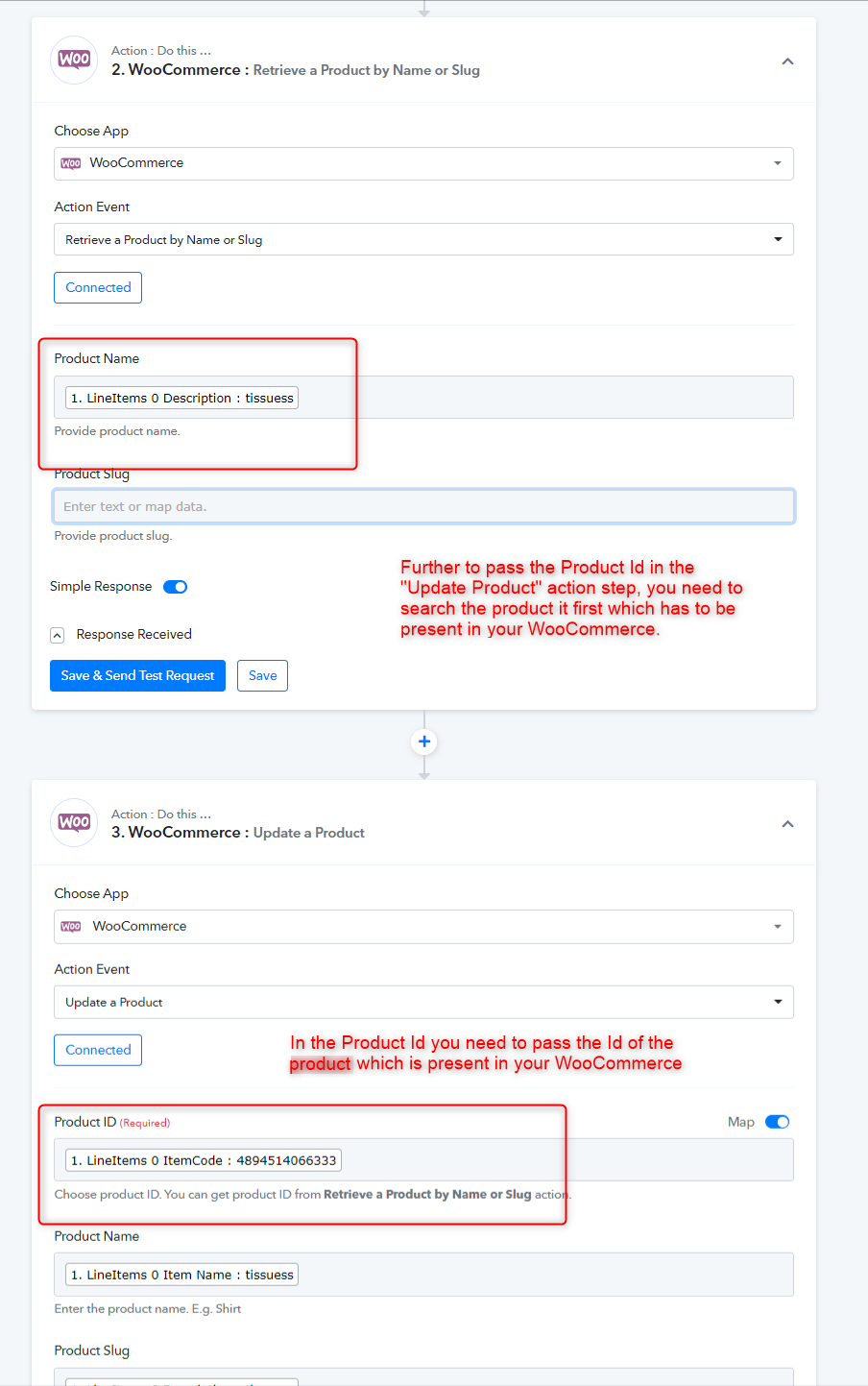
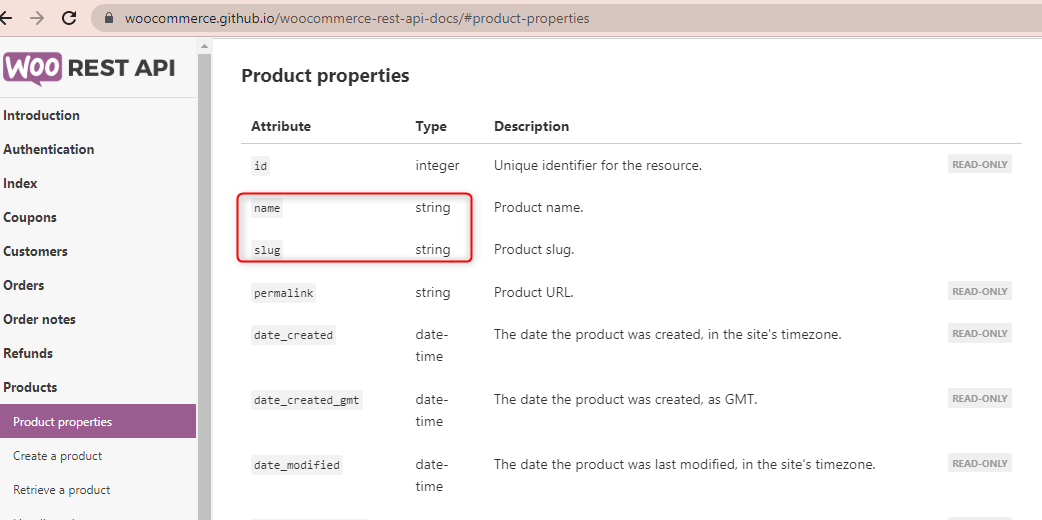
Then, please use the "WooCommerce: Retrieve a Product by Name or Slug" to retrieve the product id which you can later pass in the Product Id field of "Update Product".
hI, May I know how I do if I credit notes in the Xero, the woocomeercee will update the quantity of product.
Hey @zaoyao2016
If you are trying to update the product in the line item manner then it is not possible to retrieve individual products and cannot pass with line item quantity from Xero.
Further, you can only update products from Xero one by one to WooCommerce.
Hi if return the product to the supplier in the xero, woocommerce Will automatically update the product quantity.it possible to do this
Hey @zaoyao2016
To update the product in WooCommerce, you need to check first whether the product is present in your WooCommerce or not.
So, kindly try to use the exact name of the product in your Xero and on WooCommerce.
Currently My quantity of product a is 5
But I had create a new bills in the xero which is added product a with 3 quntity
Why the quantity product in the woocommerce will become the 3 when i select the updated product
How I make the quantity of product become 5+3=8?
Can you please elaborate on your concern briefly with the help of a short recorded video?
The scenario is I create bills in Xero, and the quantity of the product will update
On initially of the yam is 10 in the woocommerce, I had to create a bill that added 3 new yam in the Xero, When click send the test request in the pabbly the quantity product in the woocommerce becomes 3. Actually, I want 10 (initial) +3 (new)=13
Hey @zaoyao2016
Why the quantity product in the woocommerce will become the 3 when i select the updated product
How I make the quantity of product become 5+3=8?
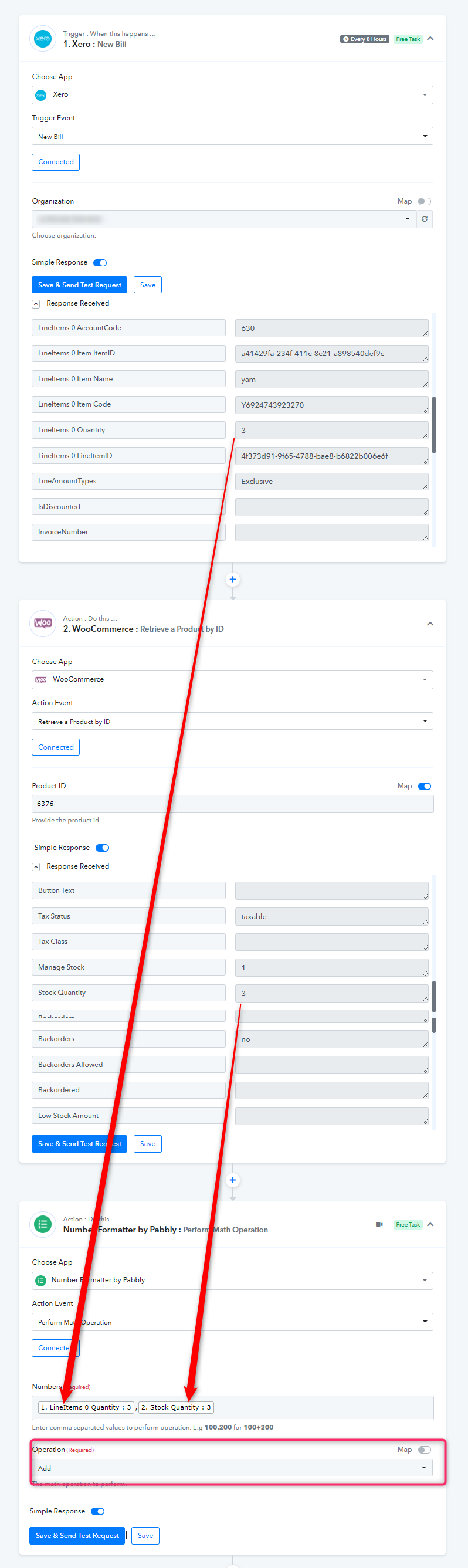
Regarding your concern to update the overall quantity from your Xero along with WooCommerce's retired product quantity, you can use the "Number Formatter by Pabbly: Perform Math Operation".
Kindly give this a try and let us know if that works for you.
Hi, I had planned to do this when I create an invoice in Xero, the woocommerce will automatically create the order?
The scenario on my site is correct?
May I know what is the difference create an order and create an order (with line item)?
Hey @zaoyao2016
Yes, with the help of this workaround, you can change the number of your products dynamically.
Please give it a try and let us know how it works for you.
Hi, I had create a bill with 3 item, but 2 item is broken , So i will create a credit note .
My woocommerce also will decrease the quantity of product after credit note
How i do it because I just see credit note only in the action.
How i connect it
Hey @zaoyao2016
The workaround we have shows you will only work for a single line item, it wouldn't get support on multiple line items.
Hi May I know if create a invoice with ten product in the xero
After do the connection, They will help me create 10 product in the woocommerce?
Hey @zaoyao2016
I don't think that a reverse procedure to create 10 products in WooCommerce will work.
May I know if I created multiple products in the xero for example 10product per invoice ,they will help me automatically added how many product
Hey @zaoyao2016
May I know if I created multiple products in the xero for example 10product per invoice ,they will help me automatically added how many product
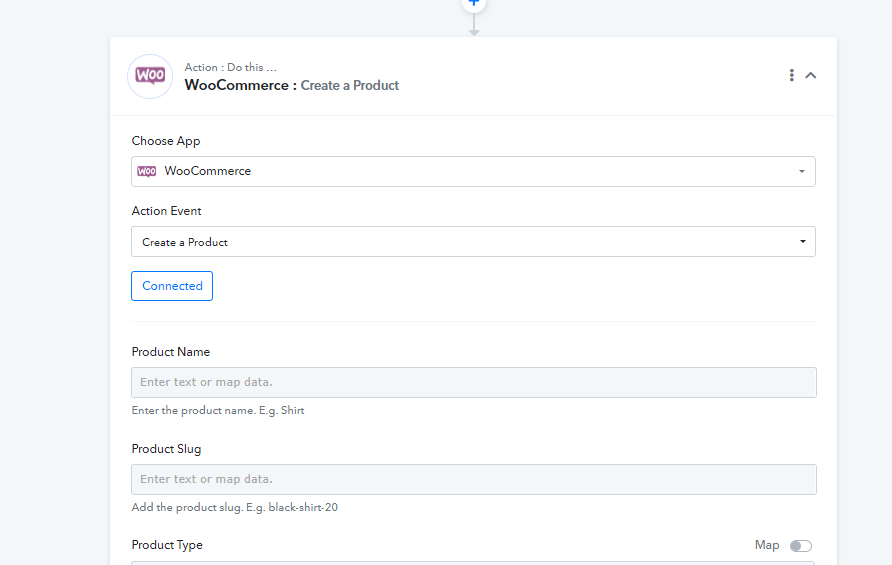
You can use the "WooCommerce: Create a Product " action step to pass all the supported line items in the product.
Before passing the line Item data in the action step you can process the JSON array with the help of "Line Itemizer "
Hi The data i had map is room fresh and chid but why finally only show me product-6
Attachments
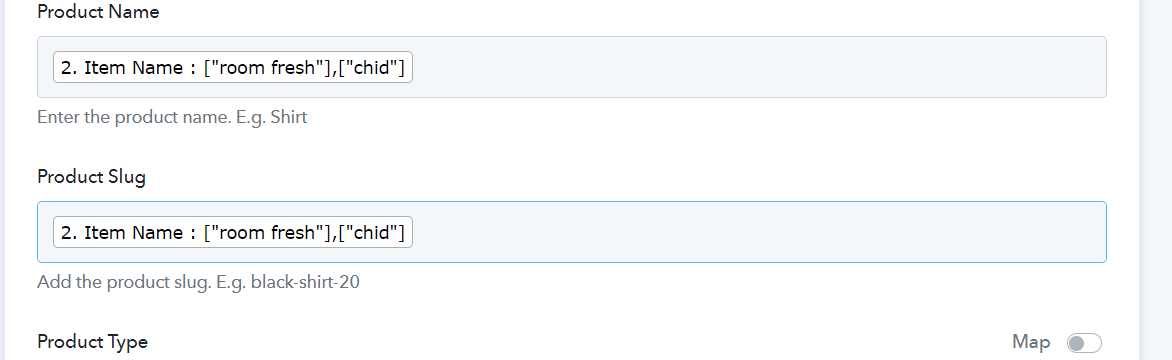
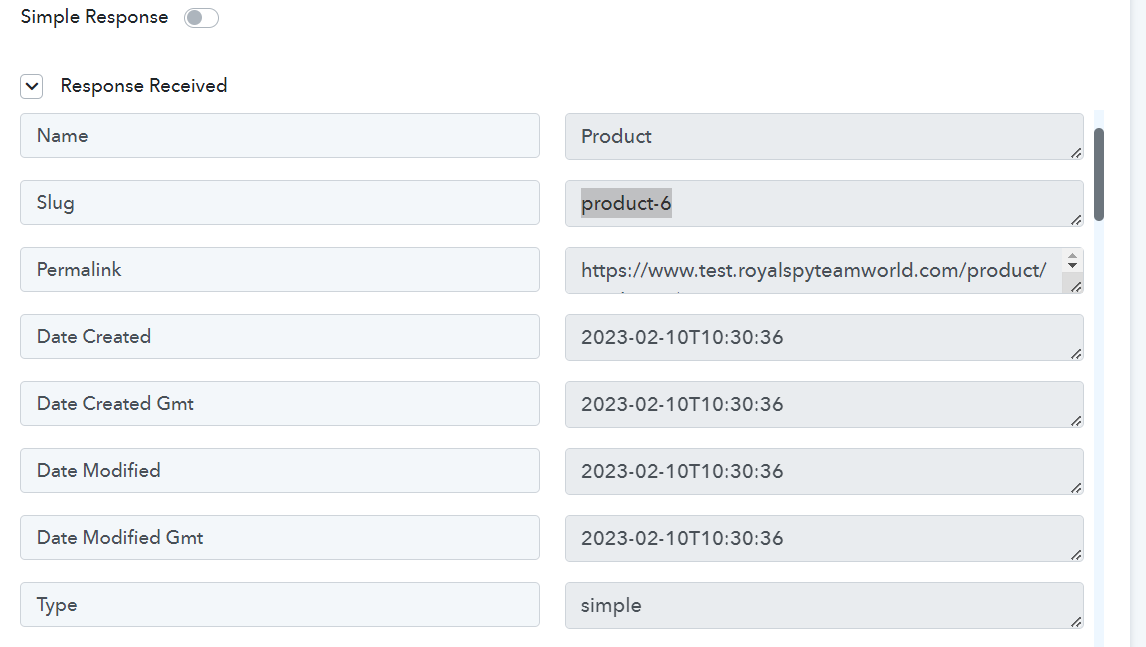
Hey @zaoyao
They will automatically map products depending on how many products have been created in the Xero bill. Right?
Using Line Itemizer, all your products will get mapped in number as it is coming.
Hi The data i had map is room fresh and chid but why finally only show me product-6
Attachments
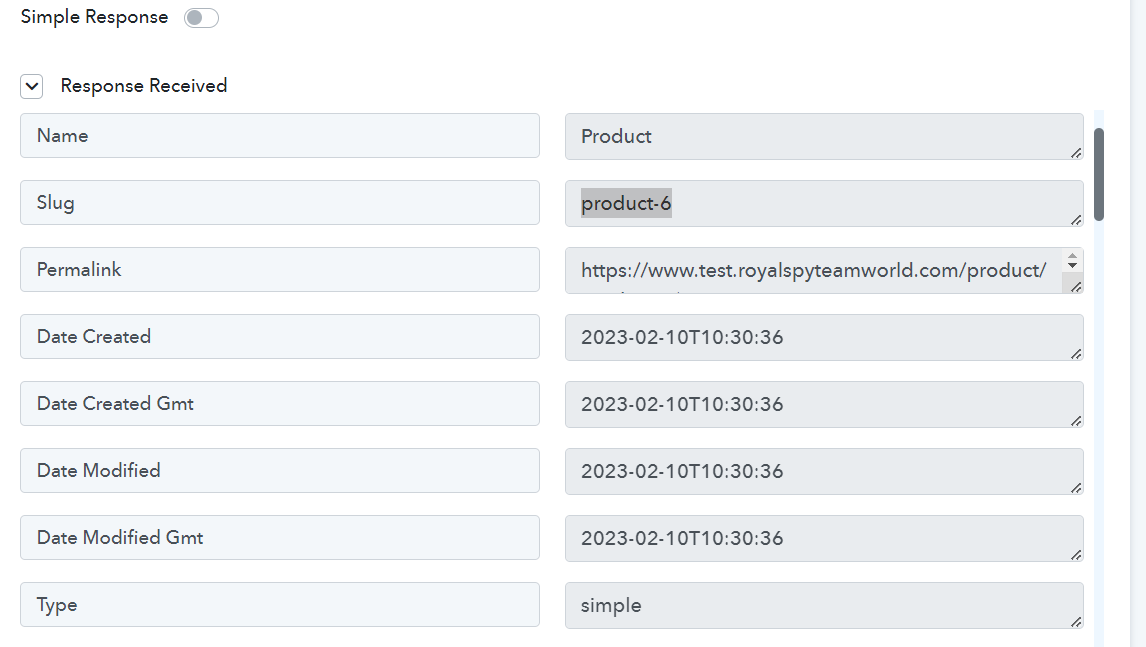
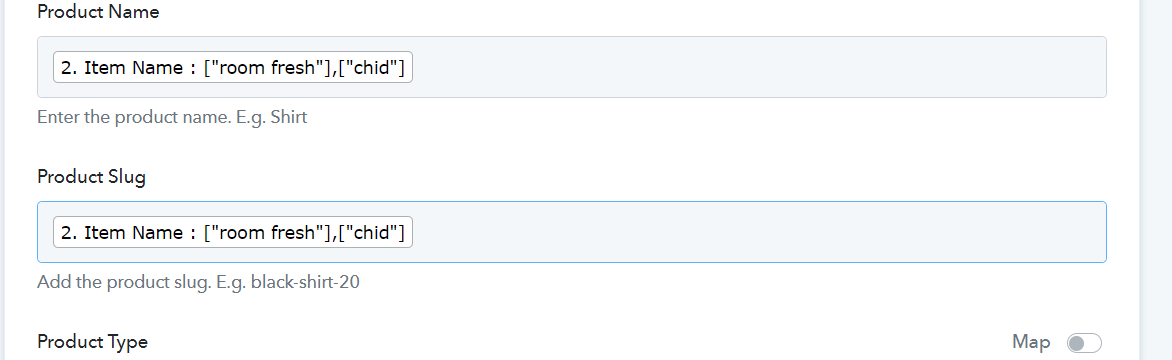
Please share the name of the workflow, which you have tried.
As we can see from your screenshot you have passed the multiple line item in the incorrect way. Please check the video tutorial again you will see the manner in which the data should be forwarded.
My web flow name is Xero create bill, woo-commerce create product
I had to check a lot of times. I really don't which are the wrong item
Please help me thanks
Let me know if i doing any wrong thanks
Hey @zaoyao
You are supplying numerous product data in the Product Slug and Product Name columns of the Create Product action step of WooCommerce, which WooCommerce does not permit.
Attachments
Hi, I have a question, in regards of the task of Pabbly.
We noticed that the tasks are picked up concurrently and causes the product quantity to be updated incorrectly.
ie:
1. We have a product "happy" with a quantity of 6.
2. Task 1 - Created a bill which will increase the product count -> product from 6 -> 9. (webflow name=Create bill , update product)
3. Task 2 - Created an invoice that deducted the product (the product quantity picked up here is 6 instead of 9 due to the increase by Task 1) from 6 -> 5.(webflow name=Create Invoice credit note)
Kindly check on the above issue, what is the cause of it and how do we resolve?
Thanks
Can you please explain the situation with the help of a short recorded video?
Hi all, based on video 1,
the quantity of product is 6 (beginning)and after the process of updating product it becomes 9
In video 2, the quantity of the product also is 6. (I think the quantity of the product should be 9 because it already run task 1 in video 1)
youtube.com/watch?v=KjwQz4aviFE
(video 1)2)
Why the quantity product in the woocommerce will become the 3 when i select the updated product
How I make the quantity of product become 5+3=8?
As per your initial condition what you were looking for is exactly to begin processing in the automation.