Xero Integration Issues with Retrieving the Payload
Status: Open · Asked by GPP on · 0 views
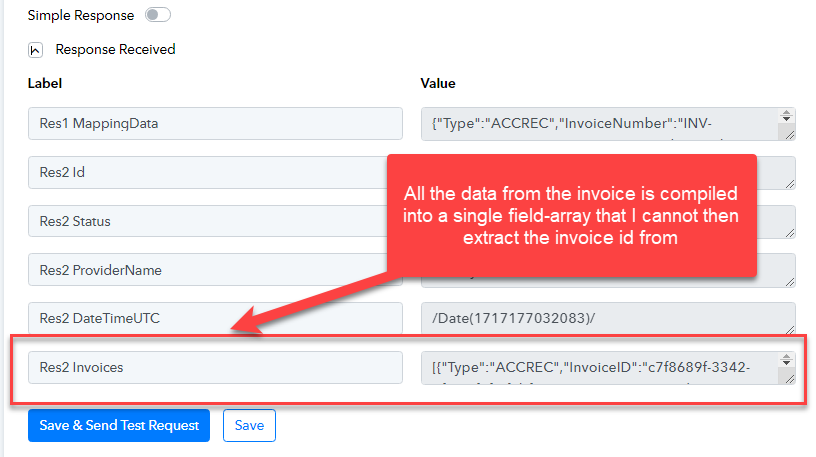
When I first built my Pabbly Connection to Xero to create invoices & invoice items; I was able to build an API Execute Request to "map" the newly-created Invoice ID back to the source application (Quickbase). On May 20th this broke and it would appear that the format of the Xero Integration step no longer breaks out the payload correctly into individual components which I can then reference with other steps. Now all the invoice-components are in a single "array". Why is this happening - is this a Pabbly bug or a Xero api change?
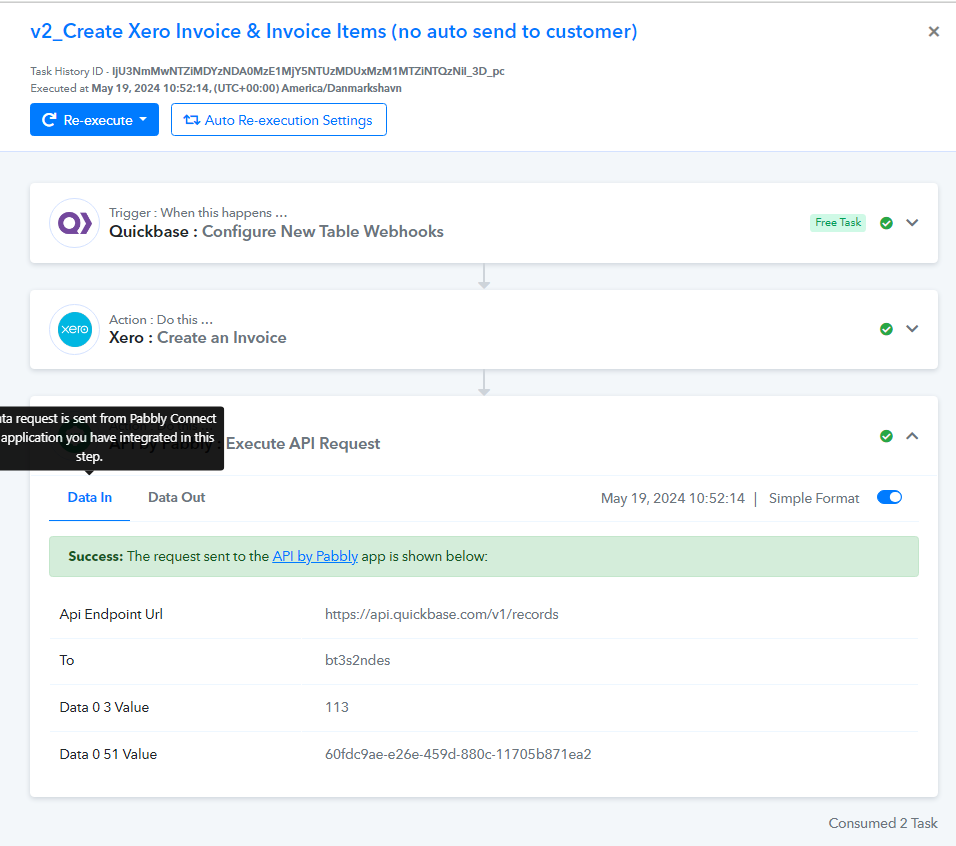
This was the last task history that worked without issue: IjU3NmMwNTZiMDYzNDA0MzE1MjY5NTUzMDUxMzM1MTZiNTQzNiI_3D_pc
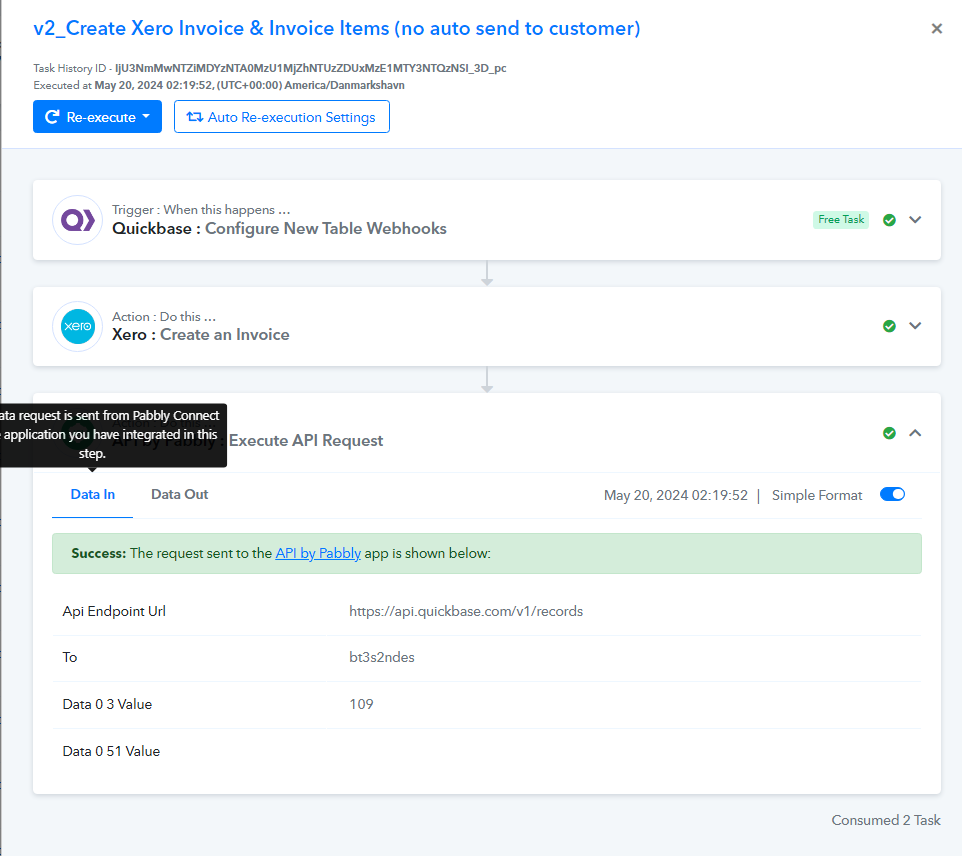
This was the first task history when it stopped working : IjU3NmMwNTZiMDYzNTA0MzU1MjZhNTUzZDUxMzE1MTY3NTQzNSI_3D_pc
I've attached the two task histories as screenshots so you can see data 0 51 value has a value in the task ran on May 19th but not the task (or any other since) that ran on May 20th
Attachments
Hi @GPP,
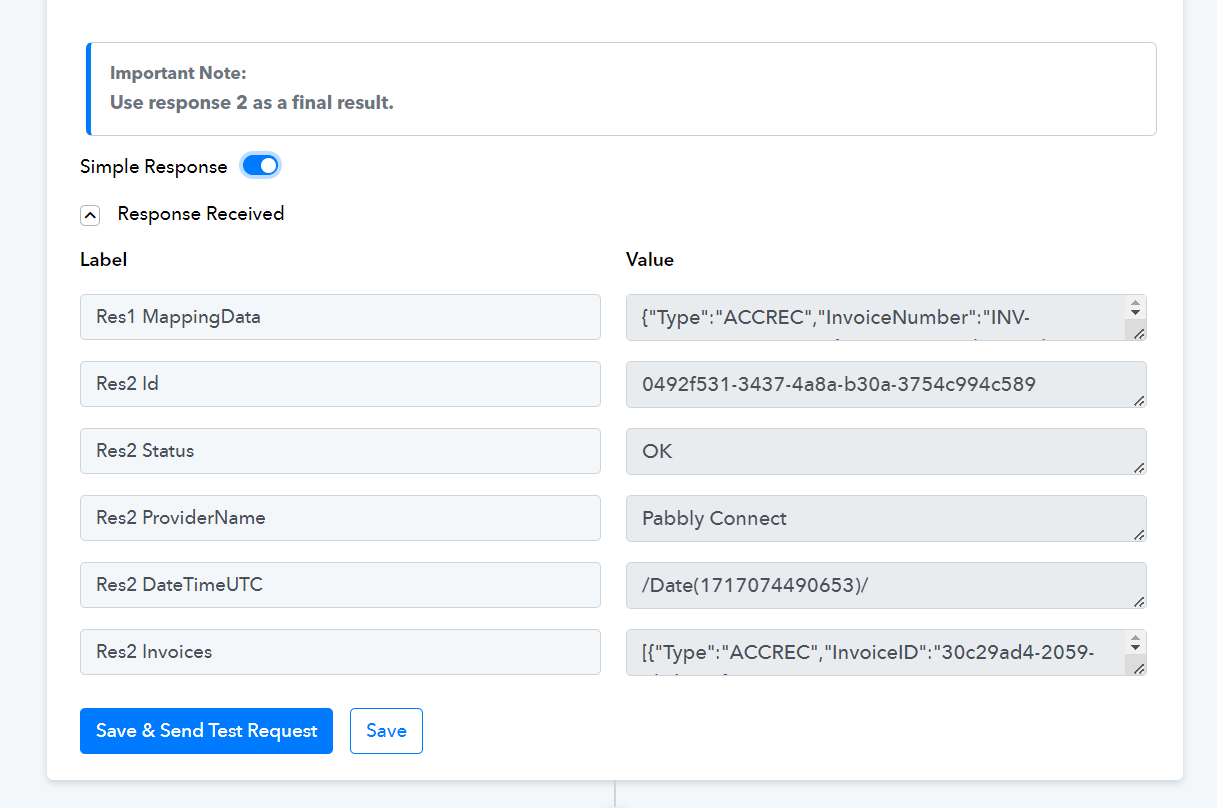
To break down the payload, you need to enable 'Simple Response' and then click on 'Save & Send Test Request'. After that, you can map the Invoice ID to the next steps.